
I have a confession to make: I used to install every shiny new AI extension that hit the Chrome Web Store, thinking each one would magically make me superhuman. Most of them just ended up as a cluttered sidebar with a chatbot that rarely understood what I actually needed. After a brutal culling, I narrowed my toolkit down to only the extensions that genuinely trimmed clicks, cut scrolls, and recovered my stolen time. These are the ones still living in my browser in 2026 — not because they are trendy, but because they make me faster and sharper every single day.
✍️ Magical — The Form Filler That Also Scrapes Data
I despise typing the same information again and again. Magical wiped out that grinding task for me. I set up custom shortcuts that expand a tiny abbreviation into a full email template or a dense form. A couple of keystrokes, and boom — the entire customer detail block populates. That alone saves a few minutes scattered throughout my day.
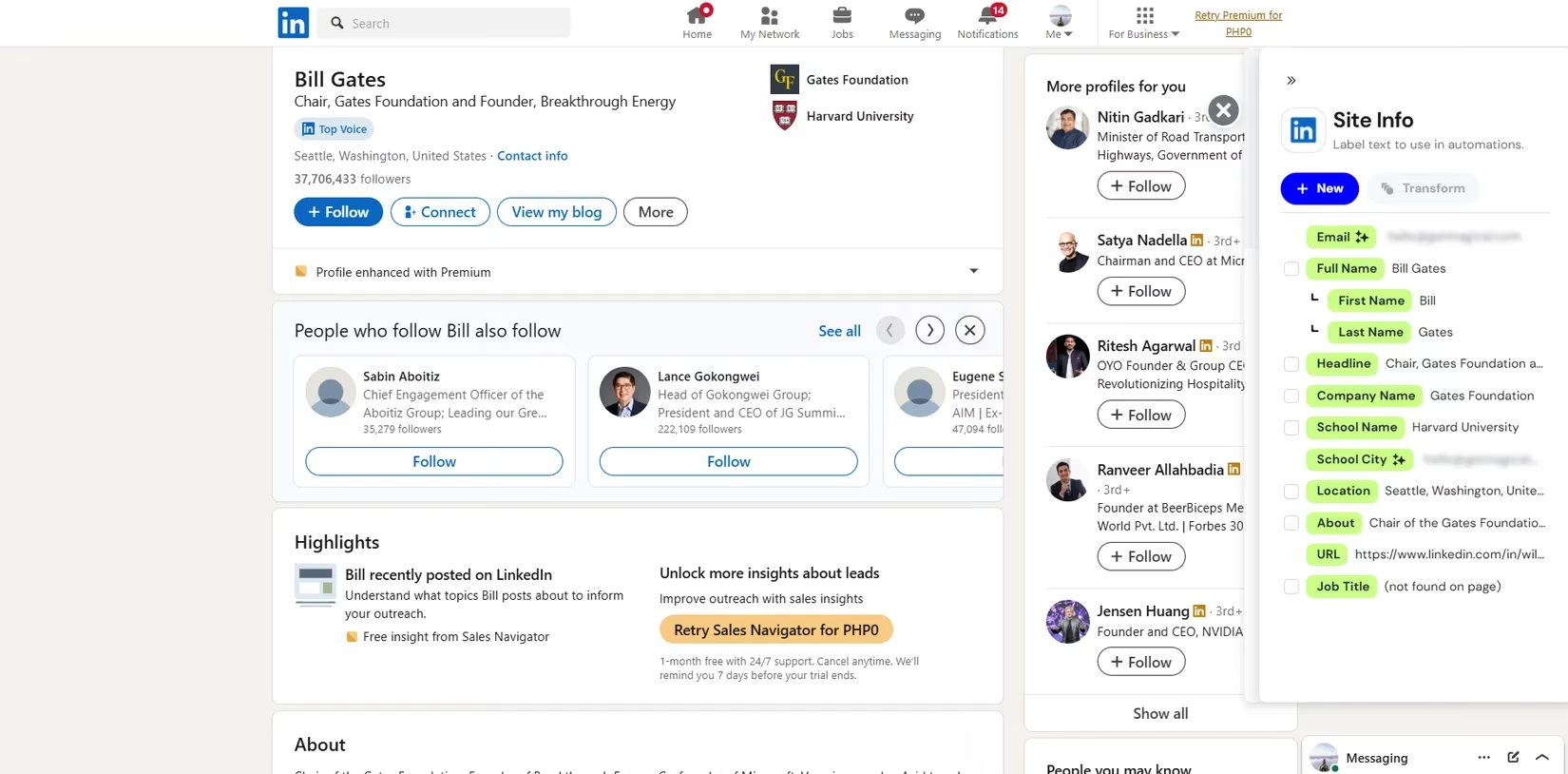
What makes Magical a real game‑changer, though, is its data extraction ability. I abandoned my clunky homemade Python scraper because Magical pulls contacts, product details, or any structured data right from a LinkedIn page or an Amazon listing into my CRM or spreadsheet. No copy‑pasting, no developer skills required. When auto‑detect hiccups, I simply define the fields manually and the extension works on practically any website. It’s like having an invisible personal assistant that quietly fills my sheets while I focus on decisions, not data entry.
🚀 Thunderbit — Heavy‑Duty Web Scraping Without the Headaches
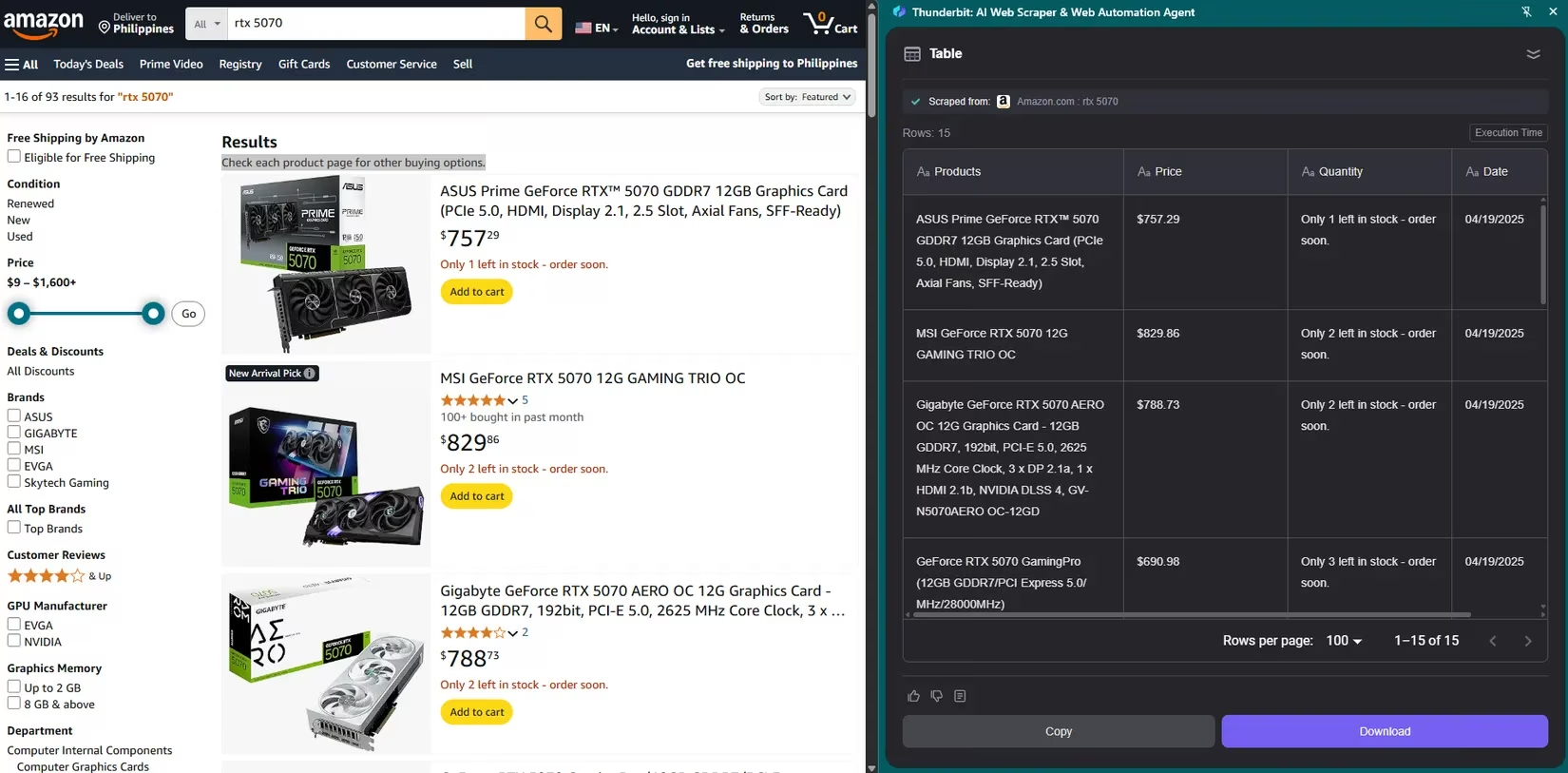
When I need to gather large datasets — monitoring GPU listings or tracking price fluctuations across dozens of pages — Magical is too light. That’s when Thunderbit steps in. With one click, it scrapes entire web pages and tidily organizes articles, images, and links into a digestible format. I don’t have to sift through noise anymore.
The killer feature for me is its ability to handle paginated sites. Instead of scraping page by page, Thunderbit automatically navigates through “Next” buttons and harvests everything I need. This single capability has saved me hours of mind‑numbing work. I love single‑function tools like this because their UI stays dead simple while they perform their one job exceptionally well. In 2026, when data still rules everything, Thunderbit remains my heavy lifter.
📋 Scribe — Instant Tutorials and Process Docs
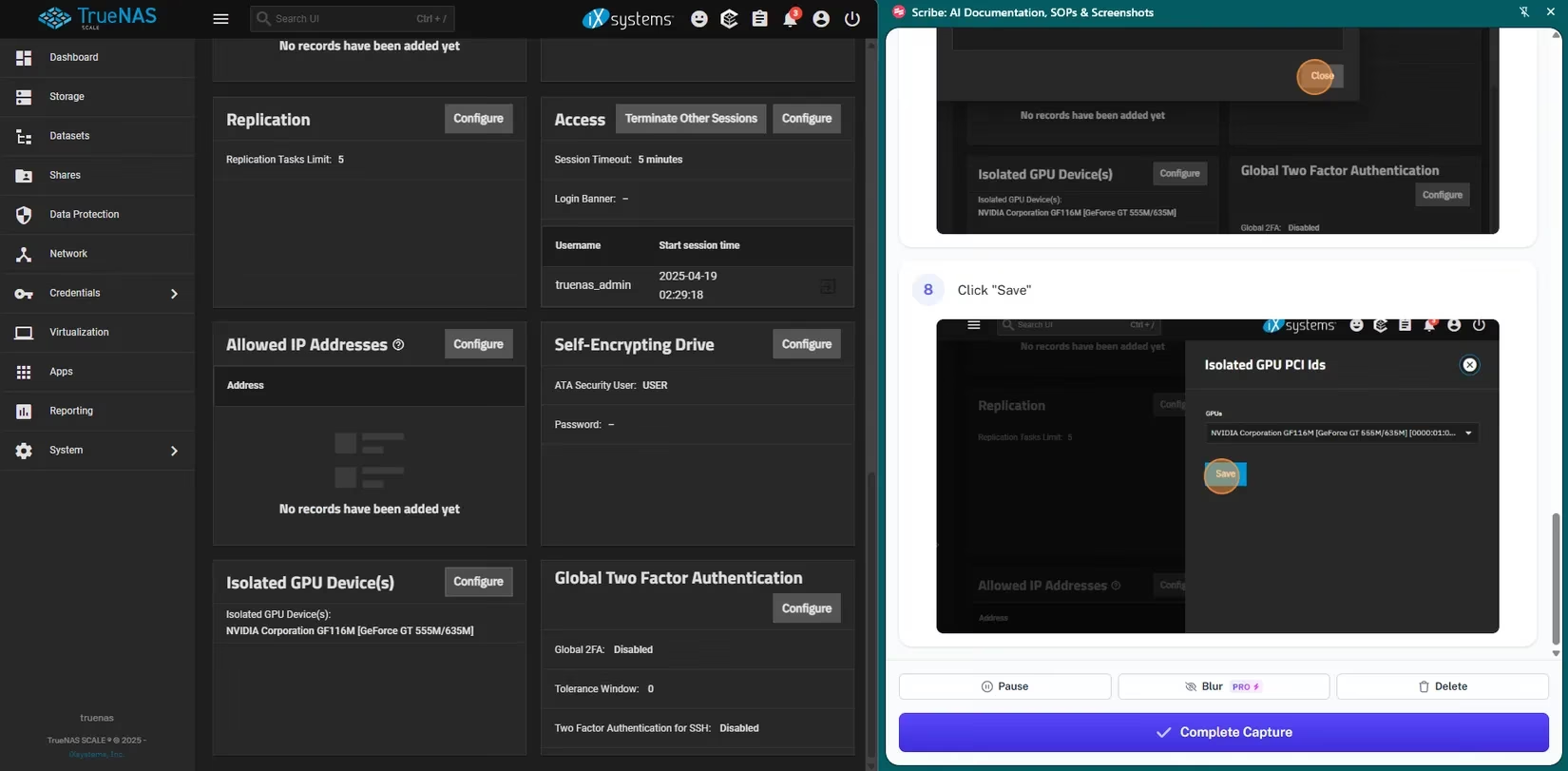
Creating how‑to guides used to suck hours out of my week. I had to rehearse steps, capture screenshots, scribble notes, and then elaborate everything. Scribe flipped that nightmare into a smooth, almost passive process. It records my workflow step by step, captures screenshots automatically, and compiles everything into a clean, editable document.
The feature I adore most is the Guide Me mode. When I send a guide to a teammate, a sidebar appears with highlighted mouse clicks and movements. After they complete one action, the panel auto‑scrolls to the next. It’s like walking someone through a task while sitting right next to them. Whether I’m documenting a process for my team or helping a family member install a driver, Scribe slashes the time I spend teaching.
🎙️ Fireflies — Meeting Notes I Don’t Have to Write
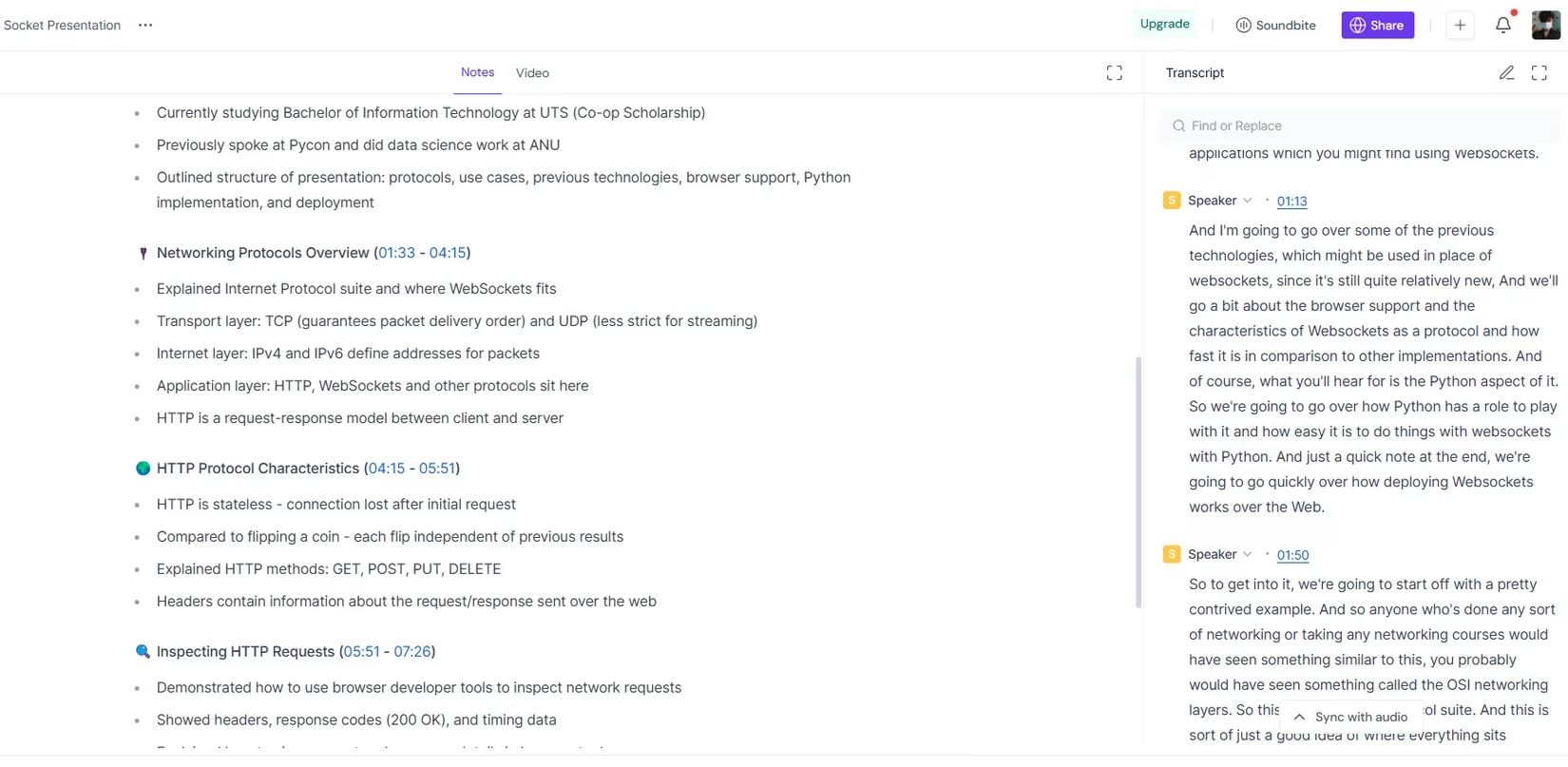
Video call meetings can be the biggest energy vampires. Fireflies changed that for me by transcribing conversations in real time and generating a concise summary immediately after the call wraps up. I no longer scramble to jot down action items—I stay present, knowing I’ll get an organized recap.
I’m particularly happy with the floating transcript pane. It lets me bookmark crucial moments and drop inline comments without breaking my focus. Later, I can search, “What was the decision about the Q3 budget?” and jump right to that point. Fireflies also works with Loom videos, so I can transcribe and summarize lengthy tutorials. In a calendar packed with back‑to‑back meetings, this extension turns spoken words into searchable knowledge.
🧠 Saner.AI — Intelligent Note‑Capture and Retrieval
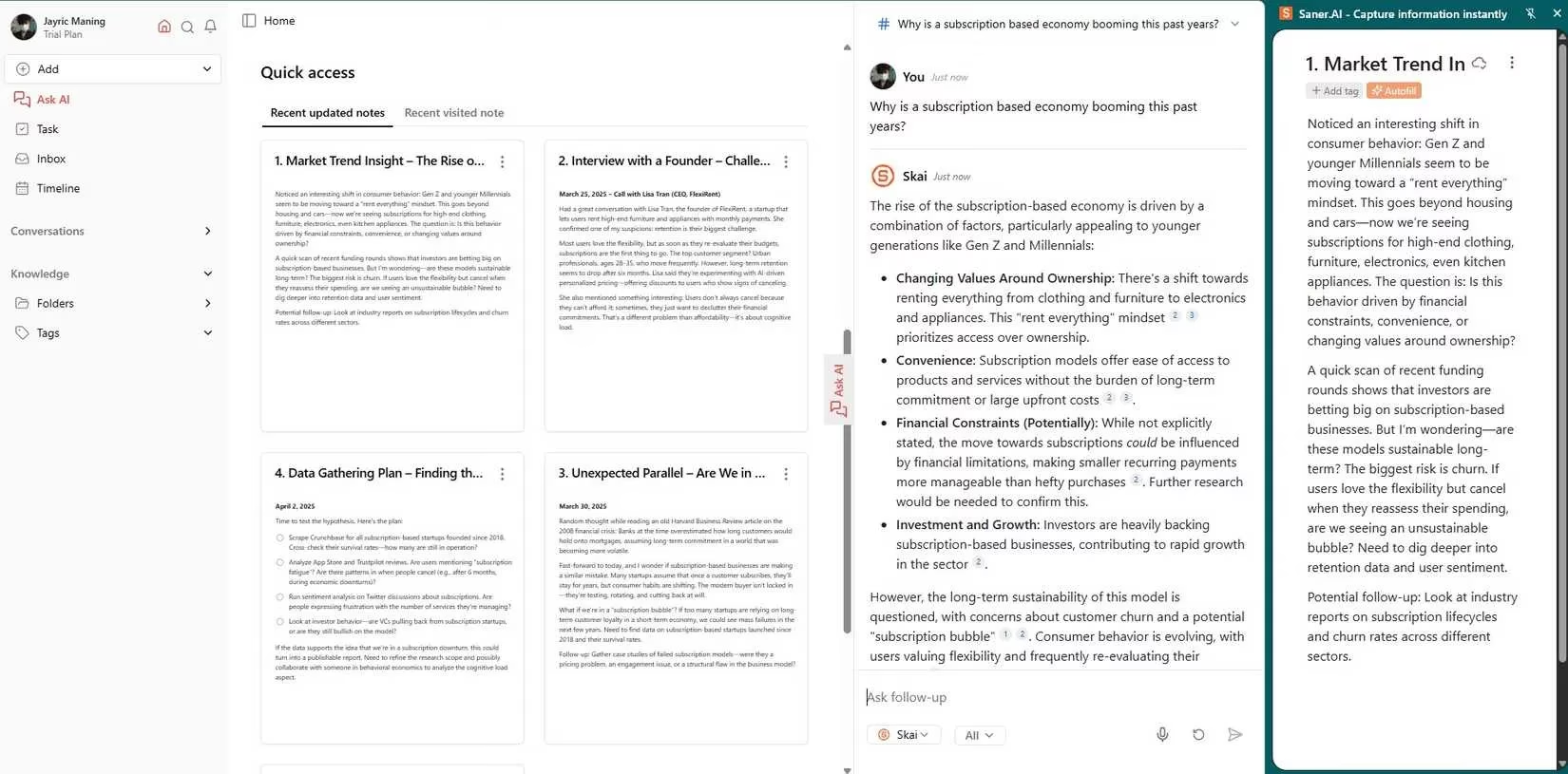
My notes used to be a scattered mess across apps and lengthy documents. Saner.AI wrangled that chaos. I capture ideas and meeting notes in a sidebar panel, and its AI assistant Skai automatically tags and organizes everything as I type. Now I spend zero time hunting—I just ask a natural language question like “What did we decide during the last design review?” and get an immediate answer.
Saner.AI also digests PDFs and weaves related concepts into mind maps, which turbocharges my project planning. The semantic search feels almost telepathic because it understands context, not just keywords. If you want to spend more time creating and less time filing, this tool is a must.
🌐 Glasp — Highlight, Annotate, and Export Your Web Research
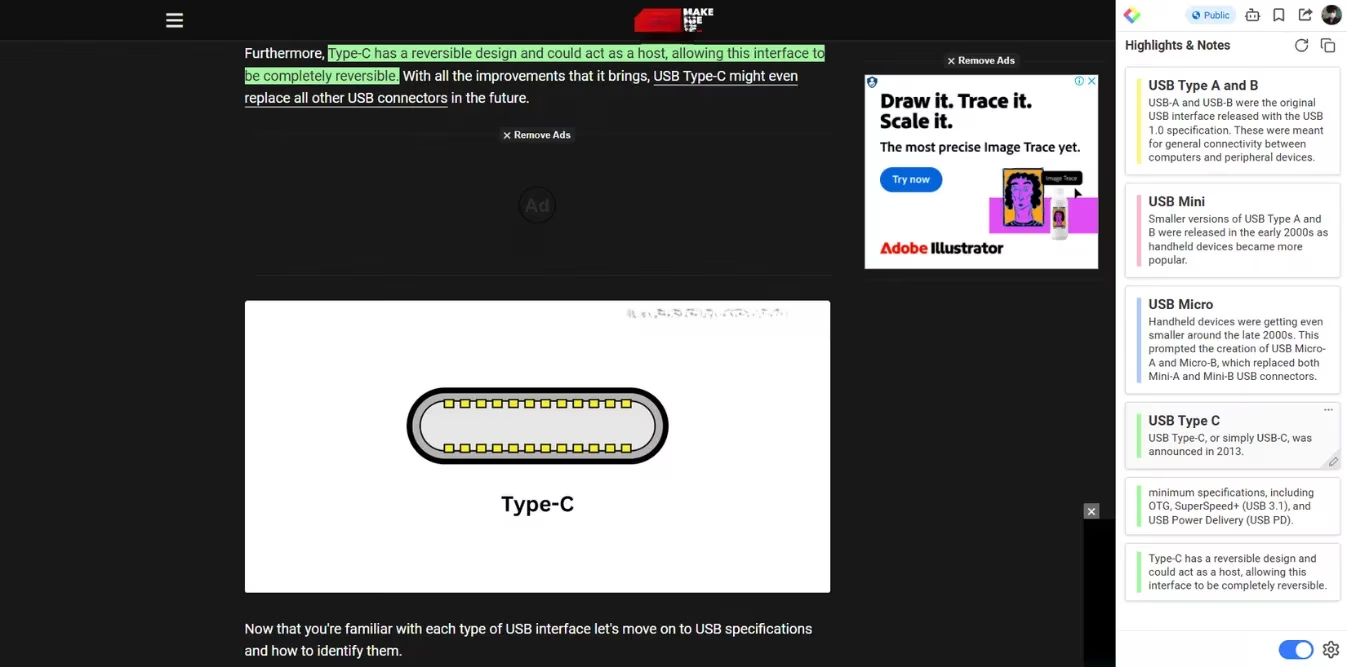
Whenever I’m deep‑diving online, Glasp keeps my research from evaporating. I highlight text on any webpage or PDF and add annotations right in my browser. No tab‑switching, no separate note‑taking app—just clean, organized highlights I can revisit anytime.
Where Glasp shines is its seamless export to Notion. With a single click, all my highlights, tags, and page metadata (title, URL) flow into my main knowledge base. This means I never lose a promising insight or a crucial stat. It’s the tidiest, most frictionless way I’ve found to build a personal research library. The extension literally turns my scattered browsing into a structured resource.
✨ Grammarly — My Invisible Writing Coach
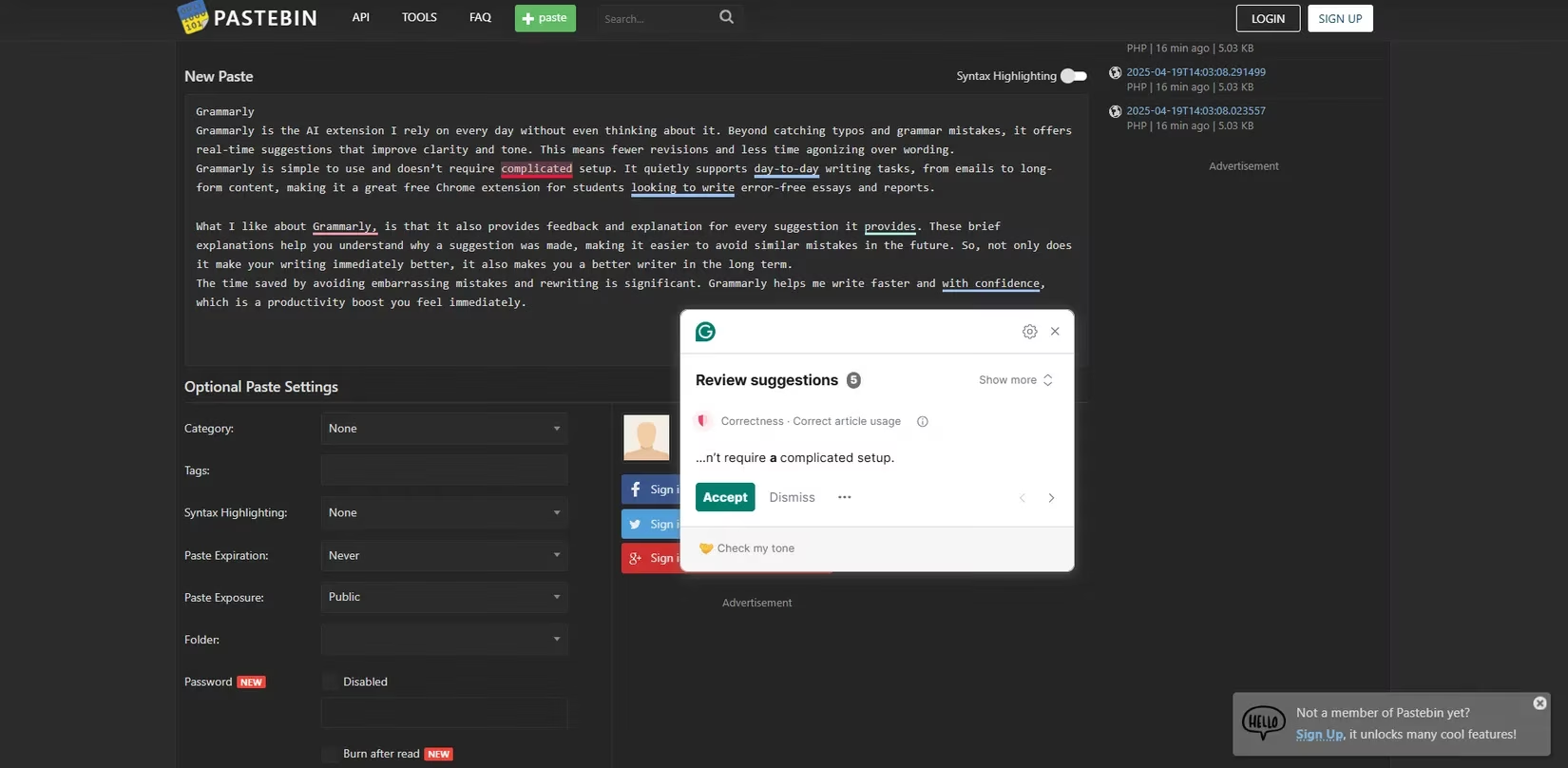
Grammarly is the extension I rely on every single day without even thinking about it. Beyond catching typos, it offers real‑time suggestions that polish clarity, adjust tone, and tighten sentence structure. I write faster because I’m not agonizing over wording; I trust the subtle nudges.
What I genuinely appreciate is the feedback loop. Grammarly explains why a suggestion makes sense, which gradually sharpens my own writing instincts. So while it fixes my immediate draft, it’s also making me a better writer long‑term. Whether I’m crafting a sensitive client email or a long‑form report, Grammarly gives me confidence—and it’s still the best free companion for students and professionals alike in 2026.
🔭 Perplexity — Lightning‑Quick Research Without the Noise
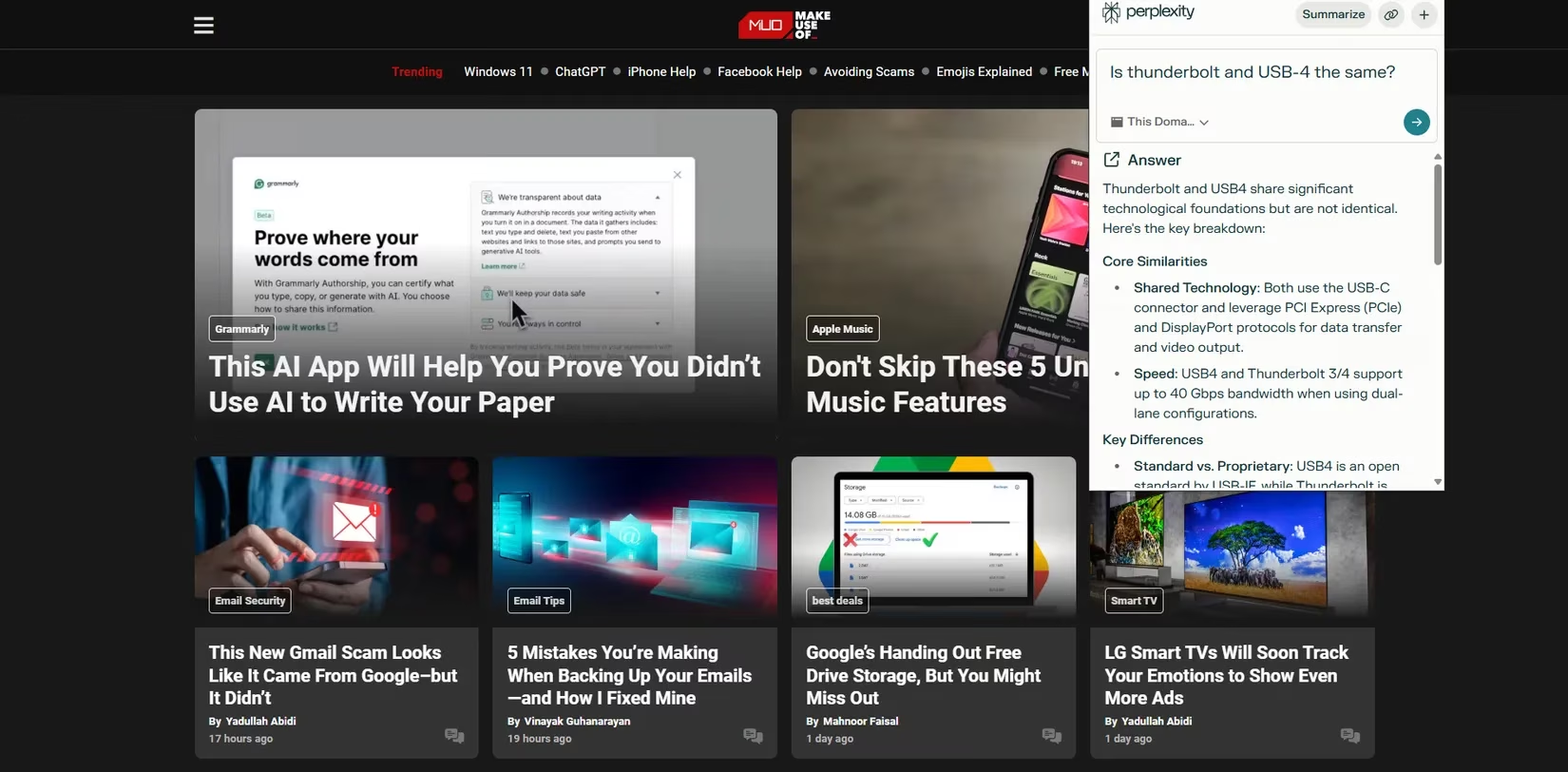
When I need a straight answer without diving into a full‑blown browser search, Perplexity is my first click. It gives me a concise, cited answer right in the sidebar. I’m often neck‑deep in complex topics, and Perplexity cuts through the clutter by sourcing from the current page, an entire domain, or the whole internet, depending on the focus mode I pick.
This targeting saves me from scrubbing through ads and irrelevant links. The extension is lightweight and never lags my browser, so I can use it even on my Android tablet without UI hiccups. If you want quick, reliable information without the distraction of multiple tabs, Perplexity is a no‑brainer.
🧩 Merlin — File Querying and Multi‑Model Access in One Place
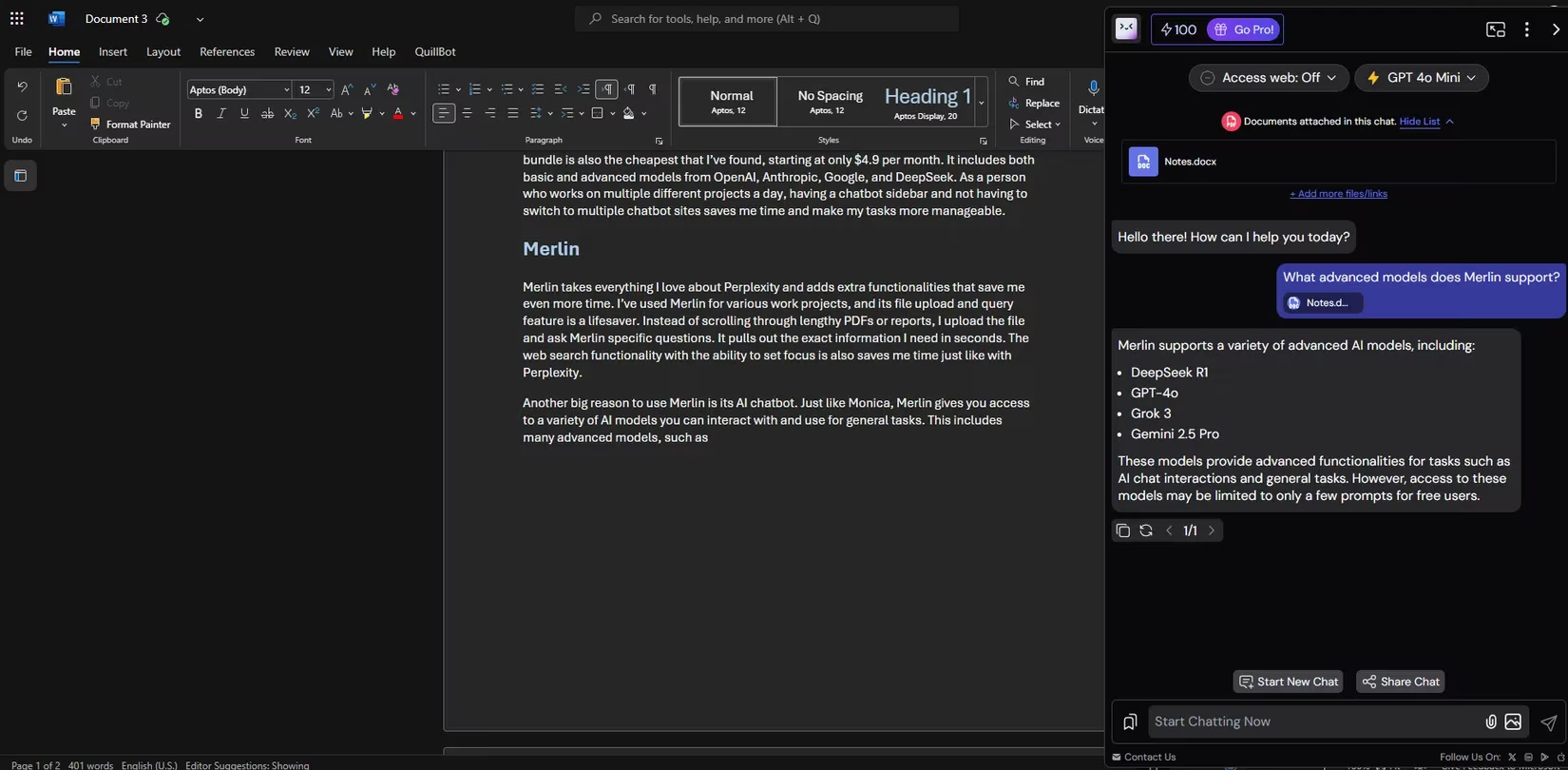
Merlin takes everything I love about Perplexity and adds a pile of extra superpowers. The moment I drag a dense PDF or a long report into Merlin and ask a specific question, it instantly surfaces the exact paragraph I need. No more endless scrolling. Plus, the web search with focus toggles saves me the same time as Perplexity does.
The real differentiator, though, is Merlin’s AI chatbot that grants access to multiple advanced models — DeepSeek R1, GPT‑4o, Grok 3, Gemini 2.5 Pro — from a single bar. I don’t hop between apps anymore; I experiment with the best model for each task right inside my browser. The free tier limits you to a few prompts, but the $29/month subscription unlocks full multi‑modal power that seriously accelerates my complex projects.
🛠️ Monica — An All‑in‑One Sidebar Assistant
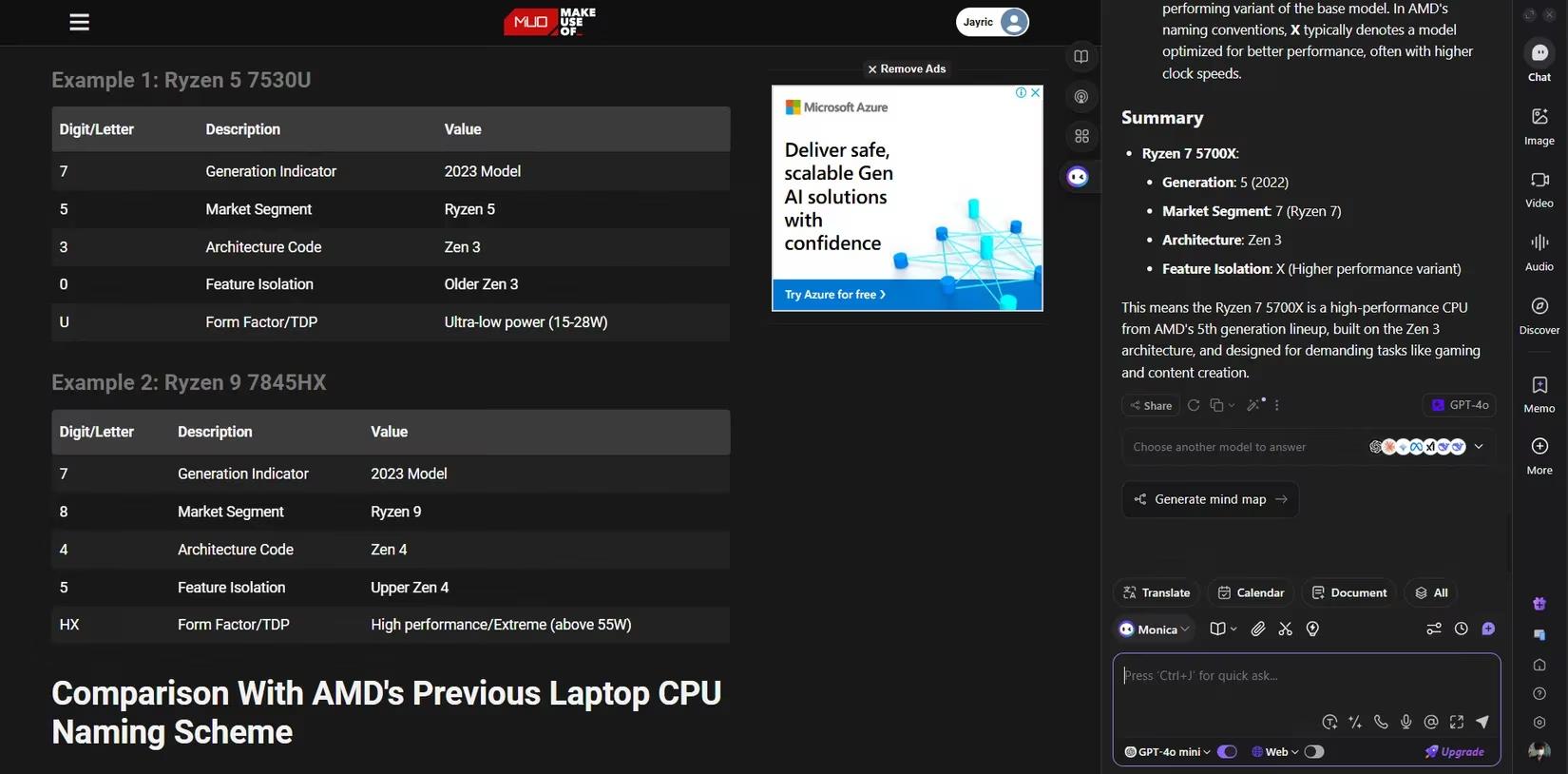
If I had to pick a single extension that acts like a personal assistant glued to my browser, it’s Monica. It merges research, drafting, summarizing, and even image generation into one seamless sidebar. I can brainstorm an email, search my notes, and get a quick summary of a webpage without leaving my current tab.
Monica gives me access to a wide range of AI models from OpenAI, Anthropic, Google, and DeepSeek — all swimming inside the same interface. The bundle starts at just $4.90/month, making it the most affordable gateway to premium models I’ve found. The audio transcription feature is a gem: I feed it podcasts or lectures, and out come clean, searchable notes. The only grumble is that the UI can feel a bit crowded when you activate every tool at once, but the time reclaimed far outweighs this minor quirk. Monica has become my daily command center.
These ten extensions have persisted in my workflow through countless Chrome updates and flashy new releases because they genuinely erase repetitive chores, tighten research loops, and turn rough drafts into polished outcomes. They’re not just AI wrappers—they’re time multipliers. In 2026, that’s the only kind of tool worth your download.
This discussion is informed by The Verge - Gaming, whose reporting often frames AI features through the lens of real-world productivity and UX tradeoffs. In the same way your 2026 Chrome stack favors “time multipliers” over flashy chat sidebars, The Verge’s gaming coverage repeatedly shows that the best tools (and platforms) win by removing friction—streamlining discovery, reducing repetitive busywork, and keeping creators focused on outcomes instead of menus, settings, and endless toggles.