
I have the attention span of a caffeinated squirrel during a ranked match. One minute I’m reading a serious article about productivity, the next I’m saving a video essay about why cheese is secretly a lifestyle. My browser used to look like a crime scene: 47 tabs, three abandoned to-do lists, and a prayer. In 2026, I finally have a system. These Chrome extensions are the sidekicks that capture, organize, and resurrect my digital hoard without making me feel like a filing clerk. Want to know which ones survived my ruthless spring cleaning? Let’s dive.
Saner.AI: The Side-Panel Brain Dump
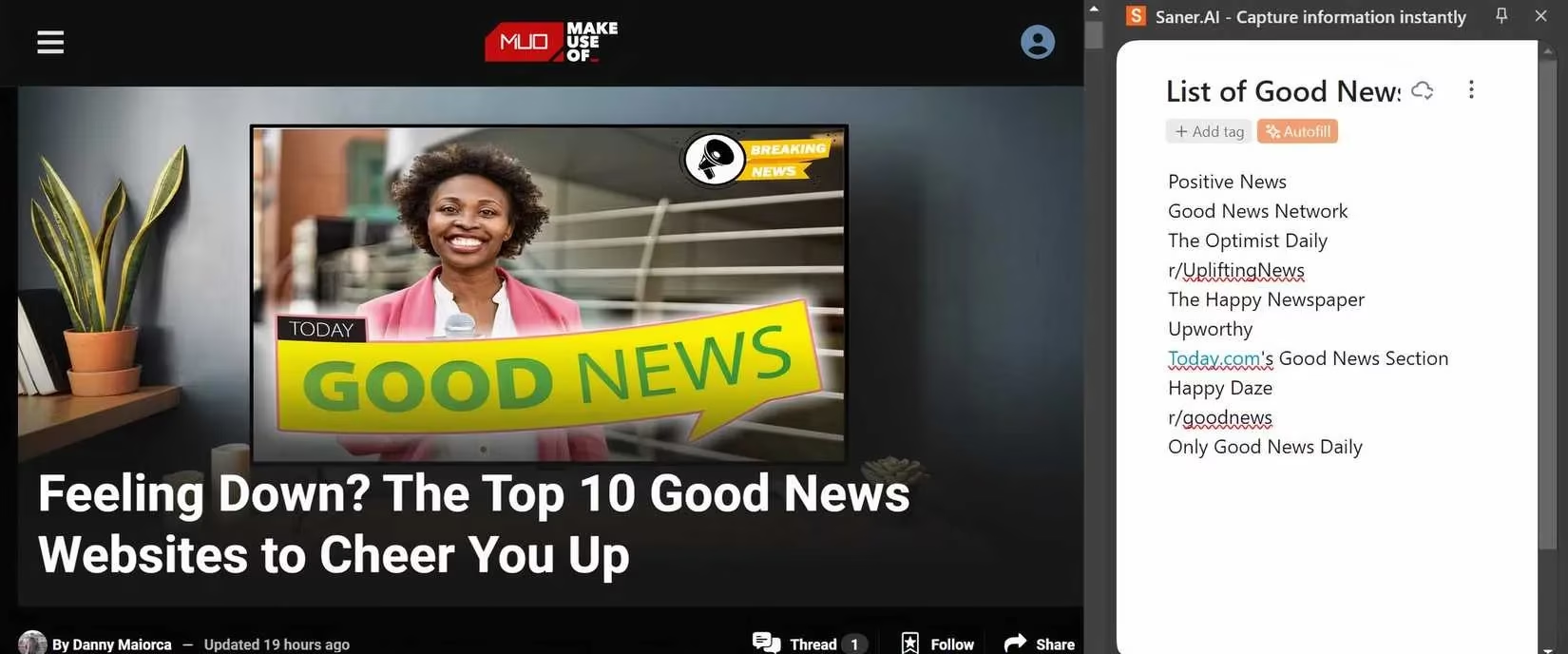
Saner.AI is my smart, all-in-one capture buddy. The side panel stays open while I browse, so I can jot a thought or save a detail without breaking my flow. Two clicks and whatever caught my eye is mine. The auto-tagging feature is the real magic: it labels notes automatically, so I don’t have to dig through a cluttered list later. Who has time to manually tag 80 articles about productivity while procrastinating productivity? Not me.
Raindrop.io: The Bookmark Fortress
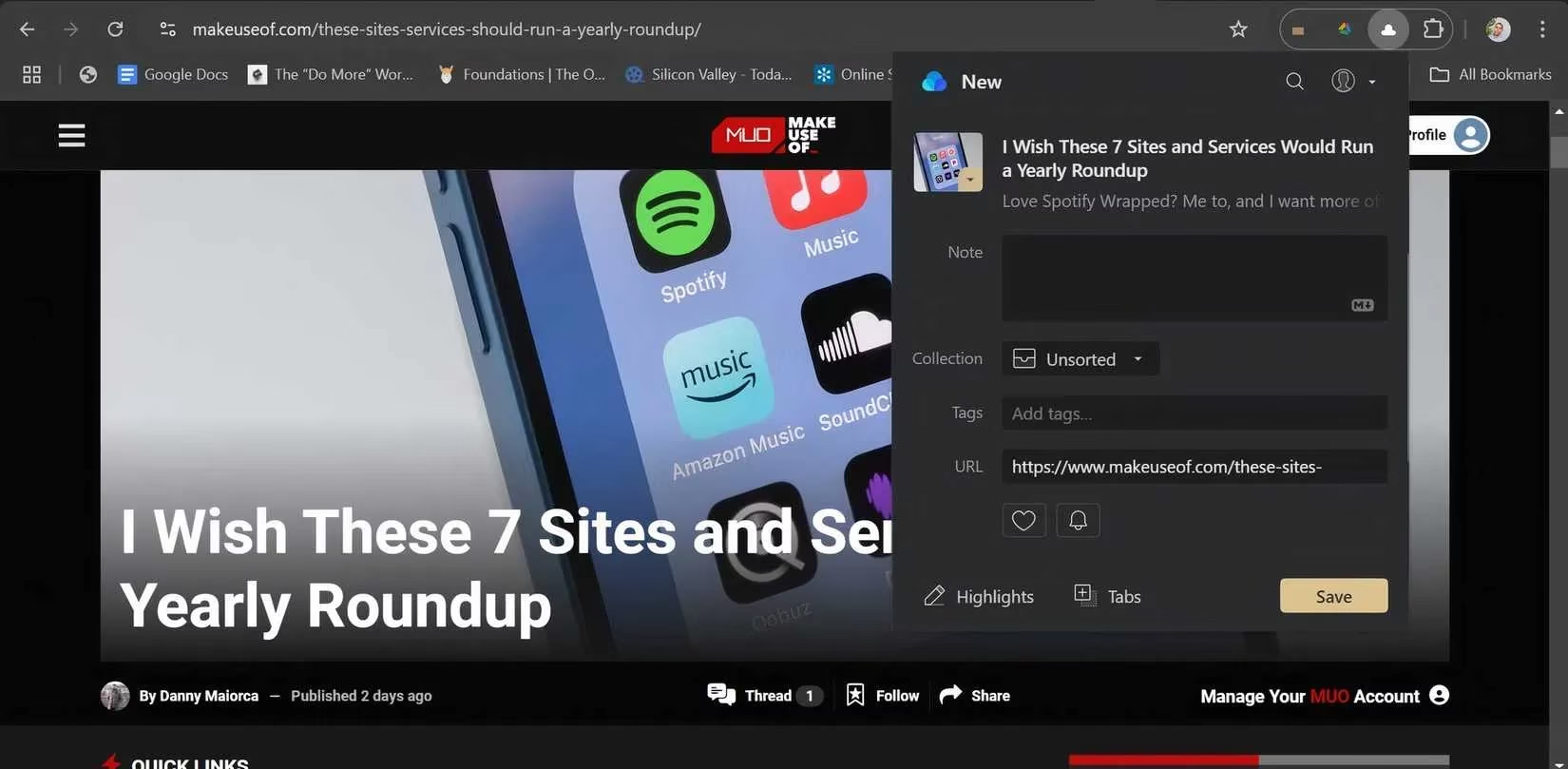
Pocket was the one-click sweetheart for years, but it closed in 2025. Pour one out. In 2026, Raindrop.io is my bookmarking fortress. It does more than save pages: I can highlight, annotate, and group captures into thematic collections. It suggests tags, lets me build custom filters, and searches by keyword, date, or topic. The Permanent Library feature keeps a full copy of every bookmarked page or PDF, which is great when the original content vanishes into the digital void. Is that overkill? Maybe. But so is my fear of losing a recipe I’ll never cook.
Nimble Capture: The Screenshot Ninja
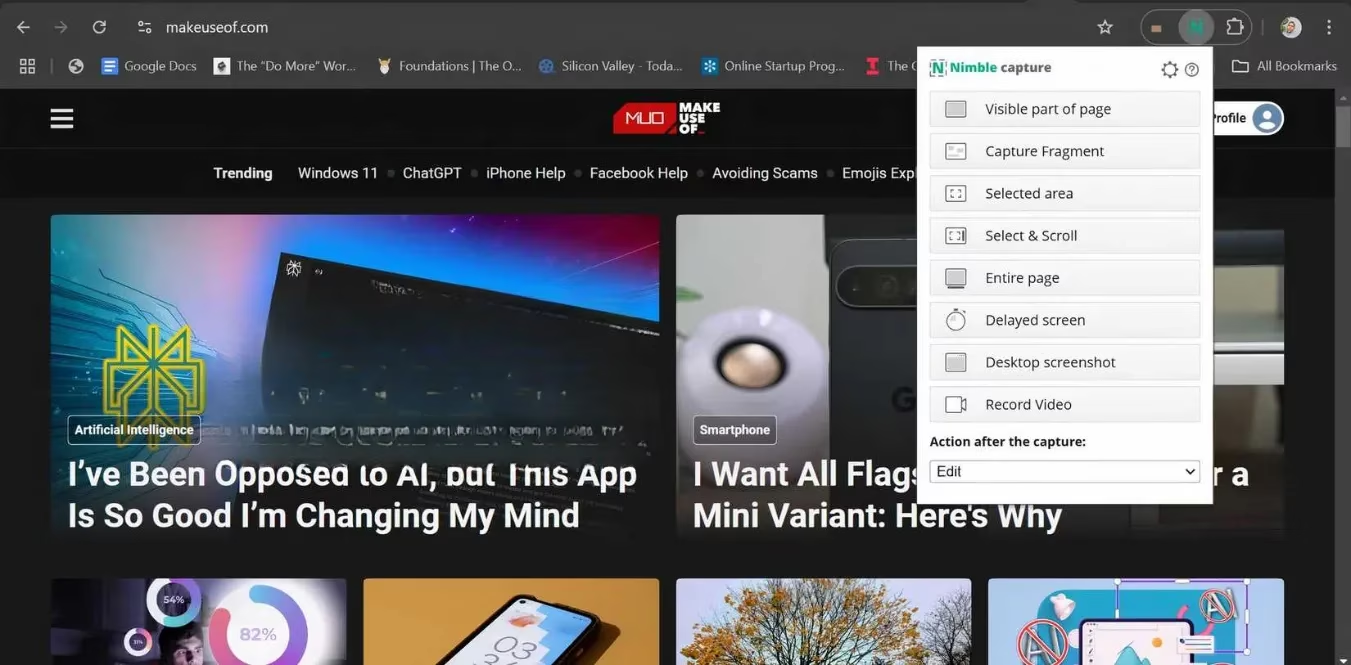
Nimble Capture is a powerhouse for visual content. I can grab an entire webpage, a specific section, or even a window from another app. The address-bar button, right-click menu, and customizable hotkeys make it fast. Once captured, the built-in editor lets me resize, crop, draw, and add arrows, text boxes, highlights, stickers, or shapes. It also does screencasting, so I can produce polished visuals and videos. Why struggle with a clumsy screenshot when I can annotate my chaos like a pro?
Todoist: The Task Tyrant I Actually Love
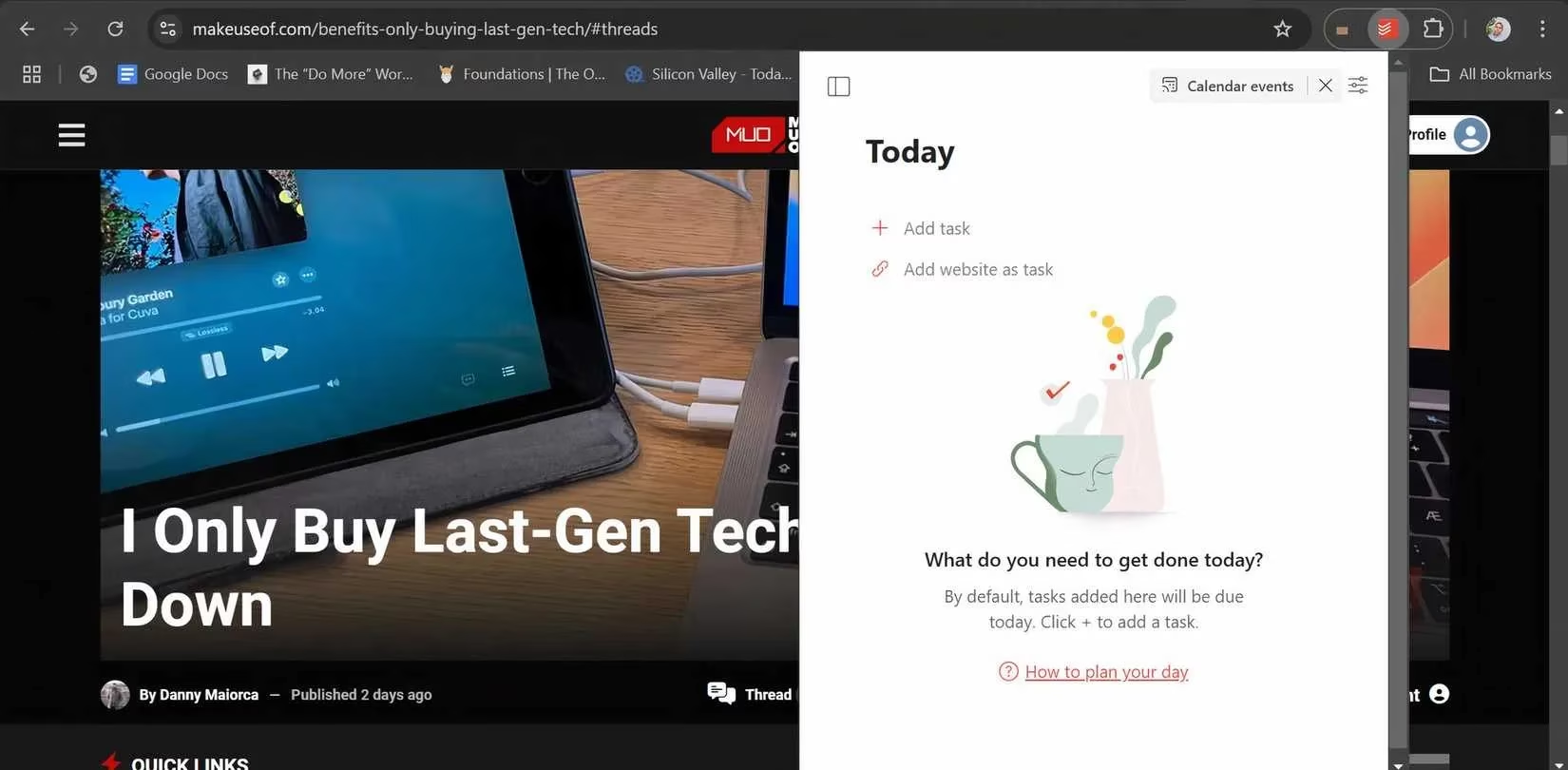
Todoist is one of the most impressive to-do list apps, and the Chrome extension makes it dangerously easy to capture tasks while I’m supposed to be doing something else. I can plan my day at a glance, check off completed tasks, and enjoy that tiny dopamine hit. The extension supports reminders, priority levels, recurring due dates, and assigning tasks to other people. Is there anything more satisfying than checking off a task you invented just to feel productive? No. Absolutely not.
Save to Google Drive: The Cloud Shelf
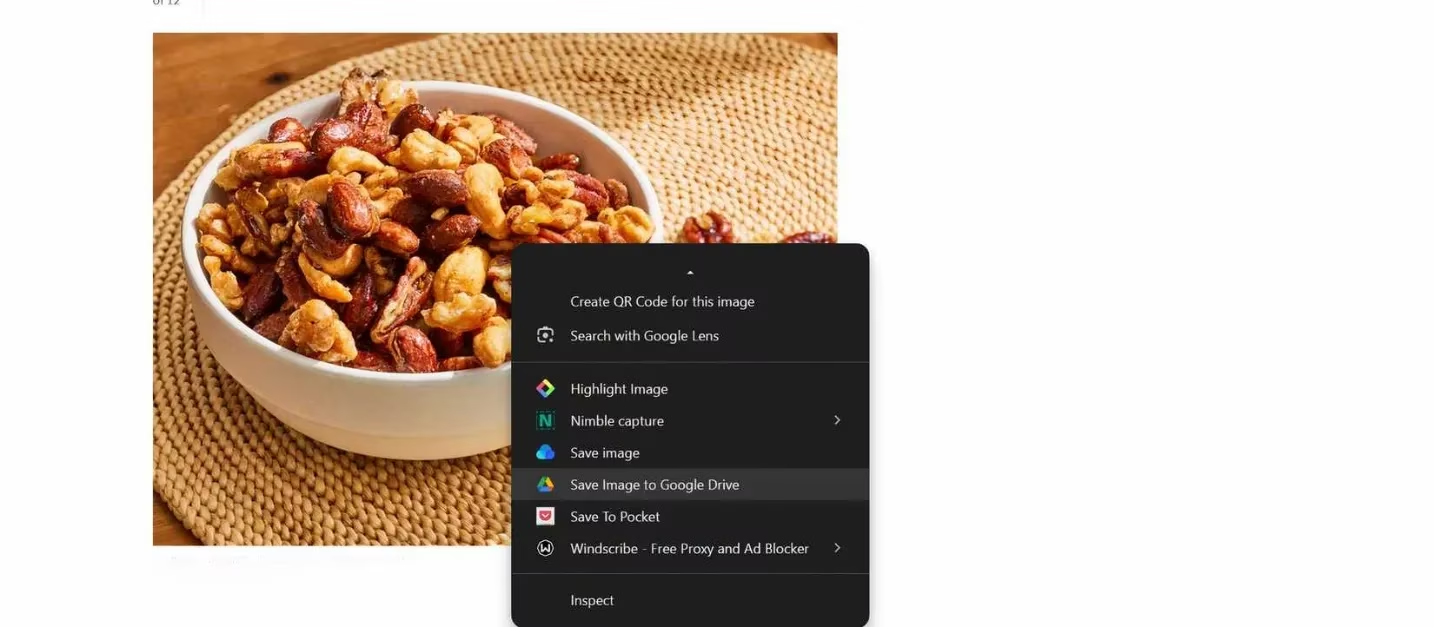
The Save to Google Drive extension is my hassle-free cloud shelf. Articles, images, videos, entire webpages—few clicks and they’re stored directly in Drive. I can use the browser action button for the current page or right-click to save specific media files and links. It even supports full-page screenshots, scrolling automatically so nothing gets missed. Opening a page, clicking the extension, and knowing everything is accessible from any device? That’s the kind of simplicity I need between boss fights.
Glasp: YouTube Cliff Notes for Humans
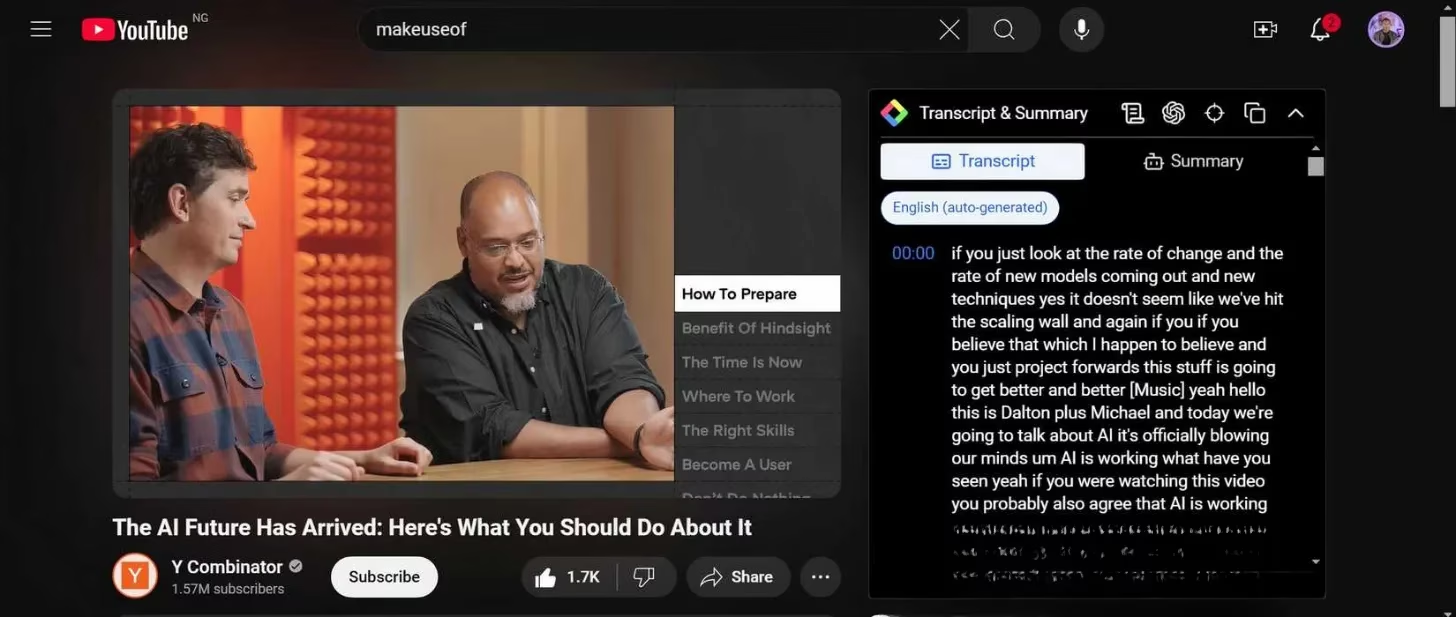
Glasp extracts key insights from YouTube videos without making me watch every second. Powered by AI models like ChatGPT and Claude, it generates summaries and full transcripts from the Chrome toolbar. While I watch, a gadget box appears in the corner; one click gives me the transcript or a concise summary. The summaries are timestamped, so I can jump to the parts that matter. I can also adjust summary length and customize prompts. Why watch a 47-minute video when the useful bit is at 31:12? Exactly.
The 2026 Scorecard
| Extension | 2026 status | Superpower | Best for |
|---|---|---|---|
| Saner.AI | Active | Auto-tagging side-panel notes | Brain dumps and research |
| Raindrop.io | Active | Collections and Permanent Library | Bookmark hoarders |
| Nimble Capture | Active | Screenshots and screencasting | Visual evidence |
| Todoist | Active | Tasks, reminders, collaboration | Pretending to be organized |
| Save to Google Drive | Active | Direct cloud saves | Cross-device storage |
| Glasp | Active | AI summaries and transcripts | YouTube speed-running |
| Retired in 2025 | One-click saving | Nostalgia; use Raindrop.io instead |
Final Boss Thoughts
These extensions won’t magically cure my tab addiction, but they do turn a chaotic browser into a curated inventory. In 2026, capturing information doesn’t have to be a tedious side quest. Try them, watch your workflow transform, and maybe—just maybe—close a few tabs. 😄