
For many, Google Chrome remains the default gateway to the internet. With its deep integration of Gemini AI and robust tab management, it's a powerhouse. Yet, its true strength lies in its vast extension ecosystem. This library allows users to tailor their browsing experience, adding functionality and security layers that the base browser might lack. While the Chrome Web Store is filled with countless options, a special category often goes overlooked by the average user: open-source extensions. These tools are typically transparent, privacy-respecting, and frequently free or supported by modest contributions, allowing developers to maintain and improve them sustainably. Among this sea of choices, four open-source extensions stand out as non-negotiable installs for an enhanced, secure, and efficient workflow in 2026.
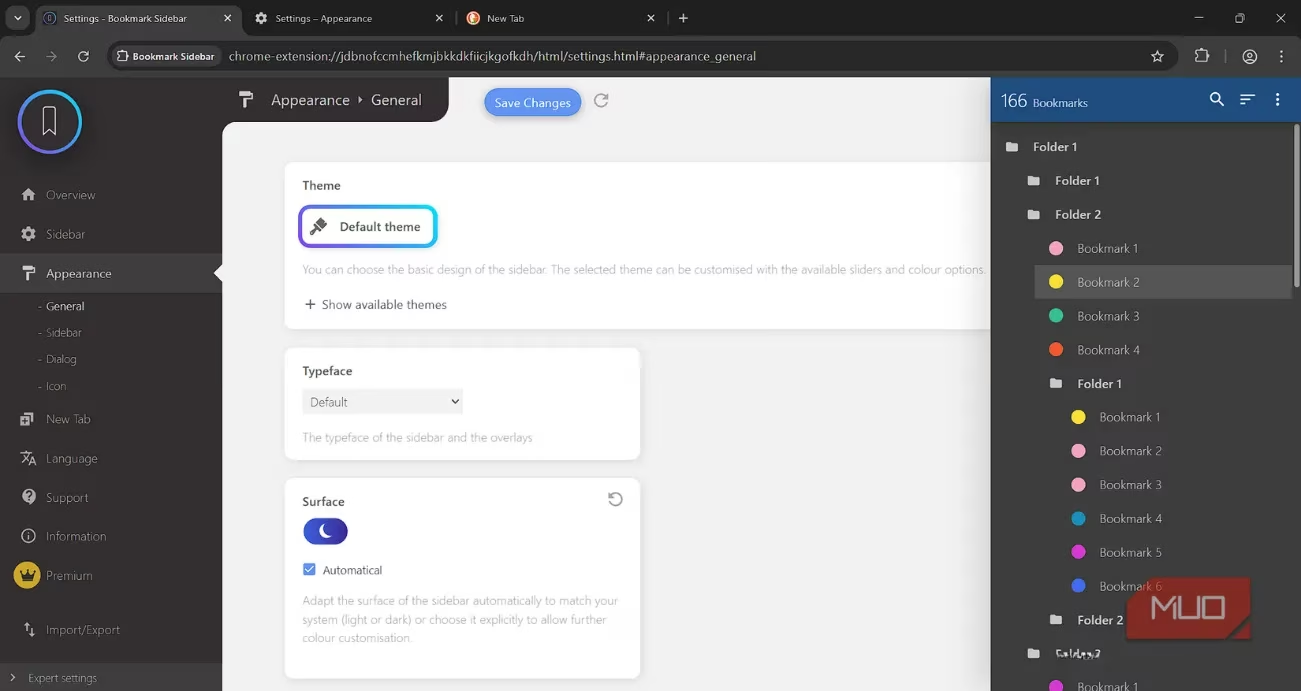
First on the list is the Bookmark Sidebar. If you've ever felt lost in a cluttered bookmarks bar or buried deep in the bookmarks manager, this extension is a revelation. It adds a sleek, persistent sidebar to Chrome that houses your entire bookmark library. The setup is effortless; it automatically imports all your existing bookmarks, complete with their folder hierarchies. No manual migration is required. From this sidebar, you can instantly launch any bookmarked page or open a new tab. A simple left-click on a bookmark reveals its status, helping you quickly identify and clean up broken or outdated links. It transforms bookmark management from a chore into a seamless part of your browsing flow.
Next is an absolute essential for late-night workers and dark mode enthusiasts: Dark Reader. Even in 2026, some websites stubbornly refuse to implement a dark theme, assaulting users with blinding white backgrounds. Dark Reader solves this elegantly by forcing a dark mode onto virtually any website. It doesn't just invert colors; it intelligently applies a high-contrast, readable color scheme specifically designed for text-heavy pages. The level of customization is impressive. Users can fine-tune parameters like brightness, contrast, sepia filter, and dark mode intensity to create a perfect viewing experience for their eyes. For anyone who spends hours online, this extension is a genuine quality-of-life saver.
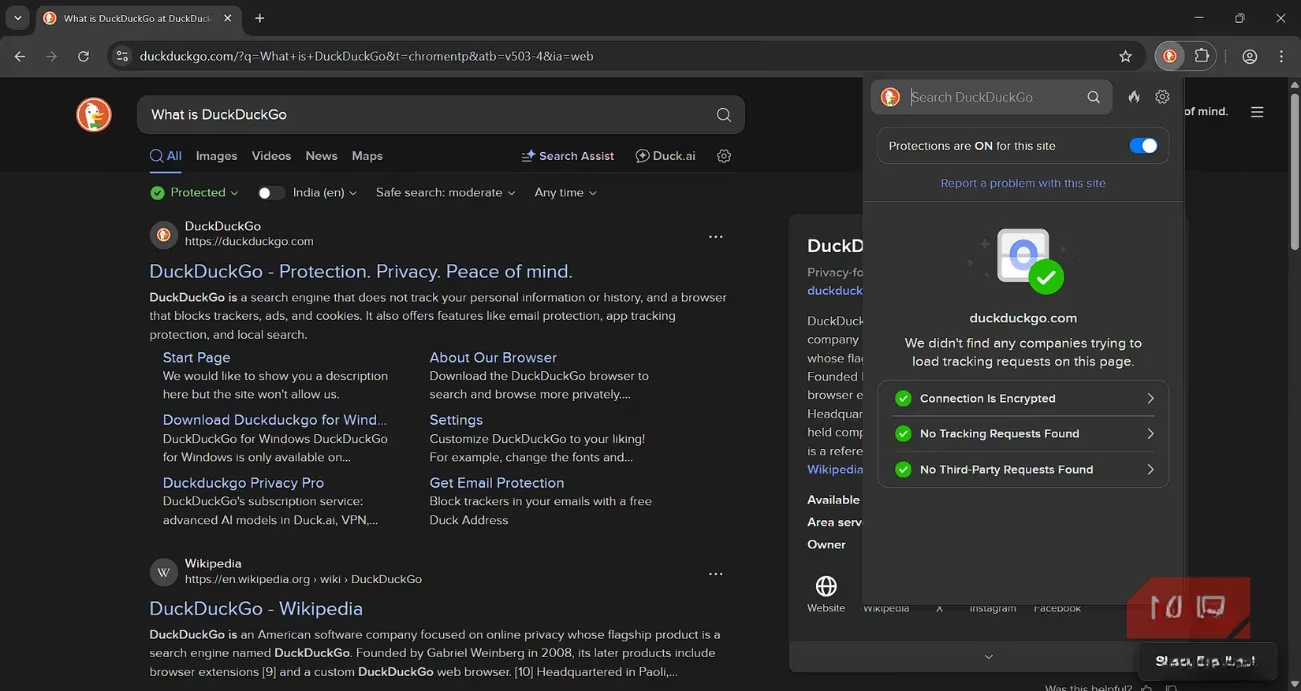
In an era where data privacy is paramount, the DuckDuckGo Search & Tracker Protection extension is a must-have shield. It brings the core privacy philosophy of the DuckDuckGo search engine directly into Chrome. Upon installation, it seamlessly replaces Chrome's default search and homepage with DuckDuckGo's privacy-focused alternative. But its power goes far beyond search. The extension actively blocks hidden third-party trackers, prevents cookie-based profiling, and stops much of the data collection that happens silently in the background. It also enhances Chrome's native private browsing mode with stronger protections and adds features like link tracking protection and Global Privacy Control support. It's a comprehensive suite that fortifies Chrome's privacy posture significantly.
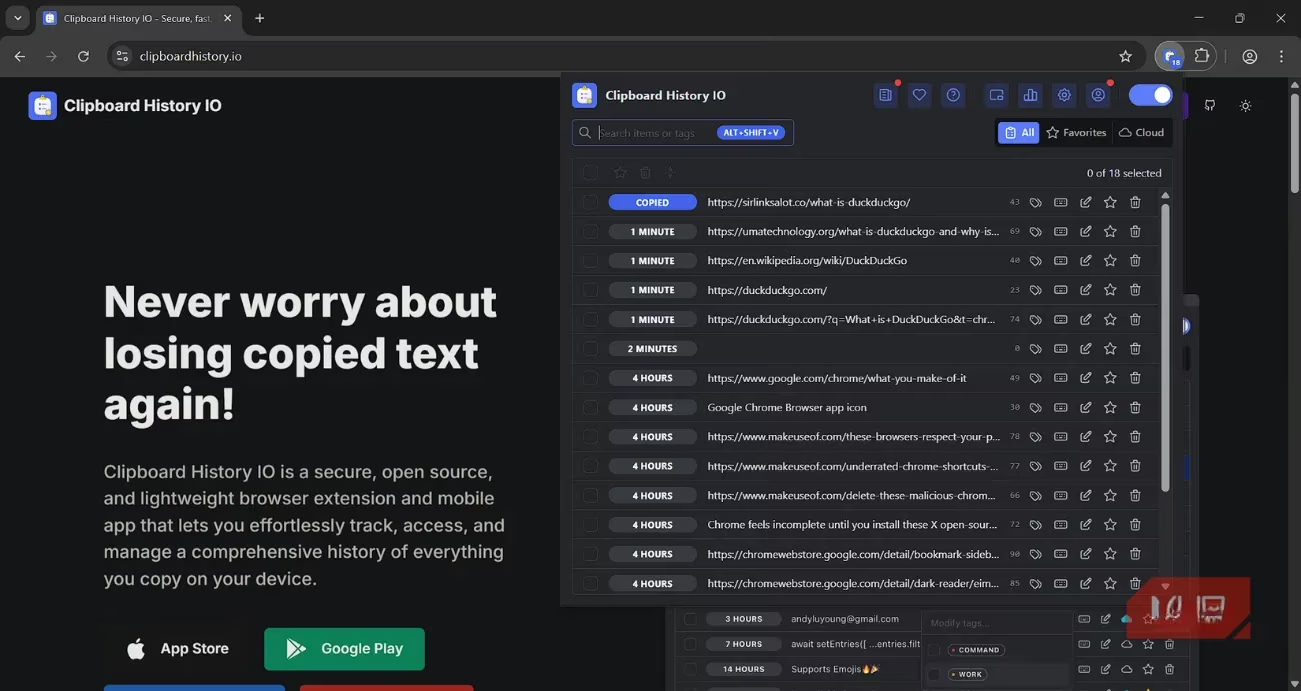
The final cornerstone for productivity is the Clipboard History Manager. Chrome's default single-item clipboard is a severe limitation for anyone who regularly copies text, code snippets, or quotes. This open-source manager solves that by automatically saving everything you copy. A key advantage is its local-first approach; all your clipboard history is stored directly on your device, ensuring privacy and offline access. It's designed with security in mind, making it safe for sensitive information like passwords. Accessing your history is versatile: use keyboard shortcuts (like Alt + Shift + V), right-click context menus, or a floating window. Beyond basic history, it packs powerful features:
-
Instant Search & Organization: Quickly find past copies with search, and organize them using custom colored tags or mark them as favorites.
-
Advanced Tools: A merge tool lets you combine multiple copied fragments into a single, coherent block of text.
-
Storage Analytics: Built-in tools help you manage and understand your clipboard storage usage.
For power users, a Pro tier offers cloud syncing across devices and a companion mobile app, making your clipboard truly ubiquitous.
While Chrome is a secure and capable browser on its own, these open-source extensions elevate it to another level. They fill gaps, enhance privacy, and boost productivity in ways the native browser might never achieve. From the organizational bliss of Bookmark Sidebar and the eye-comfort of Dark Reader to the privacy fortress of DuckDuckGo and the productivity powerhouse of Clipboard History Manager, each extension addresses a common pain point with an elegant, trustworthy solution. In 2026, a well-curated set of extensions isn't just an addition to Chrome—it's the key to unlocking its full potential.