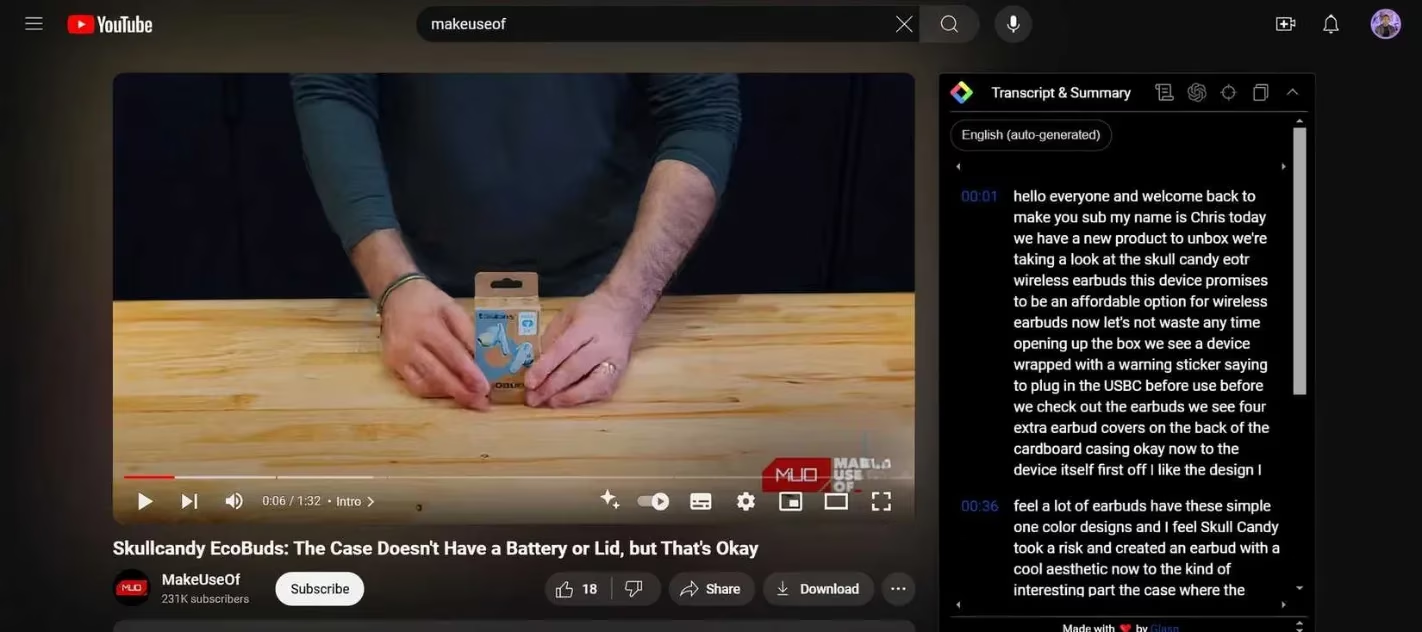
YouTube has become a sprawling universe of how‑tos, deep dives, and endlessly autoplaying rabbit holes. By 2026, the platform hosts over a billion videos, and the average session length keeps climbing. But when you just want a quick answer or need to decide whether a 30‑minute explainer is truly worth your time, skipping through ads, buffering, and padded introductions can feel like a part‑time job. Many viewers still rely on the old method: frantically dragging the timeline, hoping to land on the one moment that makes everything click. That’s where a simple Chrome extension called TLDR (Too Long; Didn’t Read) steps in, and it’s quietly transforming how casual browsers interact with video content.
TLDR is a free Chrome extension that turns any web page or YouTube video into a tight, bullet‑style summary. Instead of dumping a full transcript or drowning you in unnecessary detail, it homes in on the core takeaways. Once installed, a blue‑and‑white lightning bolt icon sits quietly in the toolbar. Click it, and a sidebar slides out, displaying a pithy digest distilled by behind‑the‑scenes AI. The extension respects your curiosity: it doesn’t spoil the entire experience, but it gives you just enough context to decide whether to invest your next twenty minutes.
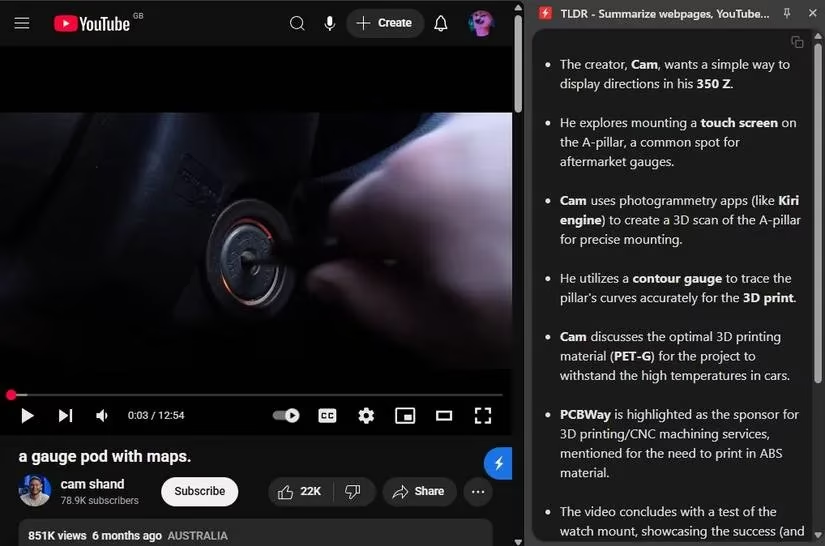
Take a video with a cryptic title like “a gauge pod with maps.” Scrolling past it in your recommended feed, you might have no clue what it’s actually about. Maybe you assume it’s some niche automotive jargon. One click on TLDR, however, reveals a crisp summary: it’s about someone building a custom 3D‑printed navigation system for their car. Suddenly, a video that looked skippable becomes irresistible. The viewer in the example didn’t scroll past – they closed the sidebar and dove straight in, knowing the content matched their interests.
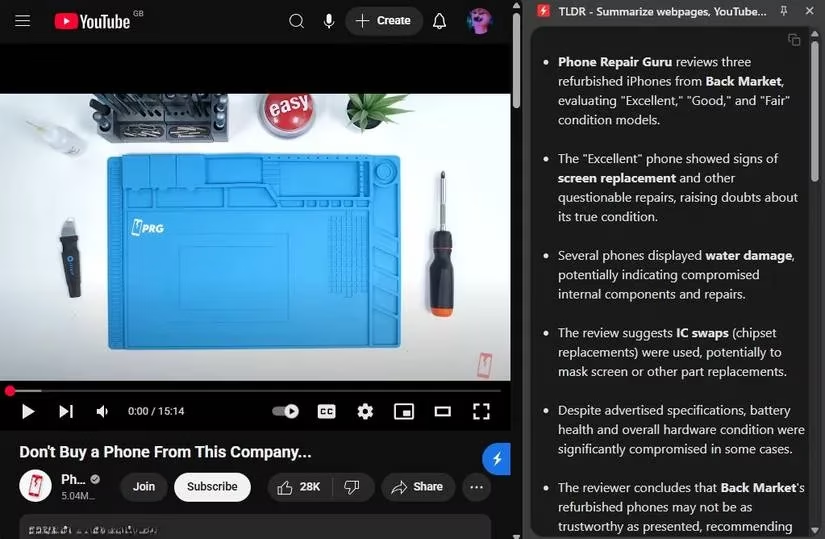
Now flip the script. Another video carries a clickbait title like “Don’t buy a phone from this company…” – a hook designed to make your thumb pause mid‑scroll. You’re curious, but also wary of wasting time on a ten‑minute rant. Hovering over the TLDR icon shows a brief summary explaining that the video is about Back Market, a refurbished electronics reseller, and not a specific phone manufacturer at all. For someone who never buys refurbished phones, the summary instantly answers the question: the video isn’t relevant. The takeaway – that refurbished phones often underperform expectations – gets absorbed in seconds, without sitting through the whole video. Fifteen minutes saved, frustration avoided.
This is where TLDR truly shines. It doesn’t replace watching; it augments decision‑making. Reading a movie plot on Wikipedia never matches the thrill of seeing the film, and the same logic applies here. The extension doesn’t spoon‑feed every frame or recite the script. It gives you highlights – the thesis, the main arguments, the surprising twist – and then lets you choose whether to stay for the full story. In an era where platforms punish skimming with unskippable ads and endless buffering, having a tool that respects your time feels almost revolutionary.
Before AI‑powered extensions became common, users resorted to playing videos at 2x speed, jumping through chapters, or scanning comments for timestamps. Those workarounds still demand patience and often break the flow of a session. Pop‑up ads every time you skip forward kill any momentum. Other summarization tools exist, but many come with strings attached. Glasp, for example, captures highlights nicely but locks YouTube summaries behind a login wall and a premium subscription. Some extensions overload you with transcript text that requires its own summary. TLDR takes the opposite approach: it’s free, requires no account, and surfaces only what matters.
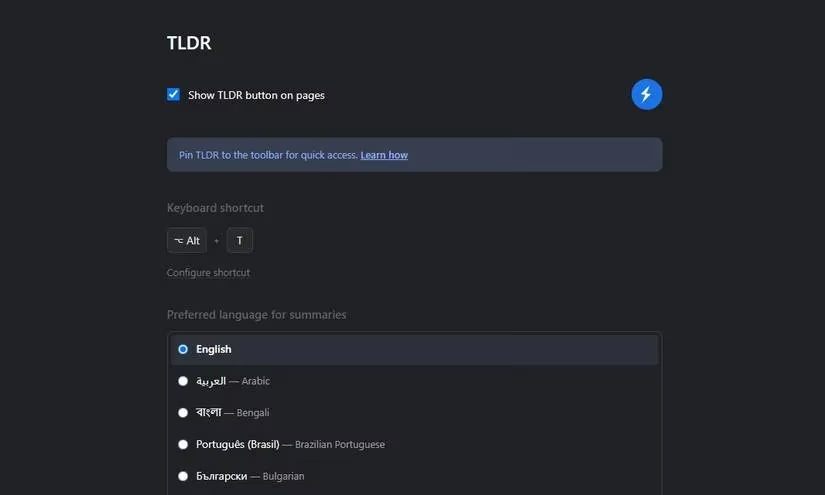
Under the hood, TLDR supports around 40 languages, so it’s not limited to English‑language content. It works on articles and blog posts too, making it a versatile reading companion. The settings page (shown above) lets you toggle features without any clutter. And while AI models keep evolving, the extension’s design remains focused: quick, clean, distraction‑free. In 2026, it has become a staple for anyone who wants to escape the content‑discovery treadmill without sacrificing curiosity.
For the casual YouTube explorer, the math is compelling. A lightning‑bolt click delivers a verdict in under five seconds. No logins, no credit cards, no novel‑length transcripts. Next time a mysterious thumbnail tempts you or a flashy title triggers your FOMO, let TLDR be your filter. It’s the difference between falling into yet another rabbit hole and confidently picking the gems that actually enrich your day.