
I love Chrome. I also love high frame rates, and those two things do not always get along. If you have ever watched Chrome chew through RAM while a game is loading, you know the feeling: the browser is not evil, it is just doing too much at once. The good news is that in 2026 Chrome is more tunable than ever, and a handful of habits can stop it from turning your gaming rig into a slideshow. So what is actually eating your resources, and what can you do about it today?
Start With the Extension Junkyard
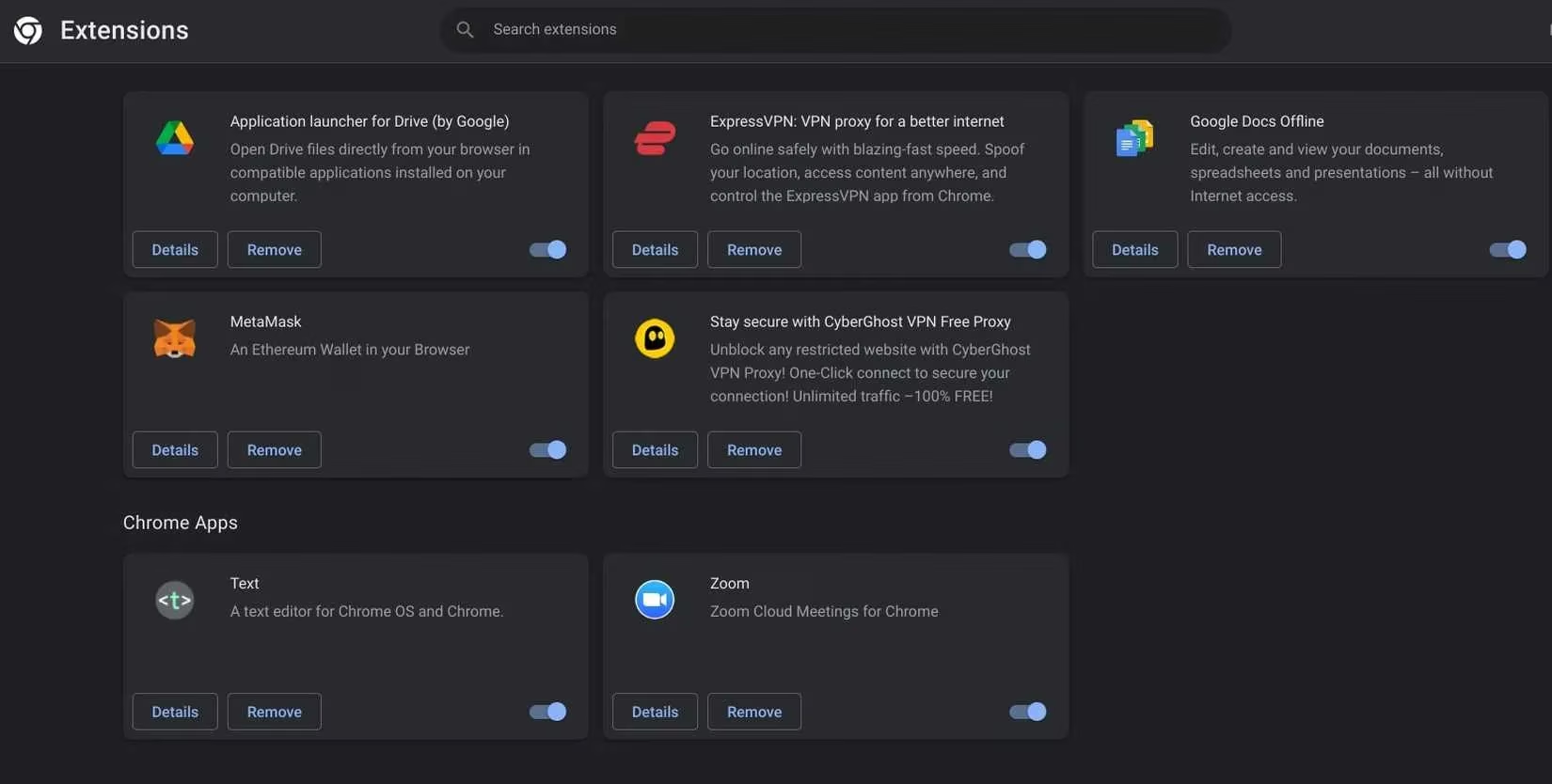
Chrome is a fairly open platform. Third-party developers can build extensions, plugins, and apps that add features and functionality. Many of them are genuinely great. The problem is that every extension is basically a micro-app running in the background. Each one needs RAM and CPU time, and when you open a new tab or launch the browser, they all wake up and ask for their share.
Adding every useful extension might feel productive, but it is a trap. Too many extensions slow down your computer, and old or abandoned extensions are a security risk. I treat my extension list like a gaming inventory: if I have not used it in the last month, it gets disabled. I keep only the essentials active and turn on seldom-used tools only when I need them. That one habit alone can make Chrome feel lighter.
Tabs Are Little Memory Leases
If you are like me, you keep more tabs open than you need. It is convenient: favorite sites are one click away, and that article you meant to read is still waiting. But every open tab in Chrome increases RAM usage. RAM is your computer's short-term memory, and each tab needs to stay in that short-term memory to be quickly accessible. Tabs that reload in the background can also consume extra processing power.
Does that mean you should never keep tabs open? No. It means you should be honest about which tabs are actually doing work. I use tab groups for active projects, bookmark anything I want to keep, and close the rest. Chrome's Memory Saver can put inactive tabs to sleep, which helps, but I do not use it as an excuse to keep 80 tabs open. Closing tabs is still the most direct fix.
Cache and Cookies: Small Files, Big Drag
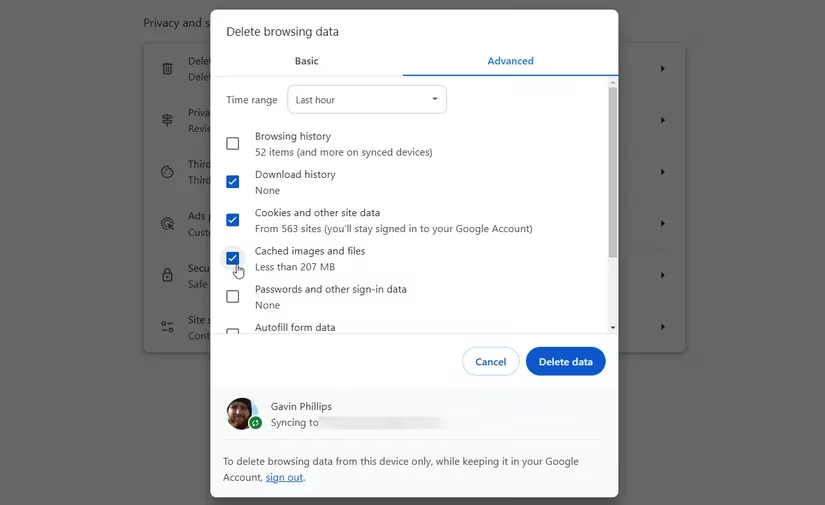
Pages you visit often load faster because Chrome stores cache files. Cookies help websites customize pages and remember sessions. Individually these files are tiny, but over time they pile up. Chrome then spends more time searching through local files instead of loading fresh content from the web server. Regularly clearing the browser cache keeps things smooth.
I clear cached images and files every few weeks. I am more careful with cookies because clearing them can sign me out of sites, so I do not blindly wipe everything unless I am troubleshooting. The goal is not to nuke your browser every day; it is to stop months of clutter from becoming a performance problem.
Use Chrome's Own Tools First
Before I blame Chrome for everything, I open Chrome's Task Manager and check what is actually guilty. Sometimes it is one runaway tab, sometimes it is an extension I forgot about, and sometimes it is a video site doing video-site things. In 2026, Chrome also includes performance features like Memory Saver and Energy Saver. They are useful, but they are not magic. They reduce pressure; they do not replace basic hygiene.
| Task | Why it helps | How often I do it |
|---|---|---|
| Audit extensions | Fewer background micro-apps mean less RAM and CPU use | Monthly |
| Close unused tabs | Each tab has a memory cost | Daily |
| Clear cache | Prevents local file buildup from slowing page loads | Every few weeks |
| Check Chrome Task Manager | Finds the real resource hog | When Chrome feels slow |
| Close background apps | Frees RAM for games and Chrome | Before gaming sessions |
The Real Fix Is Selective Use
Ultimately, this depends on you and how big a problem Chrome's resource drain really is. You could free up RAM by shutting down other background applications and leaving Chrome alone. But if your browser is becoming a problem, clearing your cache, closing some tabs, and reducing the number of extensions you use should make things much more manageable.
I do not want to give up Chrome, and I do not want to give up smooth games. So I keep the browser lean: fewer extensions, fewer zombie tabs, and a cache cleanup routine that takes less time than a match lobby. Is Chrome a resource hog? Sometimes. Is it fixable? Absolutely, as long as you stop letting it keep everything running at once.