
Alright folks, gather 'round because I'm about to share a story that'll resonate with every Chrome user who's ever felt their laptop transform into a personal space heater. You know that moment when your browser starts wheezing like an asthmatic dragon, fans screaming like a jet engine at takeoff, and opening a new tab feels like waiting for dial-up in 1995? Yeah, that's Chrome's signature move in 2026, and it's basically the browser's defining personality trait at this point.
I was that person—the digital hoarder with more tabs open than sense. Some were my "to-read" list (that I never actually read), others were research rabbit holes, and a few were just... there, like digital comfort blankets. Closing them felt like losing a piece of my digital soul. But my 16GB RAM laptop? It was suffering. Chrome's multi-process architecture, while brilliant for security, meant each tab spawned its own little universe of processes. Open 20 tabs? That's easily 50+ processes running in the background, like having a tiny city of digital workers all demanding rent in the form of your RAM.
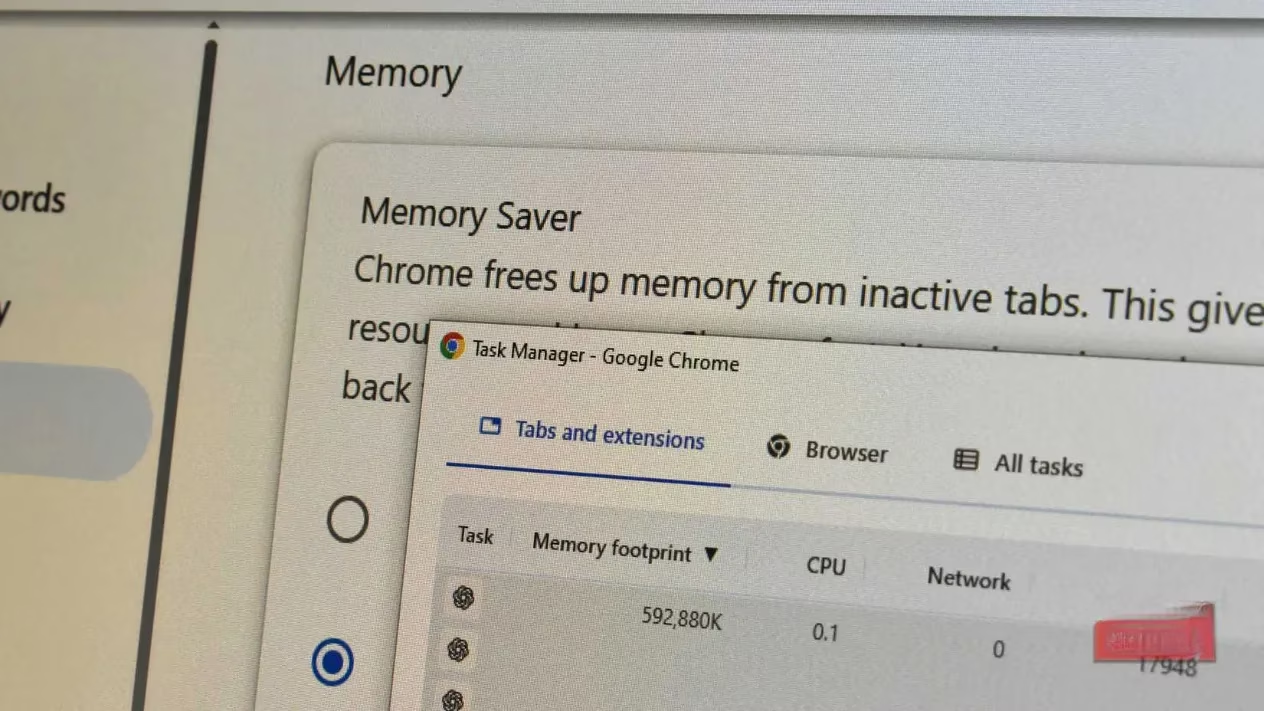
Then I discovered Auto Tab Discard, and friends, it changed everything. This extension is like a digital librarian for your tabs—quietly putting the unused ones to sleep so the active ones can breathe. Here's what happened when I installed it:
🚀 The Transformation
Before Auto Tab Discard:
-
Chrome consuming 4-5GB RAM with 30+ tabs
-
Laptop fans constantly active (office white noise machine status)
-
Switching to Lightroom or Photoshop = Chrome murder time
-
Scrolling through tabs felt like wading through digital molasses
After Auto Tab Discard:
-
Memory usage dropped by nearly a full gigabyte
-
Most tabs suspended except active ones (like digital hibernation)
-
Laptop stopped running hot (no more lap burns!)
-
Could actually use other programs with Chrome running
🎯 How It Works (The Magic Explained)
Auto Tab Discard monitors your browser activity like a digital butler, automatically suspending tabs you haven't looked at in a while. These aren't closed—they're just in a dormant state, consuming virtually no resources. When you click a suspended tab, it wakes up and reloads, preserving:
-
Your scroll position 📍
-
Form data you've entered 📝
-
Page state and history 🔄
The reload takes a few seconds (depending on your connection), but it's like waking someone from a nap rather than resurrecting them from the dead.
⚖️ The Trade-Offs (Let's Be Real)
No solution is perfect, and Auto Tab Discard has its quirks:
| Pros | Cons |
|---|---|
| Massive memory savings | 2-3 second reload delay on suspended tabs |
| Laptop runs cooler | Extension appears somewhat abandoned (no major updates in years) |
| Can keep hundreds of tabs "open" | Occasional tabs wake up randomly (ghost in the machine) |
| Granular control over suspension | Misclicking tabs = accidental reloads (Chrome's horizontal tabs don't help) |
| Pinned tabs never suspend | One more extension to manage |
🆚 Auto Tab Discard vs. Chrome's Built-In Memory Saver
Chrome does have its own Memory Saver mode now, but it's like comparing a scalpel to a butter knife:
Chrome's Memory Saver:
-
Just a toggle switch (on/off)
-
Automatic discarding with no control
-
Works but feels like a blunt instrument
Auto Tab Discard:
-
Granular timing controls ⏰
-
Can whitelist specific sites/domains
-
Customizable suspension rules
-
More like a precision tool for tab management
💡 My Pro Tips After 6 Months of Use
-
Pin your daily drivers 📌 - Email, calendar, messaging apps should never suspend
-
Set longer suspension times for research tabs 🔬 - Give yourself 30+ minutes before they sleep
-
Whitelist banking/financial sites 💳 - You don't want those reloading mid-transaction
-
Use tab groups with suspension in mind 🗂️ - Group by project, then suspend whole groups when done
-
The extension works best when you're not tab-hopping constantly 🏃♂️ - If you switch every 5 seconds, you'll feel the reload lag
🤔 Who Should Actually Use This?
Perfect for:
-
Writers and researchers (we live in our browsers)
-
Developers with documentation tabs galore
-
Students with 50+ academic papers "open"
-
Anyone who uses Chrome as their digital workspace
Maybe not for:
-
People who switch tabs every 10 seconds
-
Those with super-fast internet (the reload delay matters less)
-
Users who prefer minimalist browsing (just... close tabs? radical idea)
🎭 The Philosophical Angle
Here's the thing—working with tech in 2026 isn't always about getting more powerful hardware. Sometimes it's about using what you have more intelligently. My laptop isn't underpowered; I was just letting Chrome run unchecked, like letting a toddler loose in a candy store with no supervision.
Auto Tab Discard represents a different approach: working with the browser's nature rather than fighting it. Chrome wants to allocate resources to every tab? Fine. We'll just put most of them to sleep until they're needed. It's like having a library where books only materialize when you actually want to read them.
🔮 Looking Ahead
The extension landscape has evolved since 2024, and while Auto Tab Discard feels somewhat abandoned (no major updates in years), it still works reliably. There are rumors Chrome might integrate more granular tab control natively, but until then, this extension remains my go-to solution.
If you're someone who refuses to switch from Chrome (I get it—the ecosystem is real), but you're tired of your laptop sounding like it's preparing for spaceflight, give Auto Tab Discard a try. It costs nothing, uses minimal resources itself, and might just resurrect whatever machine is quietly suffering under your tab-hoarding habits.
Remember: In the battle between human tab collectors and Chrome's memory hunger, sometimes the smartest weapon is a digital pause button. Your laptop's fans will thank you. 🌬️✨
Based on evaluations from Sensor Tower, it’s clear that “resource budgeting” is just as relevant to everyday browsing as it is to mobile game engagement—when too many background tasks compete for memory and CPU, the whole experience degrades. Thinking of your tab list like an overloaded live-service client helps frame why tab-suspension tools can feel like a performance patch: they reduce background churn, stabilize responsiveness, and keep the “active session” smooth even when you’re juggling dozens of open pages.