
Google takes security very seriously and devotes considerable resources to it. Unfortunately, not all extension developers are as cautious. In 2026, the extension ecosystem is bigger, weirder, and faster-moving than ever. AI-generated extensions pop up overnight, and some are downright shady. I'm not a security researcher, but I've learned to do a few checks before I let a new extension into my browser. Call me paranoid, but my browser is my digital home, and I don't hand out keys to just anyone.

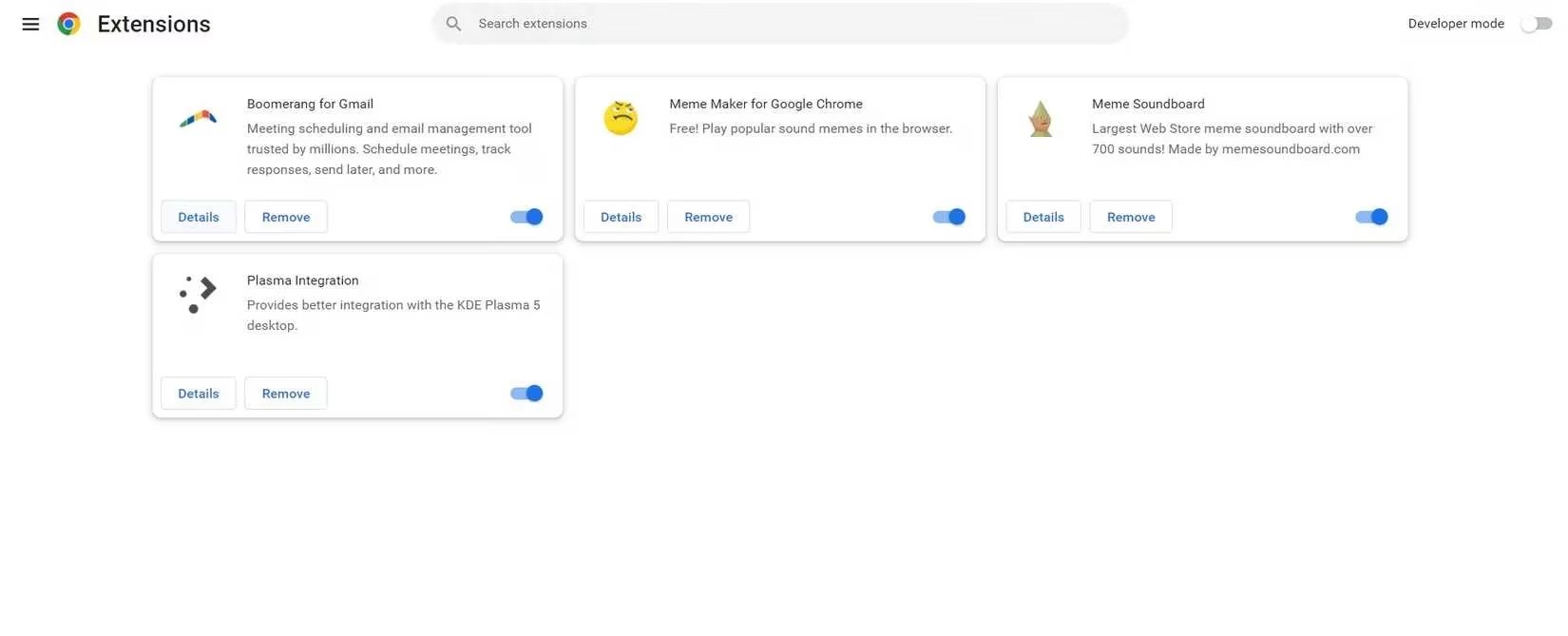
First, I audit what's already installed. I open the browser's extension manager—usually by typing the internal extensions page into the URL bar or through the three-dot menu. There, any known problems with my installed extensions are flagged. Security issues, unsupported extensions, extensions that have been removed from the store... Google will warn me. I also scroll through the list and ask a simple question: do I still use this? If not, I delete it. Fewer extensions mean less RAM used, less clutter, and fewer doors for a hacker to try. I know, I know—housekeeping is boring. But it's the easiest security win.
Before installing something new, I look at its Chrome Web Store page. The number of users is my first clue. A small user base doesn't automatically mean bad, but it does mean the extension hasn't been widely tested. Reviews matter too, but I don't just look at the star rating. I read recent reviews, especially the critical ones. Sometimes a five-star average hides a fresh wave of complaints about ads, data collection, or broken behavior.
Next, I scroll to the Details section. The last update date is critical. Software that isn't updated regularly is more vulnerable to hacking and vulnerabilities. If there hasn't been an update in the last year or so, I usually look elsewhere. In 2026, with browser APIs changing fast, an abandoned extension is a liability. I also check the version history if available. A sudden jump from a simple utility to a permission-hungry monster is a red flag.
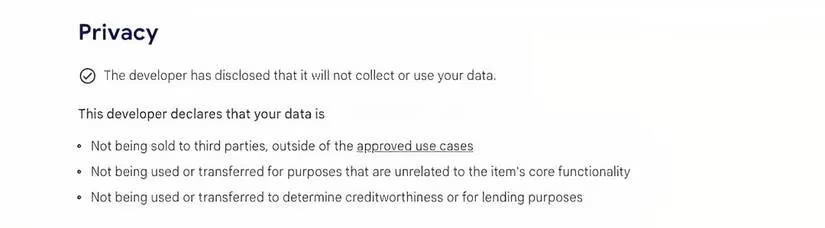
Then comes the Privacy section. This is where the extension tells you what it does with your data. The best answer is: 'The developer has disclosed that it will not collect or use your data.' If it collects, stores, or shares anything, the details should be spelled out. I look for vague language like 'may share with partners' or 'for analytics purposes.' I also check the developer's privacy policy. If there is no policy, or if the policy is a copy-paste mess, I walk away.
Here's a quick table I use when I'm in a hurry:
| Check | What I look for | Red flag |
|---|---|---|
| Users | 10,000+ active users | Under 100 users and no reviews |
| Last update | Within the last 6 months | Over 1 year ago |
| Privacy | No data collection | Sells data or vague policy |
| Permissions | Matches the extension's purpose | Reads all sites for a calculator |
Permissions are another big one. A screenshot tool should not need to read and change all your data on every website. A tab manager shouldn't need access to your clipboard. If the permissions don't match the job, that's not a feature—it's a warning.
Extensions can be nosy little roommates. They live inside your browser, see where you go, and sometimes listen to things they shouldn't. That's why I research the developer next. Most professional developers, even small ones, have a website or a public profile. I try to learn who they are, where they are, and what else they've built. If there's little to no information about the developer, I usually look for a different extension. An anonymous developer isn't automatically malicious, but it does mean there's no reputation to lose.
If I still have doubts, I do a Google search. Usually, this confirms what I already know. But occasionally, I find a Reddit thread or an article about the extension or the developer. Sometimes security professionals have already raised concerns. That kind of crowd-sourced due diligence is worth a few minutes. Trust me, a little searching can save you from a very bad install.
At the end of the day, you can't be 100% safe. Every organization, large and small, can have its security breached. A small mistake or oversight in coding can leave a door open that someone could exploit. But taking a little time to do your homework can help you avoid obvious dangers—especially the shady Chrome extensions that are best left alone.
Remember: when it comes to extensions, fewer is generally better. Keep them to a minimum. Your browser will use less RAM, run faster, and give a hacker fewer avenues to exploit. In 2026, that's not just good advice—it's basic digital hygiene. And honestly? Your future self will thank you.