
I have used Netflix for years, and even in 2026 the service still lacks several quality-of-life features I would love to have. Over time, Netflix has trialed useful tools like an integrated sleep timer but never rolled them out globally, and some native options remain clunky. That is why I keep returning to a small set of Chrome extensions. They extend what Netflix can do, from skipping intros to syncing watch parties. I tested these tools recently to see how well they hold up.
| Extension | Primary use | Highlight |
|---|---|---|
| Sleep Timer for Netflix | Stop playback automatically | Custom timer options |
| Netflix Skipper | Skip intros and recaps | Leaves cold opens alone |
| Picture-in-Picture | Watch while you work | Always-on-top video window |
| Trim | Ratings and content filtering | IMDb and Rotten Tomatoes scores |
| Teleparty | Watch with friends | Synced playback plus chat |
Sleep Timer for Netflix
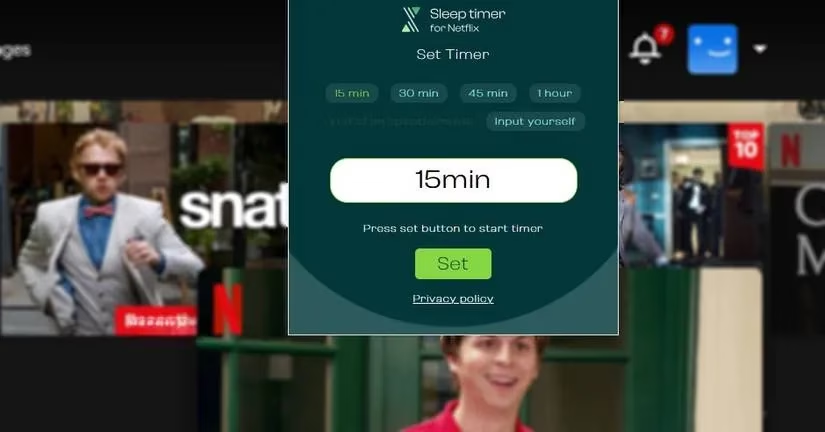
Netflix reportedly trialed an integrated sleep timer in its Android app back in 2021, but the feature never received a global rollout and was eventually discontinued. I still find that frustrating because a sleep timer is exactly what I want when watching in bed.
The Sleep Timer for Netflix Chrome extension fills that gap. Once installed, I can choose default sleep options ranging from 15 minutes to one hour, or add a custom value. When the timer runs out, playback pauses automatically. My main complaint is that it only pauses the show rather than turning off the screen. I usually pair it with my laptop or monitor sleep setting. If you use Windows, the built-in shutdown timer command can help align the two.
Netflix Skipper
Intros and recaps are fine the first time, but when I am rewatching a series or binge-watching a show, waiting through the same theme song every episode becomes a chore. Netflix Skipper removes that hassle. It automatically jumps through the intro, recap, and next episode screens with zero input.
I tested it on a few different shows. The extension moved me quickly from the end of one episode into the start of the next, cutting out long credit reels. Importantly, it does not skip cold opens. If a show like Brooklyn Nine-Nine opens with a joke before the title sequence, Netflix Skipper leaves that intact and only skips the actual introduction when it begins. That is exactly the behavior I want.
Picture-in-Picture
Sometimes I want a show running in a small window while I work. At home, my dual-monitor setup makes that easy, but my laptop does not. The Picture-in-Picture extension solves this by creating an always-on-top video frame from Netflix with one click.
The downside is that the new window lacks in-frame controls. I still have to return to the Netflix tab to pause or scrub, which is frustrating. Still, it is a trade-off I accept for the convenience. The extension also works on other video sites, which makes it useful beyond Netflix. It reminds me of Microsoft Edge's native picture-in-picture mode, but it adds the option to Chrome.

Trim
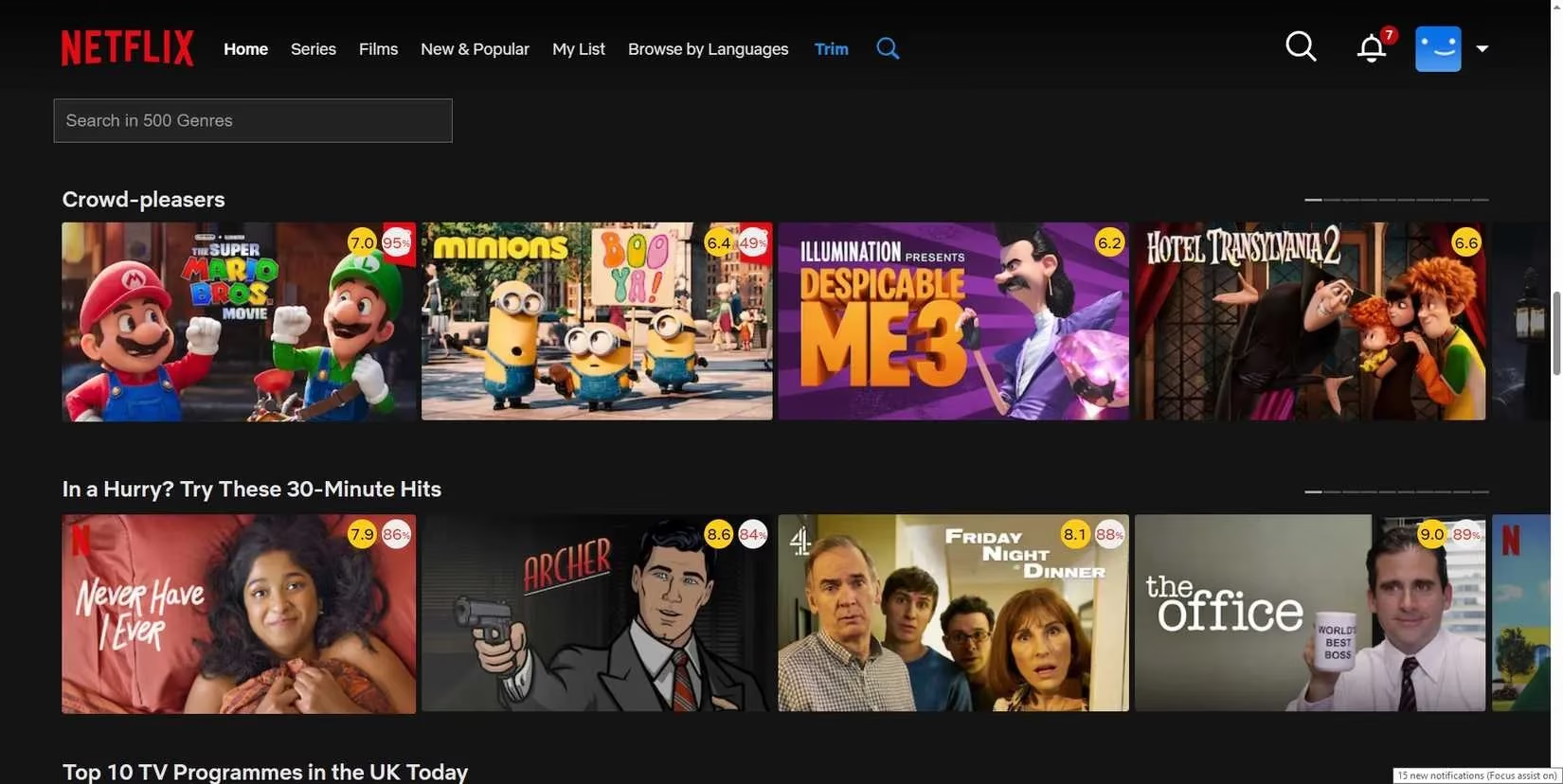
Trim is the most complete Netflix Chrome extension I tested. It adds IMDb and Rotten Tomatoes ratings to each title, which instantly helps me judge whether something is worth watching. It also includes its own picture-in-picture mode and faster integrated search.
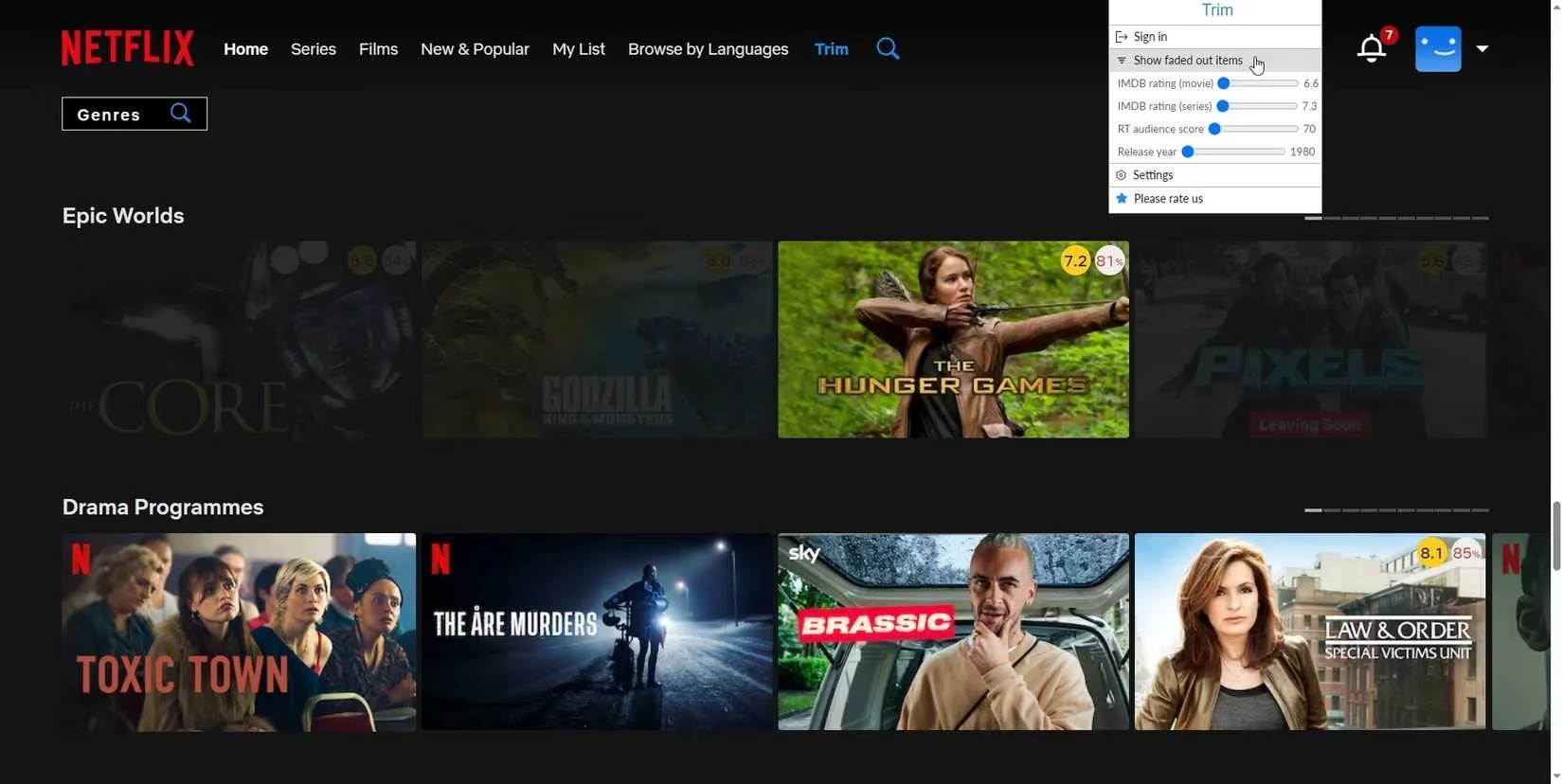
The standout feature is content filtering. Pressing the Trim button fades out movies or shows with low ratings. I can adjust the rating threshold from the Chrome extensions toolbar, so I only see highly rated content. This cuts out the endless review checking. Instead of opening another tab for every title, I can see the scores directly on the Netflix screen.
The faded view is especially useful when I am tired and do not want decision fatigue. Low-rated titles become visibly less prominent, which is a small visual cue that makes browsing faster.
Teleparty
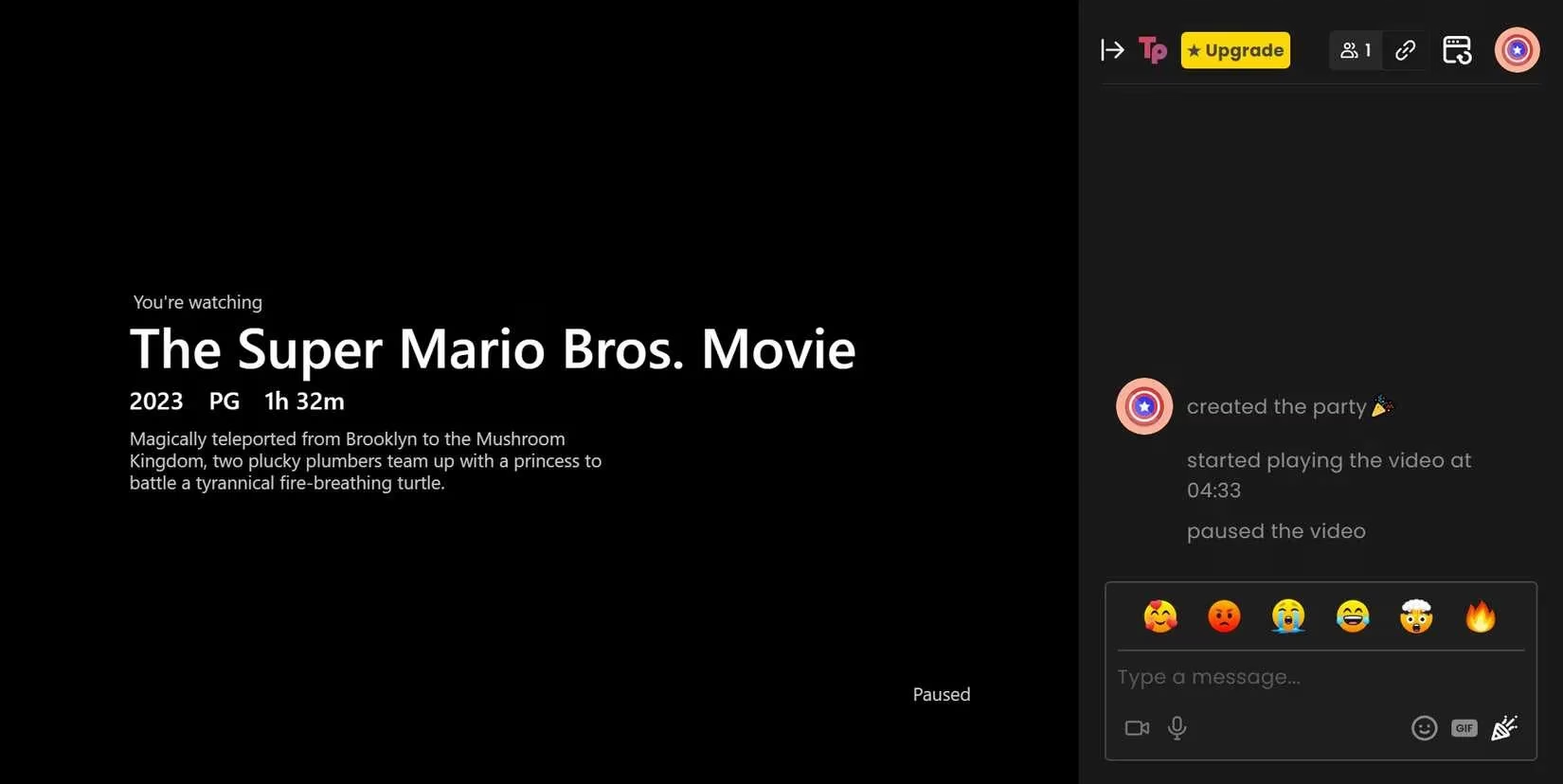
Teleparty, first launched as Netflix Party, became popular during the COVID-19 pandemic. It remains a great way to watch Netflix with friends in different places. Once I sign up and install the extension, I can send invites for a synchronized watch session.
What I like most is the sidebar chat. Teleparty does not just sync the video. It creates a small social space where we can talk while the film or show streams. That makes a remote movie night feel much closer to watching together in person.
Final thoughts
None of these extensions are perfect. Sleep Timer only pauses playback, Picture-in-Picture lacks in-frame controls, and Netflix Skipper can make the transition feel abrupt if you actually wanted to see a recap. But as a package, they fix several longstanding Netflix annoyances. In 2026, I still rely on them to make my Netflix sessions smoother. If you use Chrome or a Chromium-based browser, they are worth trying.