
As a tech reviewer who spends hours in Chrome, I've always been on the hunt for the perfect AI chatbot extension. In early 2026, I decided to put the four most popular options to the test: Monica, Merlin, ChatGPT Sidebar, and Perplexity AI. Each boasts millions of users and ratings above 4.8 stars, but only one can be my daily driver. I checked their safety and legitimacy before installing—all passed. My comparison focused strictly on the extensions themselves, not their separate web apps. Also, since output quality and speed depend on the underlying AI model, I evaluated performance based on model support and daily query limits for both basic and advanced models.
Perplexity AI: Simple and Focused
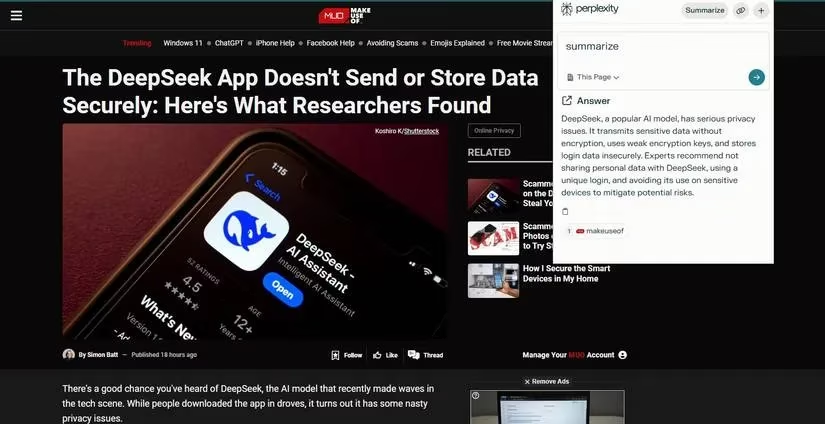
Perplexity was the simplest and easiest to use out of the four. You can only do two things—ask a question and ask for a summary. I like its focus feature, which allows you to choose where Perplexity sources its answers, whether it be the web page you're currently on, the entire website, or the internet. It's perfect for quick lookups, but don't expect advanced productivity tools.
Monica: The All-in-One Powerhouse
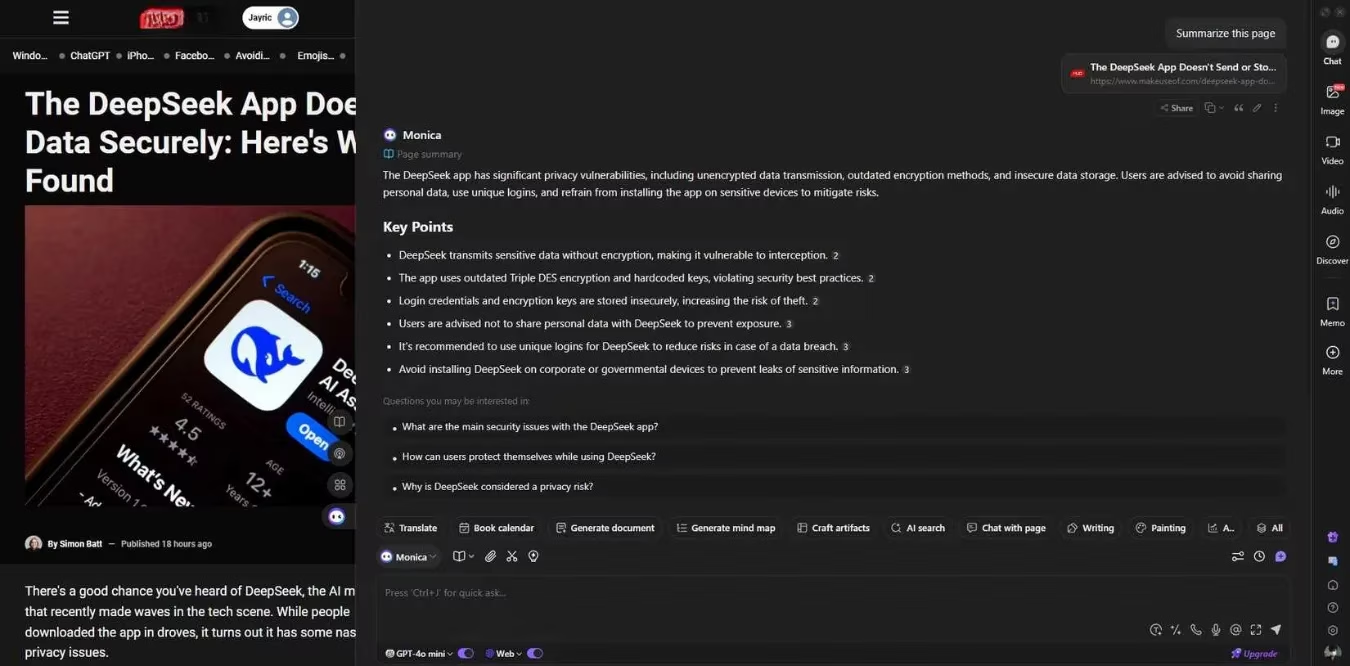
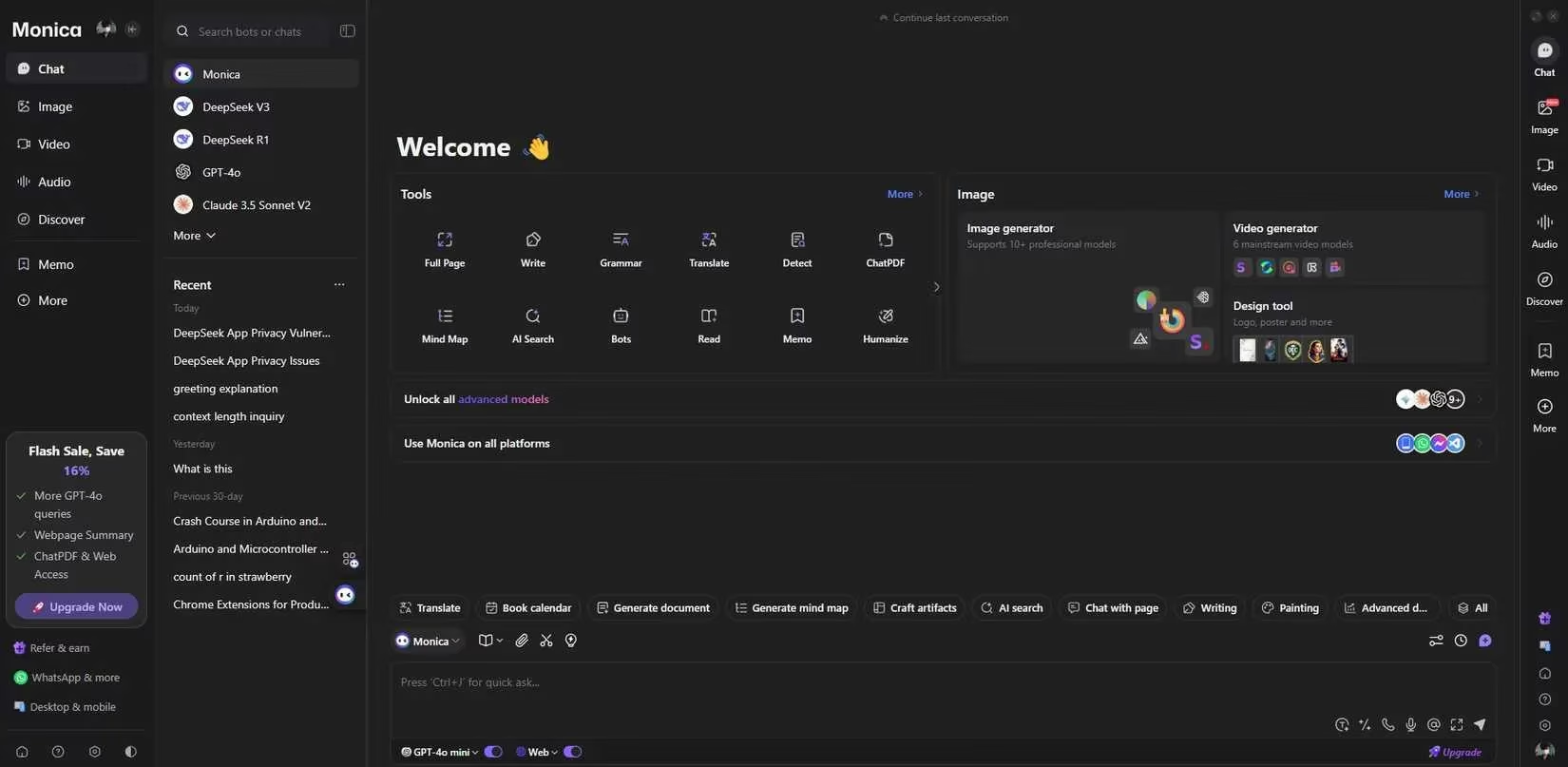
Taking an entirely opposite approach, Monica feels more like a full-featured app rather than a Chrome extension. It stands out as the most versatile extension, offering a wide range of AI capabilities, including writing, search, translations, and even image/video generation. These AI features are further improved with context memory, file uploads, live voice, real-time search, and the ability to choose between popular AI models. My favorite feature is the free and unlimited use of basic models like GPT-4o mini, Claude Haiku, and DeepSeek R1 (small). Due to its massive amount of features, Monica does feel very cluttered and can be confusing for new users. However, I do like that it provides options for keyboard shortcuts and toolbar preferences, which makes it much easier to use in the long run.
Merlin: Balanced but Credit-Limited
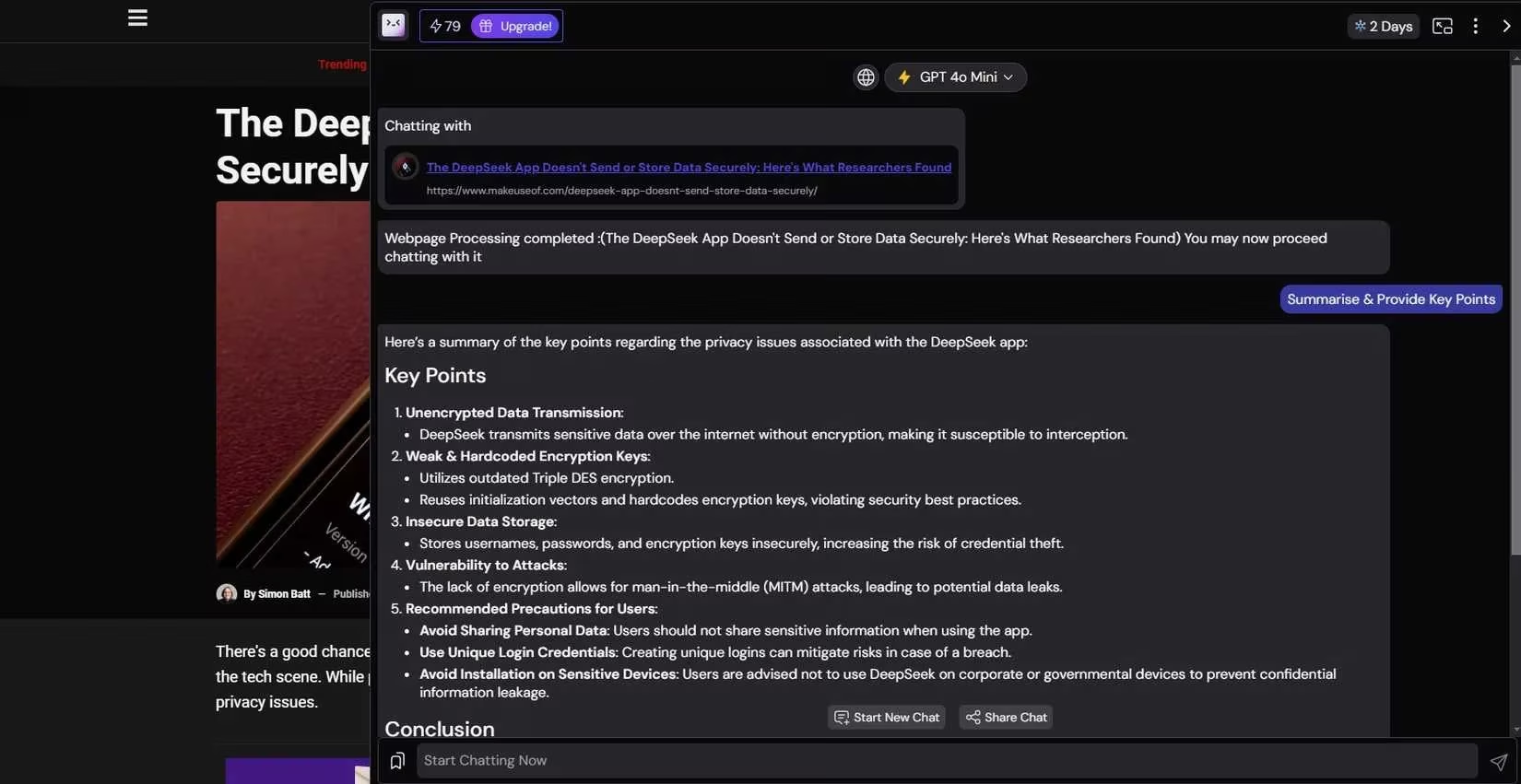
Merlin provides a good middle ground between Perplexity's simplicity and Monica's assortment of features. I enjoyed using it as its UI feels simple and intuitive while still packing enough features for me to do a good deal of productivity with just my browser. What I find limiting with Merlin is that it only gives you 102 credits to use per day. Although quite substantial when using small models like GPT-4o, which uses one credit per query, the daily free credit does feel very limiting when you start using advanced models like GPT-4o, which uses 15 credits per query.
ChatGPT Sidebar: Clean but Frugal
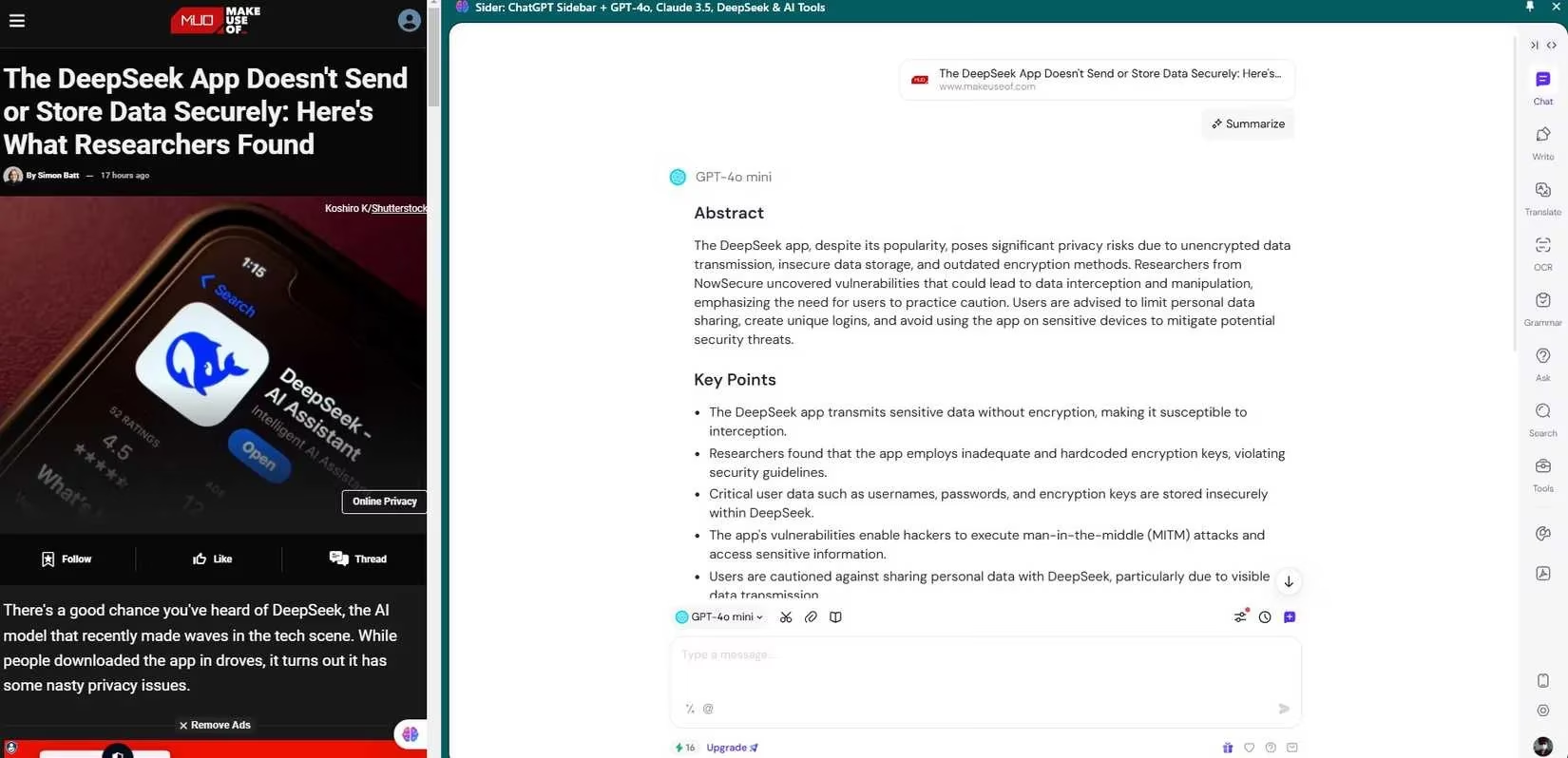
ChatGPT Sidebar provides roughly the same features as Monica while being much less cluttered. However, my biggest problem with ChatGPT Sidebar is that it only offers 30 credits per day, even with smaller AI models like GPT-4o mini, DeepSeek R1 70B (small), and Claude 3.5 Haiku, taking one credit per query. It doesn't offer any free credits for advanced models like GPT-4o and Claude 3.5 Sonnet like Merlin does. However, it does allow you to try "super advanced" models like GPT-o1 at 15 credits, GPT-o3 at three credits, and DeepSeek R1 (big) at two credits per query.
Head-to-Head Comparison
| Extension | Ease of Use | Free Model Limits | Advanced Model Limits | Standout Feature |
|---|---|---|---|---|
| Perplexity AI | ⭐⭐⭐⭐⭐ (Very easy) | Unlimited Q&A and summaries | N/A | Focus feature for source selection |
| Monica | ⭐⭐⭐ (Cluttered) | Unlimited basic models (GPT-4o mini, Claude Haiku, DeepSeek R1 small) | No free advanced models | All-in-one: writing, search, translation, image/video generation |
| Merlin | ⭐⭐⭐⭐ (Intuitive) | 102 credits/day; 1 credit per small model query | 15 credits per GPT-4o query | Good balance of features and simplicity |
| ChatGPT Sidebar | ⭐⭐⭐⭐ (Clean) | 30 credits/day; 1 credit per small model query | GPT-o1: 15 credits, GPT-o3: 3 credits, DeepSeek R1 big: 2 credits | Clean UI with super advanced model access |
The Verdict: Monica Takes the Crown 🏆
After testing some of the most popular AI Chrome extensions, Monica stands out as the best free option. It provides the most features and best performance without paying for any subscription or worrying about credits. Although I dislike its cluttered UI, I find that its sheer amount of features and the versatility of its free AI models allows me to do a lot more than any of the other extensions I've tried. With real-time web research available in Monica, having access to small AI models like GPT-4o mini is enough to provide accurate answers, making it a great free AI tool that saves me money on premium AI subscriptions.
ChatGPT Sidebar seems to provide the best set of features with a very clean and intuitive UI, but its low daily credit makes it very limited. I recommend Merlin over ChatGPT if you're a free user. At least Merlin provides a good amount of credit for using basic AI models while still having all the useful features you'd want in an AI extension.
If you're willing to pay a premium for a monthly subscription, the ChatGPT Sidebar extension is the best-paid option out of the four. Remember that these extensions do not allow you to use your existing premium subscriptions to any AI chatbot you may have. This means that your already existing subscription to premium AI services like ChatGPT Plus cannot be used within these extensions.
So, if you're already subscribed to any premium AI chatbot service like ChatGPT, it might just be better for you to directly visit the web app and supplement it with the Perplexity AI extension for quick Q&A and summaries. As for me, I'll continue to use Monica as my all-in-one AI extension for Chrome in 2026. 😊