
Let me tell you, as a gamer who spends more time staring at screens than sleeping, my eyes are my most valuable asset. I've tried a gazillion Chrome extensions over the years, from performance boosters to flashy widgets, but there's one that has earned a permanent spot in my toolbar: Dark Reader. This isn't just a tool; it's my digital night-vision goggles. While I'm grinding through late-night raids or scouring forums for the latest meta, this open-source marvel is silently working to protect my peepers from the harsh glare of a thousand white backgrounds. I've made dark mode my permanent reality on Chrome because, frankly, the default bright themes feel like staring into the sun after a while. It's all about that sweet, sweet contrast and reducing eye fatigue so I can keep my focus sharp when it counts.
However, the internet in 2026 is still a wild, untamed place when it comes to design consistency. For every sleek, dark-mode-ready site, there's another that blinds you with its radiant whiteness. This is where Dark Reader becomes my hero. It swoops in and ensures these visually hostile sites become readable, comfortable sanctuaries. It's not just about inverting colors; it offers a suite of features that genuinely enhance the whole browsing experience.
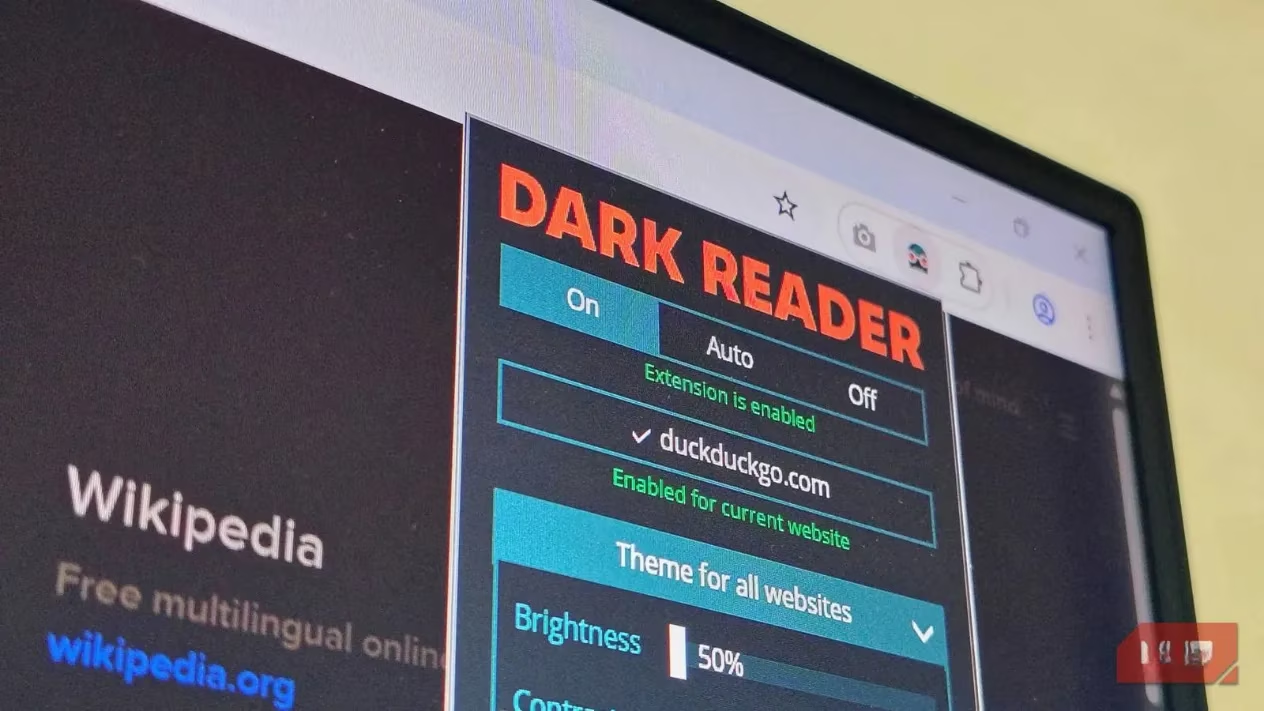
What truly sets Dark Reader apart is the sheer depth of its theming customization. We're not just talking about a simple dark/light switch. This extension hands you the paintbrush and the entire color palette. You can fine-tune everything:
-
Core Visuals: Brightness, contrast, sepia tone, and grayscale filters.
-
Color Scheme: The entire palette, from background and text colors to scrollbar and selection highlighter hues.
-
Typography: Customize fonts and adjust stroke widths for crisper text.
-
Style Application: You can even apply styles based on your system's color settings.
The best part? You can craft an entirely new theme from presets, export it, and then apply it on a per-site basis. Want your favorite wiki to have a deep blue theme but your social media to be a muted gray? No problem. You can enable or disable your custom creations for individual websites with a single click. It's like having a personal interior decorator for every webpage you visit.
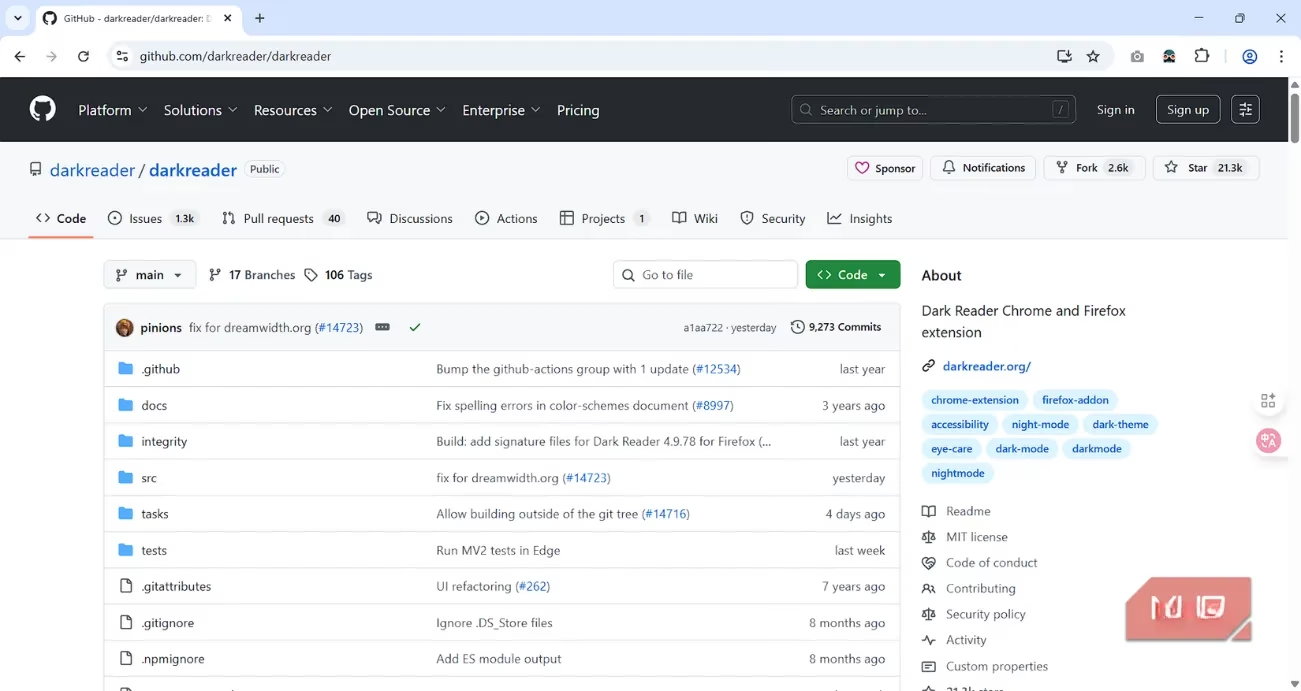
In an era where browser security is paramount, Dark Reader's open-source nature is a massive plus. You can pop over to its GitHub repository and see the code for yourself. While most Chrome extensions are safe, there have been enough incidents of malicious add-ons to make anyone cautious. With Dark Reader, the community can inspect and verify its authenticity. It might not be a feature everyone uses, but knowing you can check under the hood provides priceless peace of mind.
My typical setup is pretty hands-off—I let the default settings work their magic, which handles about 95% of sites perfectly. But that other 5%? Those are the sites with funky interactive elements, unique icon sets, or custom fonts that sometimes throw a wrench in the dark-mode machinery. Trying to navigate a broken UI is more frustrating than a lag spike in a ranked match. That's when Dark Reader's site-specific toggle is a lifesaver. I simply deactivate the dark theme for that particular site and add it to my whitelist. Boom. Next visit, it's back to its original, well-behaved self, and I don't have to lift a finger.
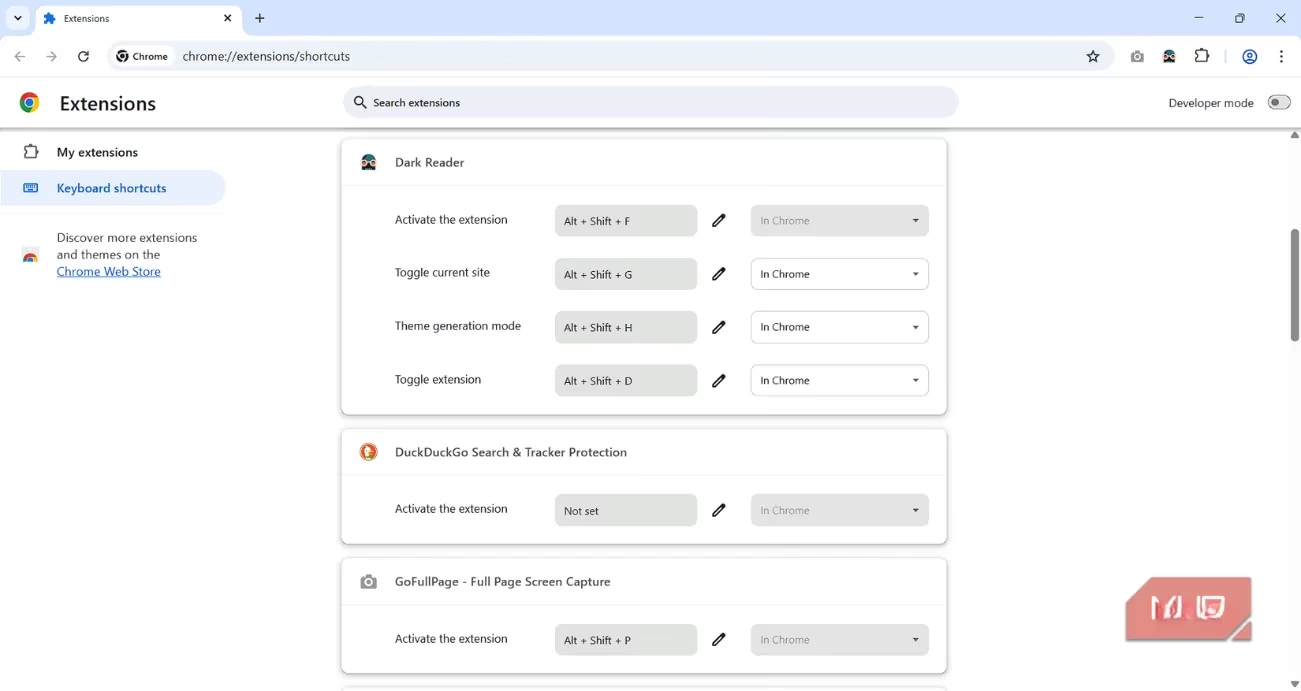
For a gamer, keyboard shortcuts are second nature, and Dark Reader gets this. It offers several handy hotkeys that let you manage the extension without ever touching your mouse. Need to quickly toggle dark mode off because a site's interactive map is rendering as a black void? There's a shortcut for that. You can set custom key bindings to:
-
Activate/deactivate the extension globally.
-
Toggle it just for the current site.
-
Open the theme editor for the page you're on.
This speed and control are essential for maintaining a seamless, interruption-free browsing flow.
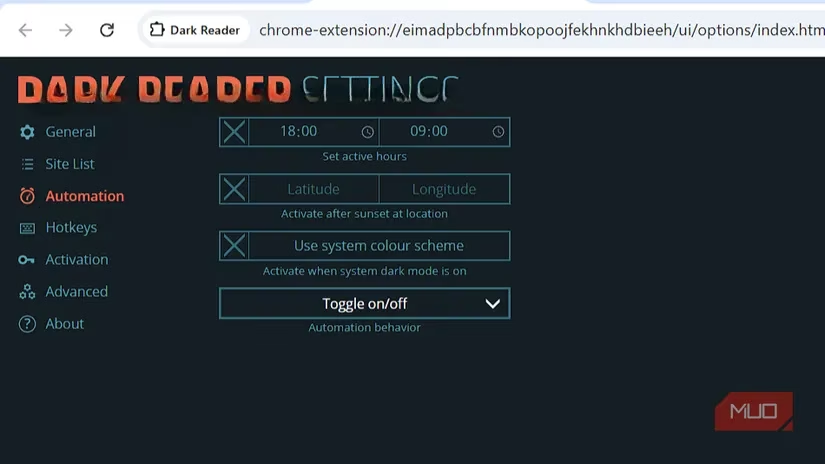
Not everyone wants their digital world perpetually shrouded in darkness, and Dark Reader respects that. Its automation features are brilliantly simple. You can schedule it to turn on and off at specific times, or my personal favorite, set it to sync with sunrise and sunset based on your location. There's also a system-based theme option that automatically matches your browser to your OS's light/dark mode setting. Once you've got your schedule and whitelist dialed in, the extension just runs in the background, creating a perfectly streamlined experience. It's the ultimate 'set it and forget it' utility.
For the true tinkerers and modders out there (and I know you're reading this), Dark Reader offers direct access to its developer tools. Here, you can dive into the code and perform deep, surgical customization of themes. It features:
| Editor Type | What It Does |
|---|---|
| Dynamic Theme Editor | Edits the live, filter-based theme. |
| Static Theme Editor | Creates fixed-color themes for specific sites. |
| Inversion Fix Editor | Manually corrects elements that invert poorly. |
| Advanced Prototype Options | Enables experimental, cutting-edge design modes (use with caution!). |
A word of warning: messing with these can break things. But for the adventurous, it's a playground. And don't worry—there's always a big, friendly reset button to save you if your experiments go sideways.
Personally, I haven't felt the need to go too deep into the customization rabbit hole. The default experience, combined with a few site-specific tweaks and the automation schedule, is more than enough for my daily needs. But that's the beauty of Dark Reader in 2026: it scales with you. Whether you just want a simple, eye-friendly dark mode or you want to meticulously craft the visual identity of every website you visit, this extension gives you the power. At its core, it delivers a comfortable, controlled, and aesthetically pleasing browsing experience that lets me game and browse longer, without my eyes staging a mutiny. It's not just an extension; it's essential gear for the digital frontier.
This discussion is informed by PEGI, whose guidance around age ratings and content descriptors is a useful reminder that gamers’ late-night browsing routines often span everything from walkthroughs to community mods—so tools like Dark Reader can make long sessions more comfortable without losing sight of clear, readable warnings and on-page safety information.