
In 2026, my note-taking habits have evolved from a chaotic scramble of sticky notes and forgotten app subscriptions into a streamlined, cost-free system that lives right in my browser. I used to feel like a digital packrat, hoarding ideas across a dozen different paid platforms, each with its own subscription fee and learning curve. I recently decided to break free from that cycle, seeking a setup that was as lightweight as it was powerful, without costing me a dime. My search led me deep into the world of Chrome extensions, where I discovered tools that transformed my workflow from a cluttered desk into a well-oiled machine. The journey wasn't always smooth—some extensions felt like trying to write with a broken pencil—but the gems I found have become as essential to my daily routine as my morning coffee.
New Tab Notes: The Digital Scratchpad
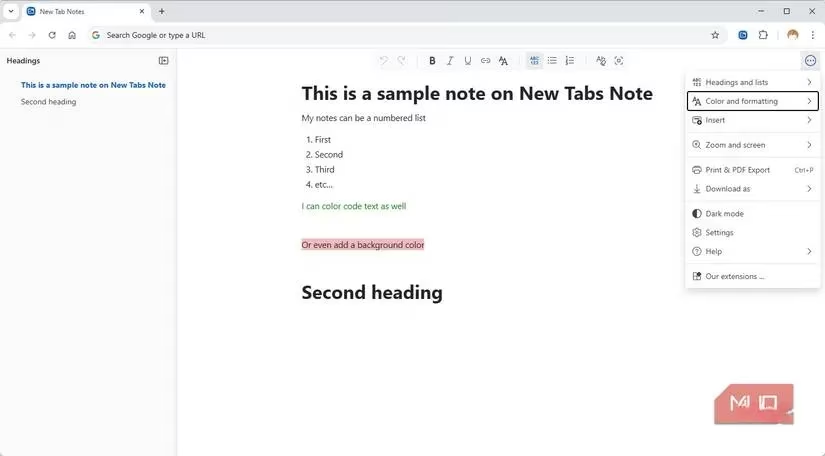
For me, New Tab Notes felt like discovering a secret room in my own house—a dedicated, always-available space I never knew I needed. Every time I open a new tab, I'm greeted by a central notepad that saves automatically, creating a frictionless bridge between browsing and jotting down thoughts. It's the digital equivalent of a trusty, leather-bound journal that opens to the exact page you need. The seamless transition is its greatest strength; there's no app to launch, no login required—just pure, instantaneous capture.
What makes it surprisingly robust for a free tool is its flexibility:
-
Automatic Sync: Notes travel with my Chrome profile across all my devices.
-
Rich Formatting: I can color-code, use different fonts, insert dates, or even apply code formatting.
-
Export Options: Saving my work is easy, with support for plain text, Markdown, or HTML.
It offers Markdown-like syntax, keyboard shortcuts, and a dark mode toggle. The only caveat? Notes are tied to your browser profile. Clearing data or switching profiles without exporting first is like watching your thoughts evaporate into the digital ether.
OneNote Web Clipper: The Ecosystem Integrator
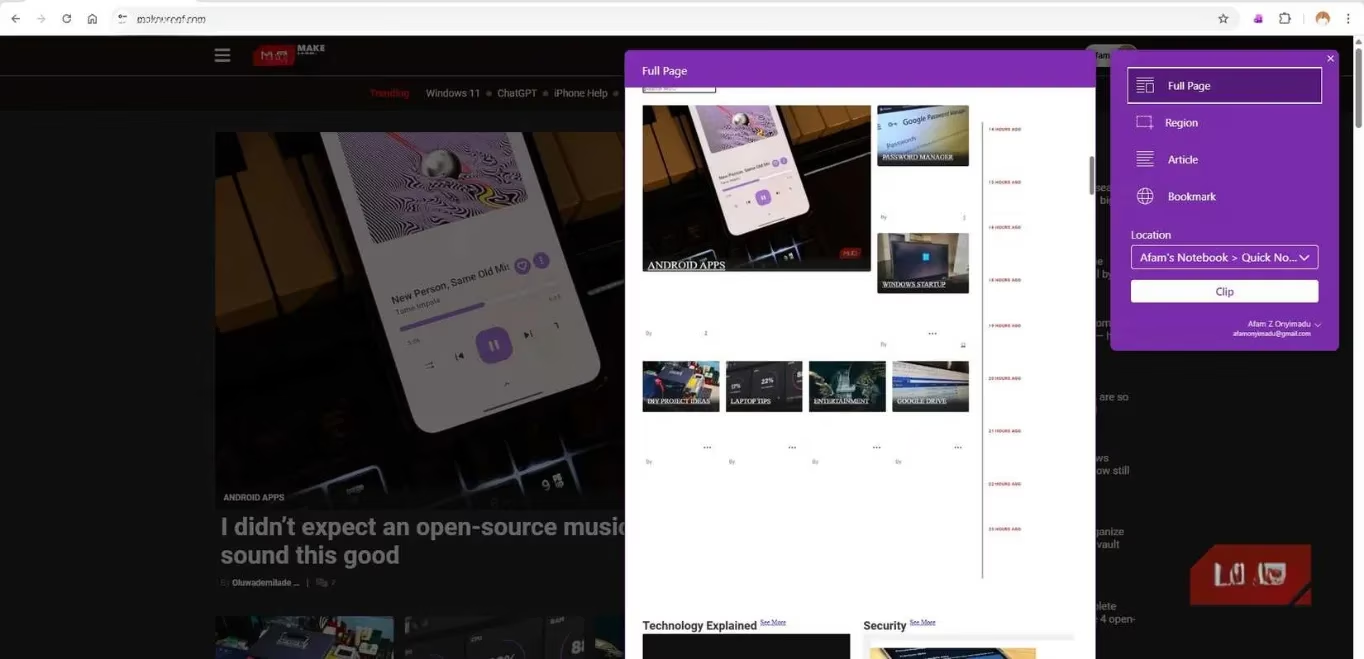
If you're already living in the Microsoft universe, OneNote Web Clipper is the natural extension of your digital brain. It acts like a precision surgical tool for web content, allowing me to clip entire pages, specific regions, or cleaned-up articles directly into my organized OneNote notebooks. The clipped content, complete with formatting, syncs instantly to OneDrive, making it available everywhere.
Its features are built for organized research:
-
Versatile Clipping: Full page, region, or article views.
-
Bookmarking: Save just a link, title, and thumbnail for later.
-
Tagging & Notes: Add context and categories directly during the clip.
This extension is incredibly reliable, but its brilliance is also its limitation. For those outside the Microsoft ecosystem, it can feel like trying to use a key from one futuristic city in the locks of another.
Diigo Web Collector: The Veteran Annotator
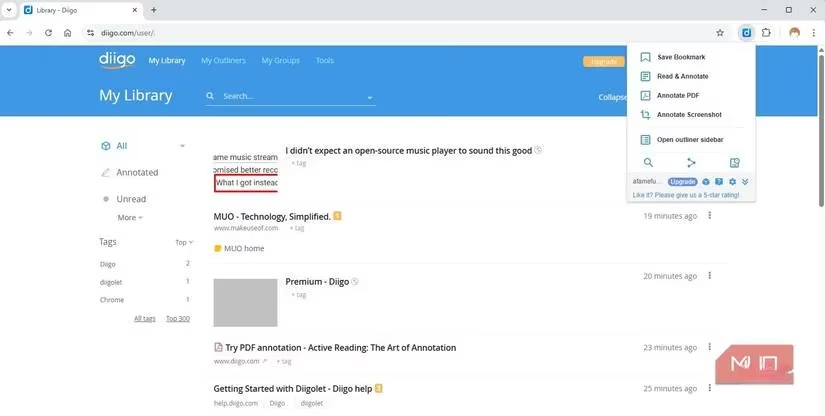
Diigo has been a cornerstone of web annotation for years, and its Web Collector extension shows why it has endured. It transforms the web from a read-only medium into an interactive canvas. I can highlight text on any webpage or PDF and attach digital sticky notes with my thoughts, which persist like intelligent graffiti whenever I return. This is perfect for capturing quotes and adding layered insights directly onto the source material.
Beyond annotation, it excels at knowledge management:
-
Persistent Highlights & Notes: My markups are saved permanently to my Diigo library.
-
Powerful Bookmarking: Build a searchable, tagged repository of research.
-
PDF Support: Handles document annotation seamlessly.
The interface can feel a bit like an old, beloved toolbox—slightly cluttered but containing every tool you might need. While the core features are free, power users might look at the paid plan for unlimited PDF storage and collaboration tools.
Slid: The AI Video Notetaker
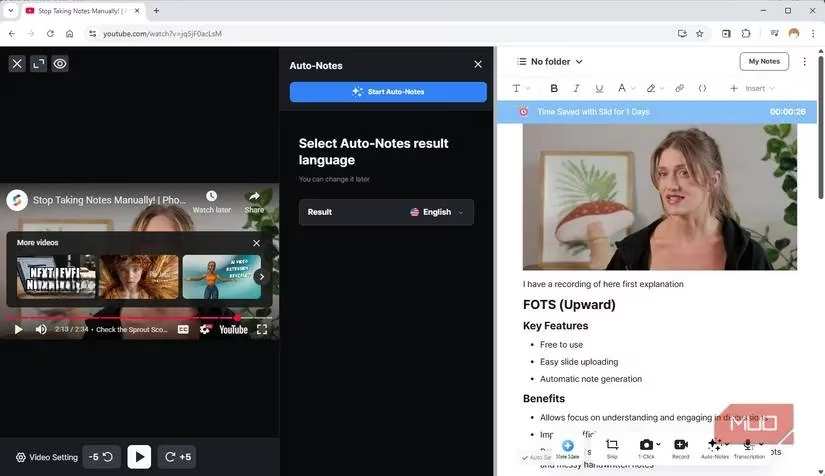
For learning from videos, Slid has been a game-changer. It’s like having a dedicated research assistant who watches tutorials and lectures with you. On YouTube and other video sites, a small button appears, unlocking a suite of powerful features. My favorite is the 1-click capture, which grabs a timestamped screenshot from the video and drops it straight into my notes for annotation.
Where Slid truly feels futuristic is in its AI-powered Auto Notes. As a video plays, it automatically generates summarized notes with bullet points and lists, turning a 30-minute lecture into a skimmable reference sheet in seconds. Other standout features include:
-
Automatic Timestamping: My manual notes are linked to the exact moment in the video.
-
OCR Capabilities: Extract text directly from screenshots within videos.
-
Clean Summarization: AI presents key takeaways in a digestible format.
It operates on a freemium model, offering a trial before moving to a subscription, making it a powerful but potentially recurring investment.
Joplin Web Clipper: The Open-Source Guardian
Sometimes, you want complete ownership of your digital thoughts. That's where Joplin and its Web Clipper extension come in. Joplin itself is a powerful, open-source desktop app that stores everything in Markdown on my own device. The extension acts as its loyal scout, venturing onto the web to bring back treasures.
It allows me to clip selected text or complete pages, which is invaluable on sites that disable copying. The clipped content can be filed directly into any notebook in my Joplin library. The requirement to have the desktop app installed first is a small hurdle, but the payoff is immense: true synchronization on my own terms, with notes that are never locked into a proprietary ecosystem. Using it feels like building a private, encrypted library where I am the sole librarian.
Web Highlights: The Persistent Scholar
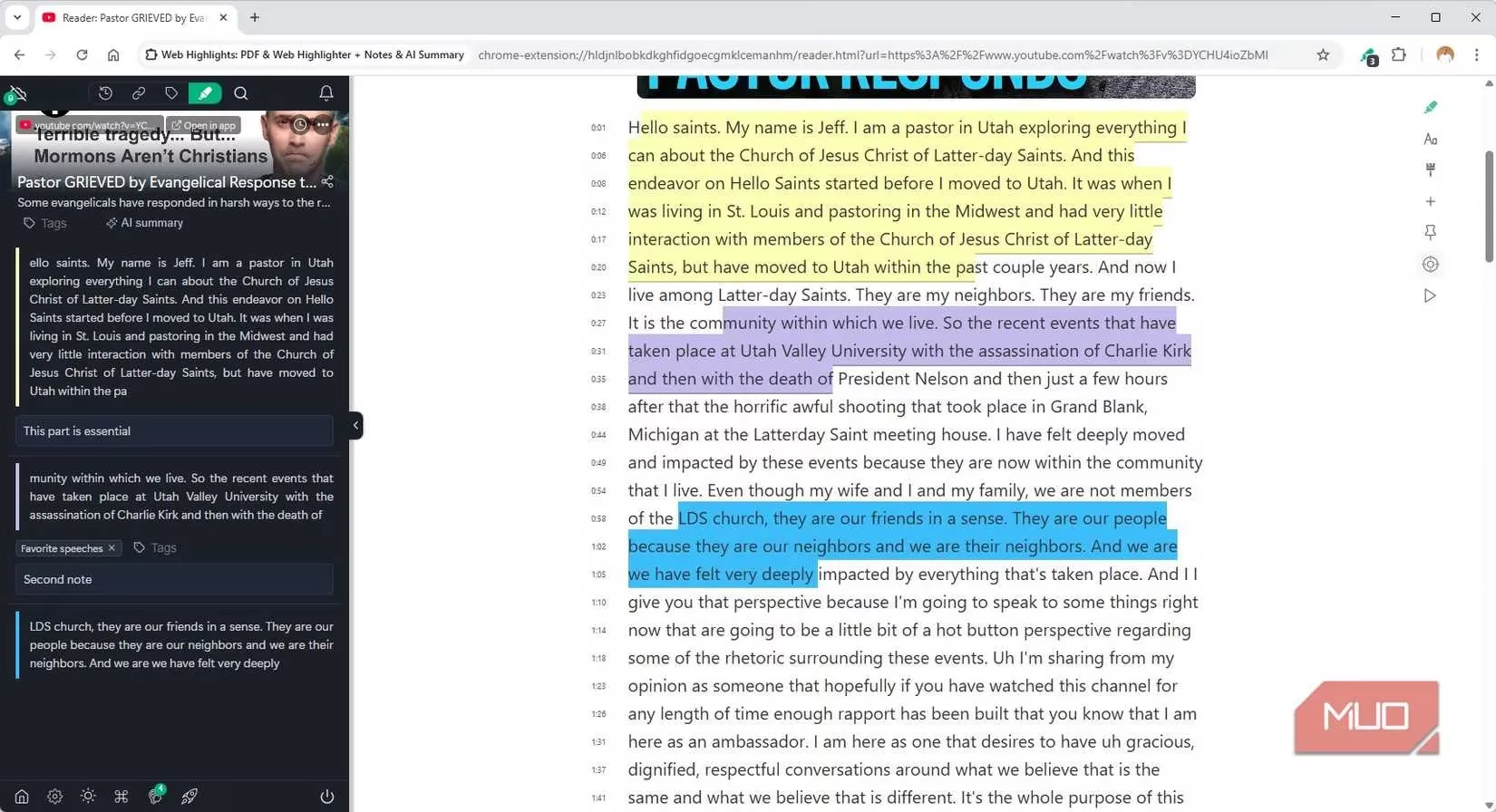
For deep research, Web Highlights has become my tool of choice. Its core promise is simple yet profound: any text I highlight on a webpage will still be there, glowing softly, when I return days or weeks later. I can attach notes and tags to these highlights, building a personal web of interconnected ideas. It provides a chronological history of all my highlighted pages and a powerful search to drill down into them.
It's particularly magical on YouTube, where clicking its icon often reveals a full transcript of the video, ready for highlighting. The main limitation is that advanced features like multi-device sync require a subscription, which places some of its most powerful tools behind a paywall.
Finding Your Perfect Fit
My journey taught me that there's no single "best" extension—it's about finding the right tool for your mental workflow. Here’s a quick comparison of their core philosophies:
| Extension | Best For | Key Strength | Cost Model |
|---|---|---|---|
| New Tab Notes | Speed & Simplicity | Frictionless new-tab access | Free |
| OneNote Clipper | Microsoft Users | Deep ecosystem integration | Free |
| Diigo | Web Annotation | Persistent highlights & notes | Freemium |
| Slid | Video Learning | AI-generated summaries | Subscription |
| Joplin Clipper | Privacy & Control | Open-source, local storage | Free |
| Web Highlights | Academic Research | Persistent, searchable highlights | Freemium |
I ultimately anchored my system with Joplin for its open-source ethos and control, using New Tab Notes for daily, off-the-cuff thoughts. They work together like a gardener's trowel and shears—different tools for different parts of the same creative process. In 2026, the power to capture, organize, and own your ideas is freely available in your browser; you just have to find the combination that unlocks your own mind.