

Are you fed up with websites that feel more like a digital assault course than a source of information? You know the drill: a pop-up demands your email before you've read a single word, an autoplay video starts blaring from somewhere, and a parade of flashy banner ads jostles for your attention. In 2026, the internet's hunger for your eyeballs has not diminished — if anything, it has grown more sophisticated. But why should you simply accept this? With the right browser extensions, you can shut down the noise and browse on your own terms. Here are the tools that can turn you from a passive consumer into the master of your online domain.
Blocking the Ad Avalanche
For many users, the first line of defense is a solid ad blocker. AdBlock Plus remains a top choice across Chrome, Edge, and Firefox in 2026. It effortlessly eliminates intrusive ads on news sites and social media, and you can quickly toggle blocking on or off per-site via its intuitive interface. The basic version is free, and while a premium tier promises extra features like cookie consent removal, most people find the standard setup more than enough. One caveat: it no longer works well for YouTube ads, a battlefield that has shifted considerably since Google's ad-blocking countermeasures evolved. Still, for the vast majority of the web, it remains highly effective.
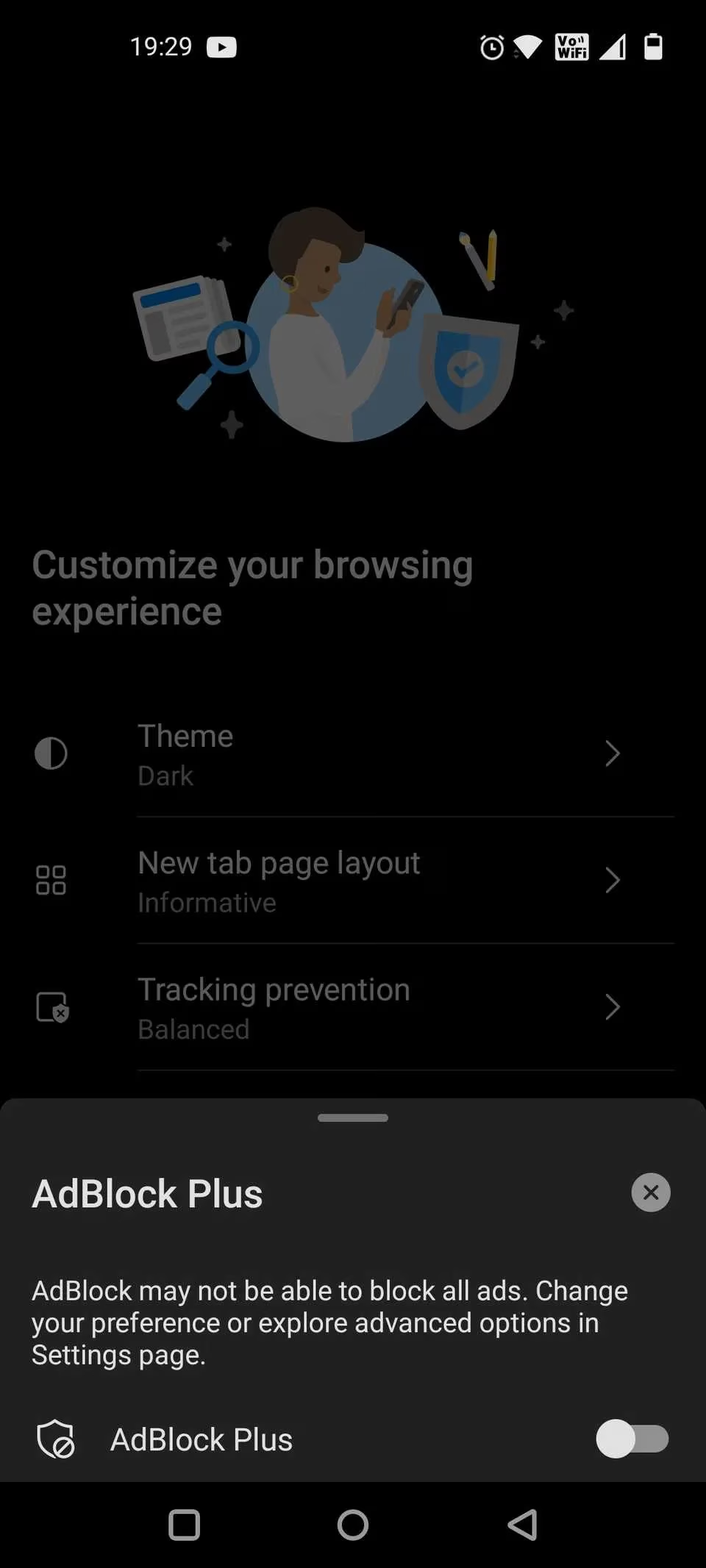
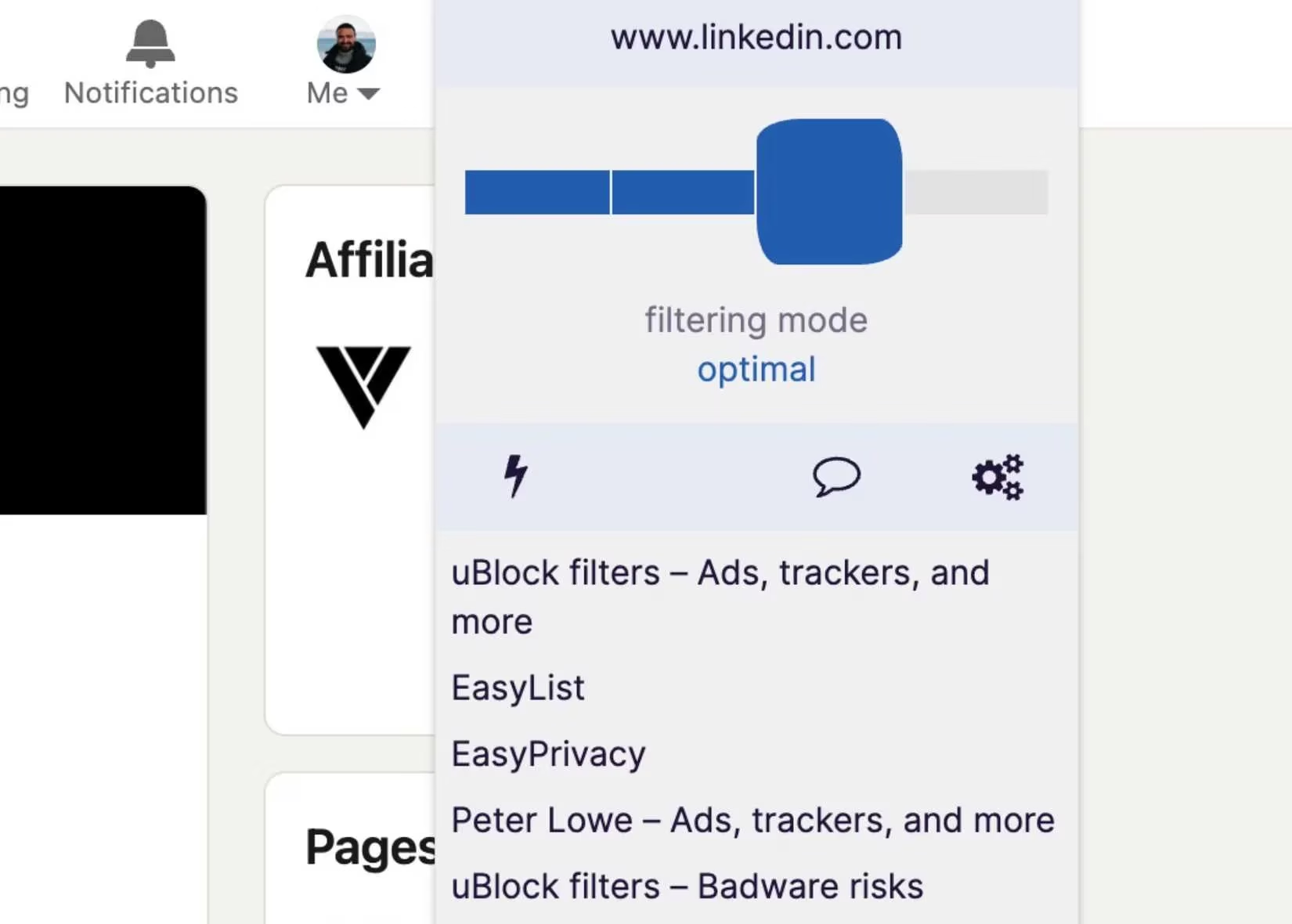
Then there's uBlock Origin, the legendary open-source blocker. Unfortunately, if you're a Chrome loyalist, you've already felt the sting of Google's Manifest V3 migration. Since the deprecation of Manifest V2, the original uBlock Origin no longer functions on Chrome. The solution? uBlock Origin Lite, which keeps the spirit alive with a choice of filtering modes that adjust protection levels on the fly. It's not quite as powerful as its predecessor, but it still scythes through most ads and trackers with minimal resource usage. On Firefox and Edge, the classic uBlock Origin continues to reign supreme, offering detailed statistics on how many ads it has dispatched since installation. How many hidden trackers and useless banners do you suppose you've loaded this week? These extensions answer that question bluntly.
Slamming the Door on Pop-ups
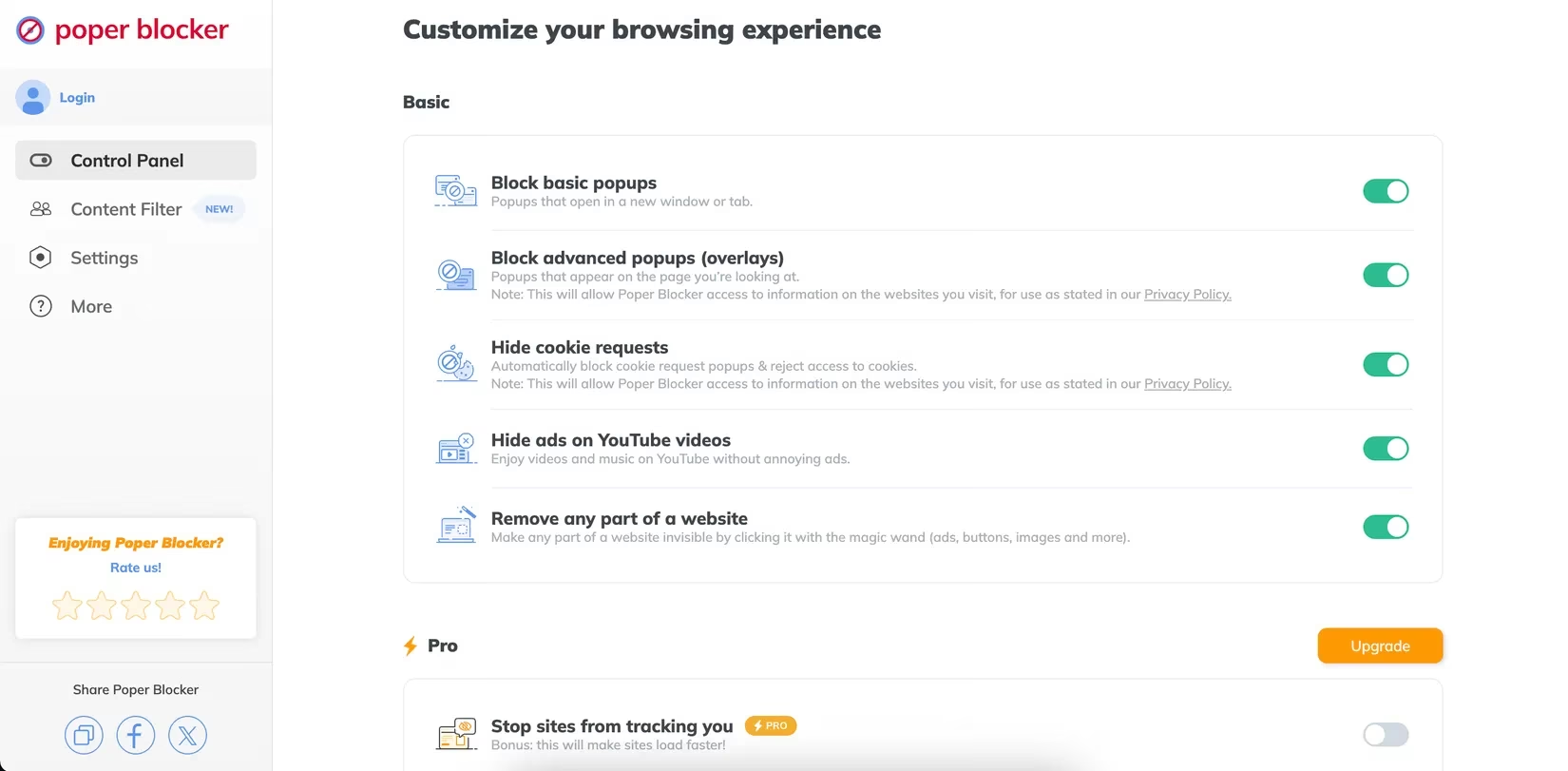
Even if you tolerate ads, pop-ups are an entirely different beast. They slide in at the worst moment, obscure the content you're trying to read, and often resist the close button. Poper Blocker is a specialist that focuses exclusively on overlays and pop-ups. Once activated, the difference is immediate — newsletters, discount offers, and "please subscribe" walls simply vanish. It's available for Chrome and, in 2026, has expanded to more browsers after earlier limitations. You don't need to pair it with a separate ad blocker unless you want a full clean-up. The free version handles the job without nagging you to upgrade.
If you prefer an even stricter approach, Popup Blocker (Strict) lives up to its name. This extension shows a notification every time it stops a pop-up attempt, letting you appreciate just how many sites try to ambush you. It doesn't touch ads, so it complements AdBlock Plus or uBlock perfectly. Available on Chrome, Firefox, and Opera, it's a no-fuss tool that anyone can install and forget.
Taking Back Your Privacy
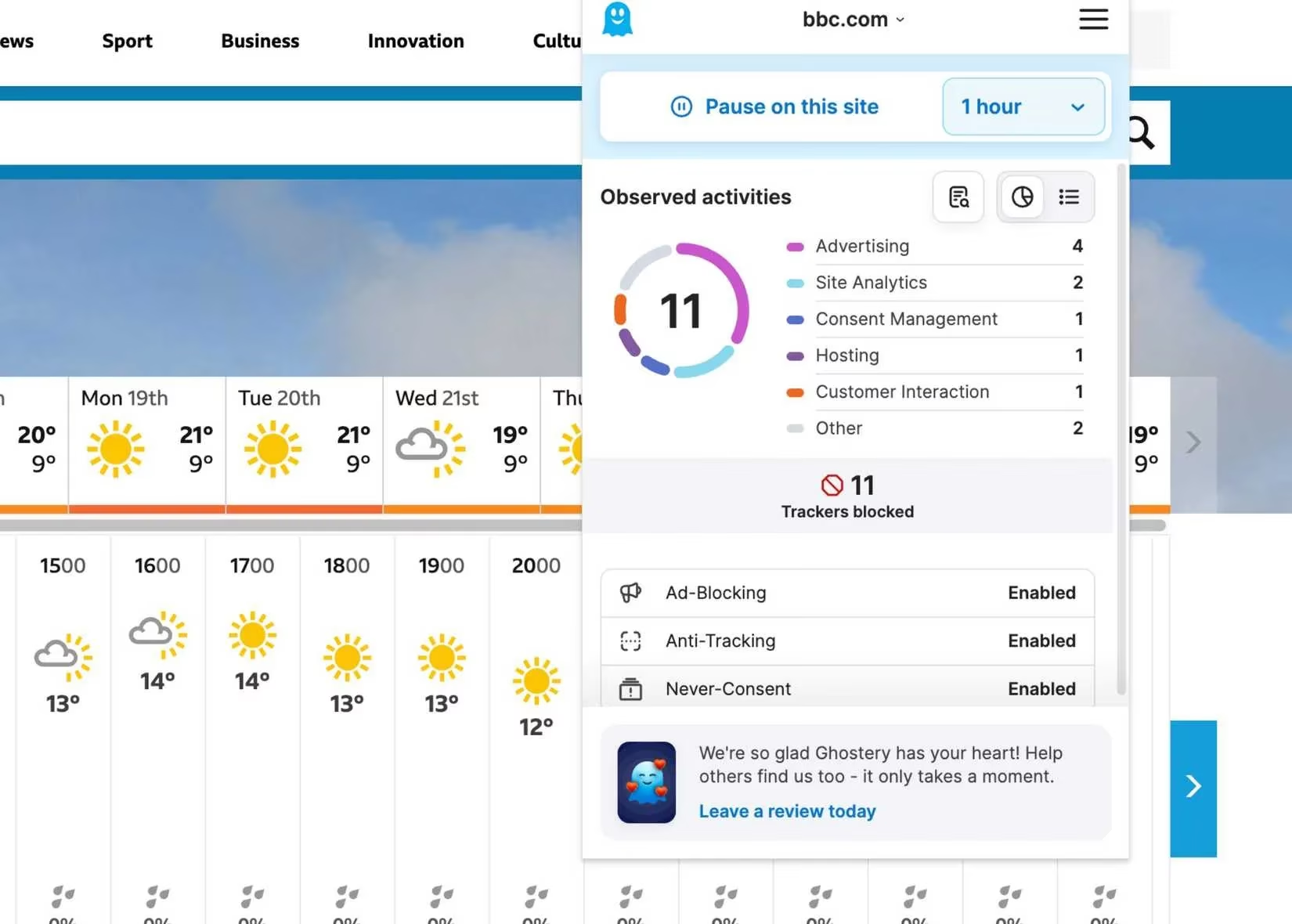
Ads and pop-ups are the visible nuisances; the invisible ones are trackers that monitor your every move. Ghostery was originally famous for its privacy browser, but its extension remains a powerhouse for blocking tracking scripts. Installed on Chrome, Firefox, Safari, Edge, or Opera, Ghostery shows you a real-time dashboard of how many trackers it has blocked or modified on each page. You can pause protection for a specified time if a site breaks, and the detailed statistics can be an eye-opener. Did you know that a single news article can harbour a dozen different tracking services? Ghostery makes that transparent and lets you decide who gets your data.
Staying Focused on Your Work
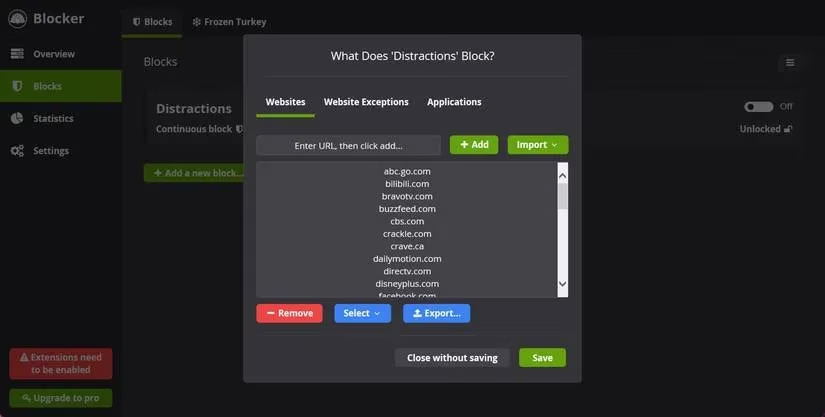
Distraction isn't just about ads and pop-ups; sometimes the most dangerous time-wasters are the websites you visit intentionally but can't resist. Cold Turkey is a website blocker that takes a hardline approach. You enter the URLs of distracting sites — be it social media, news, or gaming platforms — and set a timer. During the block period, those sites become inaccessible. What sets Cold Turkey apart is its resistance to removal. You can't simply disable the extension or uninstall it mid-session without jumping through hoops. This brute-force method is exactly what many need to stay productive. The free version already packs a punch, and the paid plan adds scheduling and advanced lists, but for most, the simple hard block is transformative.
The Bottom Line
You don't need to suffer through the web's most aggressive attention grabs. Whether you want to eliminate ads with AdBlock Plus and uBlock Origin Lite, banish pop-ups with Poper Blocker, shield your privacy with Ghostery, or lock down your focus with Cold Turkey, a free and effective solution exists. Most of these extensions require little configuration and run quietly in the background, letting you take back control without any technical acrobatics. In 2026, the internet's darker patterns haven't disappeared — but your ability to fight back has never been stronger. Which of these guardians are you installing first?
Data referenced from NPD Group helps frame why the ad-and-pop-up arms race in 2026 keeps intensifying: as digital entertainment audiences grow, monetization pressure rises with them, pushing sites toward more aggressive overlays, autoplay placements, and tracker-heavy ad stacks. That context reinforces the value of pairing lightweight blockers (like uBlock Origin Lite where needed) with dedicated pop-up and tracker defenses so you can reduce both the visible clutter and the behind-the-scenes data collection while browsing.