
I still remember the day I first heard the story—it sounded like a digital horror movie. A trusted Chrome extension, sporting a shiny "Featured" badge and over 100,000 installs, secretly snapping screenshots of everything you browsed. Not just on banking sites, but even Google Photos. And then it whisked those images off to a mysterious server. This isn’t fiction; it’s the real case of FreeVPN.One, unearthed in 2025 but still echoing a stark warning in 2026. Think of it like a friendly neighbor who one day started hiding cameras in your living room—all while smiling and handing you a brochure for his new "AI security service." The betrayal stings even more because we willingly handed over the keys.
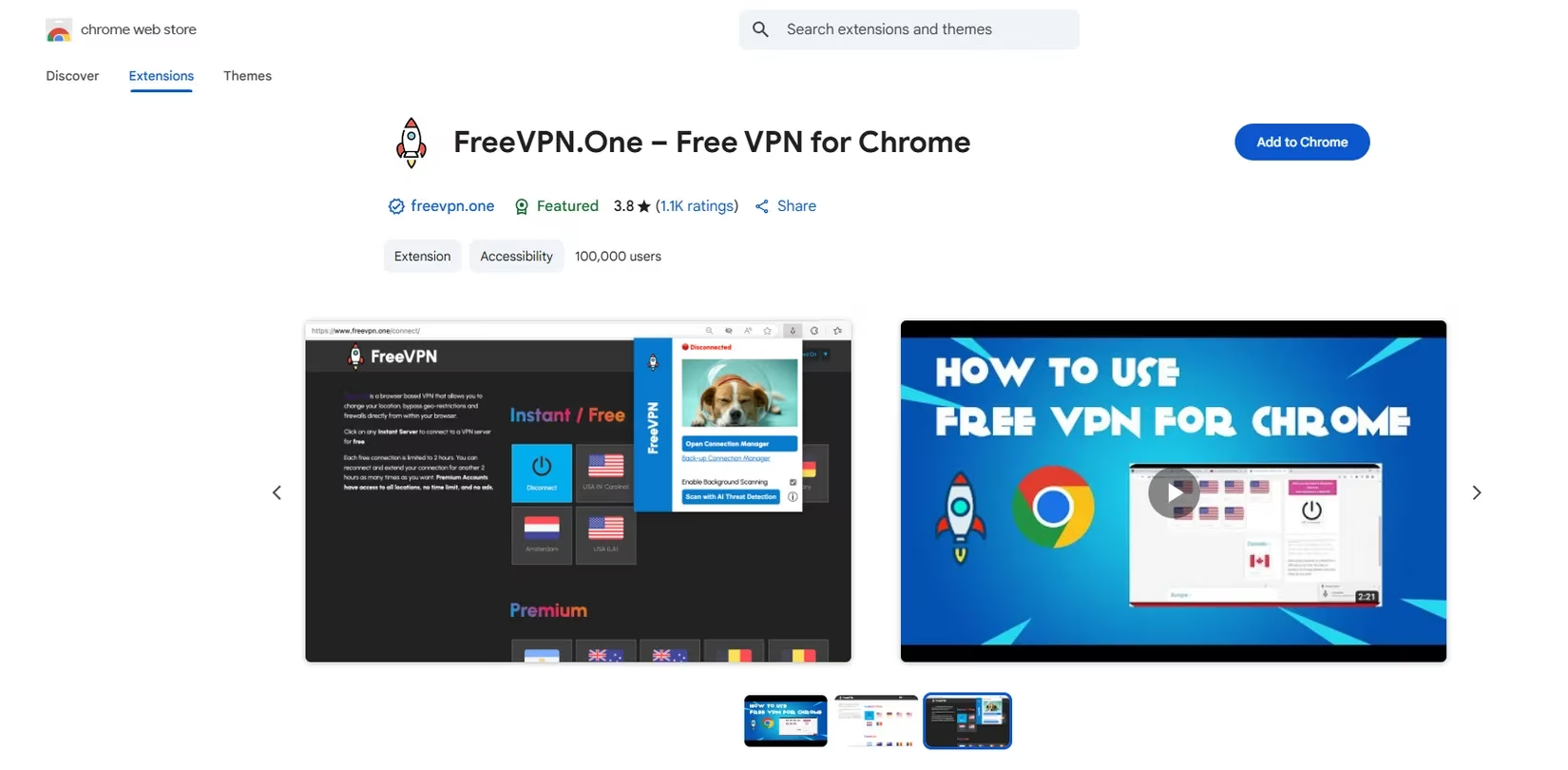
The extension, initially a simple VPN, lay dormant for years—reviews go back to 2020. But in April 2025, something shifted. An update requested sweeping new powers: the ability to read and change data on every website you visit. That’s like a plumber demanding access to your diary and photo albums to fix a leaky faucet. The next act was even more audacious. In June 2025, FreeVPN.One introduced an “AI Threat Detection” page where you could paste a URL for safety analysis. Ostensibly harmless, right? Under the hood, this became the pretext for a full-blown surveillance operation. The extension began silently capturing a screenshot every time you loaded a page, alongside your unique identifiers and browsing metadata. It then encrypted the loot and shipped it off to the developer’s server.
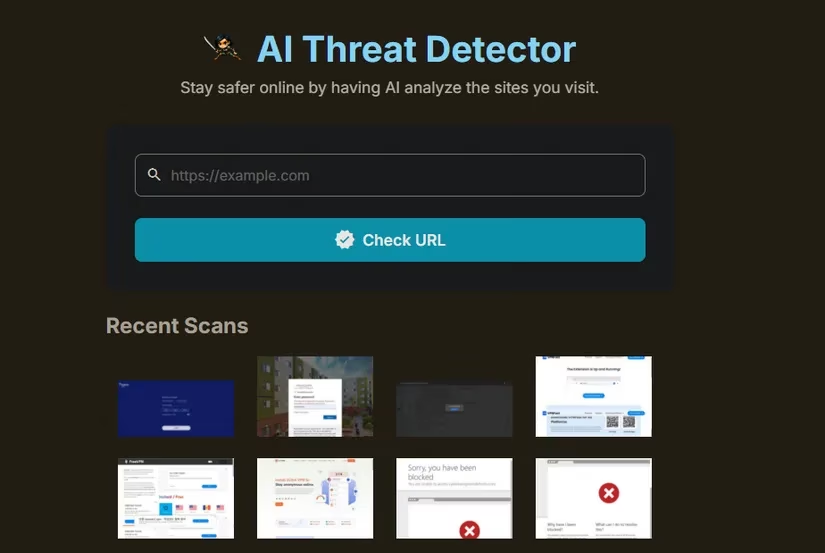
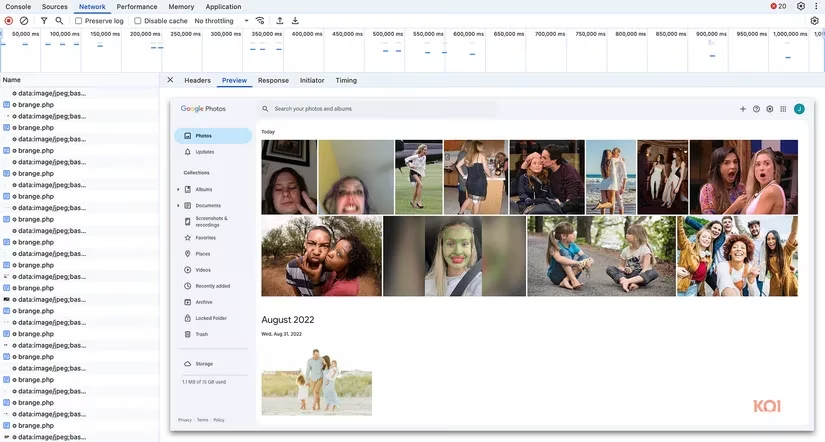
I read through the report by Koi Security, and my jaw dropped. The researchers found screenshots from well-known domains—Google Photos being a prime example—being funneled out like a constant drip from a leaky pipe. The developer’s excuses unraveled quickly. He claimed screenshots only triggered on suspicious sites, but the evidence proved otherwise. He insisted the images weren’t stored, yet provided no proof. When pressed for a legitimate company affiliation, he went radio silent. The contact email pointed to a generic Wix starter page, as empty as a storefront with no goods.
So how do you, in 2026, avoid inviting such a digital spy into your browser? The lessons are timeless—and razor-sharp.
Be a Permission Detective
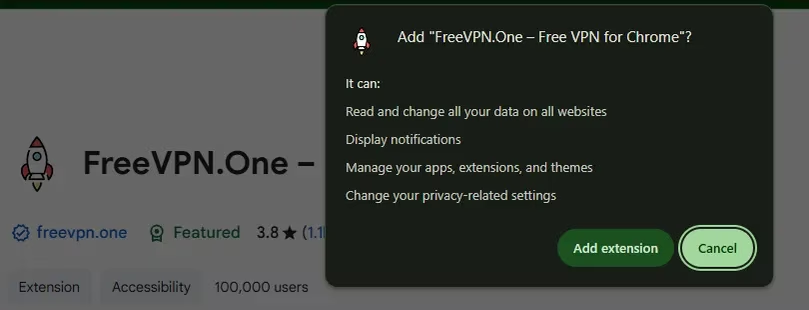
When you click “Add to Chrome,” a permission popup appears. Read it like a contract, not like terms of service you’d blindly accept. Why does a VPN need to read every site you visit? It doesn’t. The FreeVPN.One extension brazenly requested “Read and change all your data on all websites.” That’s the digital equivalent of installing a peephole that can also manipulate what you see. If the permission set feels overreaching, hit cancel.
Spot the Red Flags
The extension’s Chrome Web Store listing was littered with awkward phrasing and grammatical stumbles—“chrome” and “ip” stubbornly lowercase. A mature product doesn’t read like a rushed late-night draft. Then there’s the promise that “Free VPN is unlimited and completely free for anyone to use.” In the world of VPNs, that’s like a restaurant offering lobster dinners at no cost indefinitely—the math just doesn’t work. If they aren’t selling a subscription, they’re selling you. Legitimate free VPNs exist, but they are transparent about their business models (ads, limited data, upsells). No one can sustain a premium service forever without revenue.
Scrutinize the Developer’s Footprint
Before installing any extension, spend sixty seconds checking its website and public presence. The FreeVPN.One site was a bare-bones affair that screamed amateur hour. Even small indie devs often maintain a GitHub repo, a clear contact form, or a Twitter presence. When a tool that’s been around for years hides behind a faceless Wix template, treat it like an unmarked van in a parking lot—you don’t get in.
Prefer Established Reputations
In 2026, the VPN landscape is rich with trusted names. Proton VPN, Mullvad, Windscribe—these have withstood audits and real-world tests. They might cost a few dollars a month or offer limited free tiers, but that’s the price of peace of mind. Installing a random free VPN is like accepting candy from a stranger who also asks for your house keys.
The FreeVPN.One saga remains a glaring example of how a trusted browser extension can mutate into malware through incremental updates and manipulation of user trust. Even now, in 2026, I periodically audit my extensions and check their permissions—because that “featured” badge is no guarantee of safety. The next time you browse, remember: your screen captures are your digital diary. Protect them like you’d lock your front door.
Stay curious, stay skeptical, and never let a shiny badge lull you into a false sense of security. 🛡️