
The neon glow of Alex’s triple-monitor rig painted the room in cool blues and cyans, but the rush he felt now had nothing to do with clutching a ranked match. A new mechanical keyboard — limited edition, ultra-rare, and supposedly half the retail price — flashed across his screen. As a professional gamer who depends on every switch actuation and every millisecond of response time, the purchase was a no-brainer. Or it would have been, two years ago. Back then, Alex had learned the hard way that shiny listings can hide plastic junk that breaks mid-tournament. Now, in 2026, he has a browser stacked with tools that put every deal through a digital lie-detector test. Because, let’s be honest, better safe than sorry — especially when your next LAN trophy might depend on a keyboard that’s not a hologram in disguise.
Step 1: Sniff Out Fake Images with BitMind
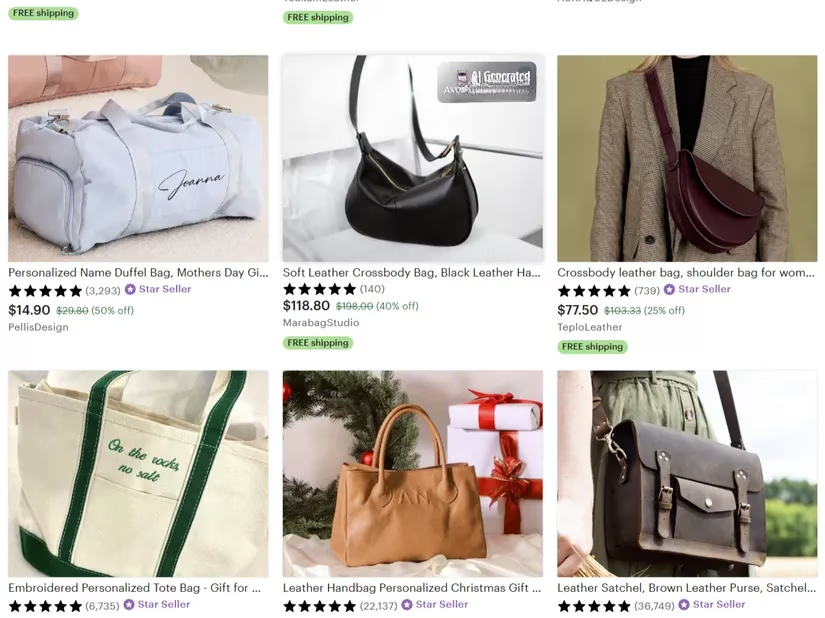
Before Alex even reads the product title, he lets BitMind do the squinting. The Chrome extension lives quietly in his toolbar, ready to pounce on any image that looks too perfect. He hovered the cursor over the keyboard’s glossy photo. A small pop-up window churned for a heartbeat, then delivered its verdict: 86% probability AI-generated. Alex chuckled. “Nice try,” he whispered to the screen, imagining the AI model that had probably never held an actual mechanical switch. BitMind instantly kills the romance of a bargain. It’s one thing to eye-ball a picture and think something is off — it’s another to have an algorithm that specializes in spotting the uncanny symmetry or texture artifacts that human eyes miss. No more doe-eyed trust. Just a quick percentage that says walk away or keep scrolling. Alex considers it the first checkpoint. If a product can’t clear this, the shopping cart remains empty.
...
Step 2: Let Windows Do Some Guard Work
Most gamers tweak their Windows settings for performance, not safety. Alex discovered that the same operating system that runs his high-FPS titles also packs a built-in watchdog. Buried in the Windows Security app, under App & browser control, sits a feature called Reputation-based protection. He checked it once and never looked back. It won’t directly flag a counterfeit gaming chair, but it will block the malicious pop-ups and scammy redirects that often lead there. You know the drill: click a sketchy banner promising a free RGB headset, and suddenly your screen is a carnival of fake alerts. With Browser Control turned on — and every sub-option flicked to ‘On’ — Alex ensures that the first line of defense is always active, like a passive shield in an MMO. It’s silent, invisible, and demands zero attention, leaving him free to focus on the hunt.
Step 3: Cross-Check the Website URL
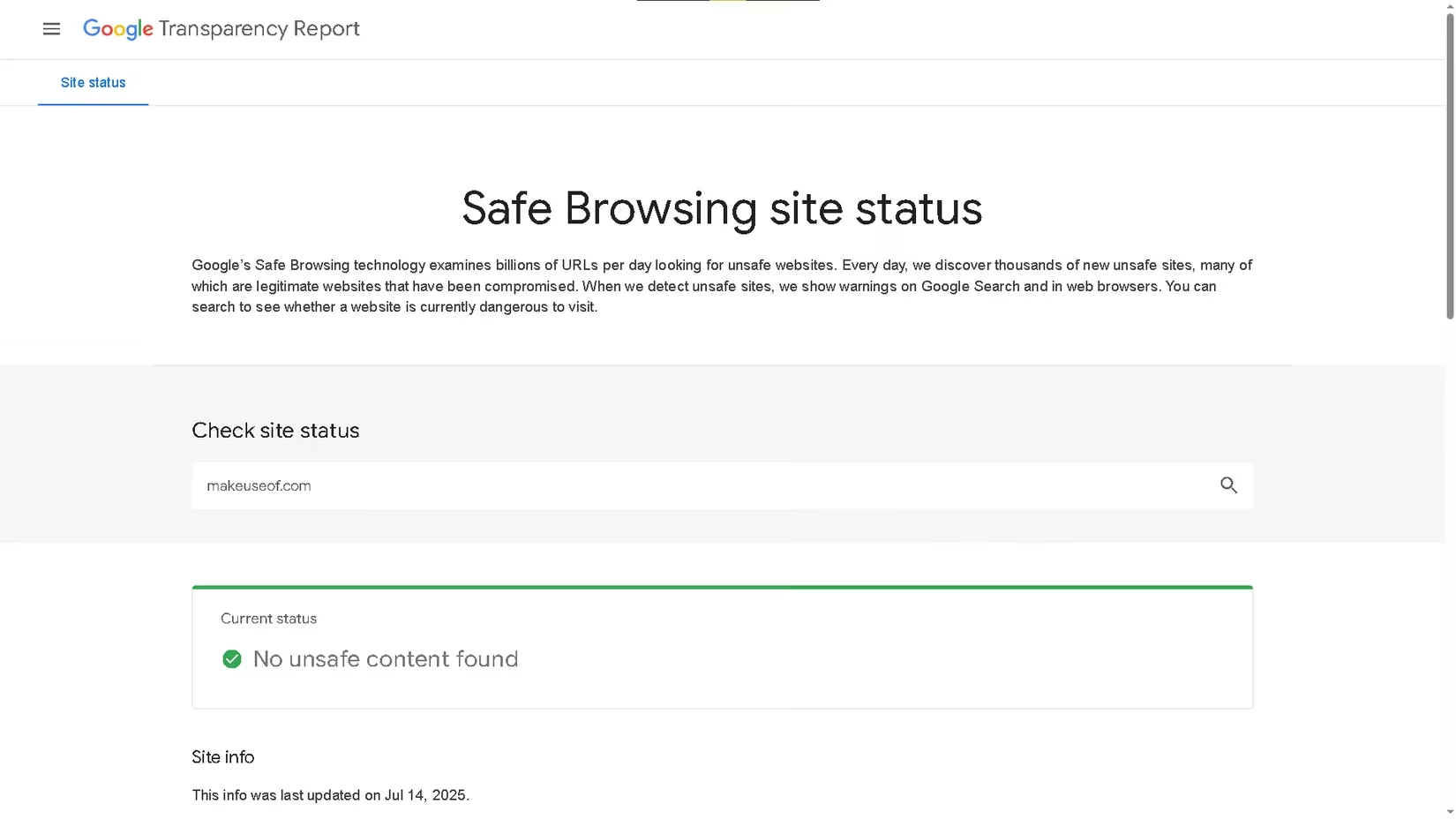
Alex’s next move is as routine as warming up in aim trainer. Right-click, Copy link address, then paste into Google’s Safe Browsing site status page. The tool takes mere moments to report whether the domain has hosted malware, phishing attempts, or other sketchy behavior. He found this gem after an email promised a “sponsor-exclusive” discount on a gaming mouse from a brand he’d never heard of. Instead of clicking through, he ran the URL. The report didn’t paint a pretty picture — flagged for unwanted software and deceptive pages. Phew. That single check saved him from a credit-card headache. Today, looking at the keyboard listing’s URL, the status came back clean. Good. But a green light here doesn’t mean he starts throwing cash; it just means the website itself won’t hijack his browser. The real sniff test for the product was still ahead.
Step 4: Put the Text on Trial with Copyleaks
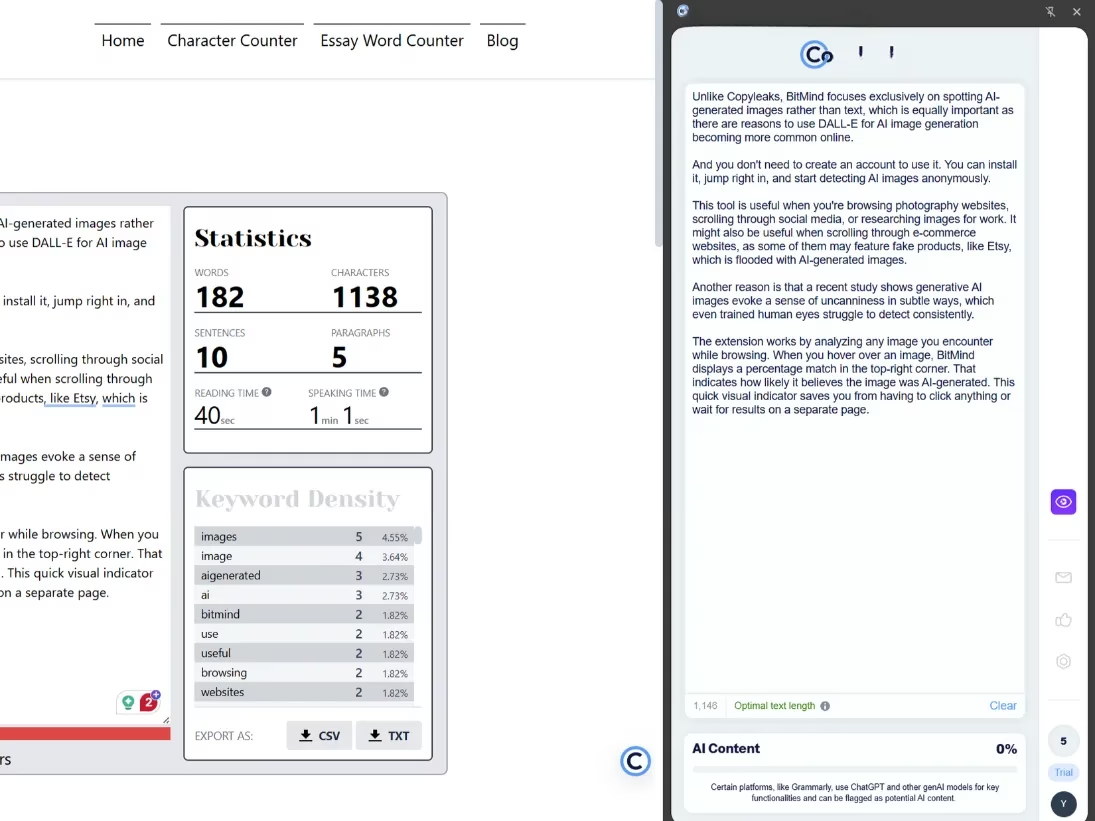
A product can have a stunning, verified photo, but if the description sounds like a robot wrote it — well, it probably did. Alex installed Copyleaks as a browser extension and now keeps its draggable sidebar ready. He highlighted the keyboard’s feature list: “Experience unparalleled keystroke satisfaction with nano-lubricated switches.” The scan took a few seconds. 98% AI-generated. Unsurprising. Even product reviews can be pumped full of synthetic fluff. Copyleaks runs on a credit system; Alex used his free trial’s limited word pool to screen the biggest red flags first. He trusts his instincts, but seeing that near-100% probability gives him the validation to move on. The sad truth of 2026: con artists can spin believable paragraphs in seconds, but Copyleaks shines a light on the algorithmic fingerprints. If the text is fake, can you really trust the product inside the box? Alex doesn’t gamble on that anymore.
Step 5: Add a Backup Bouncer — Malwarebytes Browser Guard
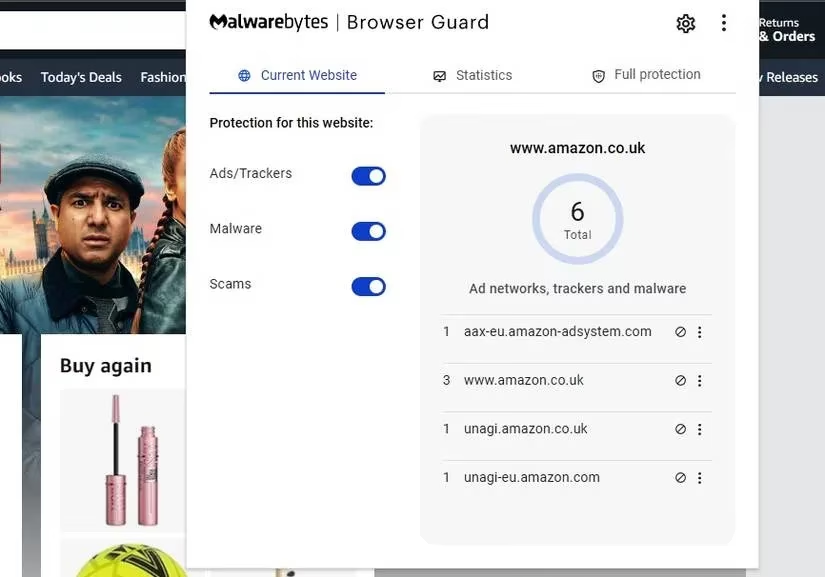
Even with Windows’ default defenses humming, Alex believes in layers. Enter Malwarebytes Browser Guard. This extension sits in his Chrome browser like a bouncer at an all-night LAN café, blocking ads, scammy pop-ups, and trackers without asking a single question. He downloaded it from the store, restarted the browser, and forgot about it until one day a pop-up tried to sneak through offering “free V-bucks.” The guard blocked it before it could render. No-brainer. Now, whenever Alex ventures onto a lesser-known vendor’s page — maybe a site selling custom keycaps — the extension gives him peace of mind. It’s not glamorous; it just works. And in a gaming career where split-second decisions matter, having a silent partner that filters out digital junk means he can keep his eyes on the prize.
Step 6: Trust, but Verify on Trustpilot
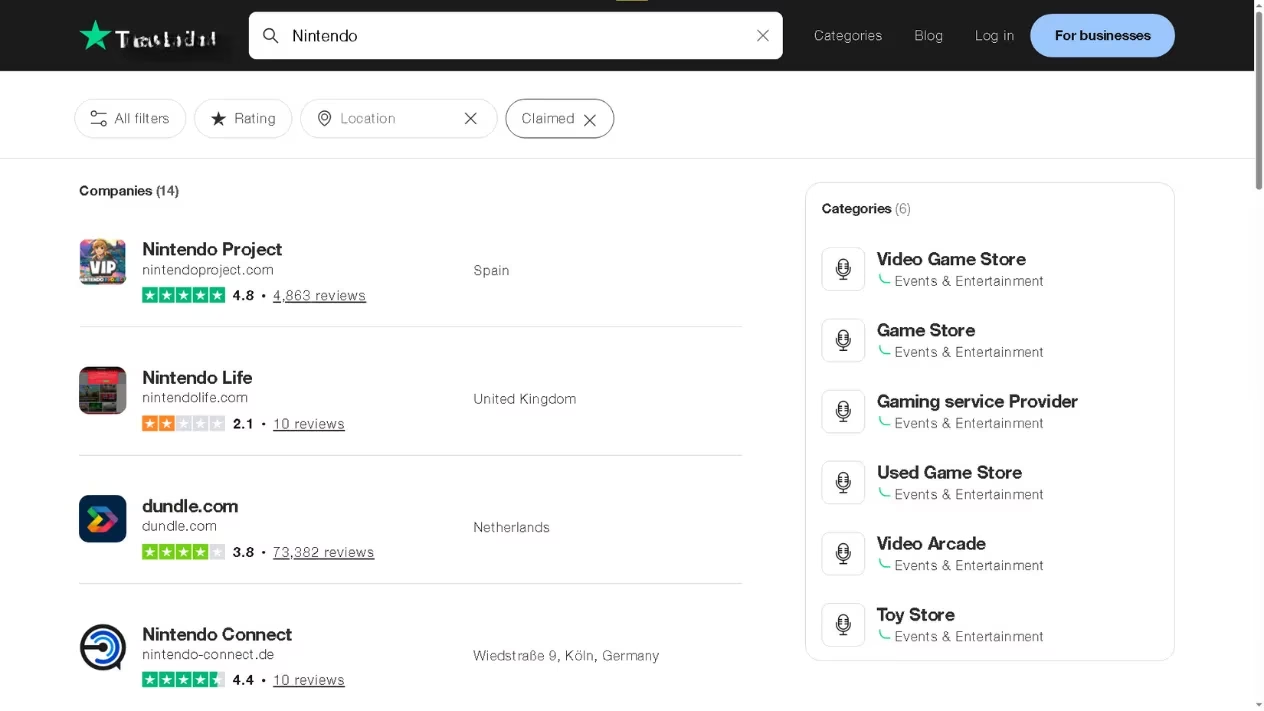
After the technical scans come the human voices. Alex opens Trustpilot and types the name of the store selling that too-cheap keyboard. He filters for 1-star reviews first — always. Real people are loud about their bad experiences, and pattern emerges quickly: “Sent me a knock-off,” “Switch died in two weeks,” “No refund after a month.” Even better, he toggles the filter to show only claimed profiles, so he knows he’s looking at a business that at least acknowledges its existence. The vendor in question had three reviews, all posted suspiciously within one day, all with generic praise. Alex closed the tab. Trustpilot becomes a living almanac of reputation; for a pro gamer who spends hundreds of dollars a year on gear, it’s the difference between a high-five from the delivery guy and a rage-unboxing video waiting to happen.
Step 7: Don’t Fall for Fake Video Reviews — Deepware
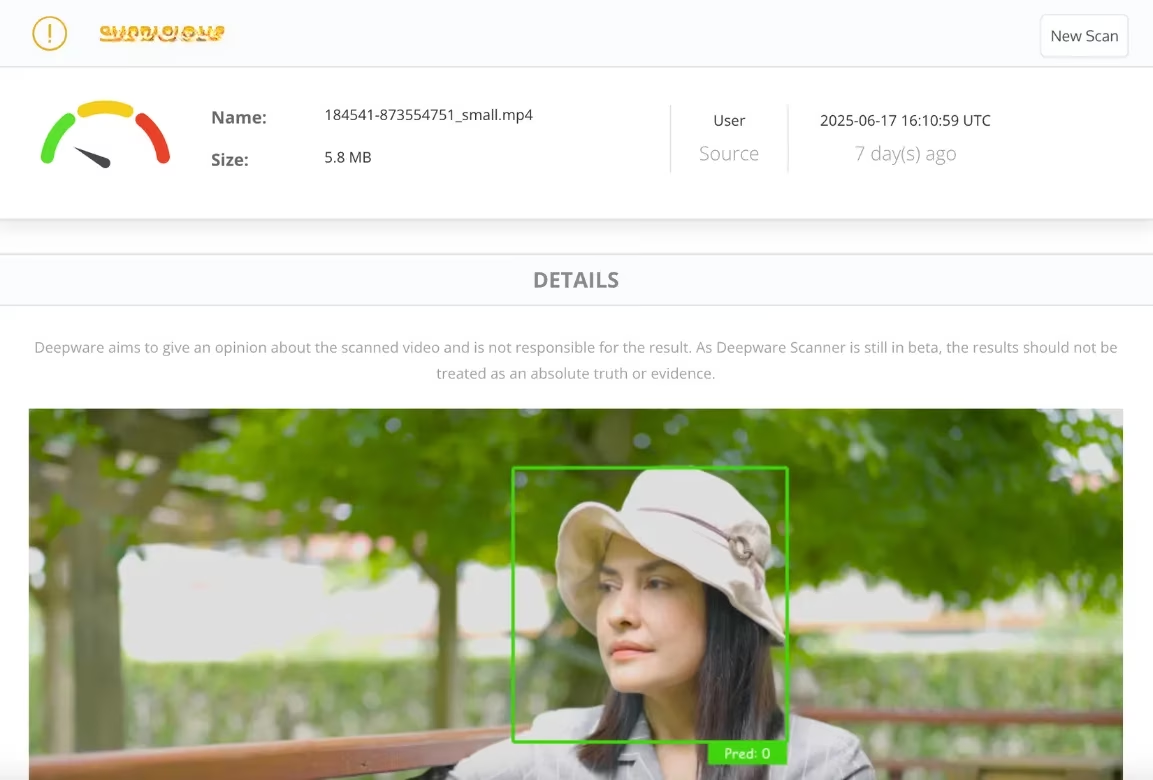
Finally, some products come with video demonstrations that look too slick. AI can now generate a whole influencer unboxing, complete with squeaky-voiced excitement that’s entirely synthetic. Alex recalls one clip where a “reviewer” was extolling a headset while their mouth moved a fraction out of sync with the audio. That’s when he started pasting video URLs into Deepware. It’s free, straightforward: paste the link, hit Scan, and wait. The analysis compares visual and audio cues for generative tells. If the video comes back as likely AI-generated, the entire product loses all credibility. He performed the check on the keyboard’s promotional video — 0% synthetic. Encouraging. But combined with the earlier image and text failures, the overall verdict was clear: too many red flags, not enough green.
Alex closed the last tab and cracked his knuckles. The deal was tempting, but his browser toolbox had spoken. Somewhere out there, a genuine mechanical keyboard was waiting to join his setup without lying about its switches. In 2026, online shopping safety isn’t just a bonus — it’s a competitive advantage. He leaned back, mouse in hand, ready to queue up for the next match. After all, knowing your gear is legit beats wondering if it’s vaporware any day.