
Let's have a real talk about something we've all taken for granted: Incognito Mode. That little hat-and-glasses icon makes us feel so sneaky, right? Like we're invisible online. I used to think I was so clever, browsing in my private window, thinking no one could see me. Well, spoiler alert: We've all been sold a beautifully packaged lie. It's 2026, and the myth of private browsing being private is more busted than ever.
Here’s the cold, hard truth that most people still don’t get. Incognito or Private Mode does NOT make you anonymous. Not even close. All it really does is stop your browser from saving stuff locally on your own device—your history, cookies, form data. The moment you close that window, poof, it's gone from your computer. That's it. That's the whole magic trick.
But who are you hiding from? Certainly not from:
-
👁️ Websites you visit
-
📈 Advertisers and data brokers
-
🕵️ Online trackers
-
🌐 Your Internet Service Provider (ISP)
Your IP address? Still totally visible. Your device, browser, screen size, operating system, time zone, installed fonts... all of it is still broadcasted loud and clear to every site you land on. It's like putting on a disguise but leaving your ID card hanging around your neck.
🕵️♂️ The Real Villain: Browser Fingerprinting
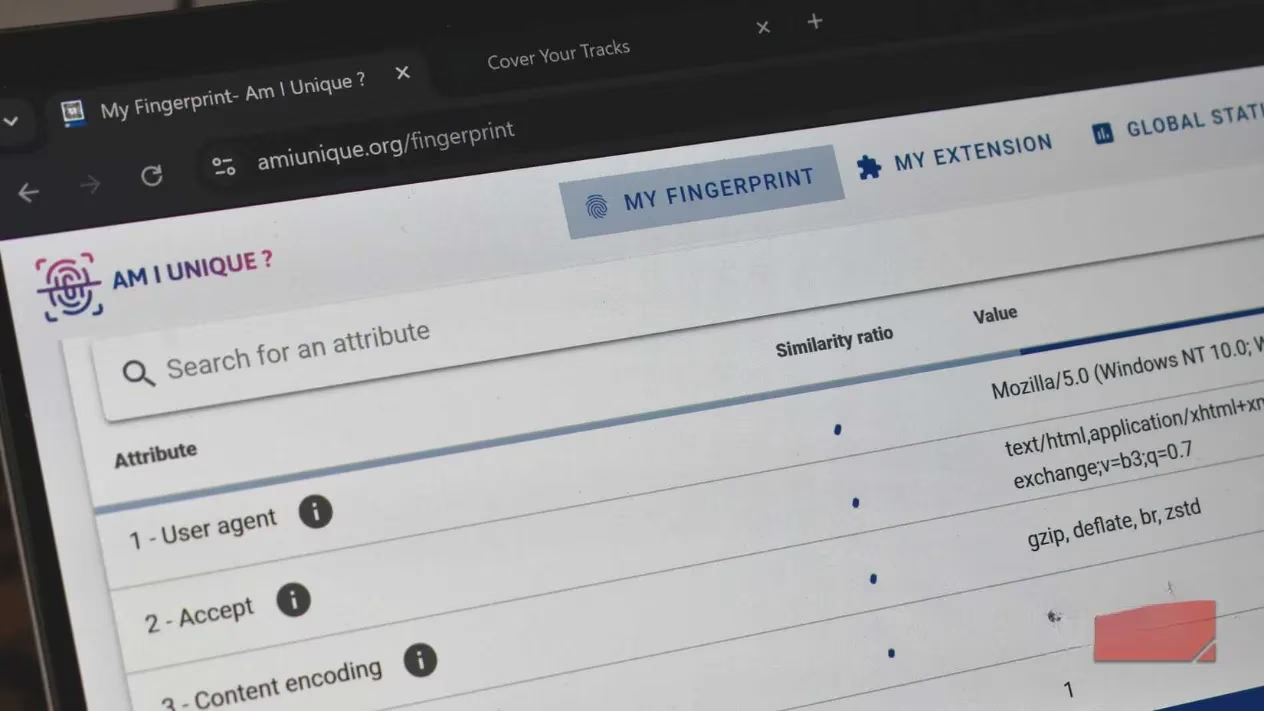
This is where it gets scary. Forget cookies for a second. The most sophisticated tracking in 2026 doesn't even need them. It’s called browser fingerprinting. Websites look at the unique combination of signals your browser automatically sends out just to function normally. On their own, each detail is harmless. But together, they create a digital fingerprint that is shockingly accurate and unique to YOU.
Your fingerprint is built from dozens of signals:
-
Browser & Version (Chrome 128, Firefox 135, etc.)
-
Operating System (Windows 12, macOS 15, etc.)
-
Screen Resolution & Color Depth
-
Installed Fonts (yes, your font list is a dead giveaway!)
-
Time Zone & System Language
-
Hardware Concurrency (how many CPU cores you have)
-
Graphics Card & WebGL Renderer
-
Browser Plugins & Extensions
-
Even your audio and touchscreen capabilities!
The wildest part? Incognito Mode does almost NOTHING to change your fingerprint.
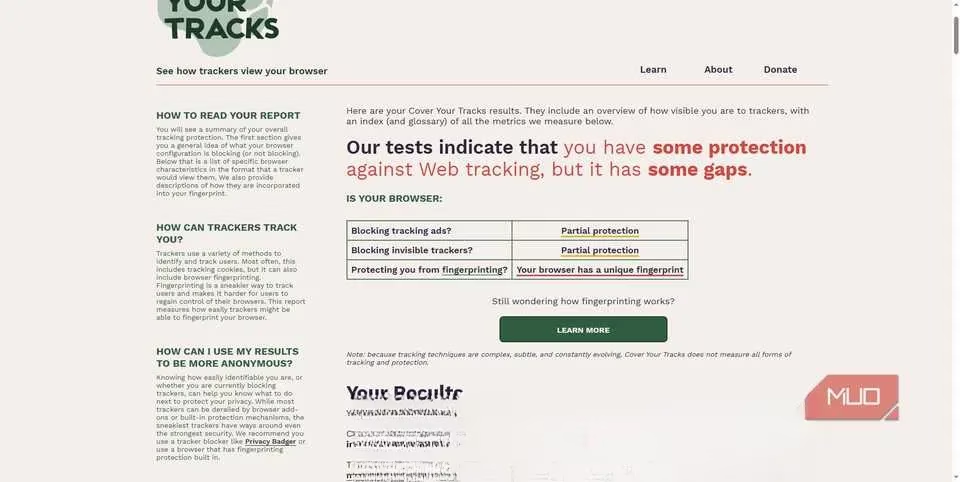
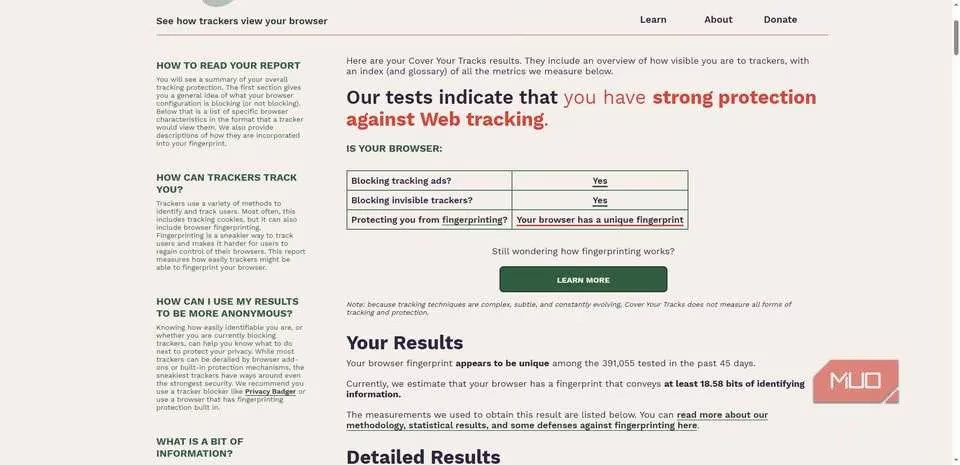
See those two images above from my own test? One is my regular Chrome window. The other is an Incognito window. Can you tell which is which? Exactly. To the tracking scripts, they look identical. Same browser. Same device. Same unique fingerprint. The trackers recognize your browser the moment it appears and can follow you across sessions without needing a single cookie. This is also why simply "clearing your cookies" is such a weak privacy move now.
I ran the test on the Electronic Frontier Foundation's "Cover Your Tracks" tool (everyone should do this!). It showed my browser configuration was shared by only 1 in 250,000 browsers. So much for blending in.
🤔 So Why Does Fingerprinting Even Exist?
It's a brutal catch-22. Websites need some of this information to work properly! They need to know your screen size to render the page, your OS to offer the right software downloads, your time zone to show local times. Fingerprinting exploits these essential, normal web functions to build a tracking profile. It's hard to avoid because it's woven into the fabric of how the web operates.
🛡️ What Can We Actually Do About It? (Real Solutions for 2026)
Okay, doom-scrolling over. Let's talk solutions. I still use private browsing for quick, convenient things (like checking my email on a friend's laptop), but I know it's not for privacy. For real privacy, you need extra layers.
1. Switch to a Privacy-First Browser
This is the single biggest step. Ditch the default.
-
Firefox: Has built-in, robust protections against cross-site tracking and actively resists fingerprinting by limiting the data sites can access. It tries to make you look more like other users without breaking websites.
-
Brave: Blocks fingerprints and ads by default. Super fast.
-
Tor Browser: The gold standard for anonymity. It forces everyone to use the same browser settings, screen size, etc., so you literally blend into a crowd of millions of users. The trade-off? It can be slower and some sites might look weird.
2. Be Strategic with Browser Extensions
This is a paradox. Extensions can make you more unique (adding to your fingerprint), but the right ones can also protect you.
-
uBlock Origin: A must-have. Blocks ads and many tracking scripts that do fingerprinting.
-
Privacy Badger (from EFF): Learns and blocks invisible trackers.
-
Canvas Blocker: Prevents fingerprinting via your graphics card (WebGL/Canvas API).
-
Decentraleyes: Provides local copies of common scripts (like jQuery) so you don't have to fetch them from trackers.
3. Reduce Your Uniqueness
The goal is to be boring. Blend in.
-
Limit customizations: Fancy themes, unusual fonts, tons of toolbars? They all scream "Track me!"
-
Keep your browser updated: Updates often include privacy patches.
-
Consider using a reputable VPN: It hides your real IP address, which is one major piece of the puzzle, though it doesn't stop fingerprinting on its own.
4. Change Your Mindset
Privacy in 2026 isn't a switch you flip. It's a practice. It's about reducing your data surface area. You have to think in layers: a good browser, smart extensions, conscious browsing habits.
Once you understand how fingerprinting works, you see the web differently. That little incognito icon isn't a cloak of invisibility; it's a placebo. A very convincing one.
I'm not saying never use it. Use it for its intended purpose: keeping your local browsing history clean. But if you're using it to hide from websites, advertisers, or your ISP... you're not. The trackers see you, and they know it's you, private window or not.
It's empowering to know the truth, though. Now we can make better choices and build real privacy, one layer at a time. Stay safe out there! 🔒