
You know, I was just looking at another fake 'Geek Squad' invoice in my email this morning – the kind demanding payment for services I never ordered. It’s laughably obvious, right? But it got me thinking: Windows Security didn’t flag it. Not a peep. And that’s the scary part. While Windows 11 is leagues ahead of its predecessors in built-in security, lulling yourself into a false sense of safety because Defender is running is a massive mistake. The truth is, some of the most dangerous threats targeting you right now aren’t sophisticated malware trying to crack Windows' digital locks. They’re targeting you, the human behind the keyboard, exploiting trust, urgency, and sometimes just plain old carelessness. Windows Security, solid as it is for baseline protection, is utterly powerless against these. Let me walk you through the gaps I see every day.
🎣 Social Engineering: When the Attackers Bypass Tech Entirely
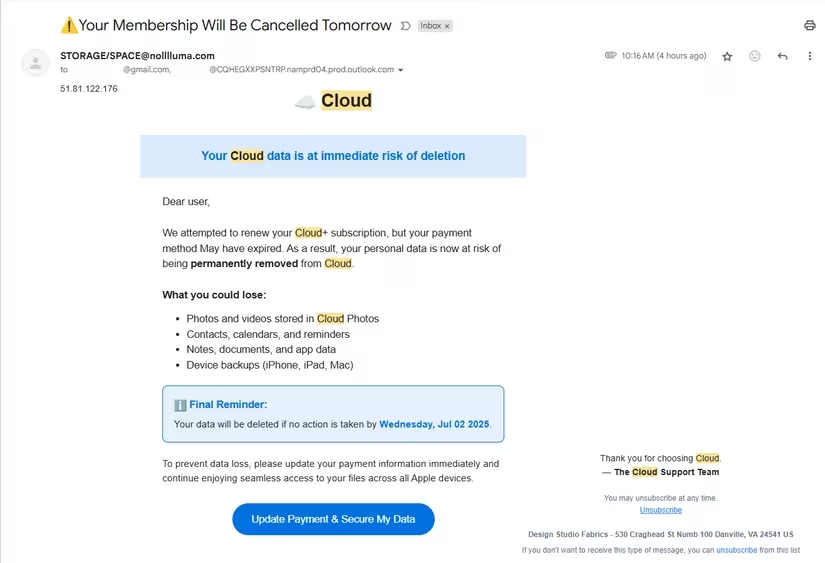
This is the big one. Attackers don't need to hack Windows; they just need to hack you. Think about those "Your Cloud Storage is Full!" emails I keep getting – classic phishing. They create panic, trick you into clicking a link, and bam, you’re entering your credentials on a site that looks legit but is pure fakery.
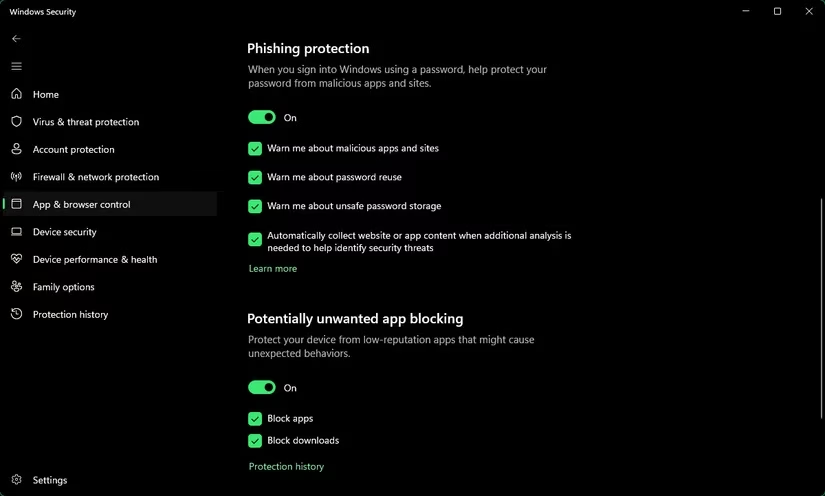
Sure, Windows Security has phishing protection (App & browser control > Reputation-based protection settings > Warn me about malicious apps and sites), but honestly? It misses stuff. I often visit scam sites to report on them, and I'm frequently surprised when no warning pops up.
Then there’s the analog stuff. That Geek Squad scam email? It wants you to call a number. Windows can’t stop you from picking up your phone and handing over your credit card details to a smooth-talking con artist. Tech support scams? Same deal. A pop-up screams "VIRUS DETECTED! CALL MICROSOFT SUPPORT IMMEDIATELY!" or you get a cold call. Windows won't block the call or the pop-up if it's delivered via a compromised website you visit.
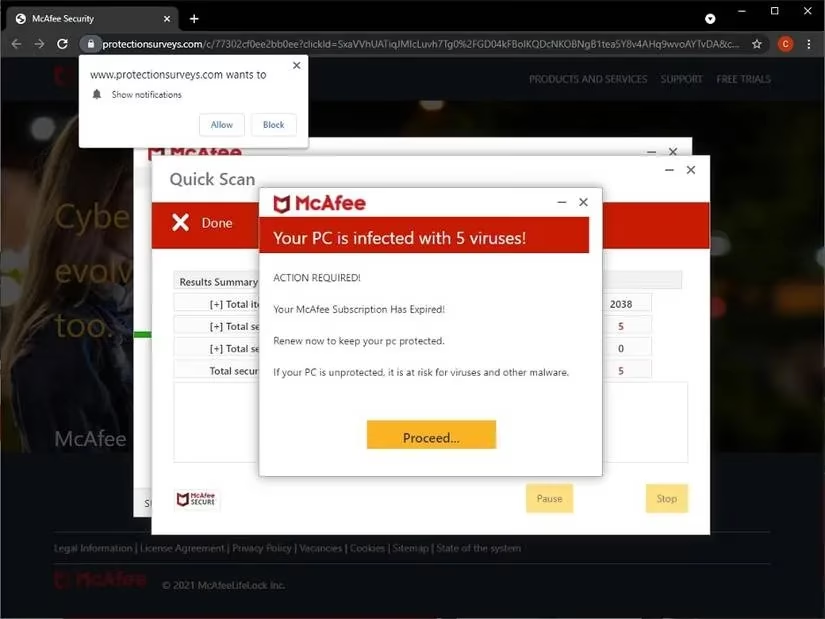
The bottom line: If the attack relies on tricking you into taking action, Windows Security is just a spectator.
🔐 Password Problems & Data Breaches: The Silent Leaks
Okay, let’s talk passwords. I’ll admit, I’ve reused a few in my time (don't @ me!). Windows Security doesn’t care if your password is password123 or reused across 50 sites. It won’t tap you on the shoulder and say, "Hey, that’s weak sauce, and you’re not using 2FA on your bank account!"
It does offer some limited password features under App & browser control > Reputation-based protection settings:
-
Warn me about password reuse -
Warn me about unsafe password storage
Sounds good? Not really. Microsoft’s own docs reveal these only apply to your Microsoft work or school account used to sign into Windows itself. They’re useless for your online banking, social media, or shopping passwords.
And data breaches? Forget it. If your favorite shopping site gets hacked and your email/password combo leaks onto the dark web, Windows Security has no idea. It won’t alert you like dedicated services such as Have I Been Pwned? do.
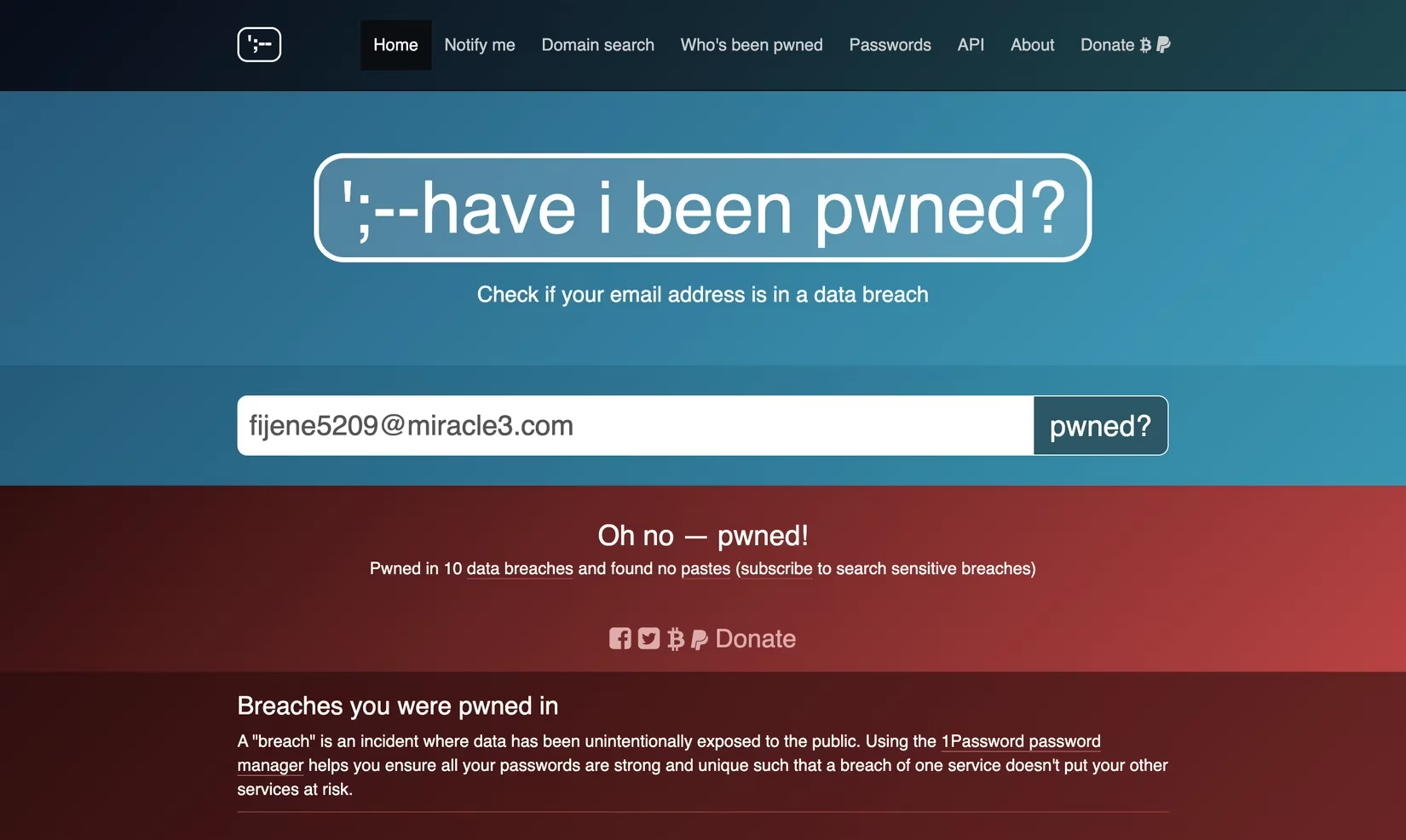
The vulnerability: Your credentials are only as strong as your habits and the security of every service you use. Windows can't monitor that.
⚡ Zero-Day Exploits & Outdated Apps: The Holes in the Armor
This one keeps security pros up at night. Zero-day attacks exploit brand-new, unknown vulnerabilities. By definition, security tools like Windows Defender haven't had any time (zero days) to develop defenses or signatures. Your protection relies entirely on Microsoft rushing out an emergency patch. Keeping Windows updated is absolutely critical here – but even then, there's a dangerous window of exposure.
Then there’s my personal nemesis: outdated software. I’ve got apps on my PC I haven’t opened in months, maybe years. Unless it’s a Microsoft Store app (and let's be real, most aren't), it won’t update automatically. Each outdated program is a potential backdoor. Attackers actively scan for known vulnerabilities in old versions of popular software like browsers, PDF readers, or media players.
Windows Security does not:
-
Scan for outdated third-party apps.
-
Warn you about known vulnerabilities in your installed software.
-
Offer to update them for you.
You need a dedicated tool like Patch My PC to handle this efficiently. Otherwise, you're manually checking dozens of apps – a chore most of us (me included!) neglect.
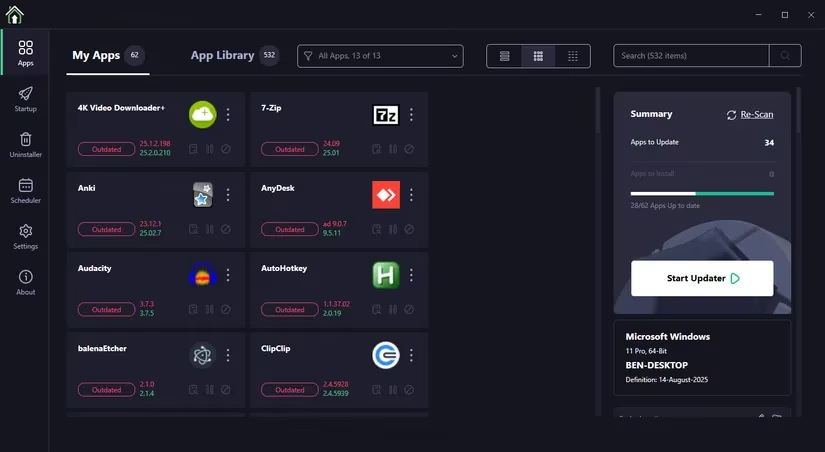
The risk: Your security is only as strong as your weakest, oldest application.
📱 Beyond the PC: Scams Don't Respect Device Boundaries
Security isn't just about your Windows PC anymore. We live multi-device lives, and threats follow us. Good habits (skepticism about urgent emails/links, avoiding unknown attachments) are universal across Android, iOS, and macOS. But phones introduce unique dangers.
Take romance scams (or the brutal "pig butchering" crypto scams). You get a random "wrong number" text, strike up a conversation, they build a fake relationship, and then... they guide you towards "investing" in their amazing crypto platform. It’s devastatingly effective emotional manipulation.
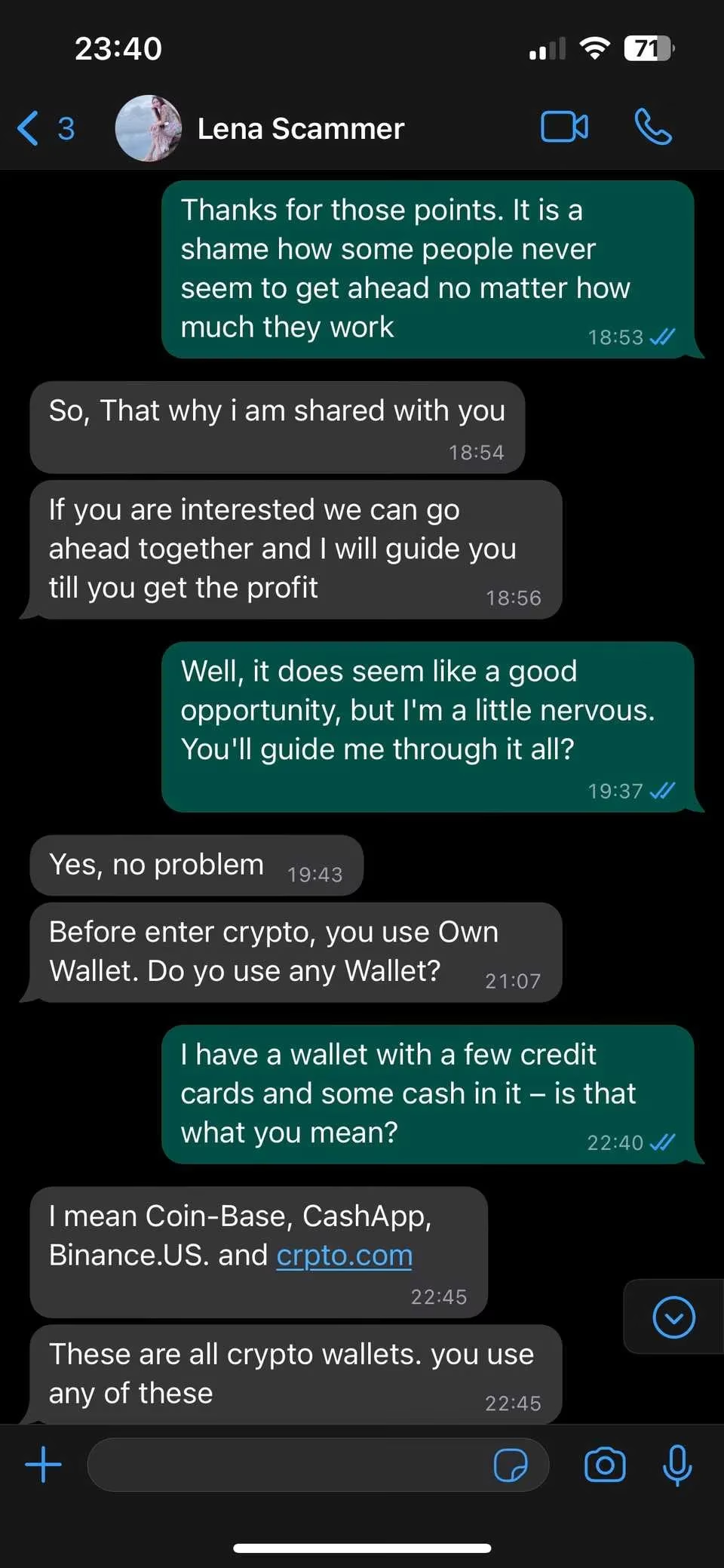
Even if you’re chatting with this scammer on Telegram on your Windows PC, Windows Security won’t bat an eyelid. Why would it? As far as it's concerned, you're just willingly sending crypto to someone.
The pattern repeats: Windows can block active malware, but it cannot stop you from being socially engineered into making a bad decision, whether that's sending money, giving credentials, or calling a scammer.
So, What's the Takeaway?
Remember that fake Geek Squad invoice I mentioned at the start? It’s a perfect example. Windows Security didn't fail me. It just wasn't designed to protect me from that kind of threat. It’s a powerful tool, a crucial first line of defense against malware and viruses – absolutely enable its core features! But it’s not a silver bullet.
The real threats often bypass the tech entirely, targeting human psychology, exploiting poor habits, or leveraging vulnerabilities outside Windows' direct control (like outdated apps or breached websites). Staying safe means:
-
Staying Skeptical: Question urgency, verify sender addresses, don't click unknown links.
-
Using a Password Manager: Generate strong, unique passwords and enable 2FA everywhere possible.
-
Checking for Breaches: Use services like Have I Been Pwned? regularly.
-
Updating Religiously: Keep Windows and all your software patched (tools help!).
-
Thinking Holistically: Be aware that threats exist on every platform and often rely on manipulation.
Windows Security is your digital guard dog. It’s good at barking at intruders trying to climb the fence. But it won’t stop you from opening the door and inviting the wolf inside dressed as Grandma. That part? That’s entirely on us.