
Anyone who has watched a laptop battery drop from 80% to 20% during a long research session knows the frustration. In 2026, the browser remains one of the biggest power consumers on a portable computer, and the good news is that several major browsers now include purpose-built power-saving modes. These features do not magically create battery life, but they reduce background activity and make smarter choices when a device is unplugged. The options below are practical, easy to find, and worth testing before a long trip or a busy workday.
Google Chrome: Energy Saver That Kicks In at 20%
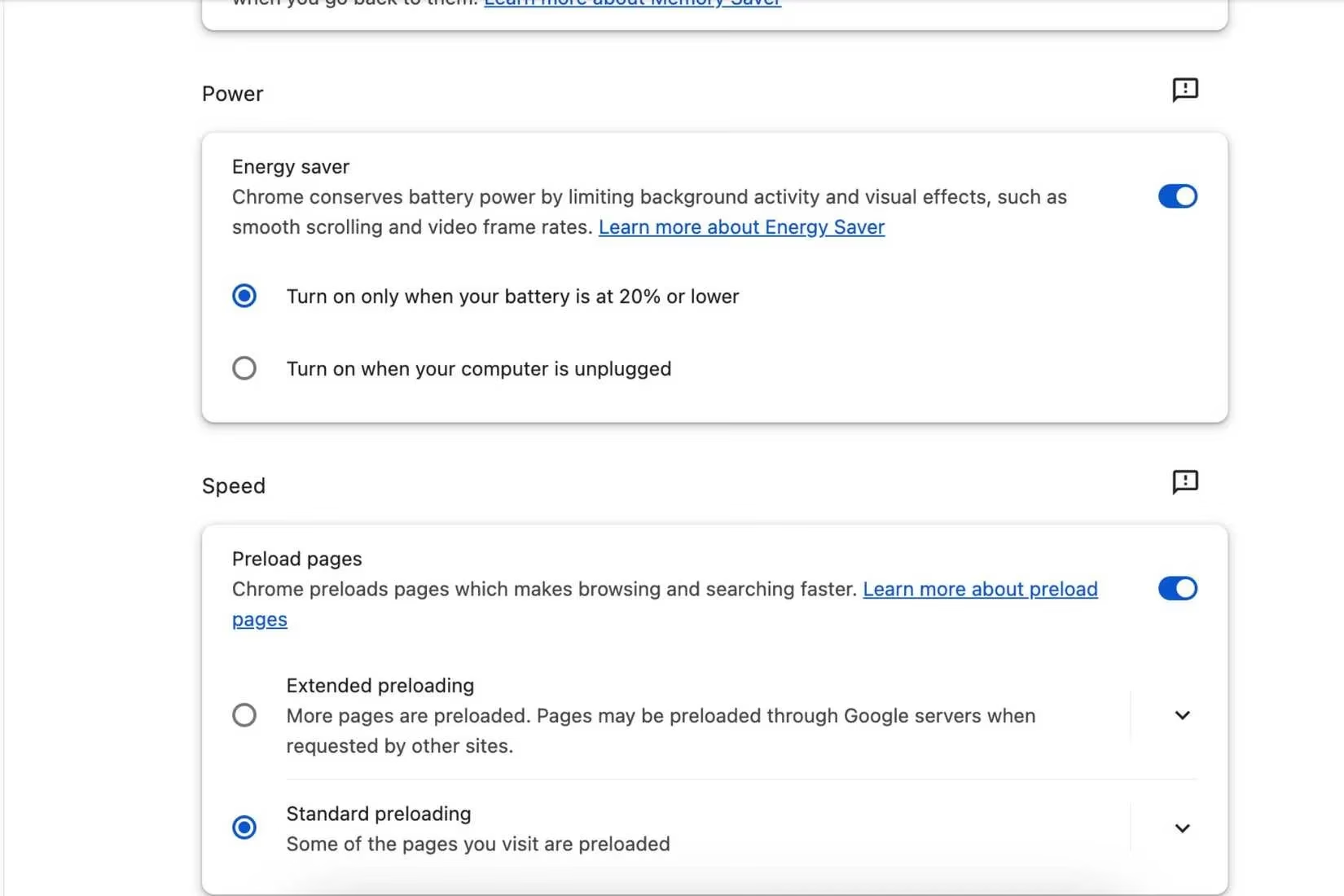
Chrome's battery-saving feature is simple and familiar. It turns on automatically when the battery reaches 20%, and users can also set it to activate whenever the computer is not connected to a charger. The mode preserves battery life by stopping background elements that might drain power. One side effect is that smooth scrolling may no longer feel as fluid after the mode is enabled. That trade-off is usually acceptable when the priority is finishing a task rather than enjoying animations. To reach the setting, users open the three-dot menu, choose More, then More tools, and finally Performance. From there, they scroll to Power and toggle Energy saver on. Chrome then lets them decide whether the feature should run while the computer is unplugged or only when the battery hits 20%.
Arc: Chrome-Like Power Savings With a Productivity Twist
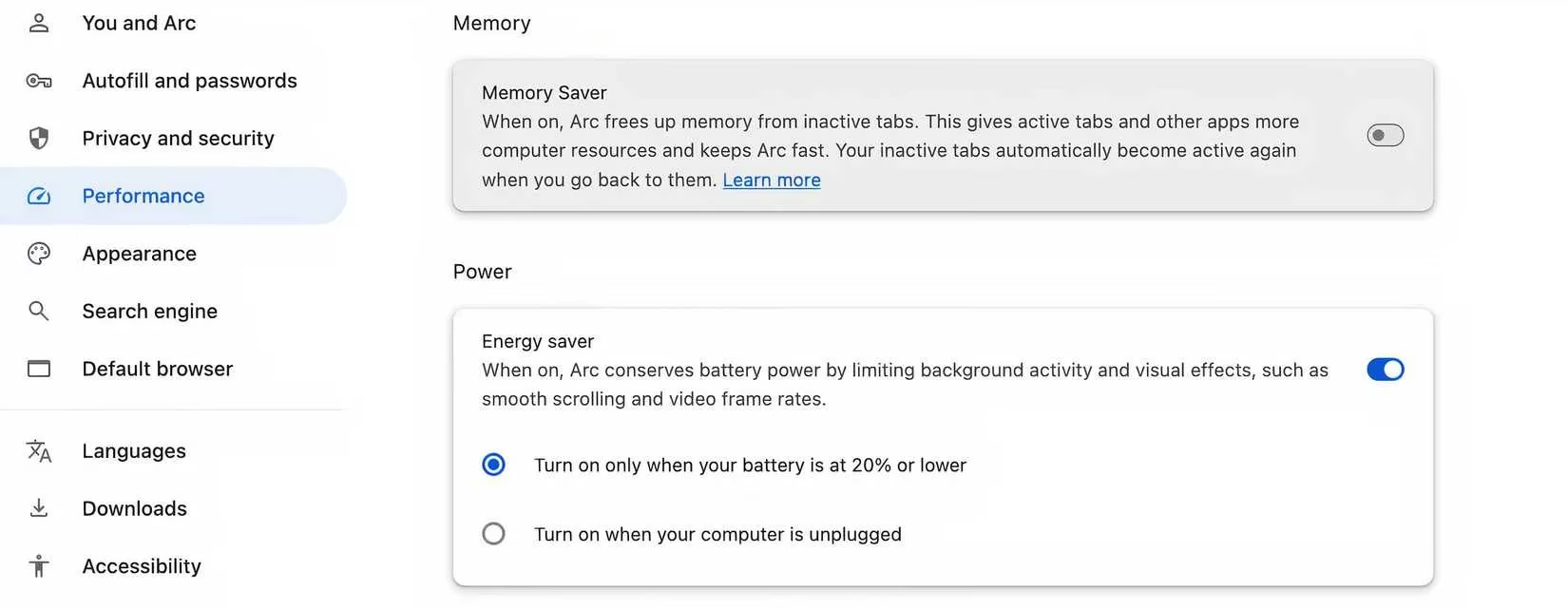
Arc is often praised as a productivity-focused browser, but it also borrows the same power-saving approach found in Chrome. That makes sense because both browsers share a similar engine. Arc's version is useful for people who like the browser's workspace style but still want a straightforward way to cut power use. Users open Arc's settings, go to Performance, then Power, and toggle the feature on. After that, they choose their energy-saving preferences. It is not the most granular system on the market, but it is a welcome extra for anyone who already uses Arc as a daily driver.
Microsoft Edge: Balanced and Maximum Efficiency Modes
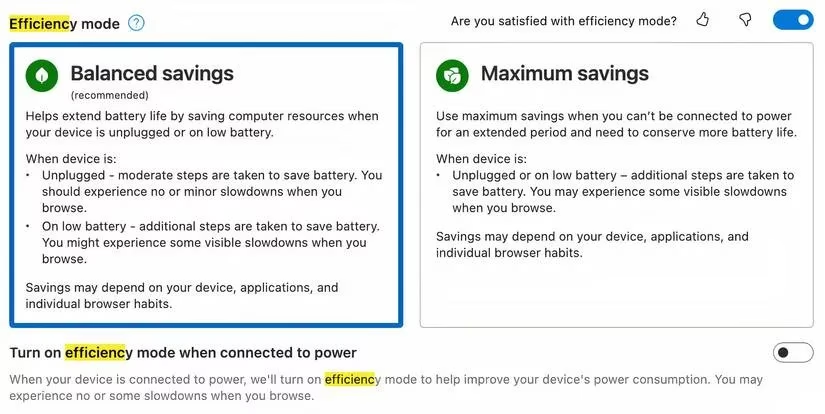
Microsoft Edge offers one of the more flexible power-saving setups. Its efficiency mode includes Balanced savings and Maximum savings. Balanced savings preserves battery when the computer is unplugged without hurting browser performance too much. Edge becomes more aggressive once the battery reaches 20%. Maximum savings applies the same stricter settings immediately, which means users cannot use Edge to its complete capabilities, but basic functions should still work. To enable the feature, users go to Settings and search for Efficiency. They toggle Efficiency mode on and choose between Balanced savings and Maximum savings. Other settings can be adjusted if needed. Efficiency mode can also be turned on while the computer is charging, though that option is less useful for most people.
Opera: Battery Saver With Privacy Extras
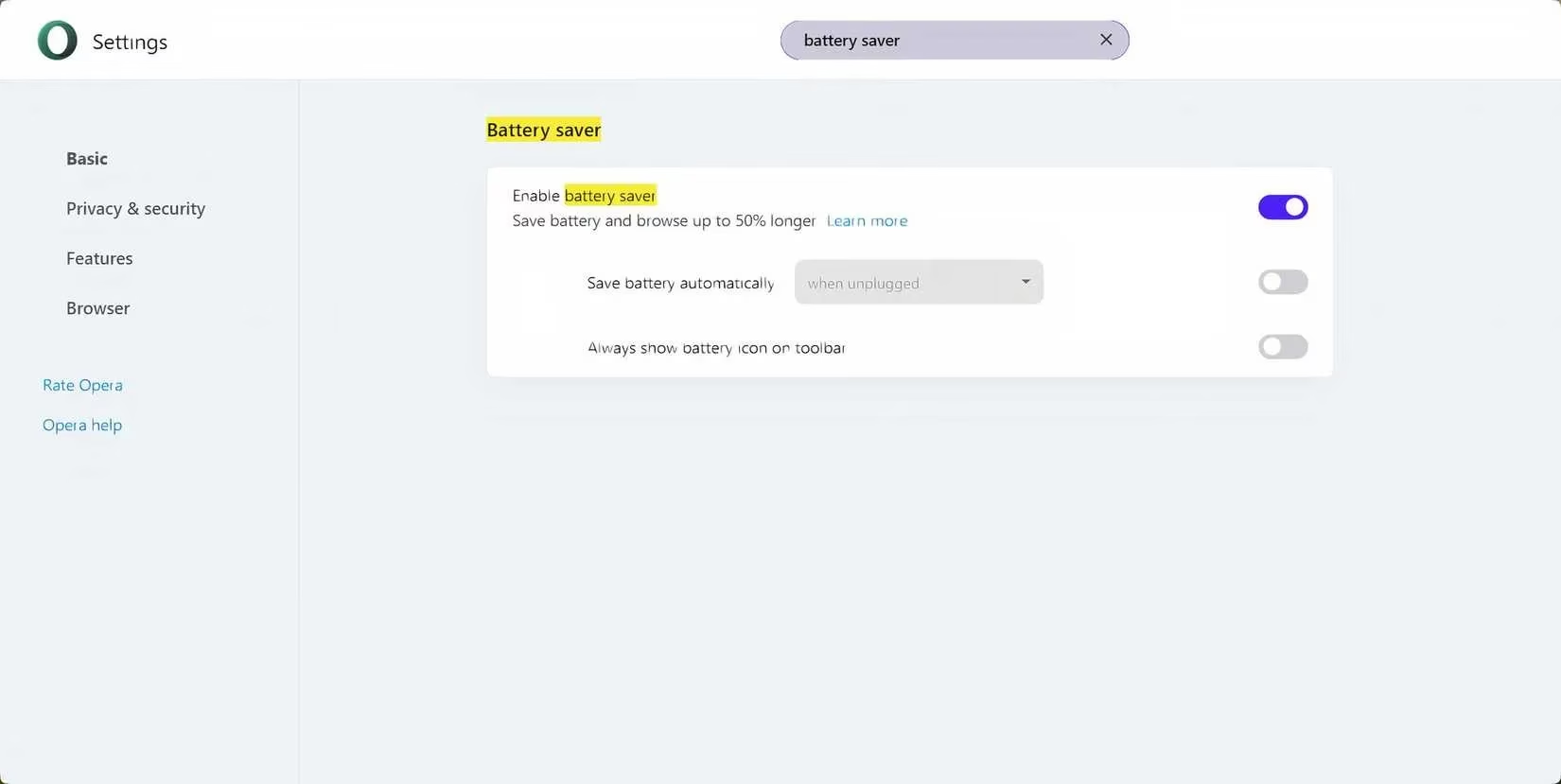
Opera claims its energy-saving mode can help a battery last up to 50% longer. That claim is worth treating as a best-case scenario, but the feature itself is easy to use. Users open Opera's Settings and search for battery to find the relevant options. They can choose whether the mode turns on automatically when the computer is unplugged or under other circumstances. Opera also appeals to privacy-minded users with an integrated VPN and ad-blocking. The company also offers Opera Air, a mindfulness-focused browser designed to help people focus and relax while browsing. For someone who wants power savings and built-in privacy tools in one place, Opera is a strong candidate.
Quick Comparison
| Browser | Power-saving feature | Activation style | Notable detail |
|---|---|---|---|
| Chrome | Energy Saver | Automatic at 20% or when unplugged | Stops background elements; smooth scrolling may suffer |
| Arc | Power settings | Manual toggle with preferences | Uses Chrome-like power-saving features |
| Edge | Efficiency mode | Balanced or Maximum savings | More aggressive at 20% battery |
| Opera | Battery saver | Automatic when unplugged or custom | Claims up to 50% longer battery life; includes privacy tools |
Final Thoughts
No browser can promise all-day battery life on its own. Screen brightness, open tabs, video playback, and the age of the laptop still matter. Still, using a purpose-built power-saving mode is one of the easiest starting points. Chrome and Arc keep things simple, Edge offers the most control, and Opera adds privacy features on top. In 2026, that makes the choice less about finding a miracle browser and more about matching the mode to the way someone works. A student researching in a library, a traveler working on a train, and a remote worker hopping between cafes can all benefit from turning on the right setting before the battery gets low.