
I used to be completely dependent on to-do list apps to function. Without a clear, scheduled list of tasks, I'd forget things for days, only for them to resurface in my mind at the most inconvenient times, like 3 AM months later. For years, Google Tasks was my digital lifeline, coupled with strict time-blocking to maintain productivity. That all changed recently when I discovered the untapped potential of a browser feature I'd been overlooking: Tab Groups. This simple organizational tool has completely transformed how I manage my workload, rendering traditional to-do apps obsolete for my computer-based tasks.
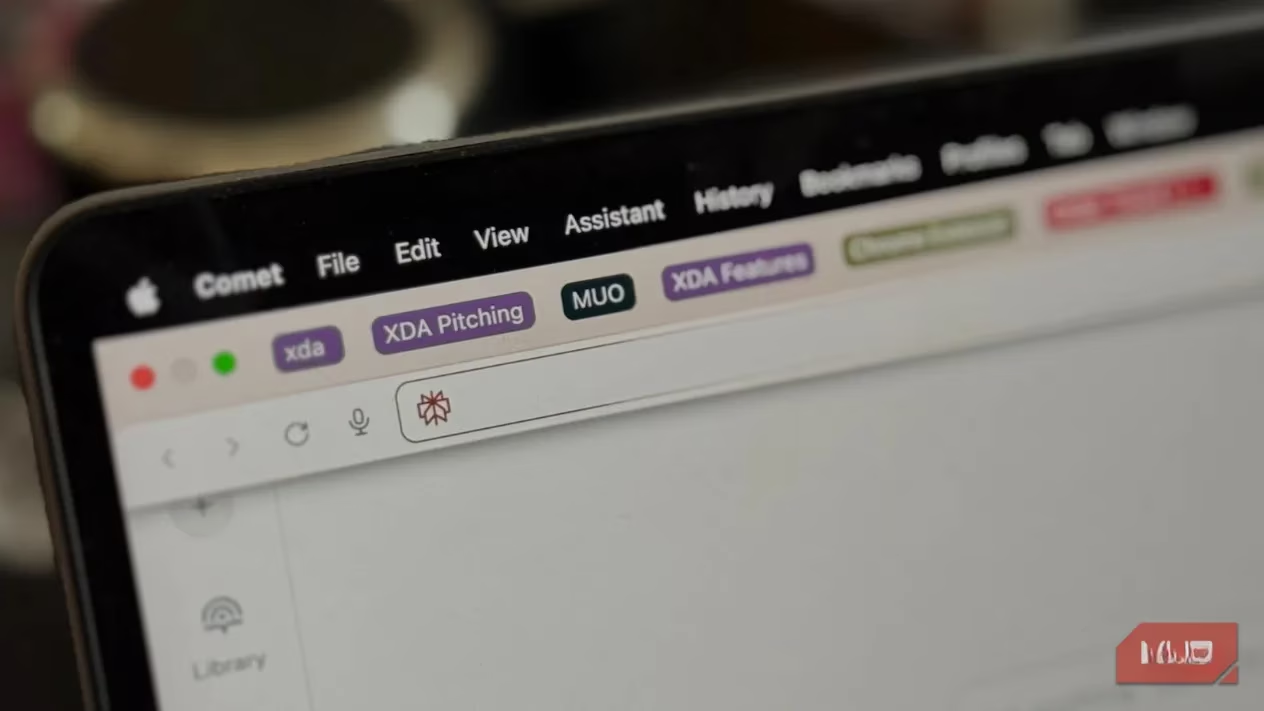
As someone who constantly experiments with different browsers in search of the perfect setup, it's surprising I never fully embraced Tab Groups before. If you're not familiar, they are precisely what the name implies—a way to cluster your open browser tabs into organized, collapsible sets. Imagine you're juggling a work project and a personal research task simultaneously. Instead of a chaotic row of dozens of indistinguishable tabs, you can separate them into distinct groups. You can collapse the groups you're not actively using, reducing visual clutter, and expand them instantly when you need to resume work. The process varies slightly by browser. In Chrome and Chromium-based browsers like Brave, you simply right-click on a tab and select "Add tab to new group."
From there, you can name the group and assign it a color. Then, it's just a matter of dragging related tabs into that group. It creates a clean, project-specific workspace within your browser. But the real magic, the feature that truly makes it a to-do list killer, is the ability to pin these Tab Groups to your Bookmarks Bar. This isn't enabled by default in Chrome; you have to activate it in Settings > Appearance by toggling "Show tab groups in bookmarks bar." Once enabled, as long as your bookmarks bar is visible, your task groups remain there persistently—even after you close and reopen your browser.
This permanence is key. Here’s why this system works so well for task management:
-
Always Visible: My tasks are no longer hidden inside an app I have to remember to open. They sit right on my browser's bookmarks bar, in my line of sight all day.
-
Visual & Instant Access: Each group is a direct portal to a task. Clicking it expands all the necessary research, documents, and tools instantly. There's no context-switching penalty.
-
Built-in Sync: Since I'm signed into Chrome, any Tab Group I create on my desktop automatically syncs to my laptop. I can start a task on one device and seamlessly continue on another.
-
Satisfying Completion: Finishing a task feels great because I get to delete the entire Tab Group. It's a clear, visual signal that the project is done and off my plate.
I've started treating each Tab Group as a standalone task. Since most of my work—whether it's writing an article, coding, or handling admin—happens in the browser, this is a perfect fit. My bookmarks bar has been transformed from a rarely-used feature into my personal command center. At a glance, I know exactly what's pending.
The color-coding adds another powerful layer of organization. I’ve developed my own simple system:
| Color | Meaning | Example Use |
|---|---|---|
| 🔴 Red | Urgent, high-priority tasks | Deadline-driven projects, urgent fixes |
| 🔵 Blue | Active, in-progress work | The article I'm drafting right now |
| 🟢 Green | Tasks nearly complete | Final review stages, pending minor edits |
| ⚫ Black | Specific project category | All my MakeUseOf-related work |
| 🟣 Purple | Another project category | Tasks for other publications or platforms |
| 🟡 Yellow/Orange | Low-priority, routine tasks | Daily checks, weekly reports, learning |
This visual dashboard is far more effective for me than any traditional to-do list. With an app, I could easily ignore notifications or forget to check it. My colorful tab groups, however, are a constant, silent reminder. They create a sense of accountability because the clutter directly represents my pending workload. I've noticed a significant boost in my productivity and focus since switching. The friction between thinking of a task and starting it is virtually eliminated.
It’s a brilliantly simple workflow:
-
Identify a new task or project.
-
Open the core links/resources needed for it.
-
Group those tabs, name it clearly, and color-code it by priority/project.
-
Work from within the group. The bookmarks bar pin keeps it on my radar.
-
Upon completion, delete the entire Tab Group. 🎉
Frankly, I'm amazed at how long I overlooked this. I spent years hopping between sophisticated to-do apps, tweaking settings, and searching for the perfect system, when the solution was built into my browser all along. It leverages the environment where I already do most of my work. If you're like me and live in your browser, consider this your sign to give Tab Groups a serious try. You might just find yourself closing your to-do list app for good and embracing a simpler, more integrated way to stay on track. It’s the 2025 way to manage a digital workflow—using the tools you already have, smarter.