
In today's digital landscape, where cyber threats are evolving at breakneck speed, many internet users operate under a false sense of security. The reality is, as the old saying goes, "better safe than sorry." Without proper safeguards, individuals can unknowingly expose sensitive data on unencrypted HTTP sites, turning everyday browsing into a potential hazard. The browser's HTTPS-Only Mode has emerged as a crucial, behind-the-scenes defender, automatically upgrading connections to secure HTTPS and blocking risky sites without compromising browsing speed. This feature acts like a digital bodyguard, working tirelessly to shield your data and online activity from prying eyes.
The Persistent Threat of Unencrypted Connections
Despite significant advancements in web security, a surprising number of websites in 2026 still operate on unencrypted HTTP connections. This creates a major vulnerability, especially on shared networks. Public Wi-Fi hotspots—common in coffee shops, airports, and hotels—are prime hunting grounds for attackers looking to intercept data. Shockingly, even home networks aren't immune to these risks if proper precautions aren't taken.
The dangers extend beyond simple data snooping. Unsecured networks are low-hanging fruit for sophisticated phishing attacks. Malicious actors can create convincing spoofs of legitimate HTTP sites, tricking users into entering passwords, credit card numbers, and other confidential information. When a site lacks HTTPS encryption, your browser has no reliable way to verify its authenticity, leaving you wide open to digital deception.
How HTTPS-Only Mode Works Its Magic ✨
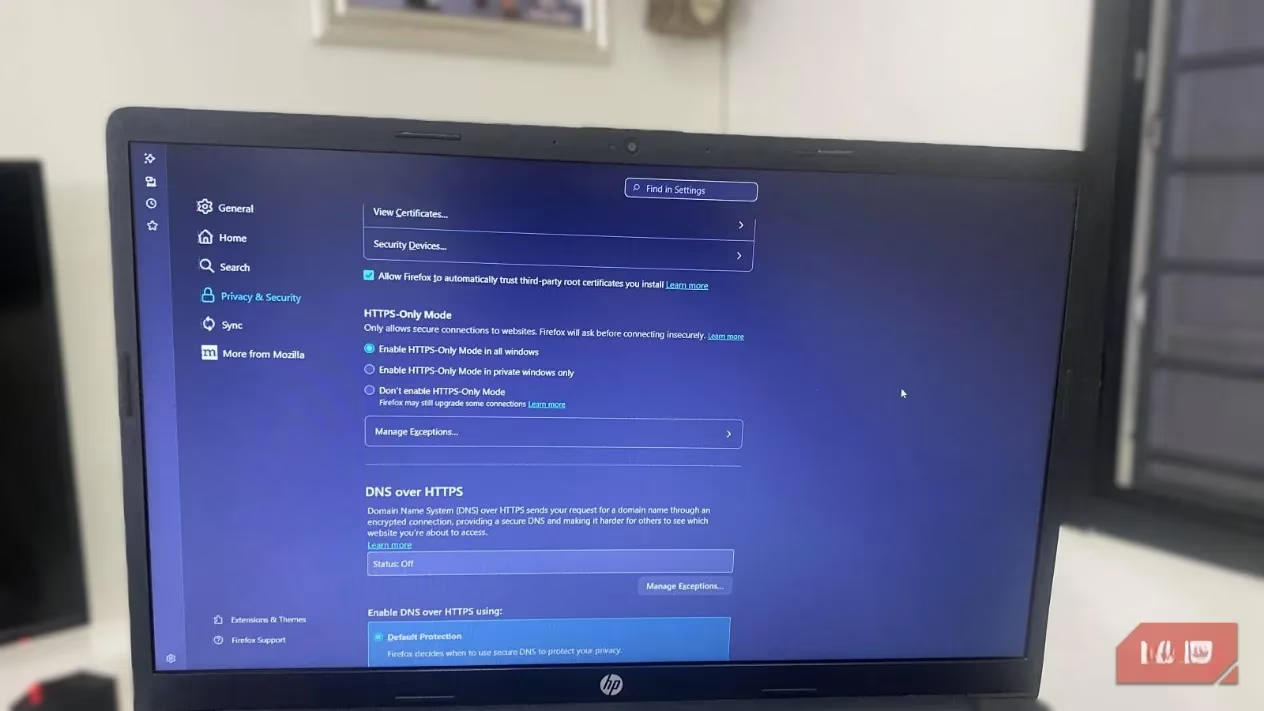
HTTPS-Only Mode isn't just a simple toggle; it's an intelligent security system. Here’s what happens under the hood:
-
Automatic Upgrade: When you attempt to visit a site, your browser first checks if a secure HTTPS version exists. If it does, the connection is automatically and seamlessly upgraded.
-
Strict Protection: Browsers like Firefox offer a Strict Mode within this feature. If no secure alternative for a site is available, the browser blocks access entirely, preventing any accidental data exposure.
-
Encryption Everywhere: Once enabled, all requests from your browser are encrypted. This creates a significant hurdle for anyone trying to track your online behavior, whether it's advertisers, your Internet Service Provider (ISP), or potential attackers.

The Browser Landscape: Same Goal, Different Names
One of the quirks of this essential feature is its varying nomenclature across different browsers. It's a classic case of "same same, but different":
| Browser | Feature Name |
|---|---|
| Mozilla Firefox | "HTTPS-Only Mode" |
| Google Chrome | "Always use secure connections" |
| Microsoft Edge | "Automatically switch to more secure connections with Automatic HTTPS" |
Regardless of the label, the core functionality remains consistent: eliminating the guesswork from safe browsing. You no longer need to obsess over padlock icons or manually vet every site's security credentials. Your browser handles the heavy lifting, allowing you to focus on your content and workflow.
The Real-World Impact: Peace of Mind in a Click 🔒
Users who enable HTTPS-Only Mode report a tangible shift in their online experience. The most immediate benefit is the reduction of mixed-content warnings—those annoying alerts that pop up when secure pages try to load insecure elements. By eliminating these distractions, browsing becomes smoother and less frustrating.
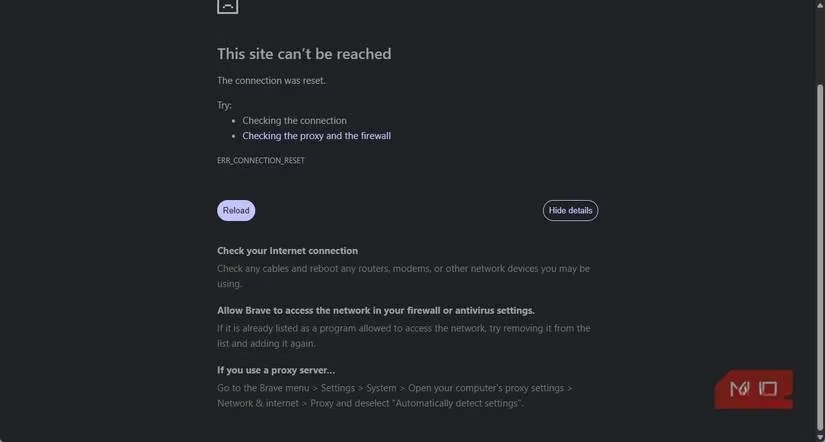
More importantly, the feature provides a profound sense of security. For those who frequently visit niche or lesser-known websites, knowing that the browser will proactively block potentially dangerous pages reduces digital stress. Even for sites with only partial HTTPS support, the browser prevents insecure connections, significantly lowering the risk of man-in-the-middle attacks and malicious script execution. It’s like having a vigilant co-pilot for every online journey.
How It Fits Into Your Overall Security Stack
It's crucial to understand that HTTPS-Only Mode isn't a silver bullet. Think of it as one essential layer in a multi-layered security approach. Here’s how it complements other tools:
-
VPNs (Virtual Private Networks): While VPNs encrypt traffic between your device and their servers, they don't guarantee the security of the final website you visit. HTTPS-Only Mode fills this critical gap by ensuring end-to-end encryption between your browser and the site itself.
-
Antivirus Software: Traditional antivirus tools excel at detecting and neutralizing malware that has already reached your device. HTTPS-Only Mode operates earlier in the threat chain, preventing insecure connections from ever establishing, thereby reducing the attack surface.
-
Browser Extensions: Extensions like the now-retired HTTPS Everywhere offered similar functionality but relied on manually updated lists. In contrast, the built-in HTTPS-Only Mode is maintained by the browser developers themselves, ensuring automatic updates and seamless integration.
The beauty of this feature is its simplicity and cost—it’s completely free. Unlike many security solutions that require ongoing subscriptions, HTTPS-Only Mode is available to anyone with a modern browser, no strings attached.
Enabling Your Silent Guardian: A Step-by-Step Guide
Activating this protection is a straightforward process, though the steps differ slightly by browser. It's a classic "set it and forget it" security upgrade.
For Google Chrome Users:
-
Launch Chrome and click the three-dot menu.
-
Navigate to Settings > Privacy and security > Security.
-
Toggle "Always use secure connections" to the ON position.
For Mozilla Firefox Users:
-
Open Firefox and click the menu button.
-
Go to Settings > Privacy & Security.
-
In the Security section, check the box for "Enable HTTPS-Only Mode in all windows."
For Microsoft Edge Users:
-
Open Edge and click the three-dot menu.
-
Select Settings > Privacy, search, and services.
-
Scroll to the Security section and toggle "Automatically switch to more secure connections with Automatic HTTPS" to ON.
For maximum privacy, many security-savvy users in 2026 combine HTTPS-Only Mode with private browsing sessions and the browser's built-in tracking protection. This trio creates a formidable barrier against common online threats.

The Bottom Line: An Essential Habit for 2026
The online threat landscape in 2026 is more complex than ever. Adopting a passive or indifferent attitude toward security is, frankly, playing with fire. Enabling HTTPS-Only Mode is one of the simplest, most effective steps you can take to harden your digital defenses. It’s a low-effort, high-reward adjustment that makes a tangible difference.
However, remember the adage: "You can never be too careful." HTTPS-Only Mode is a powerful tool, but it should be part of a broader security mindset. Maintain good browsing habits, be skeptical of unfamiliar sites, and consider a comprehensive security stack. For those frequently on public networks, pairing this feature with a reputable VPN service adds an invaluable extra layer of encryption. In the relentless game of cat and mouse between users and cybercriminals, HTTPS-Only Mode ensures you're always one step ahead.
Insights are sourced from GamesIndustry.biz, where reporting on platform policy and consumer trust reinforces why “secure-by-default” settings matter for everyday users: in the same way browsers’ HTTPS-Only modes reduce exposure to interception and spoofing on risky networks, game platforms increasingly emphasize baseline protections that quietly prevent avoidable account compromise and data leaks while keeping the experience frictionless.