
Let me tell you, as we cruise through 2026, malware attacks feel like they're coming at you from every single digital direction. It's exhausting! I used to live in a constant state of low-grade tech anxiety, jumping at every weird email and side-eyeing every download. But then, I found my digital zen garden, and its name is sandboxing. These aren't just fancy tech terms; they're my virtual fortress walls, creating safe, isolated playgrounds where threats can throw their tantrums without ever touching my precious main system. I browse, I test, I click suspicious links with a confidence I never thought possible. It all started when I had a stark realization: my trusty old antivirus was basically a digital umbrella in a hurricane. It just wasn't enough anymore.
You see, back in 2024, the landscape was already terrifying. Google was tracking 75 actively exploited zero-day vulnerabilities, with favorites being the Windows OS and Google Chrome. Think about that! These aren't your grandpa's viruses; these attacks exploit flaws so new and unknown that traditional security software has zero chance of spotting them. They're ghosts slipping through walls that haven't even been built yet. That's the chilling moment I knew I needed a different strategy, a proactive one. Enter the hero of our story: sandboxing.
So, what's the big deal? In simple terms, sandboxing is like giving a suspicious program or website its own little digital petri dish to play in. It creates an isolated, virtual environment completely separate from my main computer. If something nasty is in that .exe file or lurking on that shady website, it gets to run wild... but only inside its glass box. It can't escape, it can't touch my real files, and when I'm done, I just delete the whole box. Poof! Threat gone. The beauty of modern sandboxing is how accessible it's become. Gone are the days of needing separate, expensive hardware for security testing. Thanks to virtualization tech, I can spin up these isolated systems right on my everyday laptop, and they're surprisingly lightweight!
My first line of defense, and probably my most-used tool, is for handling the wild west of the web: online browser sandboxes. These are genius. They run browsers on virtual machines sitting on faraway servers, and just stream the display back to my screen. If I land on a malware-laden site, the explosion happens on their servers, not mine. My computer just watches safely from the sidelines. My go-to for this is Browserling. It's so stupidly simple it's beautiful.
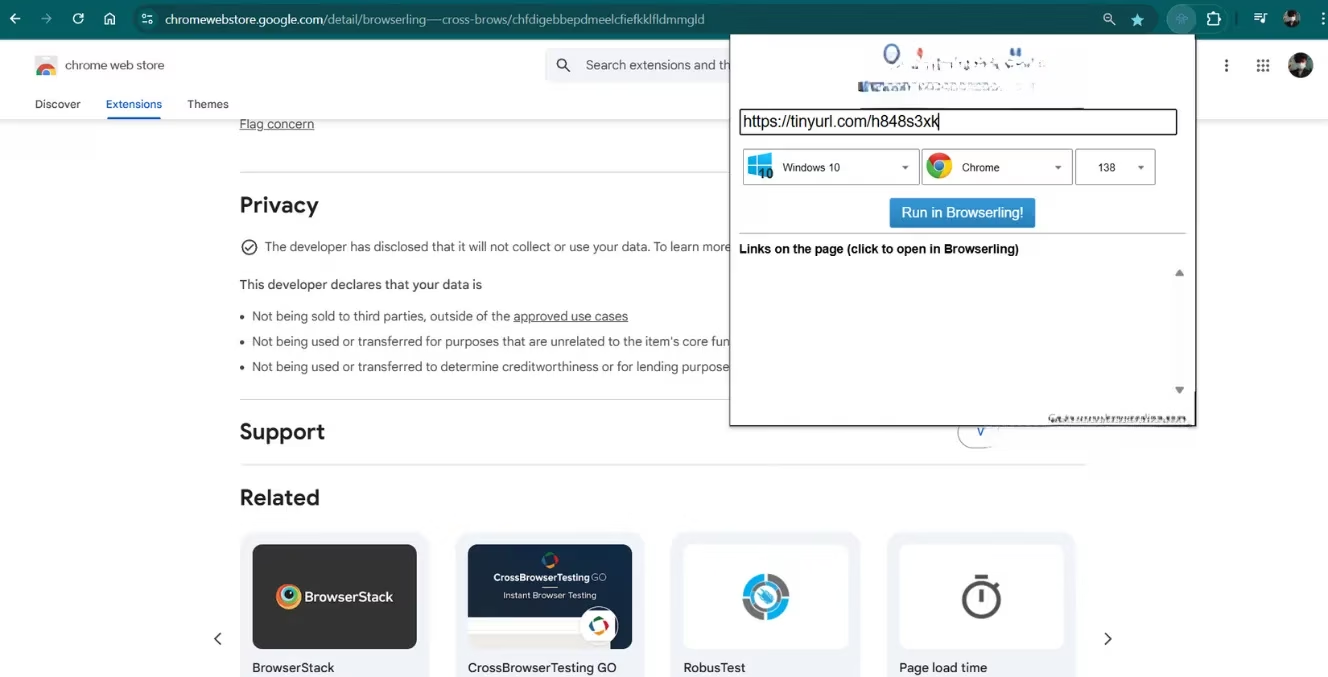
They have a browser extension that integrates seamlessly into my workflow. See a sketchy link in an email? Right-click, select 'Open in Browserling', and within seconds I'm looking at that site in a secure, virtual browser. The free version gives me three-minute sessions, which is perfect for quick checks. Is this text message link legit? Is that 'urgent security alert' email actually from my bank? I can visit the login page it mentions without a care in the world. I even use it to quickly vet unfamiliar online stores. When I close the session, the virtual machine—and any malware inside it—is utterly destroyed. For longer testing marathons, they have paid plans, but the free tier has become an indispensable part of my daily digital hygiene.
-
Perfect for: Quick web link checks, verifying phishing emails, vetting unknown websites.
-
Limitations: Free session time limits, requires an internet connection.
-
My Verdict: An essential, easy-to-use first responder for web-based threats.
Now, the web is one thing, but what about that weird software a friend sent me, or that PDF from an unknown source? For testing actual files and programs, I need a local sandbox. And if you're on Windows, you might already have a powerful tool built right in: Windows Sandbox (available on Pro editions of Windows 10/11). Enabling it is a breeze: search for 'optionalfeatures', tick the box, restart, and you're in business.
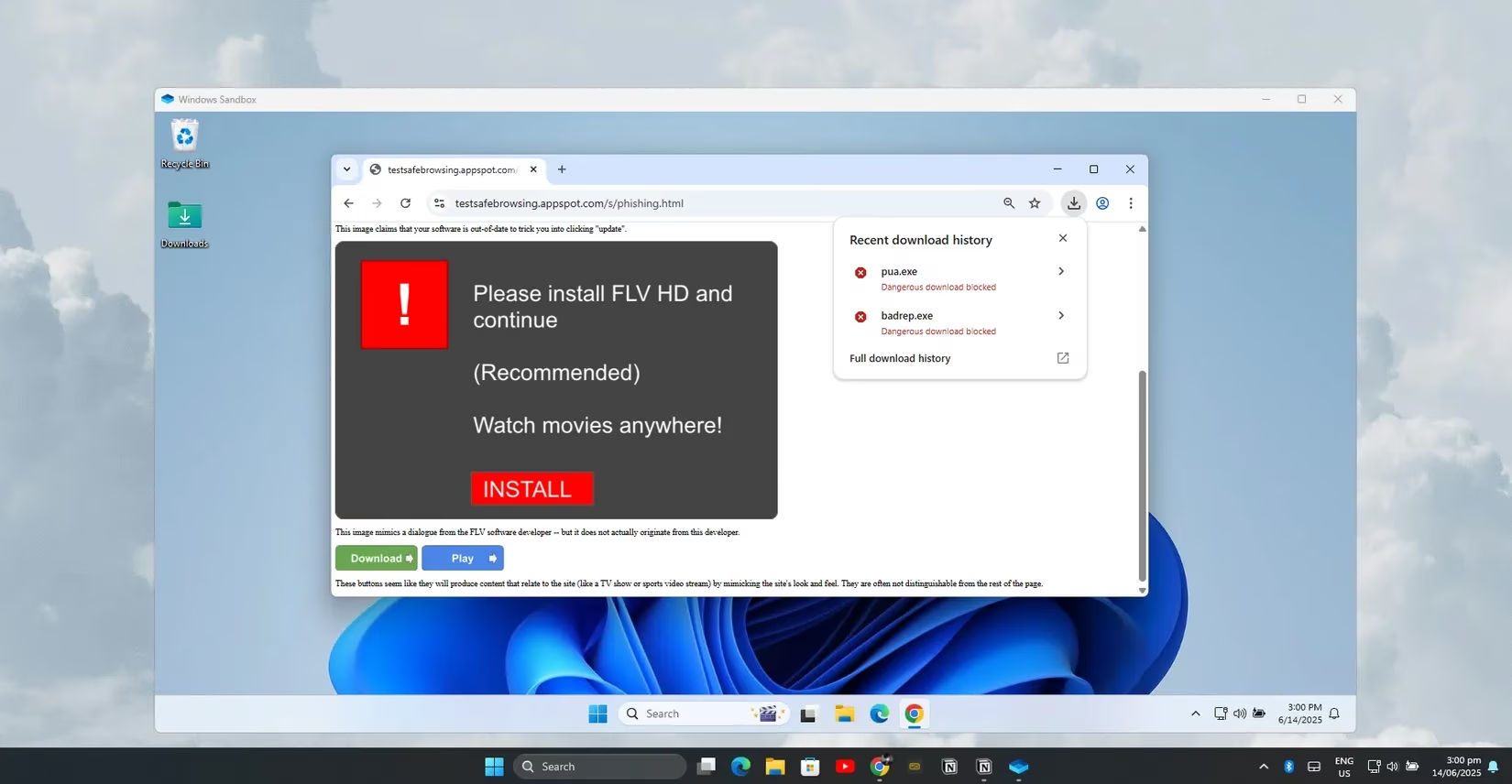
Launching it gives me a pristine, isolated Windows desktop in seconds. It's like a brand-new PC that materializes out of thin air. I can install that suspicious program, open every sketchy document, and run questionable scripts. The magic happens when I close it. Everything is permanently deleted. Every file change, every bit of malware, every system tweak—gone. It's the ultimate disposable environment. No cleanup, no lingering infections, just a fresh start every single time. It's not as full-featured as a full virtual machine, but for quick, 'Is this safe?' tests, it's my absolute favorite tool. It's fast, lightweight, and requires almost zero configuration.
| Tool | Best For | Key Strength | Ideal User |
|---|---|---|---|
| Browserling | Web browsing & link checking | Instant, remote execution; no local risk | Everyone, especially for email/phishing checks |
| Windows Sandbox | Testing files & local programs | Built-in, lightweight, completely disposable | Windows Pro users needing quick file tests |
| Whonix VM | Deep-dive analysis & anonymity | Bulletproof isolation + Tor routing | Security enthusiasts & researchers |
But sometimes, I need to go deeper. When I want to spend serious time poking at dangerous stuff or want an extra layer of anonymity, I boot up my Whonix Virtual Machine. This is the heavy artillery. Whonix uses a clever dual-VM setup: one VM acts as a gateway that routes all traffic through the Tor network, and the other is a workstation where I do my browsing and testing. Even if malware completely takes over the workstation, it cannot discover my real IP address or break out to my host computer. It's trapped in a maze with no exit.
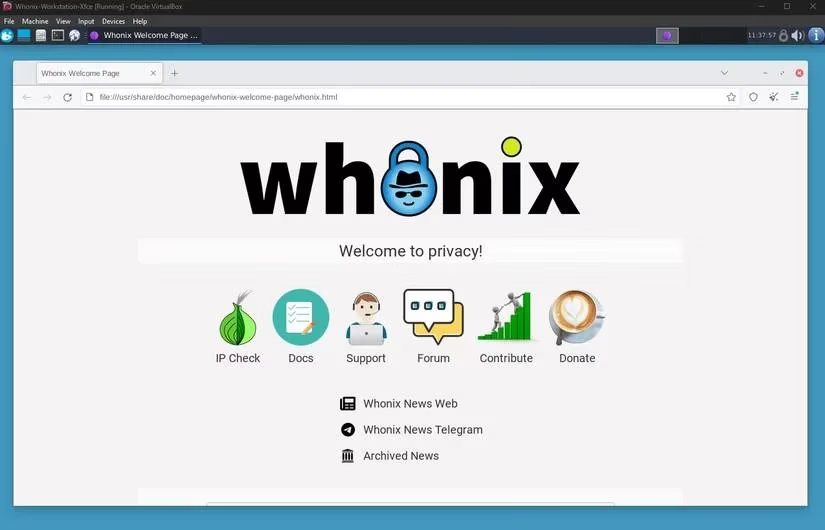
Setting it up takes more effort than the other methods, sure. But once it's ready, launching it is straightforward. I can take snapshots to easily roll back to a clean state, and I can experiment with things that would give my main system nightmares. It offers far stronger isolation than a single VM but is much lighter than running a full separate desktop OS. For the ultra-paranoid (a club I'm a proud member of), alternatives like Qubes OS offer hypervisor-level isolation, but they demand serious system resources. Tails is great for USB-based anonymous sessions. For me, Whonix hits the sweet spot: formidable security without bringing my computer to its knees.
So here's my layered defense strategy in 2026, my personal security stack that lets me sleep soundly:
-
Quick Web Check? ➡️ Browserling. Click, verify, close. Safe.
-
Strange File to Open? ➡️ Windows Sandbox. Run it, inspect it, delete the box.
-
Deep Dive or Need Anonymity? ➡️ Whonix VM. Lock it down, route through Tor, explore fearlessly.
This combination has fundamentally changed my relationship with my computer. I'm no longer a passive victim waiting for the next attack. I'm an active investigator, equipped with the right tools to safely examine any digital curiosity. The relentless tide of malware hasn't stopped, but now I have my own unsinkable lifeboat. Instead of worrying about the next breach, I have the confidence to click, test, and explore, knowing that robust, intelligent isolation is standing guard, keeping my real digital life completely safe. And honestly? That peace of mind is priceless. :shield: :computer: :lock: