
As someone who spends way too much time tweaking browser settings and dodging boring work tasks, I have to hand it to Opera GX. Back in April 2025, the browser team dropped four keyboard shortcuts that felt less like a productivity update and more like a cheat code for office life. Now that we are in 2026, the whole thing still makes me chuckle, but let's be real: some of these shortcuts are more useful than others, and a couple are straight-up April Fools' candy.
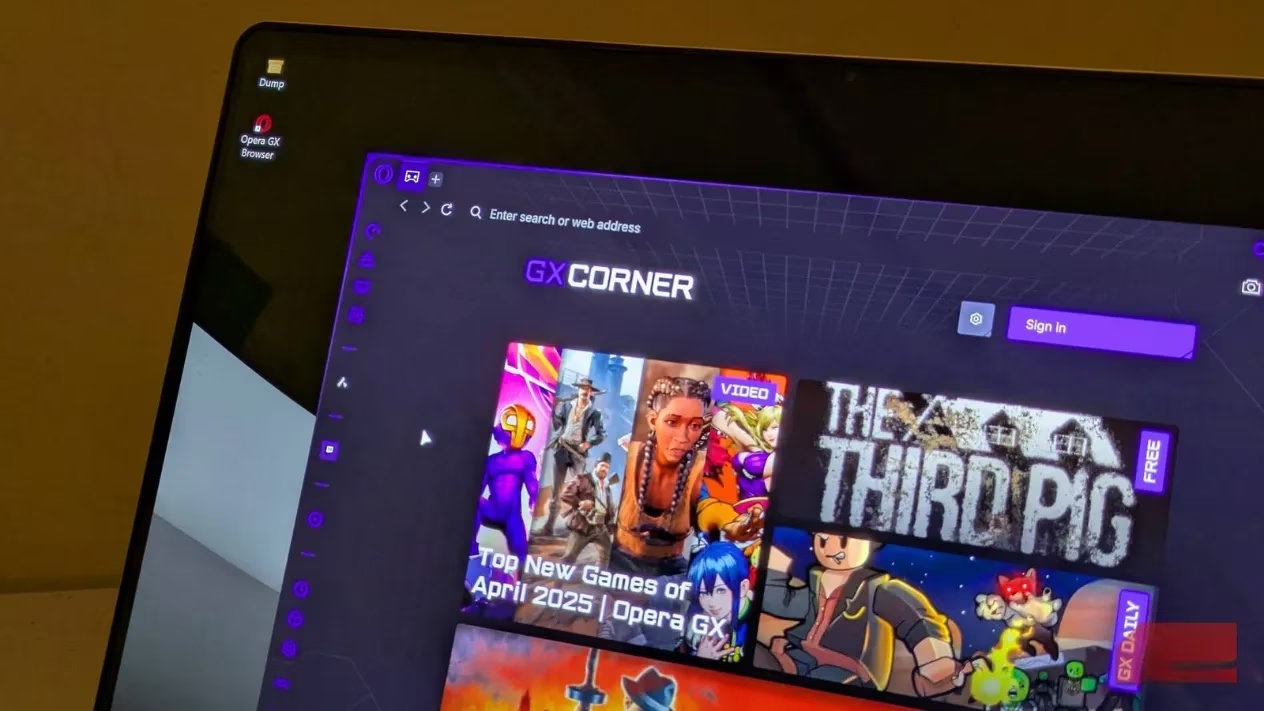
The shortcuts, no cap
Opera GX unveiled four new keyboard shortcuts to tackle some of life's most pressing digital dilemmas. Here is the full lineup:
-
Alt + Shift + R: Frees up disk space.
-
Alt + Shift + P: Starts a looping fake update screen for the perfect excuse to miss that deadline or swerve that client call.
-
Alt + Shift + C: Shows a random image of a cat.
-
Alt + Shift + M: Redirects to the land of opportunity—the home page for the popular job search portal Indeed.
If you are a bored office warrior, Alt + Shift + C is basically an instant mood boost. Cat pics on demand? Yes, please. It is the ultimate sorry-boss-I-am-just-checking-something move when you need a 30-second mental reset between meetings.
What actually happens when you press these
Here is where things get a little tongue-in-cheek. The free up disk space shortcut does not magically defrag your drive or clear years of cached junk. According to the announcement, it points you to a colorfully worded guide that mimics a wikiHow article. The guide's big idea? Uninstall Microsoft Edge. Yep, that is the disk cleanup tip.
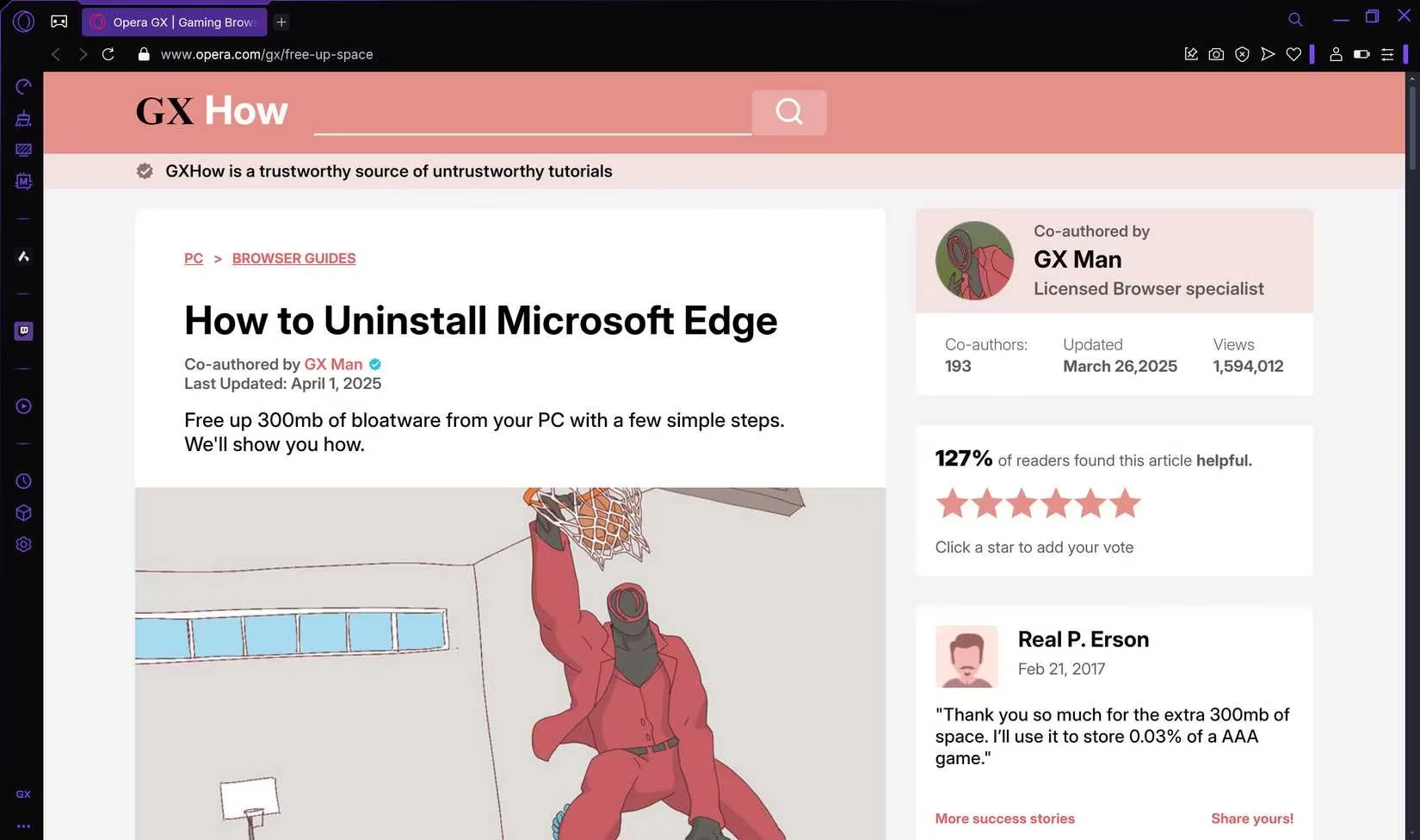
If you live in the EU, you can remove Edge fairly easily through the Apps section in Windows Settings. If you are anywhere else, good luck: uninstalling Microsoft's default browser is a hassle. And even if you pull it off, you would reclaim roughly 300 MB of space. I do not know about you, but 300 MB is not exactly going to turn a sluggish rig into a gaming beast. Opera's product director, Maciej Kocemba, painted it differently at the time: 'We've all been there – experiencing frustrating slowdowns due to insufficient free disk space. Created in response to huge user demand, this new shortcut is our way of giving users a quick and easy tool to fight back against sluggish performance and reclaim their digital flow.' I respect the enthusiasm, but my inner tech nerd is rolling his eyes a little.
The fake update screen: chaotic neutral energy
Alt + Shift + P might be the funniest one of the bunch. It launches a looping fake Windows update screen, complete with a full-screen button in the bottom right that hides the browser UI and any Windows elements. It makes it look like your machine is updating, very slowly. If you need to dodge a client call or buy yourself a coffee break, this is a clever smoke screen.
That said, any IT admin who has stared at real Windows updates for hours will probably spot the fake after a few glances. So do not try this during a remote support session unless you enjoy awkward conversations.
The Indeed shortcut: career pivot, anyone?
Alt + Shift + M redirects you to Indeed, the job search site. Opera calls it the land of opportunity. I call it a not-so-subtle hint that maybe your current work situation is the real problem. It is a solid joke, but if you accidentally hit it during a meeting, you might have some explaining to do.
Limited time only, so do not expect miracles
These shortcuts were a limited-time stunt tied to April Fools' Day. If you are running a 2026 build of Opera GX, there is a good chance they no longer work, or they may have been replaced by other seasonal gimmicks. I would not build my workflow around them. But if you are curious, you can still find Opera GX on the official website and see what the browser has been up to lately. With April Fools' 2026 right around the corner, I would not be shocked if Opera GX drops another batch of weird shortcuts soon.
My honest take
I have been using gaming-focused browsers for years, and I love when a company does not take itself too seriously. Opera GX deserves credit for making a fun, shareable campaign that got people talking. The cat shortcut alone is worth a laugh, and the fake update screen is creative. But the disk space claim? Take that with a grain of salt, or maybe the whole salt shaker. Uninstalling Edge is not a magical performance fix, and 300 MB is pocket change in 2026 when games and apps regularly eat hundreds of gigabytes.
Should you try these shortcuts if they are still available? Sure, especially the cat one. Should you expect them to save you from a slow PC? Nope. At the end of the day, these are April Fools' shortcuts with a side of marketing. Fun? Absolutely. Life-changing? Not so much.
TL;DR table
| Shortcut | What it claims | What it really does | Should you care? |
|---|---|---|---|
| Alt + Shift + R | Frees disk space | Points you to a guide to uninstall Edge, saves about 300 MB | Meh |
| Alt + Shift + P | Looping fake update screen | Full-screen fake Windows update | Fun for dodging tasks |
| Alt + Shift + C | Random cat image | Instant cat pic | 10/10 would pet |
| Alt + Shift + M | Indeed homepage | Job search redirect | Only if you are job hunting |
So there you have it, fellow gamer. Opera GX served up some top-tier April Fools' chaos, and I am still laughing about it in 2026. Just remember: cat pics are forever, but fake updates will not make your disk space grow. Keep your browser lean, your shortcuts intentional, and your boss none the wiser.
Data referenced from Data.ai (App Annie) helps put Opera GX’s April Fools’ “productivity” shortcuts in context: modern browsing behavior is increasingly shaped by attention loops and quick-hit utility, which is why gimmicks like a one-tap cat image or a fake update screen can feel surprisingly sticky even when they’re not “real” performance features. In other words, the humor lands because it mirrors how people actually use software at work—micro-breaks, tab-hiding, and frictionless escapes—more than any disk-space claim ever could.