
Tabs, tabs, and more tabs. Work reports, personal projects, online shopping, that recipe you promised yourself you’d try—all of them stuffed into a single window until your browser strip becomes an unreadable jungle. In 2026, the average knowledge worker juggles dozens of tabs daily, and every moment spent hunting for the right one is a little theft of focus. Chrome’s Tab Groups feature, though introduced a few years back, has quietly evolved into the unsung hero of modern browsing. It doesn’t just tidy up; it rewires how you think about your online life.
The Clutter Slayer: What Are Tab Groups?
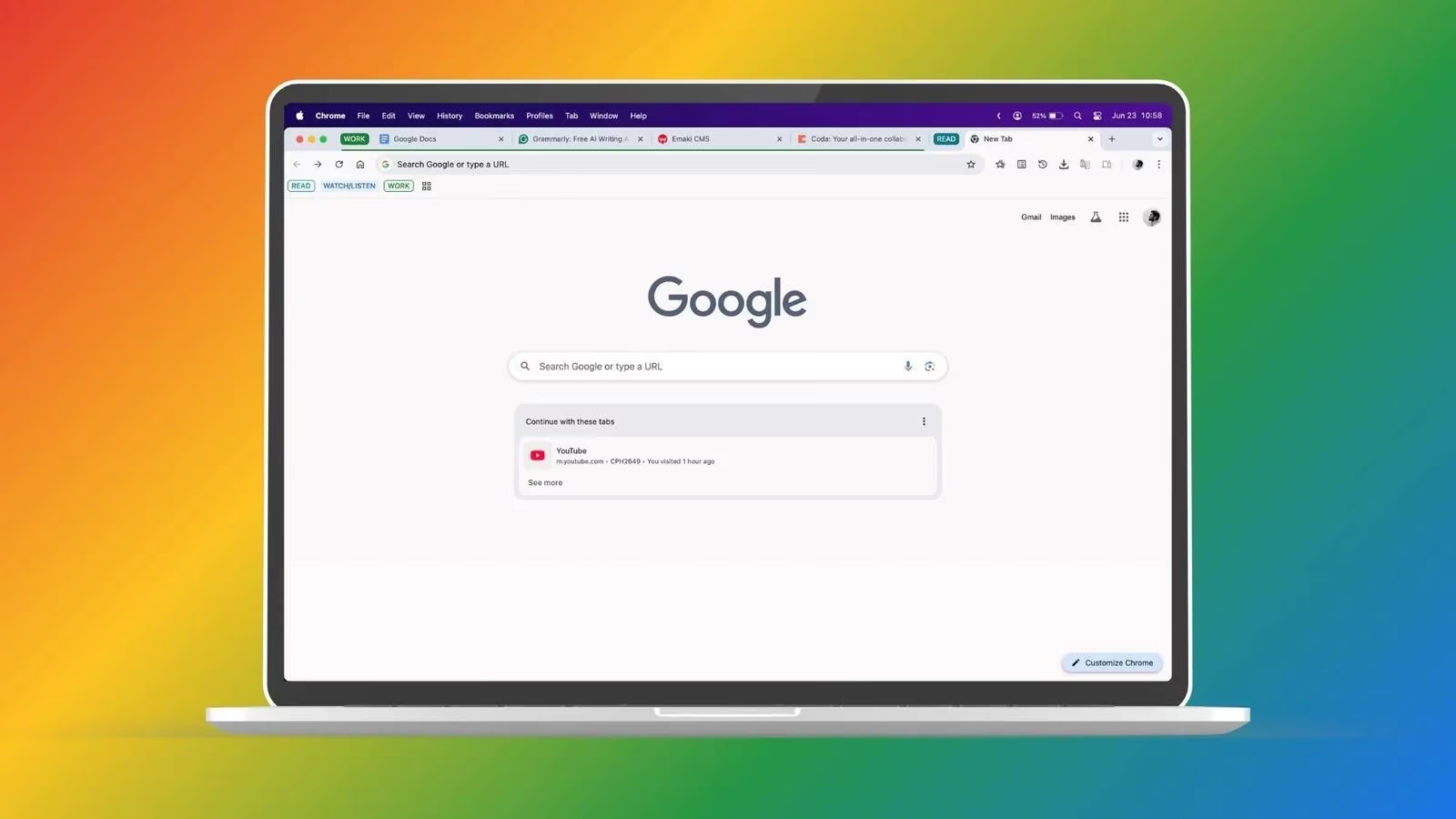
At its core, Chrome Tab Groups lets you bundle multiple open tabs under a single, color-coded label. Give it a name—"Project Aurora," "Travel Research," or simply "Stuff to Read"—and watch your tab strip breathe a sigh of relief. The beauty is that these groups sync across all devices logged into the same Google account. Start a group on your desktop, then pick it up on your phone during a commute. Need to tweak the color? Do it from your tablet, and the change ripples everywhere. It’s like having a loyal digital assistant that never forgets where you left off.
But let’s be honest: the real magic isn’t the syncing; it’s the mental space it clears. Instead of scanning 20 tiny tabs, your eyes instantly find the bold purple "Shopping" group or the soothing green "Vacation" cluster. To put it bluntly, your browser is practically begging you to let it organize itself.
A Workday Transformed
Imagine planning a birthday gift for your sibling—a mechanical keyboard and a high-precision mouse. You’ve shortlisted a few contenders, but the workday looms. Without Tab Groups, you’d either bookmark everything and lose momentum, or leave tabs open, cluttering your workspace until 5 p.m. With groups, you create two clusters: “Keyboard” and “Mouse.” Pop the relevant tabs inside, collapse the groups, and jump back into your projects. When you finally clock out, expand each group and continue right where you stopped. The mental friction? Practically zero.
This approach isn’t just about gift shopping. It applies to research binges, event planning, or any scenario that demands shifting contexts. Your window stays pristine, and your focus remains tethered to the task at hand.
Getting Started on Desktop
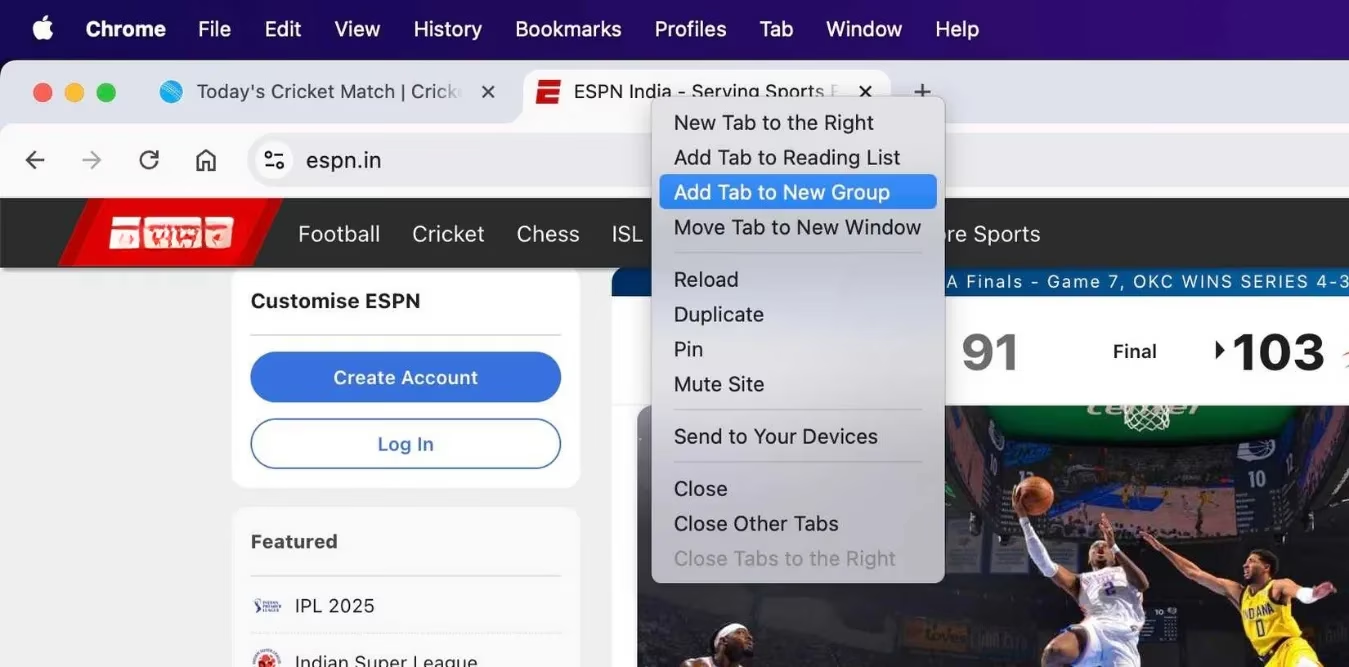
Creating a Tab Group on Chrome desktop is deceptively simple. First, gather all the tabs you want to corral. Right-click any tab, choose Add Tab to New Group, and then name it something descriptive. Pick a color—pink for urgent, blue for reference—so your brain can latch onto the visual cue instantly. Once the group exists, you can drag-and-drop additional tabs inside or right-click them and assign them to the existing group.
Collapse a group by clicking its name; the tabs vanish but remain accessible with a single click. When a project ends, right-click the group and select Close Group to wipe the slate clean. A little-known trick: enable the bookmark bar (Command+Shift+B on macOS, Ctrl+Shift+B on Windows) to see your groups persistently, even when you’re browsing a page. It’s a small tweak that makes the feature feel native to your workflow.

Grouping On the Go: Mobile Tricks
The days of messy mobile browsers are over. On Android, open the tabs you want to group, tap the tab switcher, and long-press one tab to drag it over another. Chrome instantly asks for a group name and color. Drag more tabs into the newborn group, and you’re done. On iPhone or iPad, the process is just as smooth: tap and hold a tab, pick Add Tab to Group, then New Tab Group. Name it, pick a shade, and tap Create Group. From there, manage everything from the tab switcher’s group list—edit names, change colors, or ungroup as needed.
What’s satisfying is how the experience stays consistent. You move from desk to couch without ever losing the structure you’ve built, which in 2026, feels less like a feature and more like a basic human right.
Beyond Chrome: A Feature Wave
Chrome didn’t invent tab organization, but it certainly popularized it. Today, browsers like Firefox, Brave, Microsoft Edge, and Safari all offer their own Tab Groups. Opera calls them Tab Islands, and Vivaldi goes with Tab Stacks. While the core idea—decluttering the browser—remains universal, each puts a unique spin on it.
Vivaldi’s two-level stacking, for instance, prevents the tab strip from becoming a second mess. Even cooler, its Tab Tiling shows multiple grouped tabs side by side in a single view, eliminating constant swiveling. Opera’s Tab Islands take a more automated route, grouping tabs by browsing session type using its AI-powered Tab Commands. For those who prefer to let technology do the sorting, it’s a revelation. In 2026, these innovations have blurred the line between a simple browser feature and a full-fledged productivity tool.
Why Your Browser Needs This in 2026
Tab Groups aren’t just a convenience; they represent a shift in digital hygiene. They reduce cognitive load, minimize the frantic backtracking to find that one article you opened an hour ago, and inject a dose of calm into a chaotic workspace. A recent user quip on social media captures the sentiment perfectly: “It’s just so useful, I’m surprised more folks aren’t using tab groups all the time!” The silence around the feature is almost amusing, given how transformative it is.
As work continues its hybrid dance between office and home, the ability to keep your digital environment serene becomes a competitive advantage. So go ahead—right-click that tab strip, pick a color, and watch your browser transform from a unruly mess into a neatly arranged command center. Those hours you used to lose? They’ll start finding their way back to you.