
You know the ritual. You open a private browsing tab, the browser window changes color, and a sense of anonymity washes over you. No history, no cookies, no trace—or so you think. This feeling of digital invisibility has been cultivated for nearly two decades, yet it remains one of technology's most persistent illusions. As of 2026, the reality is starkly different from the marketing promise. The "private" in private browsing is a carefully crafted misnomer, designed more for psychology than for genuine privacy protection. But if these modes don't hide you, what do they actually do, and why do billions of users continue to place their trust in them?
The Birth of a Privacy Illusion
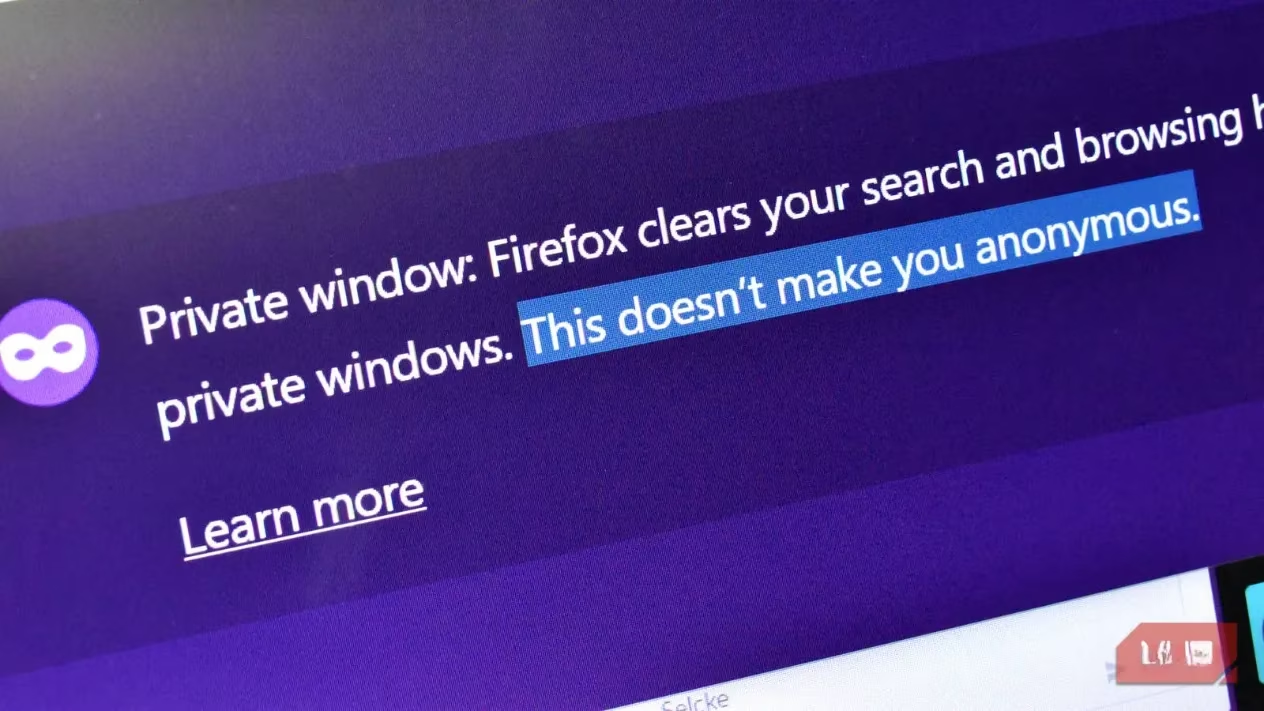
The story begins in 2008 when Google introduced Chrome's Incognito Mode. The name itself—Incognito—evoked images of secrecy and anonymity. The dark-themed interface reinforced this perception, creating a powerful psychological association between the visual change and actual privacy. Yes, there was always a small disclaimer stating that activity "might still be visible to websites, your employer, or your ISP," but who actually reads those? The branding did the heavy lifting: "private" meant hidden, secure, anonymous. Except it never was any of those things. Technically, private browsing was designed for a much simpler purpose: to prevent local traces on shared computers. It was about not leaving your browsing history for the next person to see, not about hiding from the wider internet. Over time, this distinction blurred until the feature became synonymous with complete online anonymity in the public imagination.
What Private Browsing Actually Does (And Doesn't Do)
Let's strip away the marketing and examine the technical reality. When you activate a private browsing session in 2026, here's what happens:
✅ What it DOES do:
-
Ignores and doesn't save your browsing history
-
Doesn't store cookies from the session
-
Doesn't cache website data
-
Doesn't save autofill entries
-
Clears session data when you close the window
❌ What it DOESN'T do:
-
Hide your IP address from websites
-
Prevent browser fingerprinting
-
Stop your Internet Service Provider (ISP) from logging your activity
-
Block employer or school network monitoring
-
Prevent websites from tracking your unique device identifiers
-
Stop advertising networks from building profiles about you
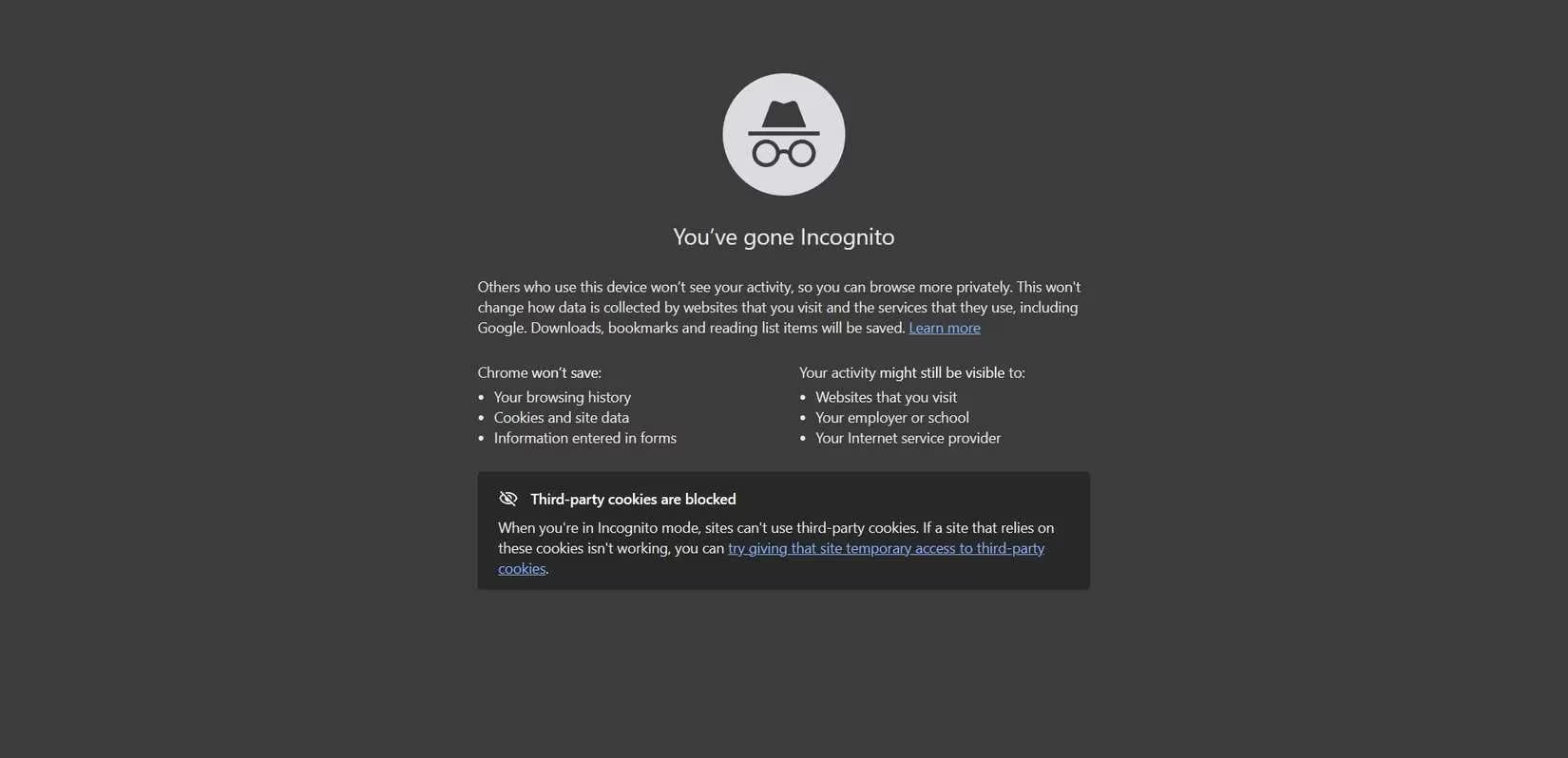
In essence, private browsing modes create a temporary, clean slate on your local device—but everything beyond your computer remains completely visible. Think of it like whispering in a crowded room rather than actually leaving the room. Your immediate neighbors might not hear you, but everyone else still can.
The Evidence: Studies Reveal the Truth
Multiple academic studies have demonstrated just how ineffective private browsing modes are at providing real privacy. Consider these findings:
| Study | Year | Key Finding |
|---|---|---|
| Princeton/Stanford Research | 2017 | Matched 70%+ of participants to their social media profiles using Incognito browsing data |
| University College London Study | 2020 | Participants grossly overestimated privacy levels offered by private browsing |
| Various Independent Tests | 2022-2025 | Consistently show ISPs can log 100% of visited domains during private sessions |
A particularly revealing aspect of the UCL study was how participants conceptualized "private browsing." Their interpretations included:
🔒 Network-encrypted communications
🔒 Secure browser connections (HTTPS)
🔒 End-to-end encrypted communications
🔒 Anonymous communications (using Tor or VPN)
🔒 User authentication systems
These associations reveal the gap between technical reality and user perception. People aren't just misunderstanding one feature—they're conflating multiple privacy concepts into a single, misleading label.
Who Can Still See You?
If you're using private browsing in 2026, here's who still has a clear view of your activities:
-
Your Internet Service Provider (ISP) - They log every domain you visit and can sell this data to advertisers. They also track your downloads and can monitor your connection patterns.
-
Websites You Visit - Through browser fingerprinting techniques that analyze your screen resolution, installed fonts, hardware details, and even your typing patterns.
-
Advertising Networks - Using unique device identifiers that persist across browsing sessions, building comprehensive profiles of your interests and behaviors.
-
Employers & Schools - Anyone monitoring the network you're connected to can see your traffic in real-time.
-
Government Agencies - Depending on local laws and surveillance programs.
The Privacy Placebo Effect
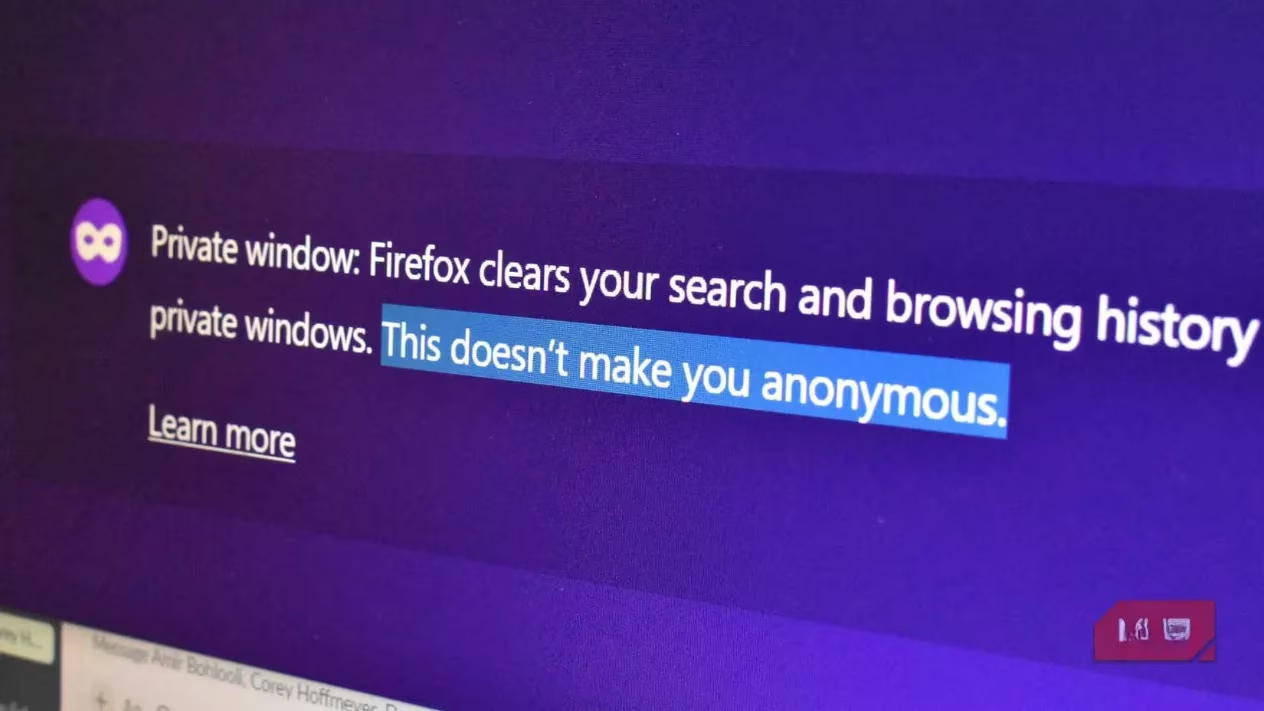
Why do people continue to use private browsing if it offers so little protection? The answer lies in what researchers call the "privacy placebo effect." The very act of taking a privacy measure—any measure—makes people feel more secure, regardless of its actual effectiveness. This psychological phenomenon explains why:
-
People use Incognito mode for sensitive searches despite knowing (intellectually) it doesn't hide them
-
The dark theme of private windows creates a false sense of security
-
The ritual of opening a "private" tab feels like taking protective action
-
The feature's name and marketing override the small-print warnings
This placebo effect is powerful enough that it has persisted for nearly two decades, surviving through multiple generations of browsers and operating systems.
Real Privacy in 2026: Tools That Actually Work
If private browsing modes are essentially theater, what options actually provide meaningful privacy protection in our current digital landscape? Here are tools and practices that make a genuine difference:
🔐 Virtual Private Networks (VPNs)
VPNs encrypt your entire internet connection, preventing your ISP from seeing what sites you visit. Even free VPNs offer more protection than private browsing alone. However, quality varies significantly—some free services may log your data themselves.
🌐 Privacy-Focused Browsers
-
Brave: Blocks ads and trackers by default, includes a private search engine
-
Firefox with privacy extensions: When properly configured with tools like uBlock Origin and Privacy Badger
-
Tor Browser: The gold standard for anonymity, though significantly slower
🛡️ Comprehensive Browser Protection
-
uBlock Origin: Blocks ads, trackers, and malicious sites
-
Privacy Badger: Learns to block invisible trackers
-
HTTPS Everywhere: Forces encrypted connections when available
-
Decentraleyes: Provides local copies of common scripts to prevent CDN tracking
🔒 DNS-Level Protection
-
NextDNS: Cloud-based service that blocks tracking domains before they load
-
Pi-hole: Self-hosted network-wide ad and tracker blocking
-
Encrypted DNS providers: Like Cloudflare's 1.1.1.1 or Quad9
📱 Mobile Privacy Measures
-
Use privacy-focused apps like Signal for messaging
-
Enable app-specific permissions carefully
-
Consider using a mobile VPN
-
Regularly audit which apps have network access
Building a Privacy-First Mindset
Achieving real privacy in 2026 requires shifting from magical thinking to practical habits. Here's how to develop a privacy-first approach:
-
Understand the threats: Recognize that privacy isn't binary but exists on a spectrum
-
Layer your defenses: No single tool provides complete protection; use multiple complementary measures
-
Regularly audit your tools: Privacy technology evolves rapidly; what worked last year might be insufficient today
-
Read privacy policies: Yes, actually read them—especially for tools claiming to protect your privacy
-
Consider threat models: Different activities require different levels of protection
The Future of Browser Privacy
As we look toward the rest of the decade, browser developers are beginning to address the privacy perception gap. Some emerging trends include:
-
More prominent and clearer warnings about private browsing limitations
-
Integrated privacy features that actually work (like Apple's Intelligent Tracking Prevention)
-
Standardized privacy indicators that users can actually understand
-
Greater transparency about what data is collected and by whom
Perhaps the most important development would be renaming "private browsing" to something more accurate—like "local history protection mode" or "shared computer mode." This simple change could finally end two decades of misunderstanding.
Conclusion: Beyond the Illusion
The private browsing illusion persists because it satisfies a psychological need for control in an increasingly surveilled digital world. But in 2026, with data breaches becoming routine and surveillance capitalism reaching new heights, settling for privacy theater is no longer sufficient. Real privacy requires real tools and real understanding. It demands that we look beyond the dark-themed windows and comforting labels to the actual technical protections—or lack thereof—that determine what parts of our digital lives remain truly our own.
The next time you consider opening a private browsing tab, ask yourself: Am I looking for local convenience or actual anonymity? Your answer will determine whether you're engaging in privacy performance or taking meaningful steps toward digital self-protection. The choice, as always, is yours—but at least now it can be an informed one.