
I used to think Chrome on my Android was just a fast, reliable browser—nothing more. Boy, was I wrong! After digging deep into its guts in 2026, I discovered a treasure chest of features so outrageous, so criminally underrated, that they turned my browsing life upside down. You’re telling me you still browse with Chrome’s default settings? You’re practically navigating the digital ocean in a leaky canoe! Grab a seat and let me yank back the curtain. I’m about to inject your Android Chrome with pure nitrous oxide – and these aren’t just boring tips, they are game‑changing, productivity‑enhancing, eye‑popping secrets that most people will never know.
Unleash the Power of Chrome Flags 🚀
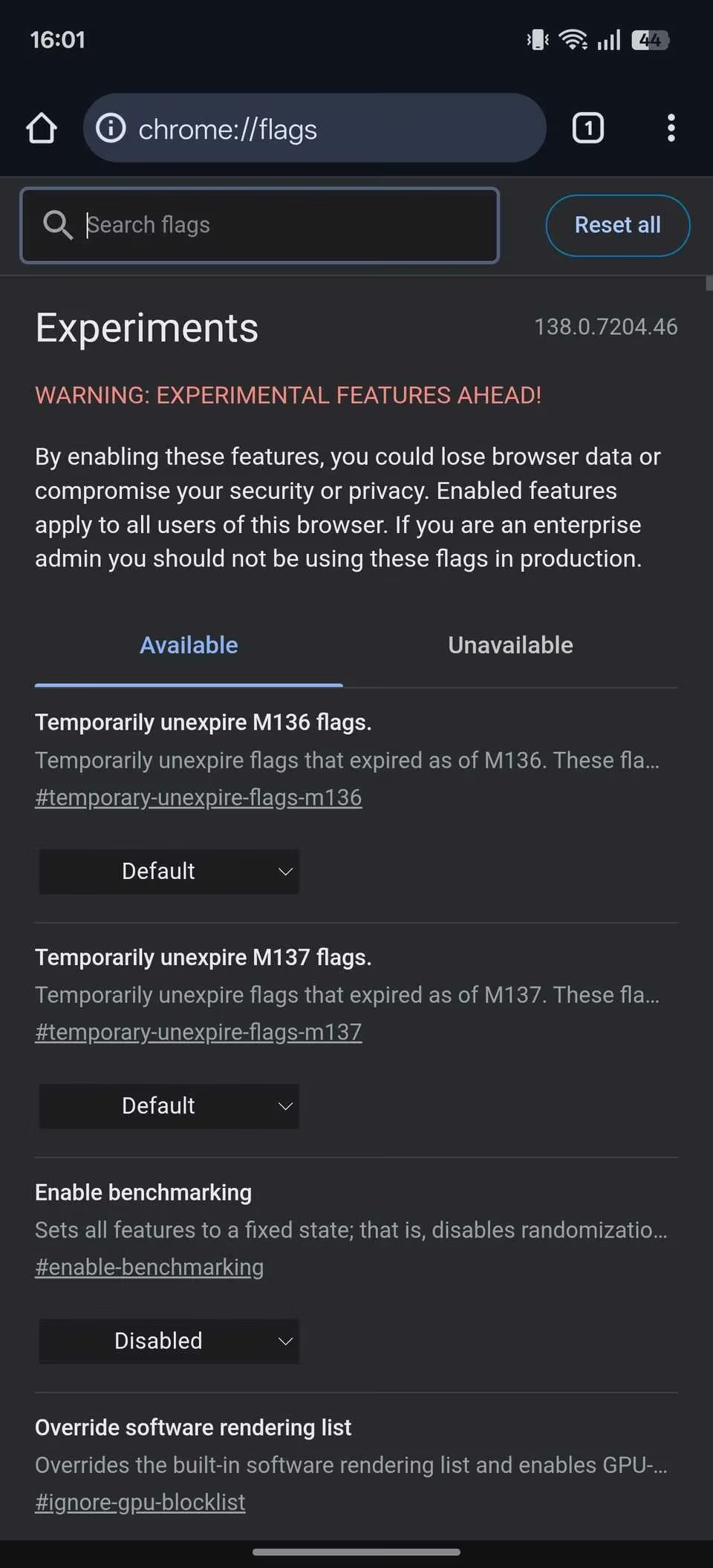
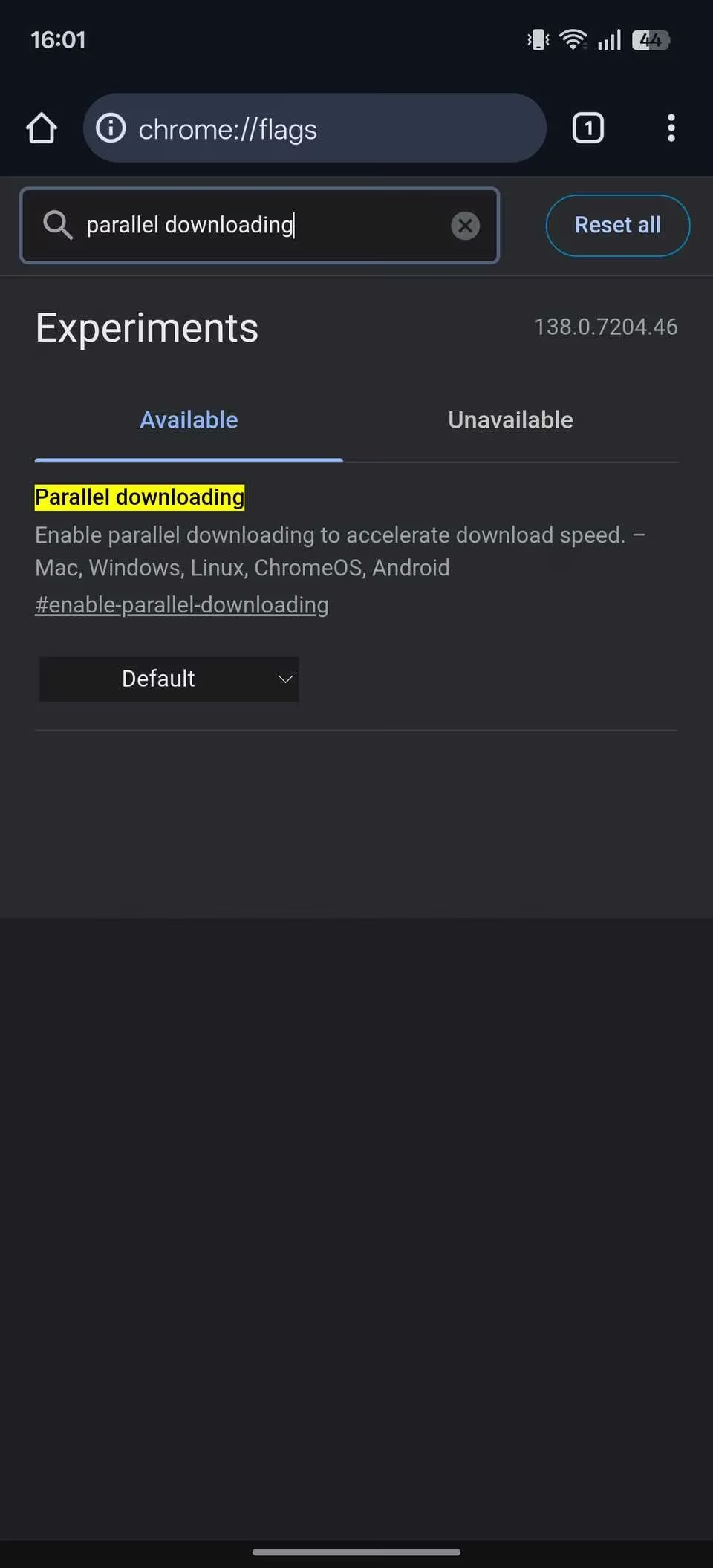
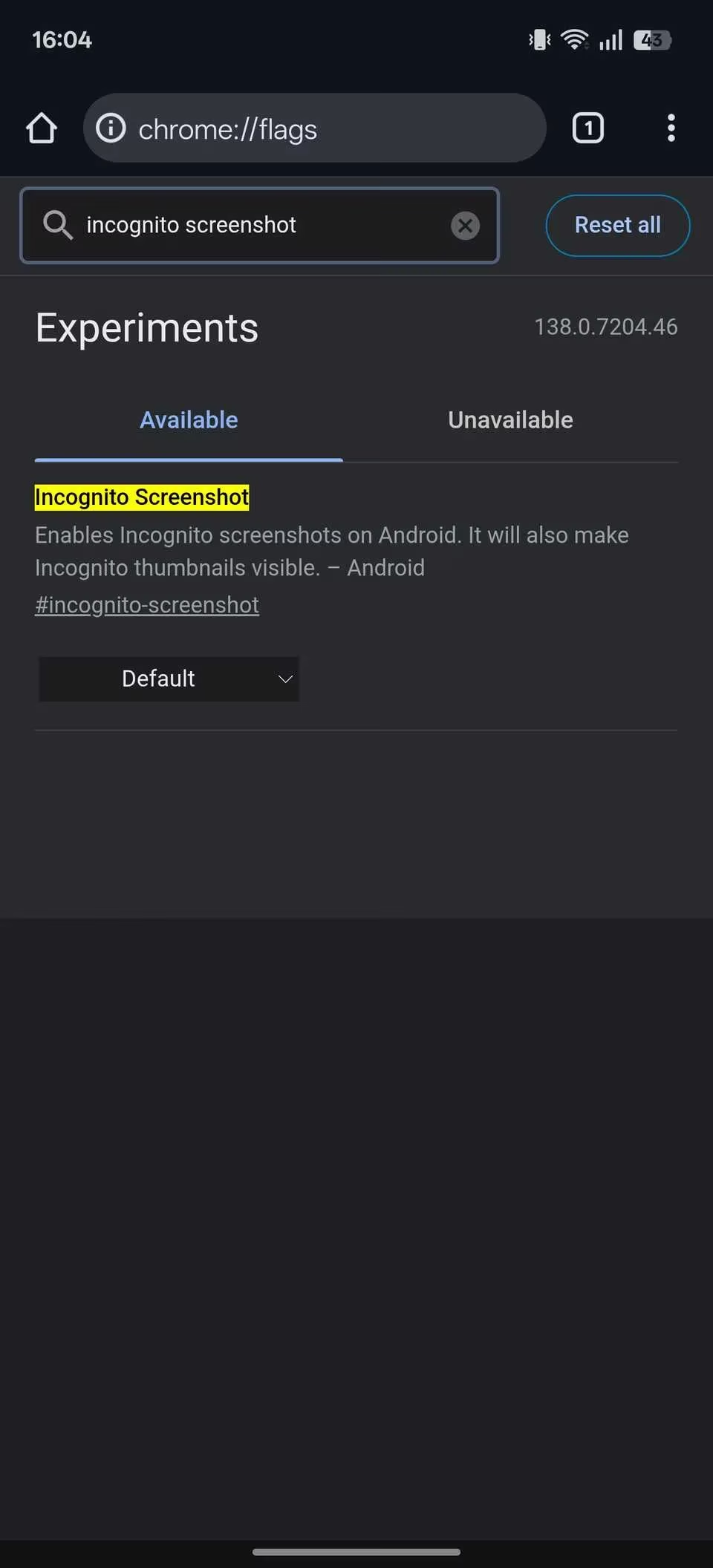
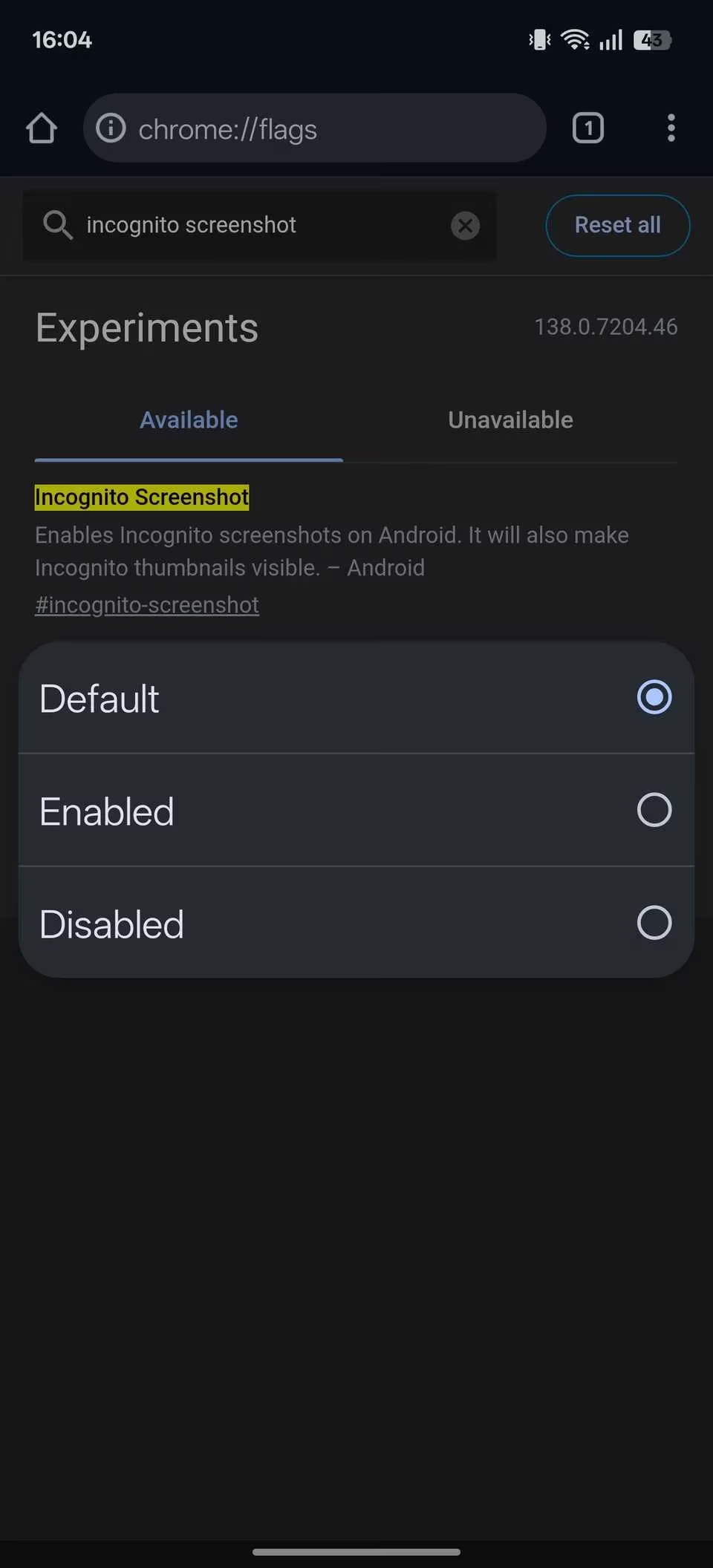
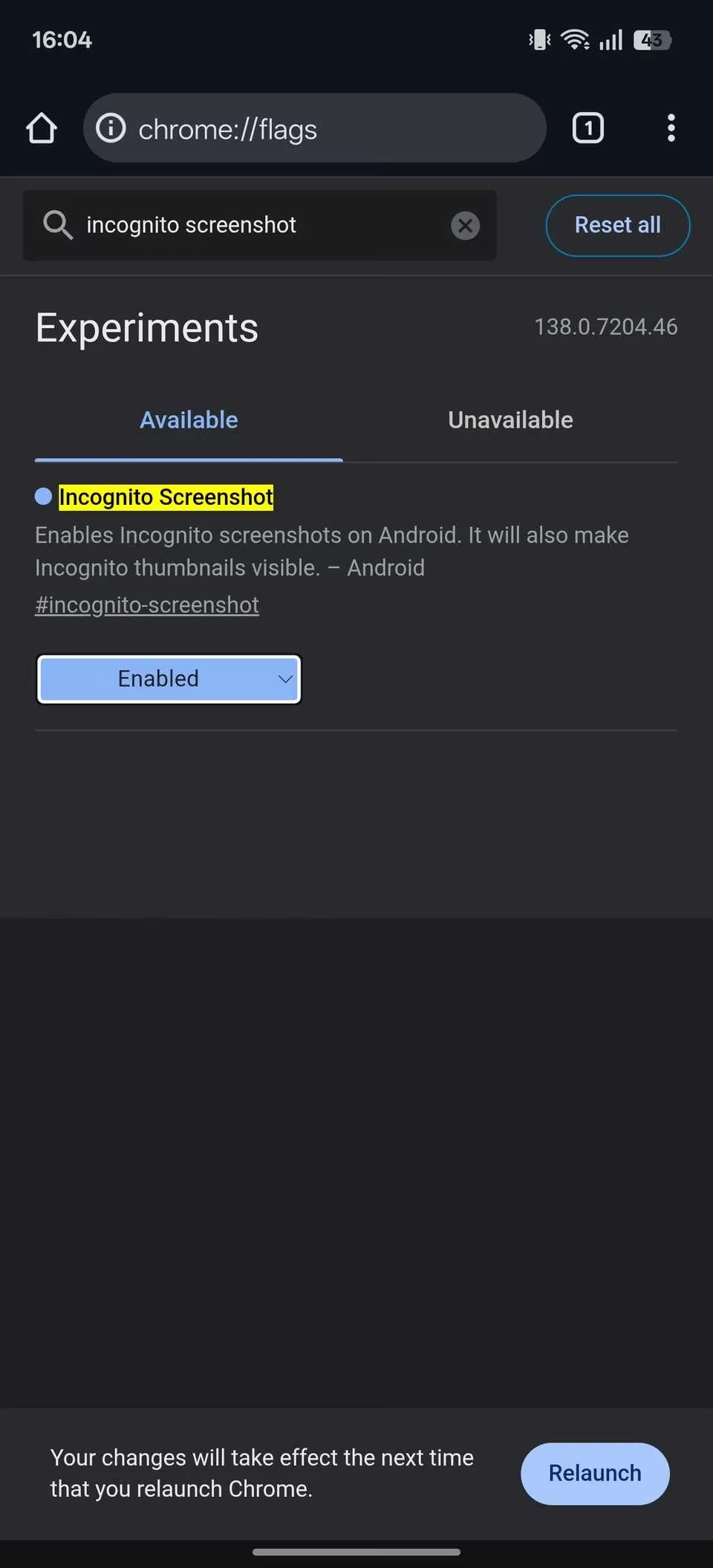
Have you ever fantasized about ripping out Chrome’s limits and making your own rules? The chrome://flags page is your backstage pass! Type that into the address bar and you’ll be met with a mind‑boggling list of experimental goodies Google is still testing. I nearly fainted the first time I enabled Parallel downloading, GPU rasterization, Auto Dark Mode for Web Contents, Partial swap, and the legendary Incognito Screenshot. Every single one of these made my browsing snappier, darker, or just plain cooler. To enable a flag, tap the dropdown, choose Enabled, and hit Relaunch at the bottom. Now brace yourself – you’ve just hacked your browser like a boss.
Force Desktop Sites – Mobile Layout? No Thanks!
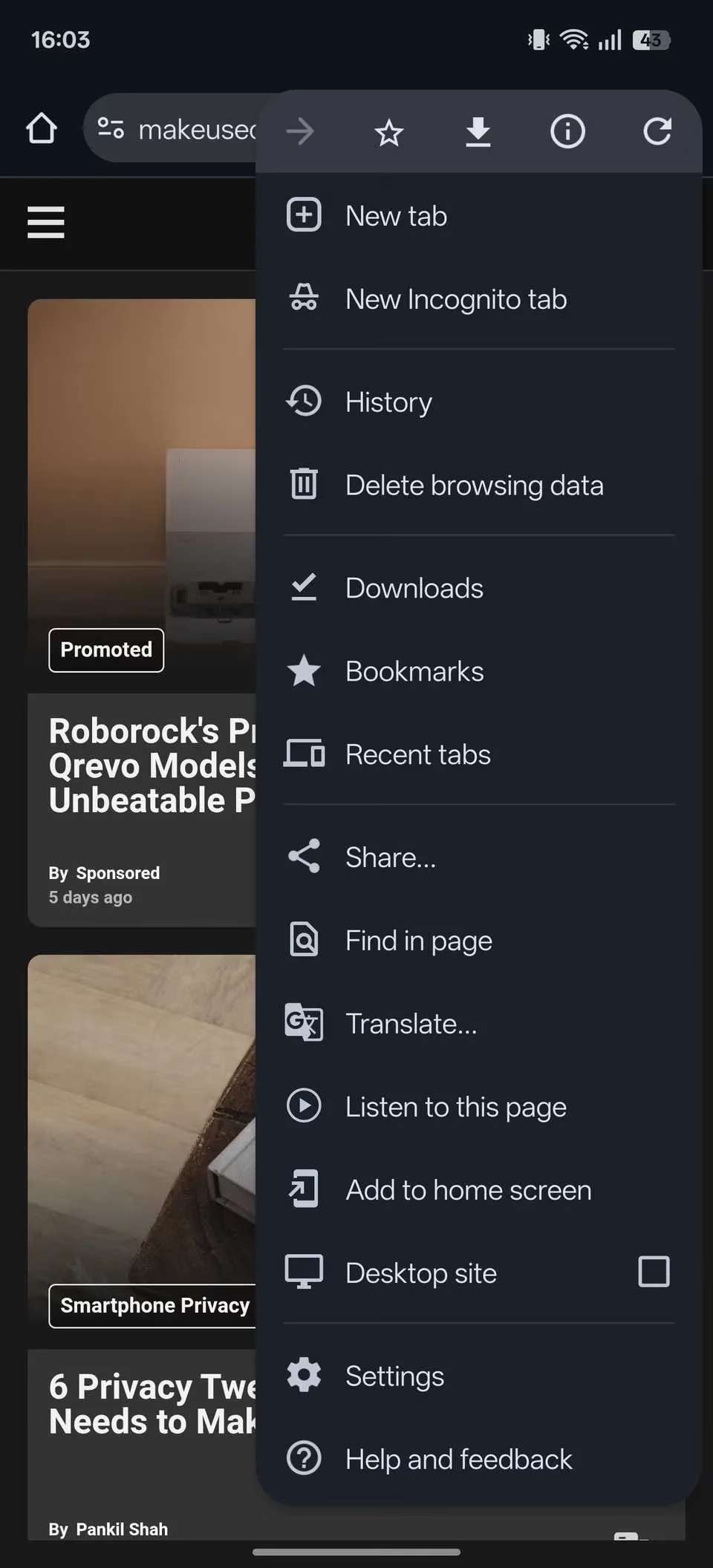
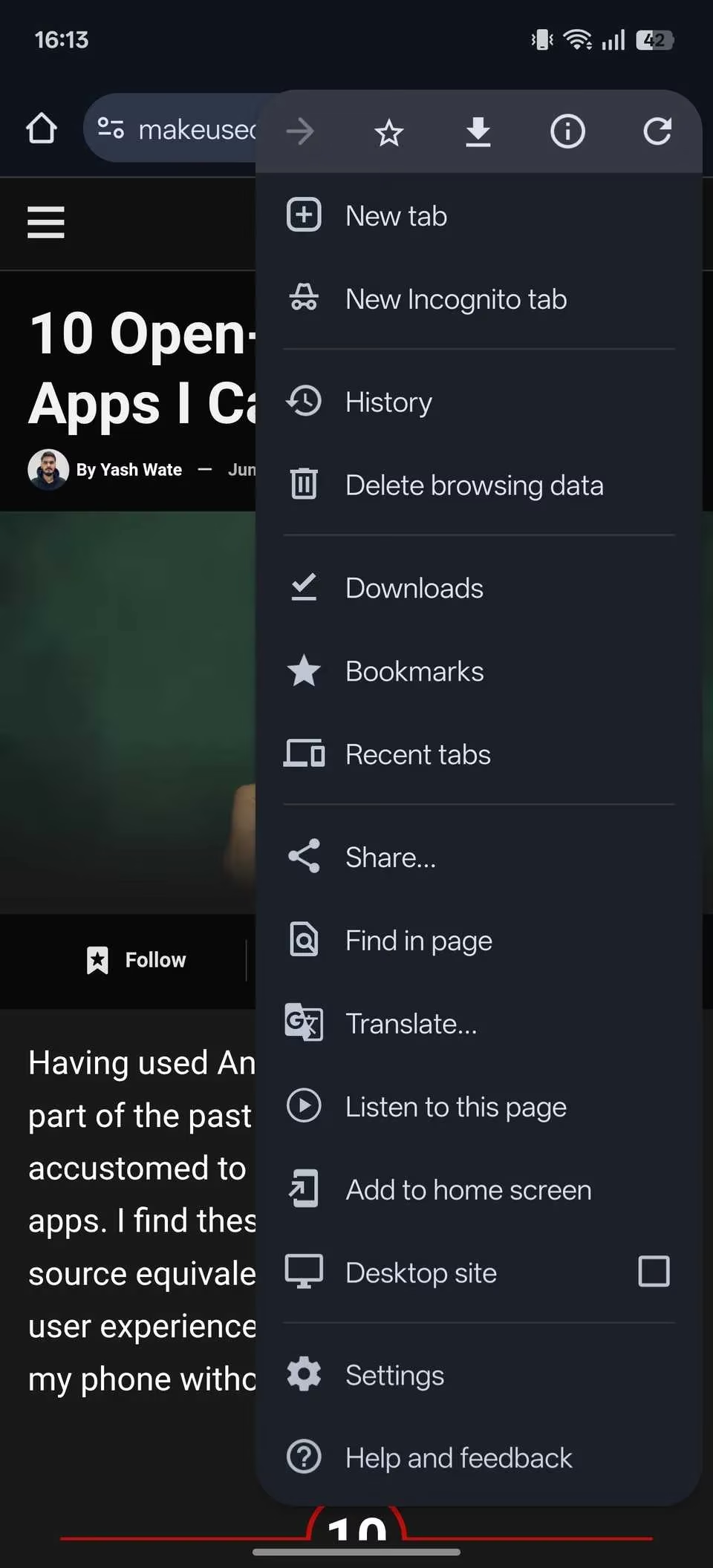
Do those stripped‑down mobile websites make you want to hurl your phone into the sea? I feel you. Some sites deliberately hide features on handheld devices. Next time you encounter one of these abominations, tap the three‑dot menu and tick Desktop site. Chrome instantly reloads the page in its full‑blown desktop glory. I pinch‑zoomed like a madman and finally used the complete dashboard of my bank’s website without weeping. When you’re done, just untick the checkbox. It’s like having a portal gun that turns your phone into a desktop PC on demand!
Always Use Secure Connections – Protect Your Digital Soul 🔒
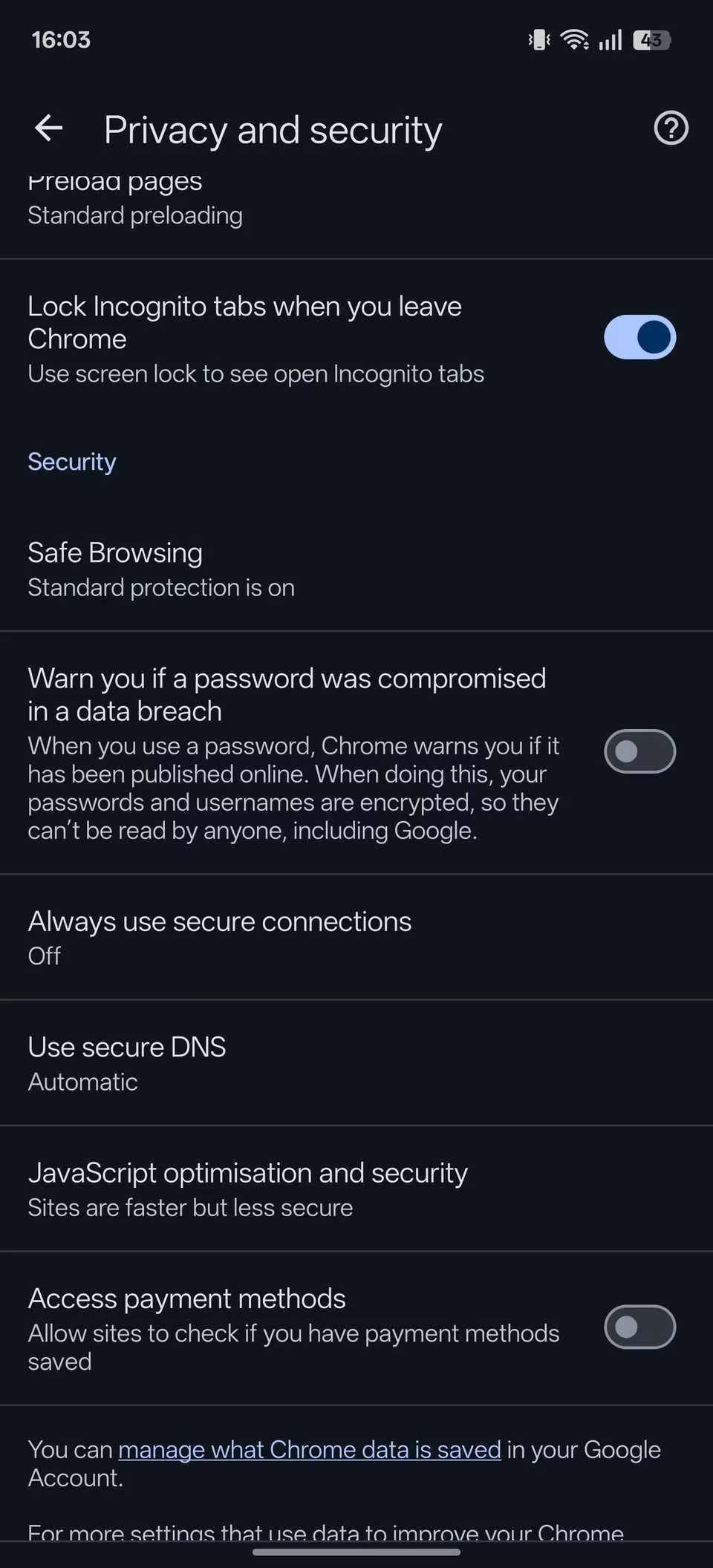
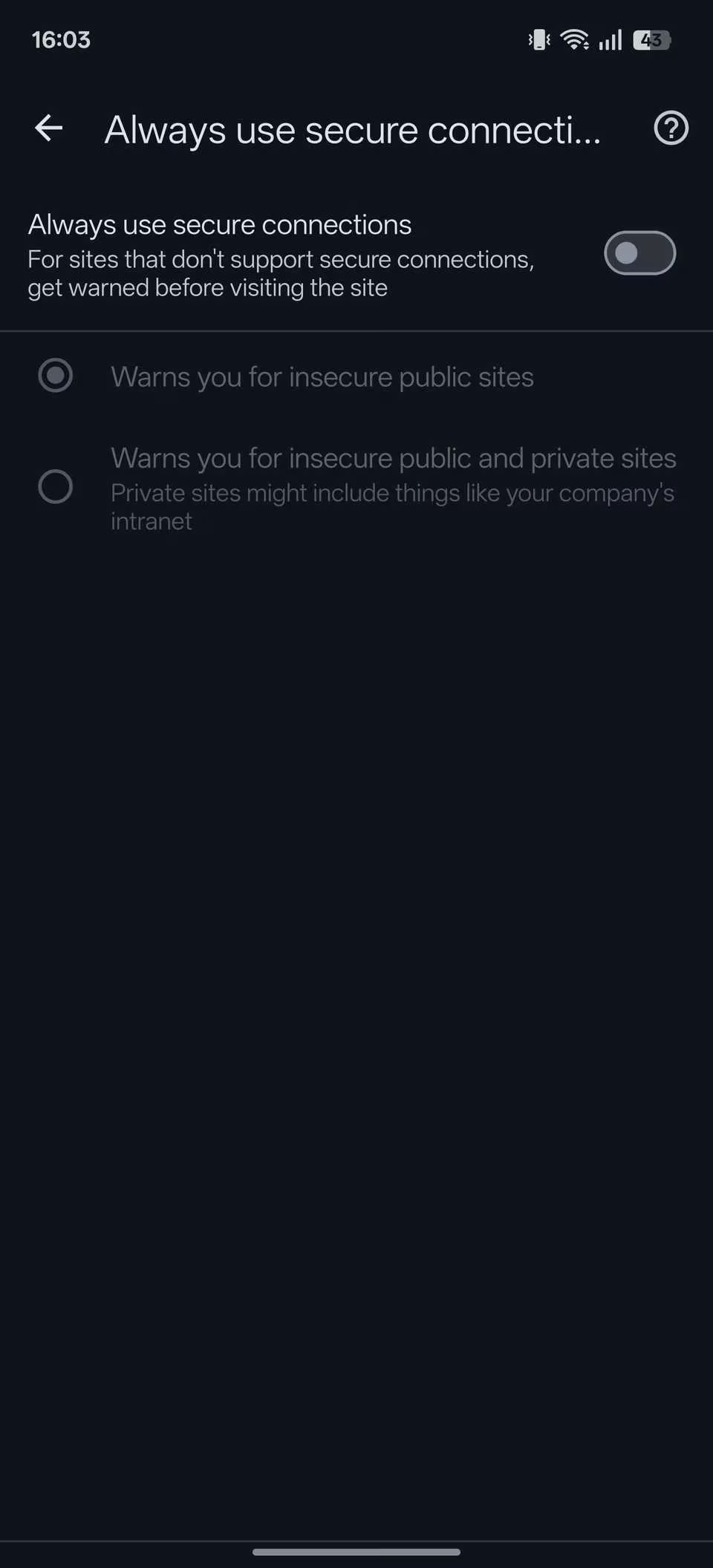
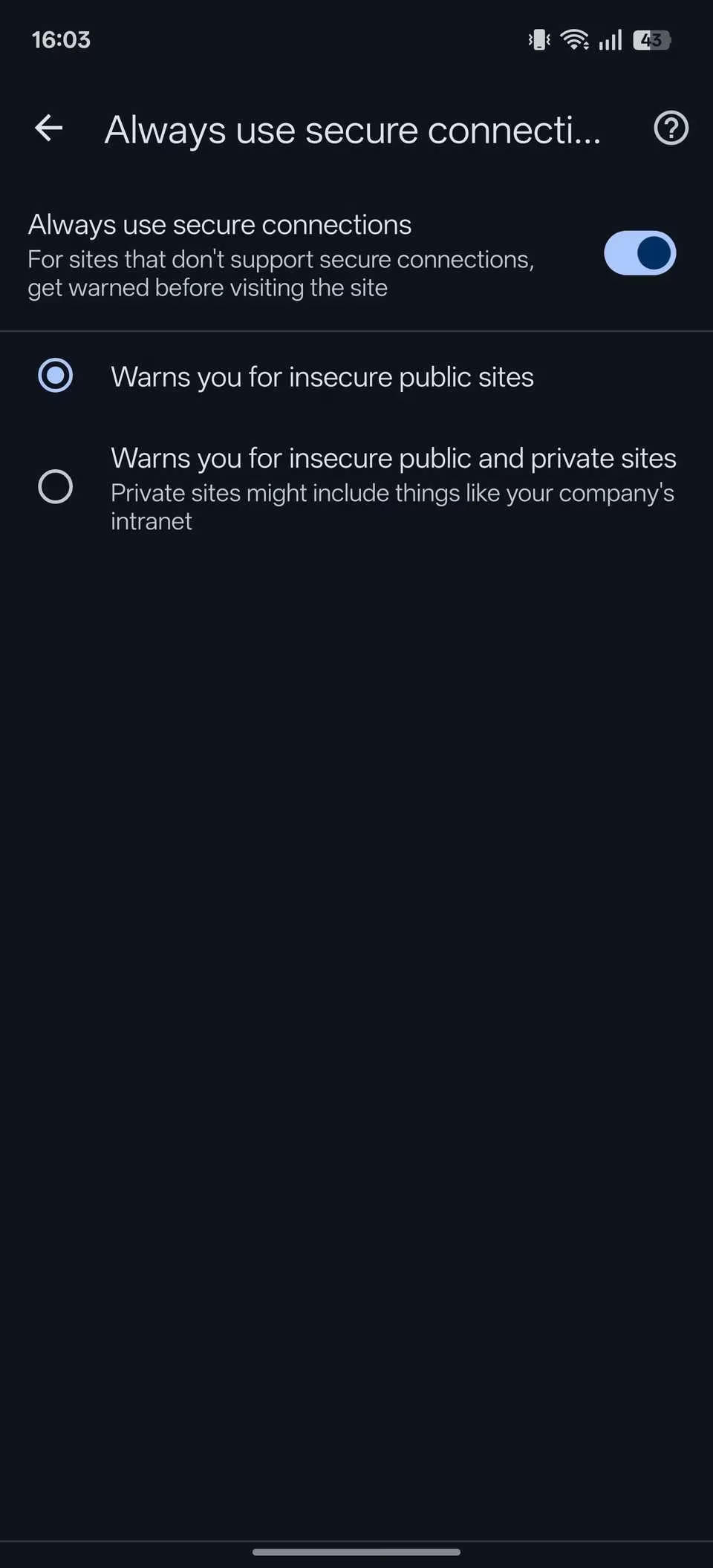
In 2026, why would anyone still risk HTTP sites that expose your passwords and credit card numbers to every lurking hacker? I won’t gamble with my sensitive info, and neither should you. Dive into Chrome’s Settings → Privacy and security → Security and flip the switch for Always use secure connections. Now, whenever you accidentally tap a dodgy link, Chrome slaps you with a warning before you can leak your life story. You can even choose to warn about private internal sites too. My digital life has never felt more armored.
Screenshot Incognito Tabs – Capture the Forbidden 🕵️
Google treats incognito like a vault where screenshots are illegal. That’s cute. I blew that door wide open using the Incognito Screenshot flag (chrome://flags → search “Incognito Screenshot” → Enable → Relaunch). Now I can grab any receipt, meme, or proof I need from private sessions. Is it a little rebellious? Absolutely. Does it make me feel like a digital ninja? You bet!
Lock Incognito Tabs – Biometric Fortress 🔐
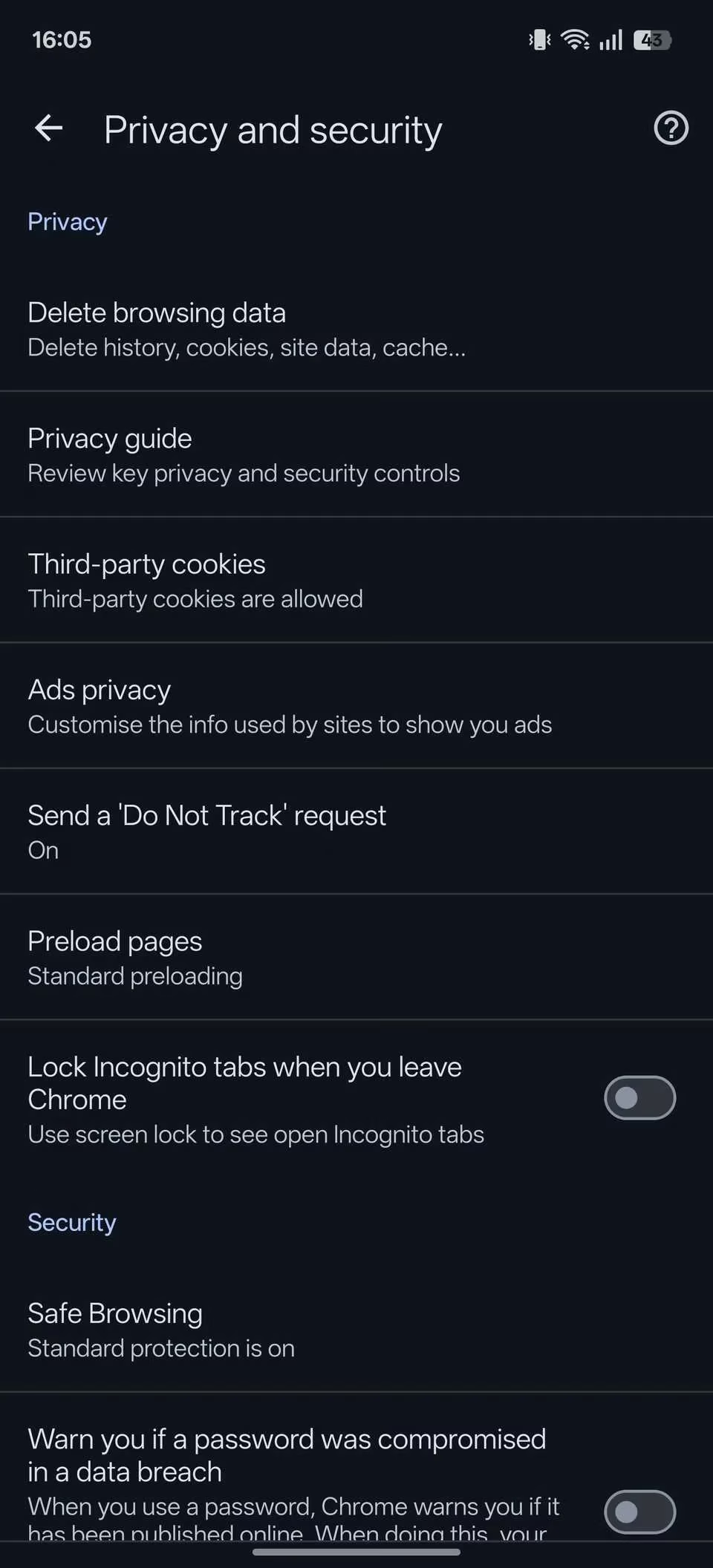
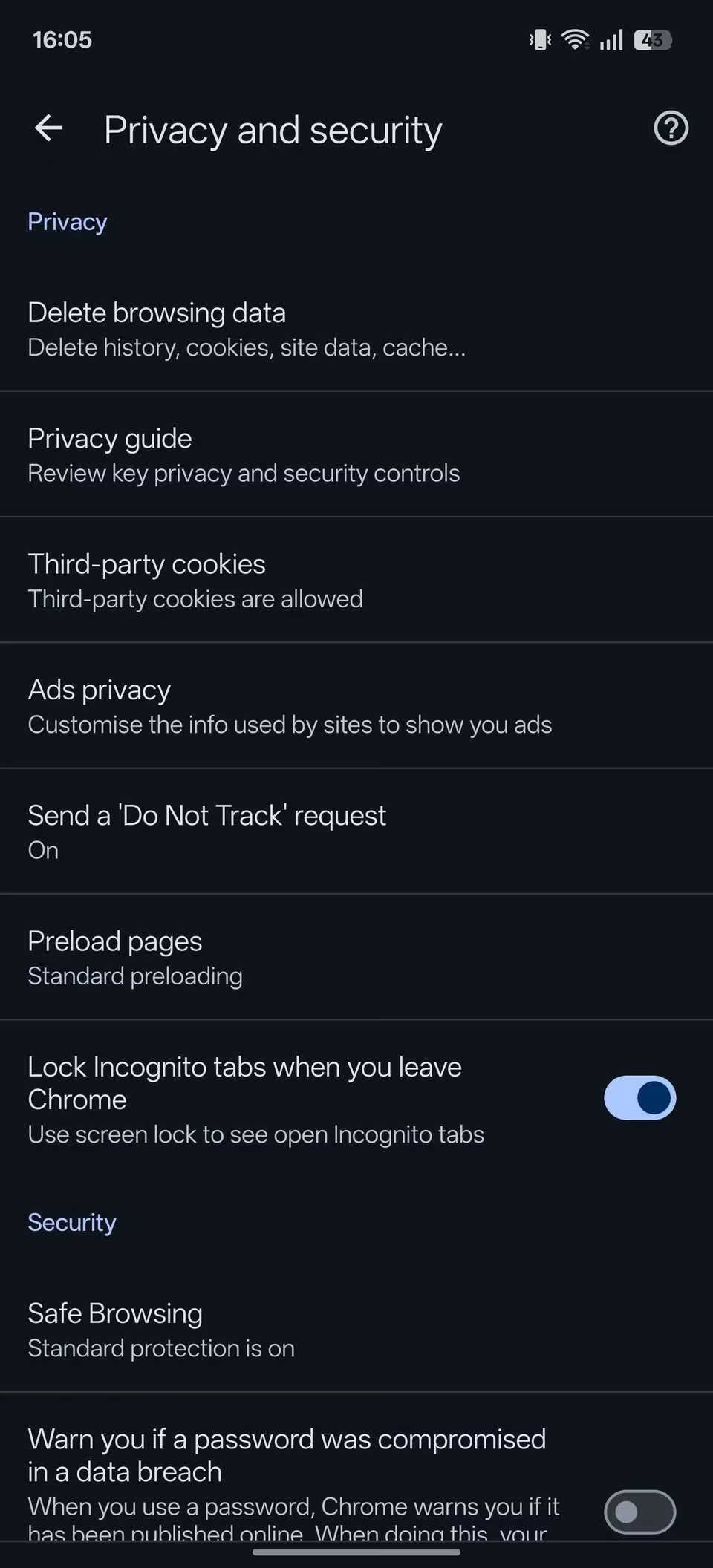
Unlocking the screenshot feature was just phase one. For ultimate privacy, I locked my incognito tabs behind my fingerprint! Go to Settings → Privacy and security and toggle Lock Incognito tabs when you leave Chrome. After re‑authenticating, every time I switch apps or lock my phone, my private tabs vanish behind a biometric wall. This is 007‑level secrecy, and you can have it in two taps.
Preview Links Without Leaving Your Page 👀
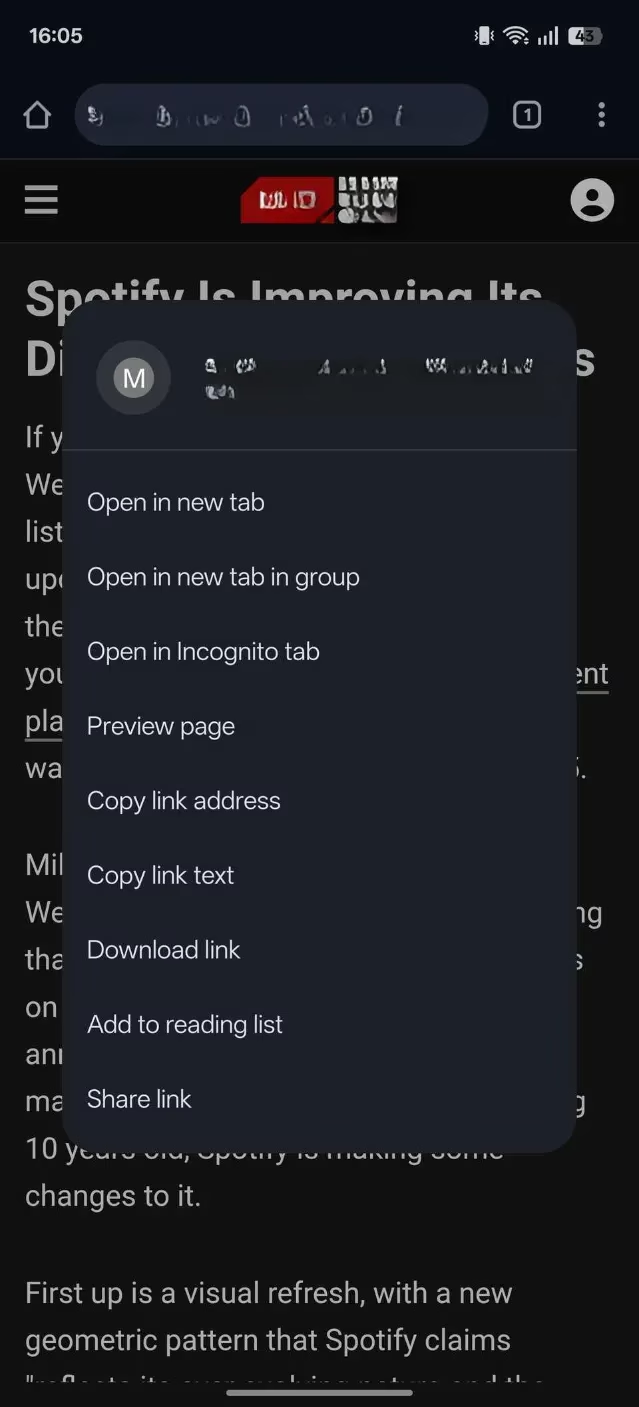
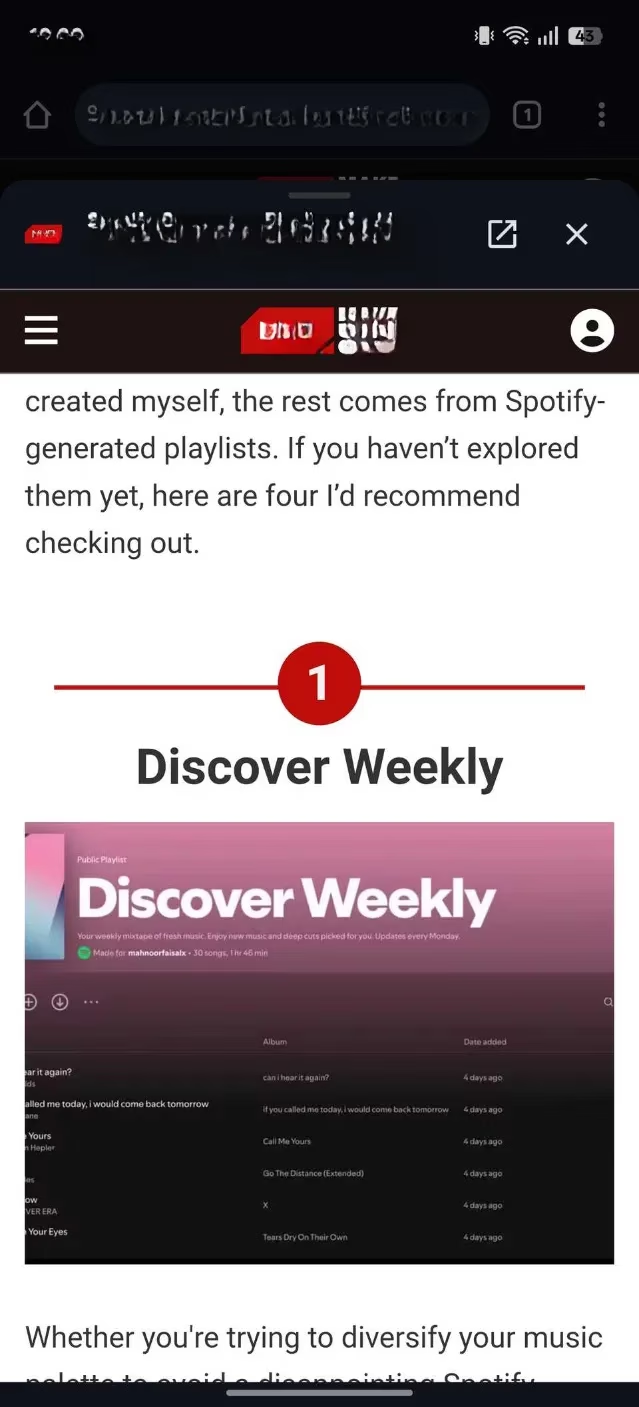
How often do you open a link, lose your place, and end up with 47 open tabs? I used to be that person, until I discovered the Preview page feature. Simply long‑press a link and select Preview page. A silky‑smooth slide‑up pane appears, letting you skim the destination without ever abandoning your current article. You can even pop it open fully if you decide it’s worthy. My tab bar has never been cleaner!

Supercharge Your Toolbar with Shortcuts ⚡
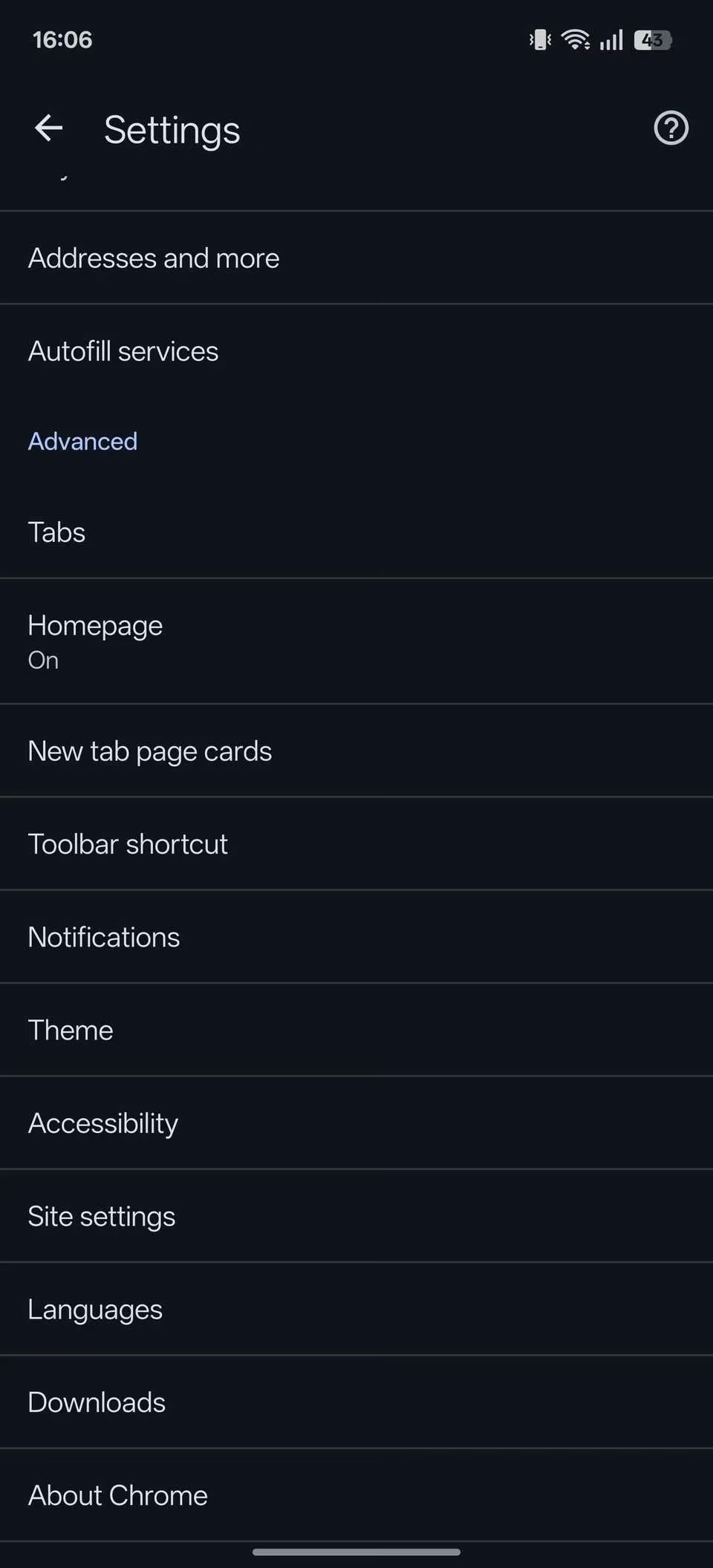
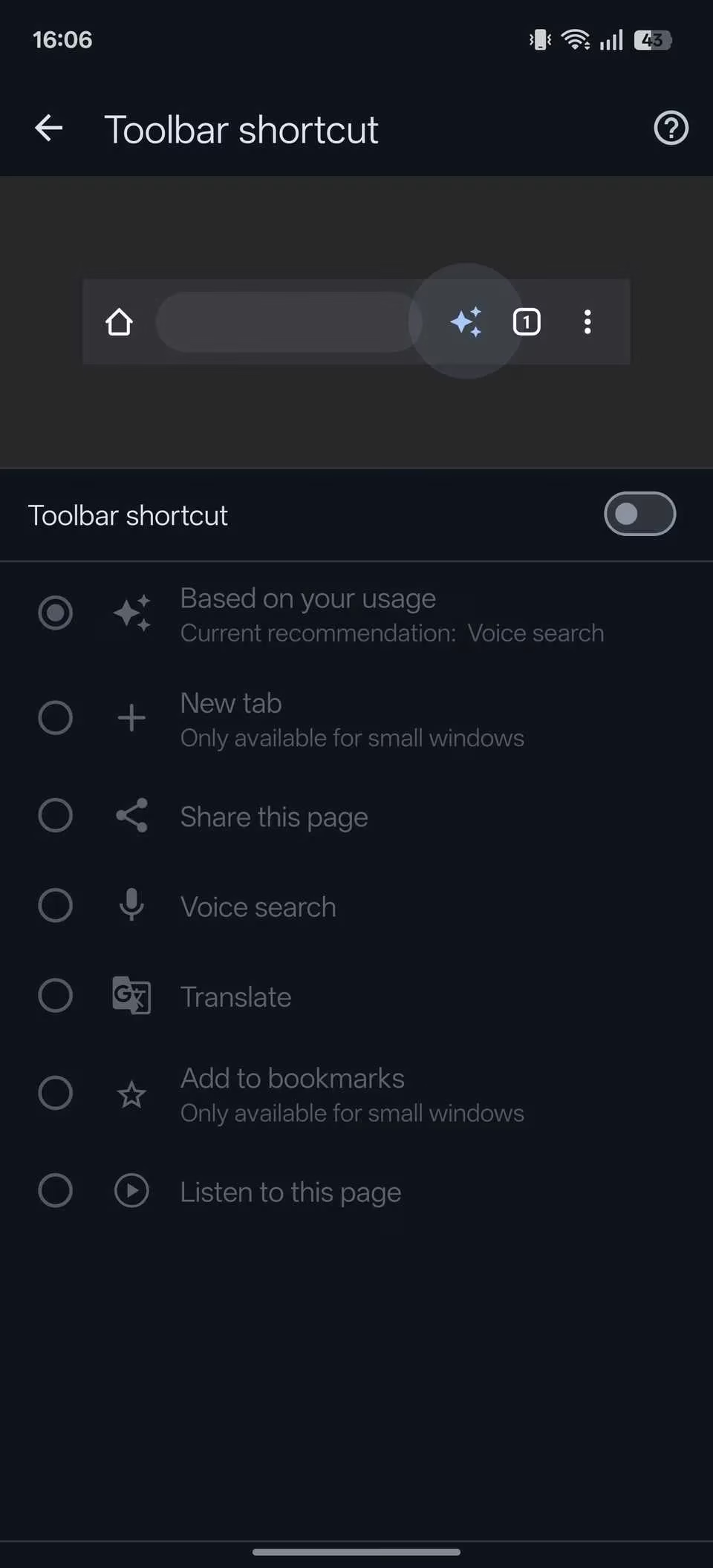
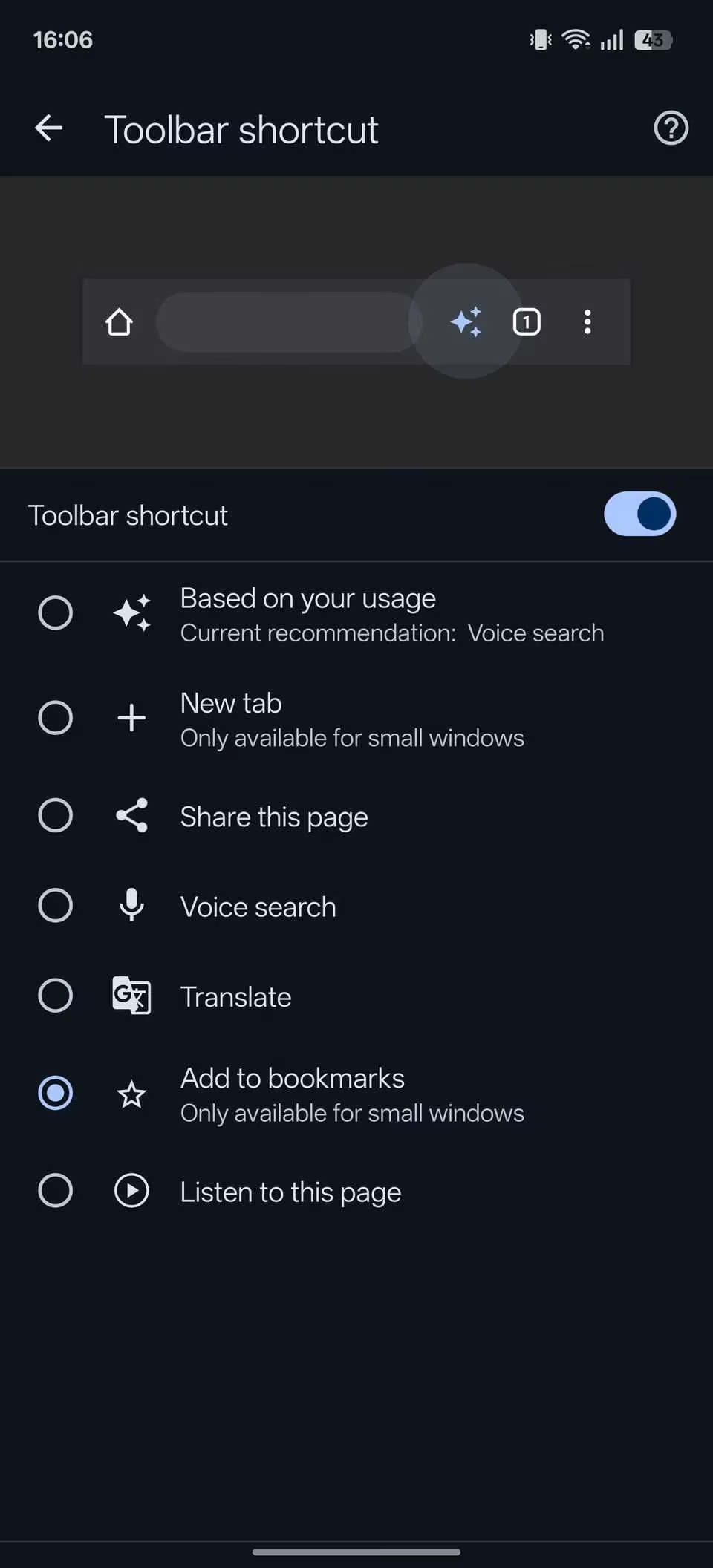
The Chrome toolbar is more than a home button grave. I turned mine into a Swiss Army knife. Head to Settings → Advanced → Toolbar shortcut, flick the toggle, and choose an action: Voice Search, Share, Translation, or even a dynamic option based on your usage. Now every time I need to translate a page, a single tap does the magic. Why waste seconds digging through menus?
Have Chrome Read Aloud – Your Personal Audiobook Narrator 📖🎧
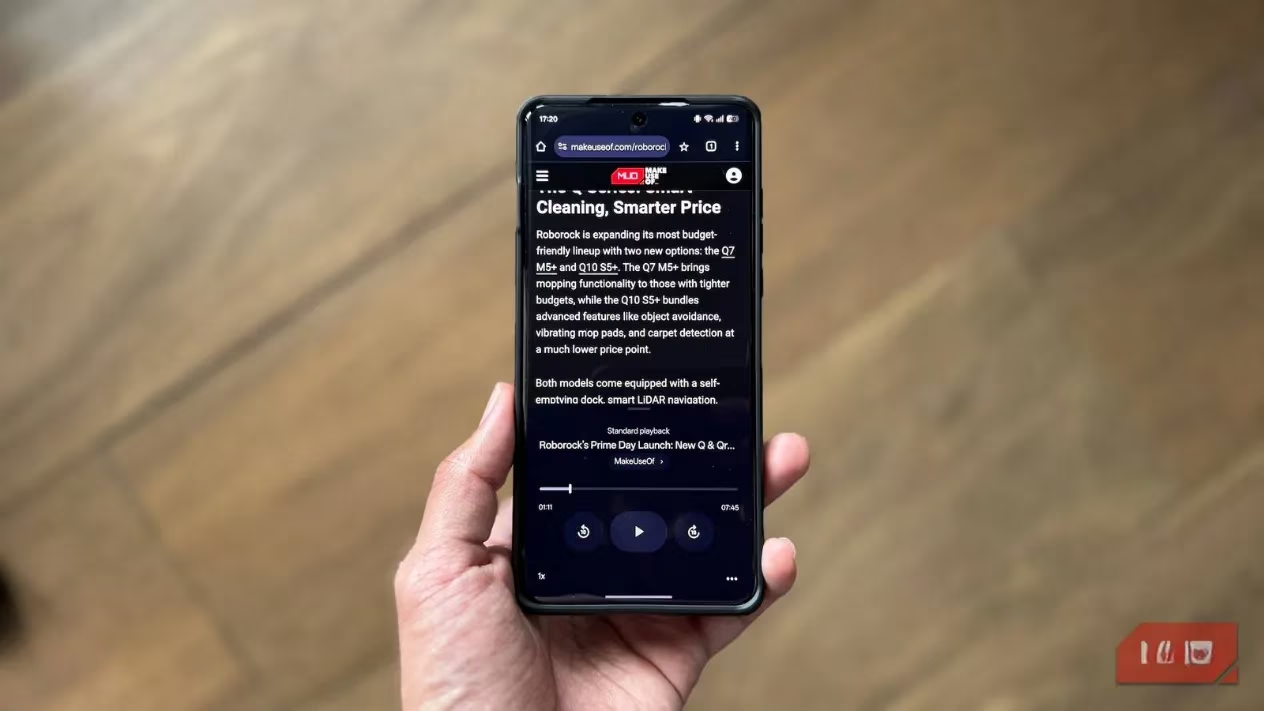
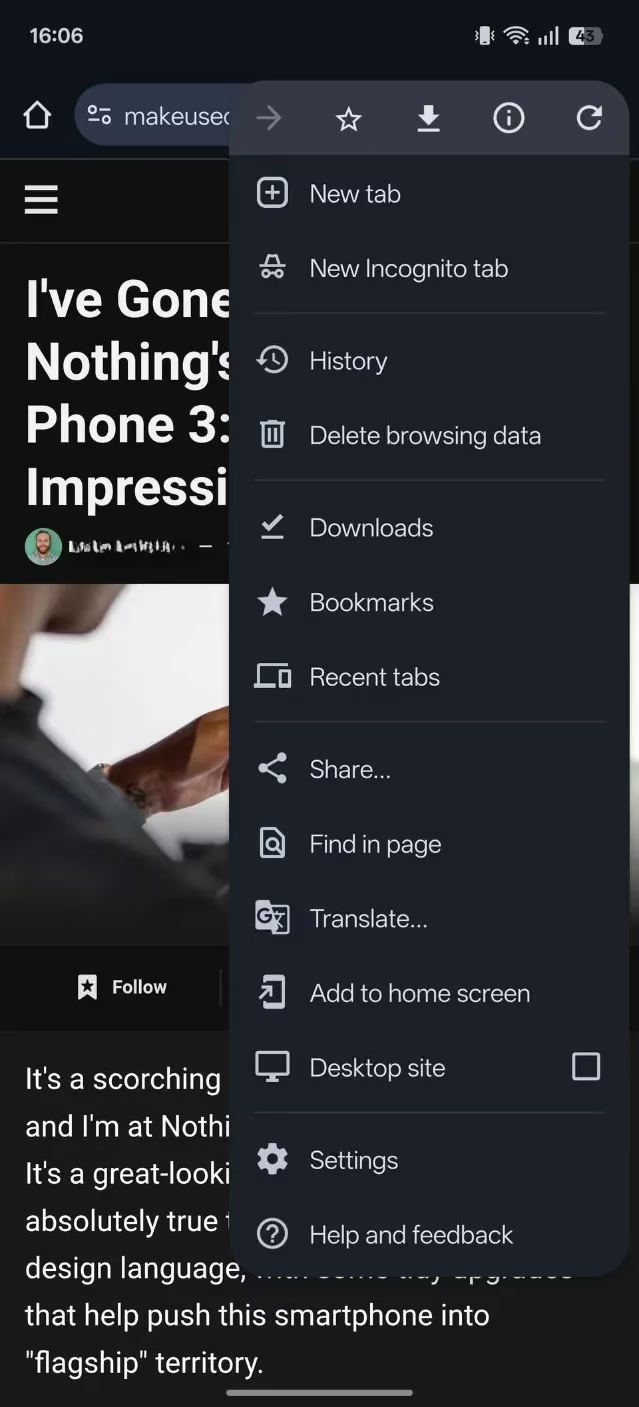
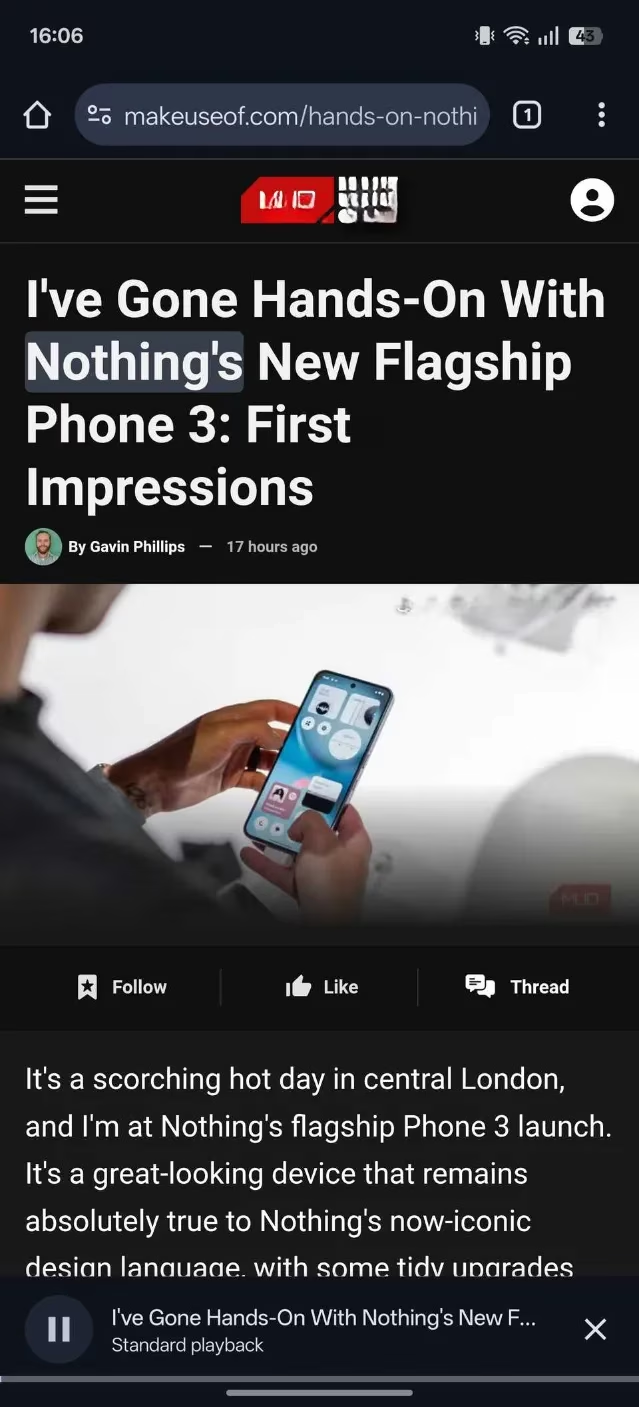
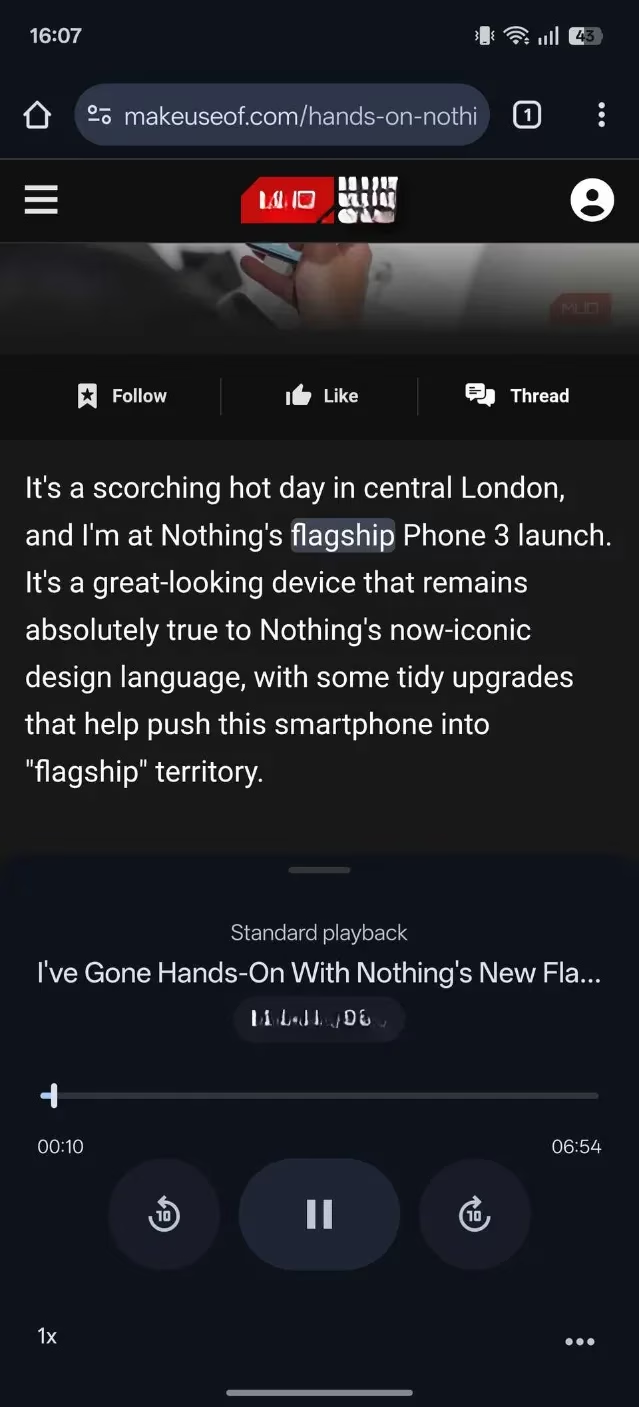
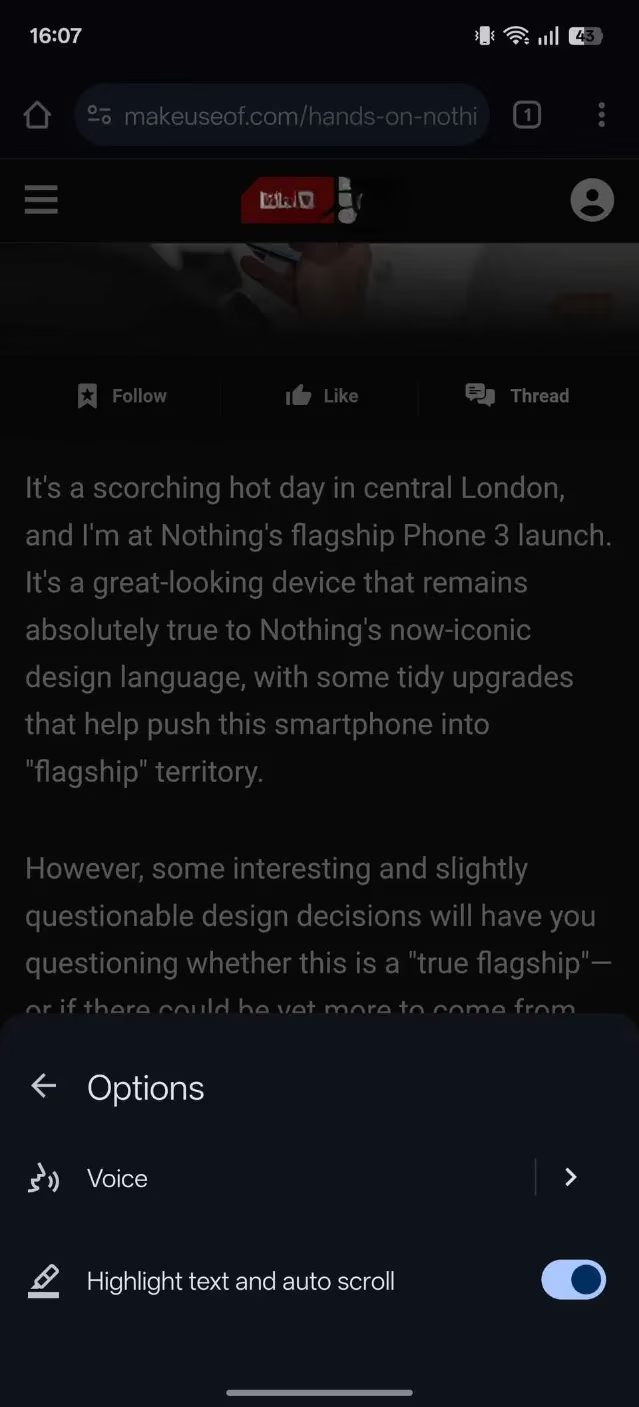
I’m lazy. I admit it. When I can’t bother reading a wall of text, I make Chrome do it for me. Tap Listen to this page from the three‑dot menu, and the browser starts reading in a crisp, clear voice, highlighting each word in real time. A mini‑player appears so you can skip forward, adjust speed, or change the voice. I even added this shortcut to my toolbar so I can kick back and let Chrome read me the internet like a bedtime story.
Web Search in a Flash – No More Tab Hopping 🔍
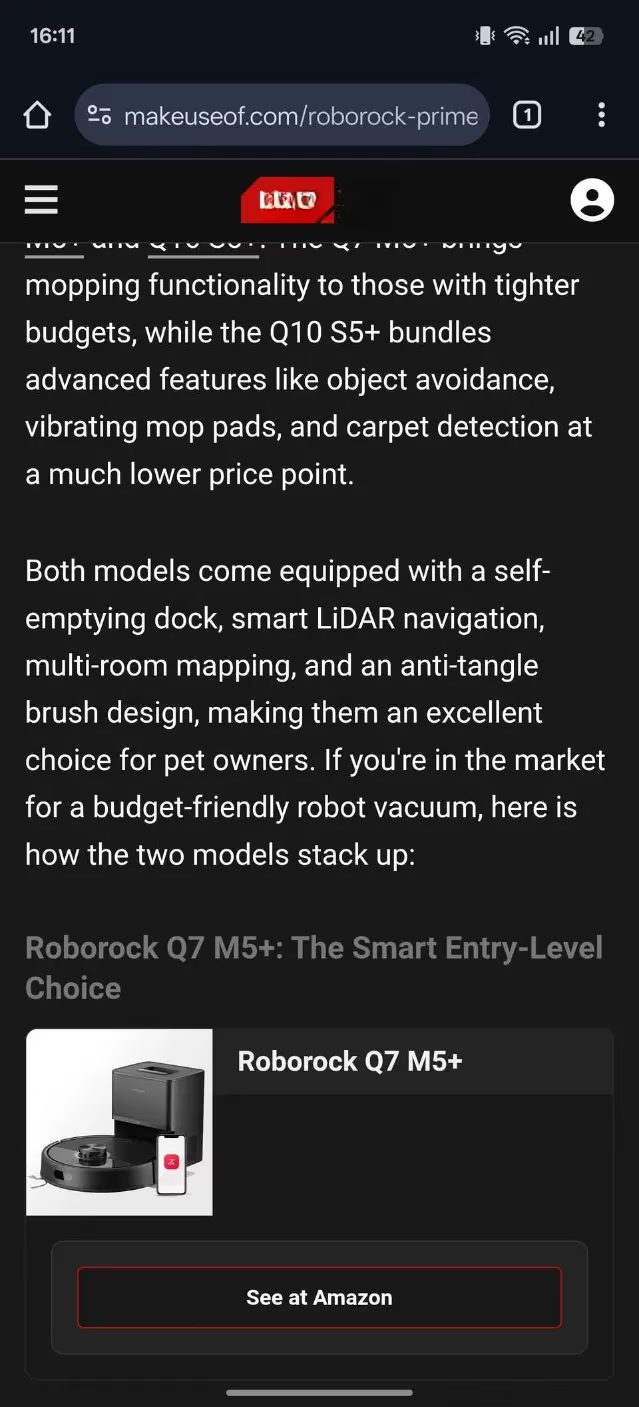
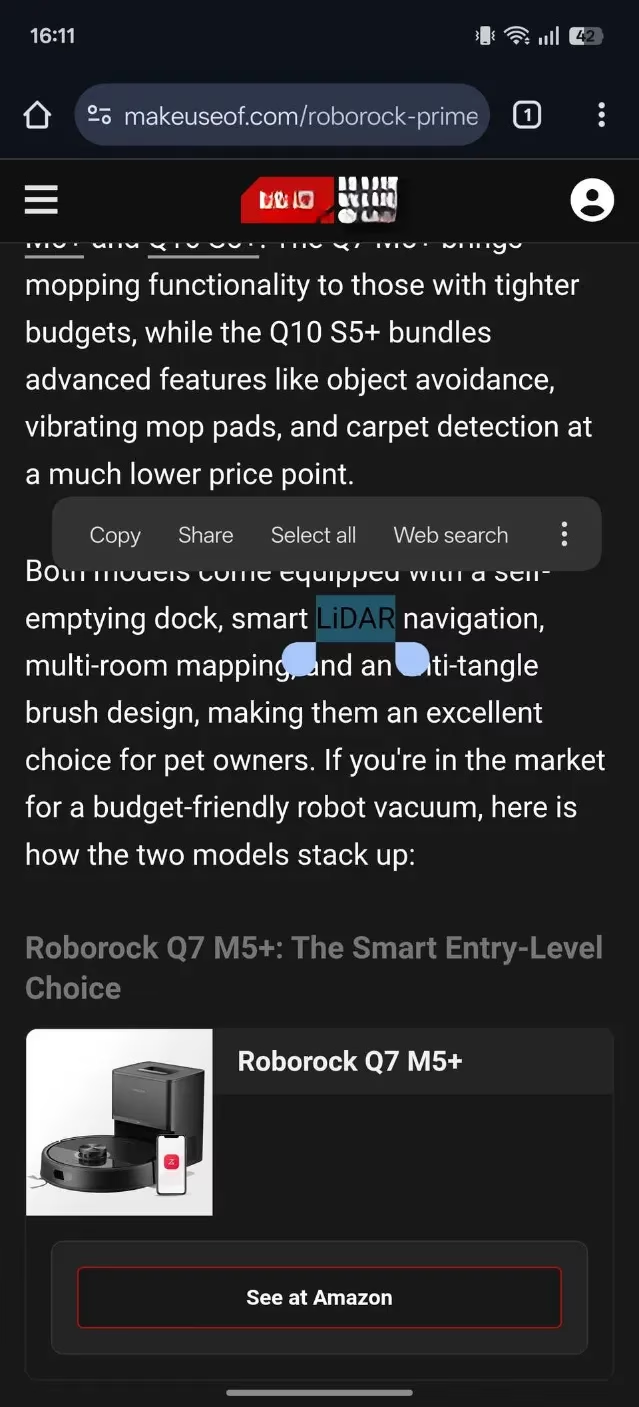
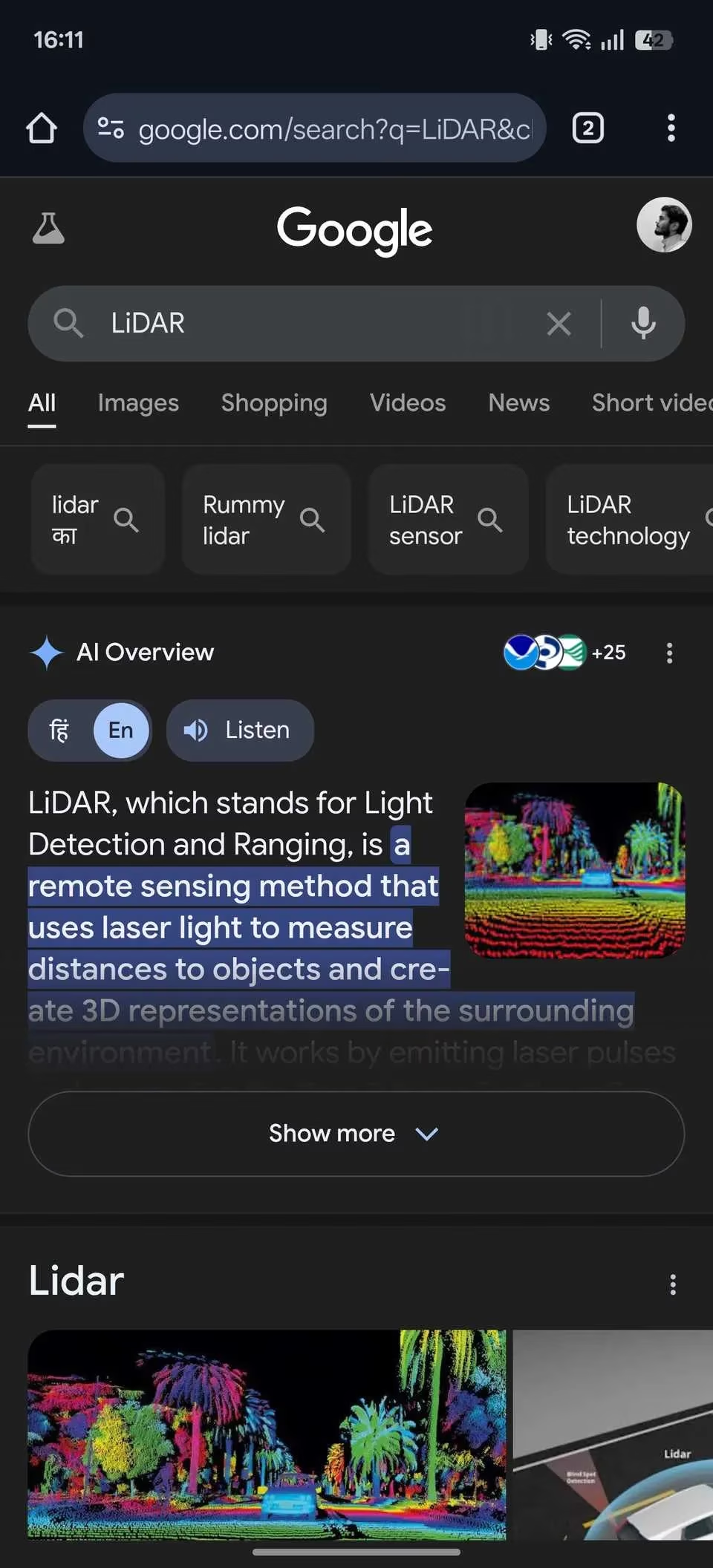
Copy, open new tab, paste, search, repeat. That ancient ritual is dead. In 2026, I simply long‑press any word or phrase on a page and hit Web search. Chrome instantly fires off a Google search in a fresh tab. After I get my answer, a left‑edge swipe or tap of the back button sends me right back where I was. It’s so seamless I sometimes do it just for the sheer joy of it.
Find on Page – Your Page‑Scanning Cyborg Eye 🤖
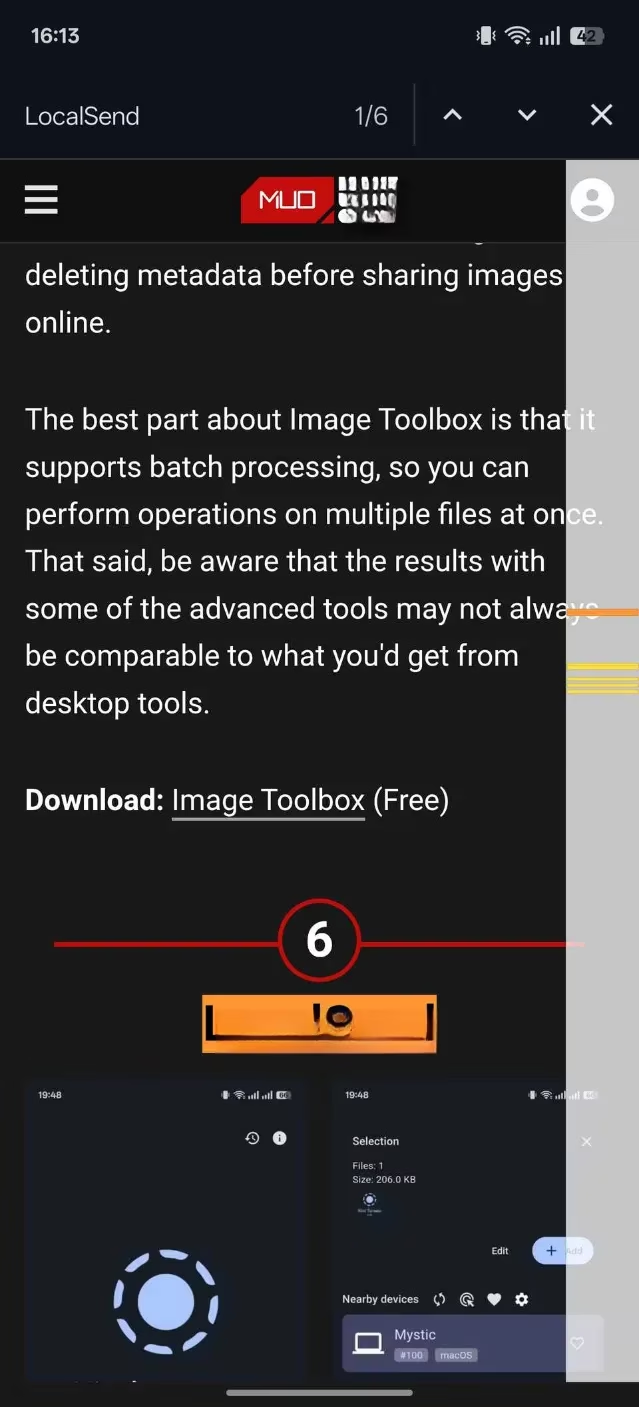
Ever scrolled endlessly to locate that one phrase your friend mentioned? I used to get dizzy. Now, I tap the three‑dot menu, select Find in page, and type any keyword. Chrome highlights every occurrence in fluorescent yellow and even counts them for me. I can jump between matches with the arrows and close the search bar when I’m done. It’s like giving my thumb a well‑deserved vacation.
There you have it – a library of superpowers you can activate right now. If you haven’t already sprinted over to chrome://flags or tweaked your privacy settings, what are you waiting for? The difference between an average Chrome user and a certified browsing warrior is just a few taps. Go on, make your 2026 Android Chrome faster, safer, and so ridiculously personalized that even Google engineers will be impressed. I’ve done my part; the rest is in your thumbs!